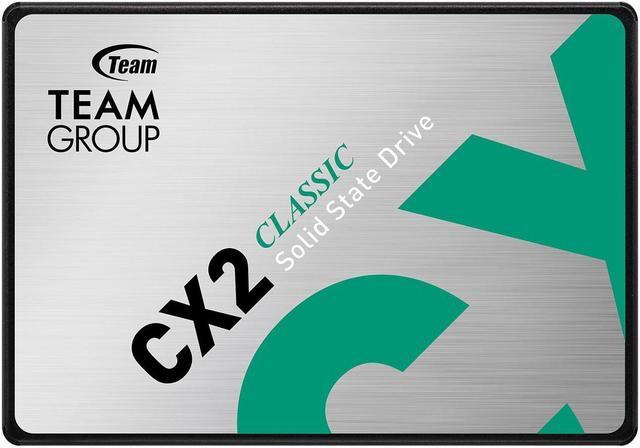
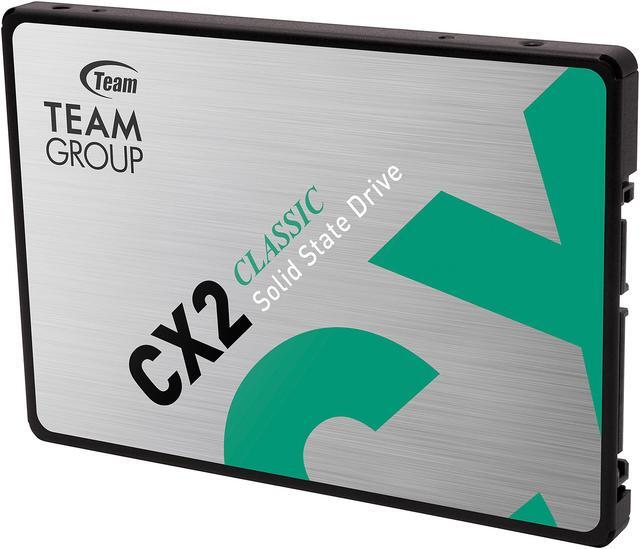
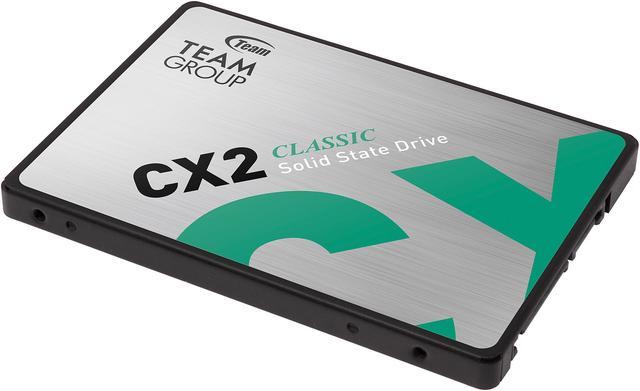
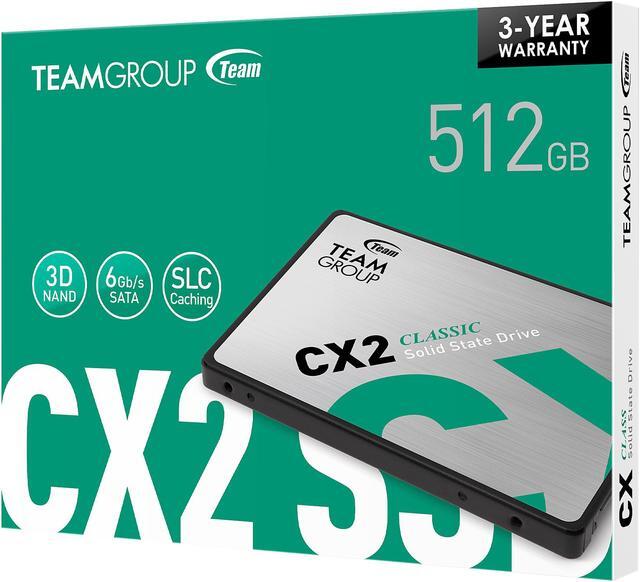
The Team Group CX2 is a 512GB 2.5-inch SATA III internal SSD for users upgrading a compatible computer from a mechanical hard drive. It offers sequential speeds of up to 530 MB/s read and 470 MB/s write, with SLC caching and ECC.
Recommended For
- Owners of an older laptop or desktop with a 2.5-inch SATA bay who want to replace a mechanical hard drive with a quieter, faster-feeling system drive.
- People using a SATA-compatible PC for everyday tasks—such as web browsing, office documents, and launching common apps—who want a straightforward 512GB boot and application drive.
- PC owners who need a secondary SATA drive for a modest game selection or frequently used files, rather than a large all-in-one library.
- Laptop users who value silent, shock-resistant storage and whose device supports a 2.5-inch SATA SSD.
Real-World Use Scenarios
- Replace a mechanical hard drive used for Windows in a SATA-equipped desktop or laptop; everyday startup, sign-in, and app launches should feel more responsive than they did on the hard drive.
- Give an older SATA-based PC a storage refresh when an NVMe upgrade is not an option; the 2.5-inch drive can serve as a boot drive for routine computing, with the biggest practical change being quicker access than a mechanical drive.
- Install it as internal storage in a compatible Xbox One model to replace the original hard drive; one CX2 owner reported faster boots and game loading, though results depend on the console and installation.
- Use it as a secondary drive for frequently played games or everyday applications on a desktop with an available SATA connection; it provides local SSD storage, while 512GB is better suited to a selected set of files and titles than a large library.
Spec Summary
| Attribute | Value |
|---|
| Best For | Consumer desktop storage upgrades and personal or gaming use, including replacing a mechanical drive |
|---|
| Capacity | 512 GB |
|---|
| Interface And Form Factor | 2.5-inch internal SSD with a SATA III interface and SATA protocol |
|---|
| Read Write Performance | Sequential read speeds up to 530 MB/s and sequential write speeds up to 470 MB/s |
|---|
| Cache And Data Integrity | No DRAM cache (HMB), with Advanced SLC Caching and ECC error correction |
|---|
| Endurance And Reliability | Rated for 120 TBW with a 1,000,000-hour MTBF |
|---|
| Durability And Operating Conditions | Rated for up to 1500G shock resistance and 20G non-operating vibration resistance; operating temperature 0°C to +70°C and storage temperature -40°C to +85°C |
|---|
| Dimensions And Weight | 100 × 69.9 × 7 mm (depth × width × height); weighs 50 g; black |
|---|
| Compatibility | Desktop internal installation; Sony PlayStation 5 is also listed as a compatible console |
|---|
| Model Identifiers | Team Group CX2, model T253X6512G0C101 |
|---|
Reference Q&A
Q: TeamGroup CX2 512GB or Crucial MX500 500GB—which should I choose?
A: Choose the CX2 if you need a 2.5-inch SATA SSD for everyday use and it costs less. Choose the MX500 if its higher advertised sequential speeds—up to 560/510 MB/s versus the CX2’s 530/470 MB/s read/write—are worth the price difference. Both are SATA drives, so the MX500’s speed advantage does not change the interface limit of a SATA connection.
Q: TeamGroup CX2 512GB or Crucial BX500 500GB—which is a better budget SATA upgrade?
A: Both are 2.5-inch SATA options for a compatible PC or laptop. The CX2’s listed 512GB model is rated for up to 530/470 MB/s read/write and 120TBW; the BX500 product sheet lists up to 540/500 MB/s for its 480GB model. Compare the price and usable capacity at purchase: the CX2 makes sense when its 512GB capacity or lower price is the priority, while the BX500 has slightly higher advertised sequential speeds.
Q: Should I get the CX2 256GB or pay more for the 512GB model?
A: Choose the 256GB CX2 for a smaller budget or a lighter operating-system and app setup. The 512GB model offers twice the listed capacity, higher advertised sequential speeds—up to 530/470 MB/s versus 520/430 MB/s—and a higher rated endurance of 120TBW versus 80TBW. The 512GB version is the more flexible choice if you plan to store games, photos, or other large files.
Q: Is the TeamGroup CX2 a worthwhile upgrade from a laptop’s hard drive?
A: Yes, if the laptop supports a 2.5-inch SATA drive: the CX2 is a 7mm 2.5-inch SATA SSD rated for up to 530/470 MB/s sequential read/write, and TEAMGROUP positions it as a hard-drive replacement. Check the laptop’s drive size and SATA compatibility before buying. If it instead requires an M.2 drive, this 2.5-inch CX2 will not fit.
Q: Will this SSD fit my laptop or desktop?
A: It can work in a computer that supports a 2.5-inch SATA drive. Before buying, check the computer’s drive interface and available space; some desktops may also need a 2.5-inch mounting adapter. Compatibility cannot be confirmed from the computer’s brand or model alone.
Q: Can I use this SSD to replace a laptop’s hard drive?
A: Yes, if the laptop uses a 2.5-inch SATA drive and supports a 512GB drive. The CX2 is 7mm tall; check the laptop’s drive bay and any required caddy or connector before replacing the existing drive.
Q: Does it come with an operating system or software to clone my old drive?
A: The provided product information does not list an operating system or cloning software as included. Plan to install an operating system or use separate cloning software if needed; cloning also requires a compatible way to connect both drives.
Q: Is 512GB enough for a replacement or upgrade drive?
A: The drive provides 512GB of nominal capacity. Whether that is enough depends on the operating system, apps, and files you plan to store; when cloning an existing drive, the used data must fit on the new drive.
Q: Is the Team Group CX2 a suitable replacement for a hard drive?
A: It is a reasonable choice if your computer supports a 2.5-inch SATA drive and 512GB is enough space. The CX2 is a SATA SSD rated for sequential reads up to 530 MB/s and writes up to 470 MB/s. It has no DRAM, so consider another drive if your workload involves frequent, sustained large writes.
Q: Is the CX2 suitable for storing and playing games?
A: It can suit a game library or secondary storage when the computer has a 2.5-inch SATA connection. The supplied 512GB capacity may limit how many large games fit, and SATA is slower than NVMe. CX2 discussions describe the drive as a basic option for game storage.
Q: Should I pay more for a different SSD instead of the CX2?
A: The CX2 is a DRAM-less SATA drive with SLC caching and advertised sequential speeds up to 530/470 MB/s for this 512GB model. It may fit ordinary storage or a hard-drive replacement; compare alternatives if you often write large files or need higher performance. A CX2 review specifically examines benchmarks and a large file transfer, but does not establish that every buyer needs to spend more.