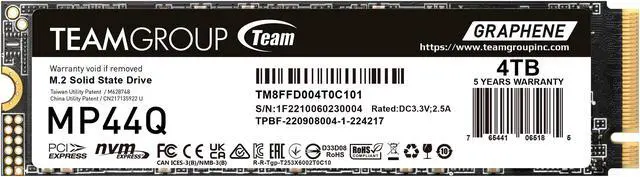
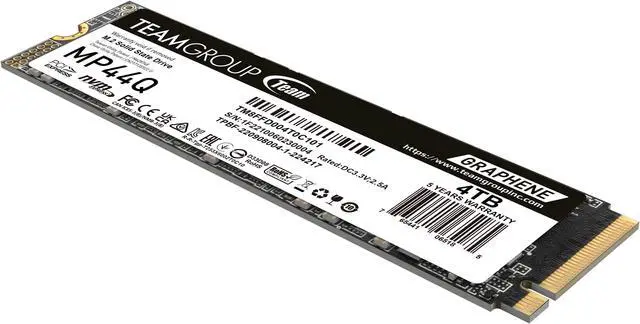
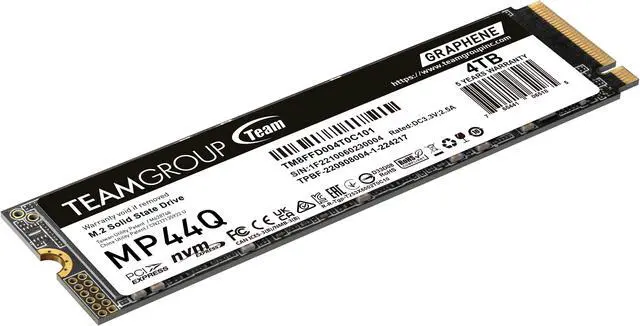
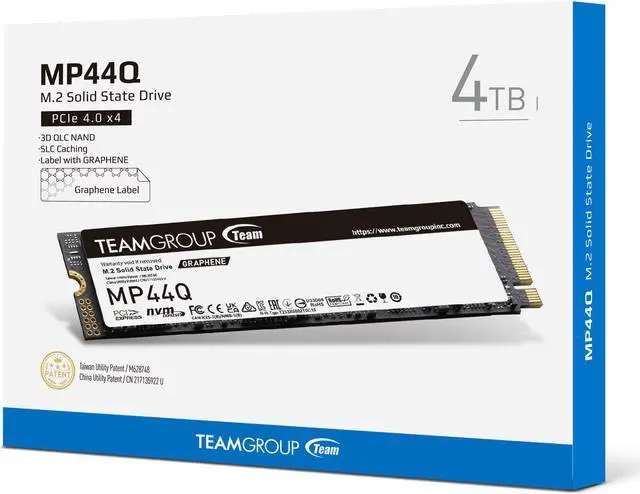
The TEAMGROUP MP44Q is a 4TB M.2 2280 PCIe 4.0 NVMe SSD with sequential speeds up to 7,400 MB/s read and 6,200 MB/s write, suited to users expanding compatible laptops, desktops, NUCs, or NAS devices with high-capacity storage.
Recommended For
- PC gamers building a large game library: suited to storing and loading installed games, where capacity and read-heavy use matter more than prolonged write speeds.
- Desktop or laptop users expanding a compatible M.2 2280 NVMe system: a fit for everyday computing, app launches, and storing large files when adding 4TB is the priority.
- Home users keeping a media or file library on fast local storage: suitable for workloads that mostly read and serve stored content rather than constantly rewriting large amounts of data.
Real-World Use Scenarios
- Expanding a PC’s game library: install more games on one drive and launch them from SSD storage; the review of a 2TB MP44Q found game-loading performance broadly competitive, though results vary by game and system.
- Everyday desktop use: run the operating system, apps, and frequently accessed files from the MP44Q; testing of the drive family found it responsive in typical workloads, making this a better fit for everyday use than repeated heavy writes.
- Keeping a large media or project-file collection on one internal drive: the 4TB capacity provides room for a sizable library, with quick access for browsing and opening stored files.
- Installing games or copying ordinary-sized batches of files: these routine transfers should suit the drive’s everyday-use profile, but very large continuous writes may slow substantially after its write cache is exhausted.
- Choosing storage for frequent, very large video exports or repeated bulk transfers: this is a less suitable workload, because testing found that sustained writes can drop sharply after the cache fills; a drive designed for heavy sustained writing is a better fit.
Spec Summary
| Attribute | Value |
|---|
| Best For | Consumer personal and gaming storage in compatible internal M.2 systems, including desktops and the listed PlayStation 5; the product data also identifies laptop, NUC, and NAS compatibility |
|---|
| Capacity | 4TB of solid-state storage |
|---|
| Interface And Form Factor | M.2 2280 SSD using PCIe 4.0 x4 with NVMe 1.4 |
|---|
| Read Write Performance | Sequential speeds up to 7400 MB/s read and 6200 MB/s write |
|---|
| NAND And Cache | 3D QLC NAND with no DRAM cache; uses HMB |
|---|
| Endurance And Reliability | Rated for 2000TB written and an MTBF of 1,600,000 hours |
|---|
| Thermal And Environmental Specifications | Includes a heatsink; operating temperature 0°C to +70°C, storage temperature −40°C to +85°C, and operational humidity up to 90% RH below 40°C. Rated for 1,500G/0.5ms shock and 80Hz–2,000Hz/20G vibration |
|---|
| Platform Compatibility | Compatible with Intel and AMD platforms; supports Windows 7 or later and Linux 2.6.33 or later |
|---|
| Physical Specifications | 80 × 22 × 3.7 mm and 7 g |
|---|
| Model Identifiers | TEAMGROUP MP44Q, model and part number TM8FFD004T0C101 |
|---|
Reference Q&A
Q: Should I get the MP44Q 4TB or the MP44 4TB?
A: Choose the MP44Q when you want 4TB for everyday use, game storage, or general data and large sustained writes are uncommon. Choose the MP44 if you often write very large files: it uses TLC NAND, while the MP44Q uses QLC, and reviewers identify sustained writing as a weaker point for the MP44Q. Both are PCIe 4.0 M.2 drives with advertised sequential speeds around 7,000 MB/s read and 5,900–6,000 MB/s write; actual performance varies by workload.
Q: Is the MP44Q 4TB or WD Black SN770 a better fit for frequent large file writes?
A: For frequent, very large writes, lean toward the WD Black SN770: PCWorld recommends a fast TLC drive such as the SN770 for sustained-write workloads, while its MP44Q testing found write speeds fell sharply after the QLC drive’s secondary cache was exhausted. For everyday use, game storage, and occasional large transfers, the MP44Q remains a reasonable 4TB option; its 4TB capacity is the key choice if you need more space.
Q: Should I choose the MP44Q 4TB or the 2TB version?
A: Choose the 4TB MP44Q if you need room for a larger game library or data collection: it doubles capacity and has a 2,000 TBW rating versus 1,000 TBW for the 2TB version. The advertised sequential read and write limits are the same for both capacities, so choose 2TB if it meets your storage needs; choose 4TB for the additional space and write-endurance rating.
Q: Will this 4TB SSD fit and work in my laptop or desktop?
A: It requires an M.2 2280 slot that supports PCIe NVMe, and the host device must support a 4TB drive. Check the device’s specifications for slot type, supported capacity, and physical clearance before buying; compatibility can’t be confirmed from the SSD’s specs alone.
Q: Is this a good choice for a large game, media, or work-file library?
A: The 4TB capacity is suited to storing large libraries and files. The drive uses 3D QLC NAND and HMB rather than onboard DRAM; the supplied specifications do not state sustained-write performance, so check workload-specific benchmarks if you regularly write very large amounts of data.
Q: Will the SSD’s heatsink fit in my laptop?
A: Check the laptop’s M.2 slot clearance and existing thermal pad or cover before installing. This model is listed as having a heatsink, so fit depends on the laptop’s internal space; the supplied specifications alone do not confirm compatibility with a particular laptop.
Q: Can I use this PCIe Gen4 SSD in a Gen3 M.2 slot?
A: It may work if the slot supports NVMe PCIe drives, but the host’s supported generation limits speed; a Gen3 slot will not deliver the listed Gen4 maximums. Confirm the slot type and system compatibility with the device manufacturer.
Q: Is the MP44Q 4TB suitable for a game library or general storage?
A: It can suit game-library and general-storage use when the device supports an M.2 2280 PCIe 4.0 NVMe drive. Reddit discussions describe QLC drives like the MP44Q as adequate for typical gaming, while noting they may be less suitable for sustained, write-heavy workloads.
Q: What is the main trade-off of choosing the MP44Q over a TLC SSD?
A: The MP44Q uses QLC NAND and HMB rather than onboard DRAM. Reddit discussions identify QLC as a cost-oriented choice, but caution that sustained writes can slow after the drive’s cache is exhausted; a TLC drive may be preferable for frequent large transfers or other write-heavy work.
Q: Is the MP44Q a reasonable choice as a primary drive for everyday use?
A: It may be suitable for ordinary computing and gaming if your workload does not involve frequent sustained writes. The 4TB model is rated for 2,000 TBW, but Reddit discussions still point to TLC as a more appropriate option for heavier write workloads.
Q: Will the MP44Q 4TB fit in a handheld PC or laptop?
A: Not necessarily. The drive is M.2 2280, but compatibility also depends on the device’s supported drive size, clearance, and cooling. A Reddit discussion about fitting a 2280 drive in a Legion Go notes that installation may require physical modification; check the device’s specific requirements before buying.









/20-985-174/MP44Q_01.jpg)
/20-985-174/MP44Q_02.jpg)
/20-985-174/MP44Q_02b.jpg)
/20-985-174/MP44Q_03.jpg)
/20-985-174/MP44Q_03b.jpg)
/20-985-174/MP44Q_04.jpg)
/20-985-174/MP44Q_04b.jpg)
/20-985-174/MP44Q_05.jpg)
/20-985-174/MP44Q_05b.jpg)
/20-985-174/MP44Q_06.jpg)
/20-985-174/MP44Q_06b.jpg)
/20-985-174/MP44Q_07.jpg)
/20-985-174/MP44Q_07b.jpg)
/20-985-174/MP44Q_08.jpg)
/20-985-174/MP44Q_08b.jpg)