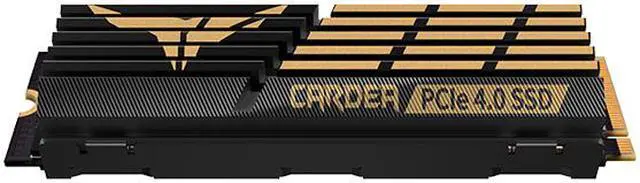
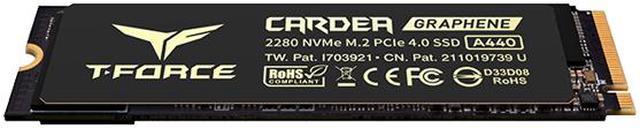
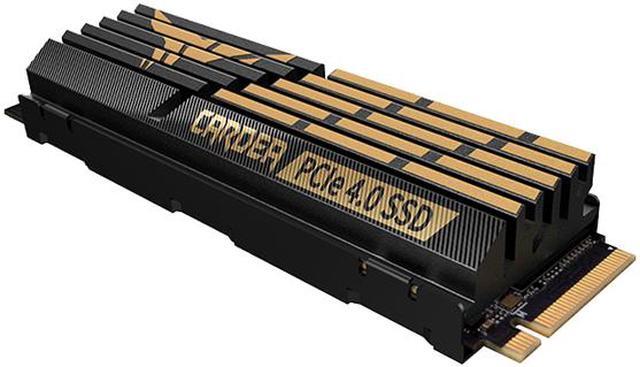
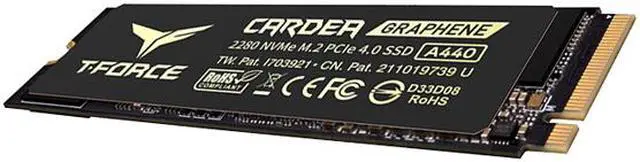
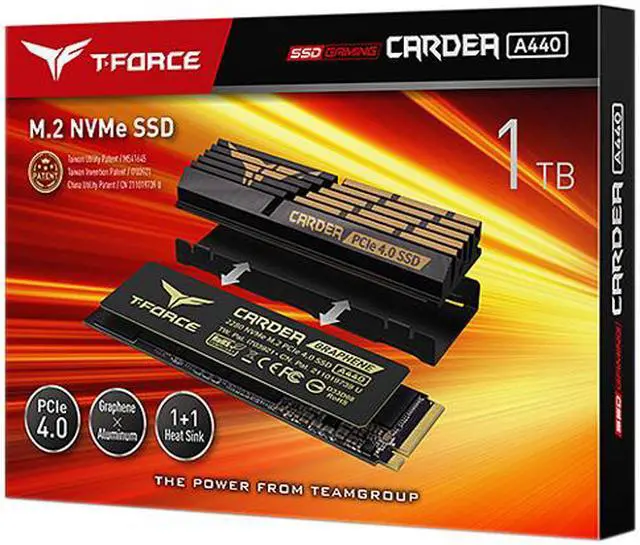
The Team Group T-FORCE CARDEA A440 is a 1TB M.2 2280 PCIe 4.0 NVMe SSD with up to 7,000 MB/s reads, 5,500 MB/s writes, and two included heatsinks. It suits PC gamers and PS5 owners seeking fast storage; the graphene heatsink fits the PS5 SSD slot with its cover, while the aluminum heatsink requires the cover to be removed.
Recommended For
- PS5 owners adding internal game storage who want a PCIe 4.0 drive with a low-profile heatsink option that fits beneath the SSD-slot cover.
- Desktop PC gamers with a PCIe 4.0 M.2 slot who want a fast game or system drive for everyday gaming and computing.
- PC builders who need an M.2 drive with a choice of a slim graphene heat spreader or a larger aluminum heatsink to suit their installation.
Real-World Use Scenarios
- Adding internal storage to a PS5 for a growing game library: install the A440 with its low-profile graphene heatsink so it fits beneath the SSD bay cover, then use the console’s format prompt; games can be stored and played from the added drive.
- Expanding storage in a PCIe 4.0 gaming PC: keep more large games installed on a dedicated drive and launch them from NVMe storage, with review testing showing fast game-load performance, though load times still vary by game and system.
- Using a compatible desktop as a primary Windows and application drive: the A440 provides responsive NVMe storage for everyday booting, app launches, and file access; the benefit depends on the rest of the system and may be less noticeable than benchmark speed differences suggest.
- Moving large game or media files on a Gen4 PC: the drive’s high-speed interface can shorten transfers when the source drive and system can also keep up; sustained transfer performance can differ from short benchmark bursts.
- Choosing an SSD heatsink for a desktop or console installation: use the included aluminum heatsink where the M.2 space allows, or the thinner graphene option where clearance is limited; check the device’s dimensions and installation guidance before fitting it.
Spec Summary
| Attribute | Value |
|---|
| Best For | Consumer gaming and internal storage upgrades for desktop PCs, including compatible PlayStation 5 installations |
|---|
| Capacity | 1TB of solid-state storage |
|---|
| Interface And Form Factor | Internal M.2 2280 SSD using PCIe Gen 4.0 x4 and NVMe 1.4 |
|---|
| Read And Write Performance | Sequential speeds up to 7,000 MB/s read and 5,500 MB/s write; 4KB random performance up to 650,000 IOPS read and 700,000 IOPS write |
|---|
| Cache | 1GB DRAM cache |
|---|
| Endurance And Data Management | Rated for 700TB written and 3,000,000 hours MTBF; includes E2E data protection and garbage collection |
|---|
| Warranty | 5-year limited warranty, subject to the TBW limit |
|---|
| Cooling And Dimensions | Includes aluminum and graphene heatsinks: aluminum heatsink measures 12.90mm high and 22.00mm wide; graphene heatsink measures 3.70mm high and 23.40mm wide. The drive is 80.00mm deep; weight is 46g with the aluminum heatsink or 13g with the graphene heatsink |
|---|
| Operating And Storage Conditions | Operating temperature: 0°C to 70°C; storage temperature: −40°C to 85°C; operating humidity: up to 90% RH below 40°C |
|---|
| Shock And Vibration Resistance | Rated for up to 1,500G/0.5ms shock resistance and 80Hz–2,000Hz/20G vibration resistance |
|---|
| Model Identifiers | Team Group T-FORCE CARDEA A440, model TM8FPZ001T0C327 |
|---|
Reference Q&A
Q: Should I get the TeamGroup CARDEA A440 or Samsung 980 Pro?
A: Choose the 1TB CARDEA A440 if you want its included slim graphene and larger aluminum heatsink options, and its rated sequential speeds of up to 7,000/5,500 MB/s. Choose the 980 Pro if your priority is low-queue-depth read performance: PC Gamer’s testing found the A440 could not match the 980 Pro and WD Black SN850 in that measure. Benchmark results can vary by capacity and test conditions.
Q: Is the CARDEA A440 worth choosing over the older CARDEA ZERO Z440?
A: The A440 is the better fit if you want higher advertised sequential speeds: the 1TB A440 is rated up to 7,000/5,500 MB/s, while TEAMGROUP lists the Z440 at up to 5,000/4,400 MB/s. The Z440 may suit a build where its lower speed tier is sufficient; compare current prices and choose based on whether the A440’s extra performance and included heatsink options matter for your use.
Q: Which A440 heatsink should I use in a PS5?
A: Use the 3.7 mm graphene heatsink if you want to reinstall the PS5 M.2 slot cover. The included 12.9 mm aluminum heatsink is another option, but TEAMGROUP says it fits without the slot cover. The A440’s 1TB capacity and PCIe 4.0 interface meet the stated PS5 expansion requirements; follow the console’s installation guidance and check the heatsink dimensions.
Q: Should I choose the CARDEA A440 or WD Black SN850 for a desktop PC?
A: Choose the A440 if you want a PCIe 4.0 drive supplied with two heatsink options, including a low-profile graphene one. The SN850 is worth comparing if your workload emphasizes low-queue-depth reads: PC Gamer’s tests placed the A440 behind the SN850 and 980 Pro in that metric. For gaming and everyday use, compare the exact capacity, price, and heatsink fit rather than relying on peak sequential speed alone.
Q: Will this SSD work in a PS5, and which heatsink should I use?
A: The 1TB CARDEA A440 meets the stated PS5 interface, capacity, and speed requirements. It includes a slim 3.7 mm graphene heatsink for use with the SSD-slot cover in place. The 12.9 mm aluminum heatsink is an alternative, but the product listing says to use it without the slot cover. Use only one of the included heatsinks.
Q: Will it work in my desktop PC or motherboard?
A: It can work in a desktop with an M.2 2280 slot that supports PCIe NVMe drives. A PCIe Gen 4 x4 slot is needed to target its advertised speeds; in a compatible PCIe 3.0 slot, it can operate at the host system’s supported speed. Check the motherboard manual and heatsink clearance before installation.
Q: Is this SSD suitable for a laptop?
A: Possibly, if the laptop has a compatible M.2 2280 PCIe NVMe slot and enough room for the drive and heatsink. The included aluminum heatsink is 12.9 mm tall, so clearance may be a limitation; check the laptop’s specifications before buying. The thinner graphene heatsink is 3.7 mm tall, but laptop fit still depends on the device.
Q: Are the advertised read and write speeds guaranteed in my system?
A: No. The 1TB model is rated for sequential speeds of up to 7,000 MB/s read and 5,500 MB/s write, but actual results depend on the host’s PCIe generation, hardware, software, and workload. A system without PCIe Gen 4 x4 support will not reach the drive’s maximum rated speeds.
Q: Will the 1TB CARDEA A440 work as a PS5 storage upgrade?
A: It is a suitable candidate: the supplied product information says the 1TB model meets Sony’s stated interface, capacity, and sequential-read requirements. It includes a 3.7mm graphene heat sink for use with the PS5 slot cover, or a 12.9mm aluminum heat sink that fits only with the cover removed. Confirm the console’s installation requirements before fitting it.
Q: Which A440 heat sink should I use in a PS5?
A: Use the 3.7mm graphene heat sink if you want to keep the PS5 SSD-slot cover in place. The 12.9mm aluminum heat sink requires removing that cover. The product includes both options, so choose based on the console’s clearance and installation instructions.
Q: Is the CARDEA A440 worth choosing mainly for gaming?
A: It can work well as a gaming drive, but discussion about the A440 suggests its high sequential speeds may not make a noticeable difference in ordinary gameplay compared with other capable NVMe SSDs. Its 1TB capacity, PCIe 4.0 interface, and included heat sinks may matter more to the decision than peak speed alone.
Q: Is the A440 a good fit for frequent large-file transfers or content work?
A: Its TLC NAND, DRAM cache, and advertised sequential write speed of up to 5,500 MB/s make it a relevant option for workloads involving frequent large transfers. Actual performance depends on the system and workload; the listed maximum is not a guarantee of sustained write speed.