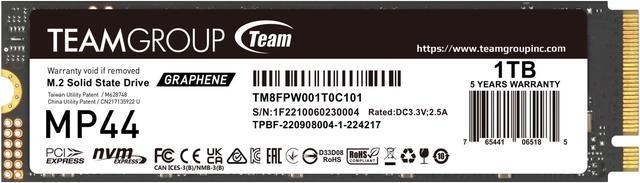
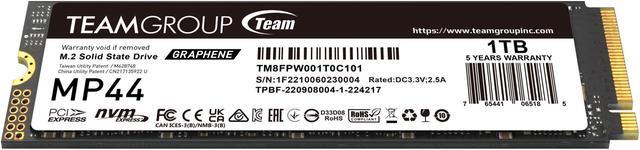
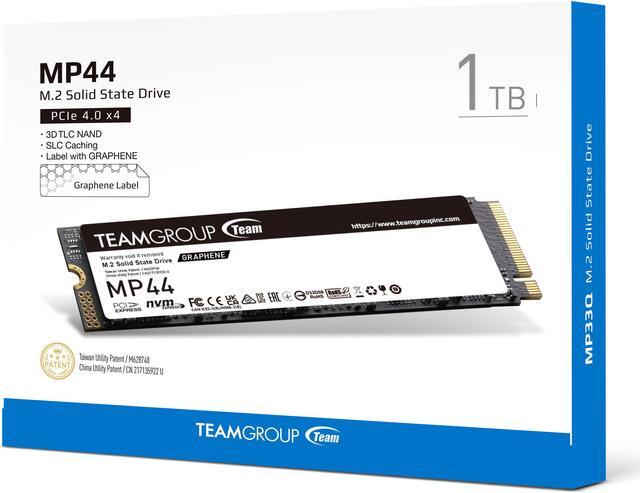
The Team Group MP44 is a 1TB M.2 2280 PCIe 4.0 NVMe SSD with sequential speeds up to 7,400 MB/s read and 6,500 MB/s write, suited to compatible desktops, laptops, NUCs, and PS5 setups that need fast storage.
Recommended For
- PC gamers adding a PCIe 4.0 M.2 drive for game installs and everyday loading, where strong sequential performance matters more than choosing a DRAM-equipped flagship SSD.
- Desktop or laptop owners with a compatible PCIe 4.0 M.2 2280 slot who want a fast general-purpose upgrade for apps, files, and OS use; the MP44 uses host memory buffering rather than onboard DRAM.
- Users who regularly move large files and want strong transfer performance from a 1TB drive; PCWorld found the MP44 maintained comparatively high write speeds in its large-file testing, though results can vary by workload and drive state.
- Builders who want a thin-label M.2 drive that can be used with a motherboard’s M.2 heatsink, rather than adding a bulky heatsink attached to the SSD.
Real-World Use Scenarios
- Adding storage to a gaming PC for a frequently played game library: games install and load from the drive, while actual load times still depend on the PC and game.
- Expanding PS5 game storage: the MP44 can serve as an internal game-library drive, but users should confirm installation requirements and add a compatible heatsink because the drive does not include one.
- Moving a batch of game folders or other large files between drives: testing found the MP44 handled a 48GB transfer well; very large, sustained writes may behave differently from shorter transfers.
- Upgrading a desktop or laptop with a compatible M.2 2280 slot: the drive can add room for apps, documents, photos, videos, or games, though device fit and supported PCIe interface should be checked before buying.
- Using the MP44 as a Windows system drive for everyday apps and tasks: it provides NVMe storage for the operating system and software, but reviewers note that differences in everyday responsiveness between modern NVMe drives may be hard to notice.
Spec Summary
| Attribute | Value |
|---|
| Best For | Consumer internal storage for desktop and laptop PCs and gaming, with listed compatibility for Sony PlayStation 5 |
|---|
| Capacity | 1TB |
|---|
| Interface And Form Factor | M.2 2280 SSD using PCIe 4.0 x4 with NVMe |
|---|
| Read Write Performance | Sequential speeds up to 7,400 MB/s read and 6,500 MB/s write; 4KB random performance up to 650,000 IOPS for both reads and writes |
|---|
| Storage Components And Cache | 3D NAND with no DRAM cache; uses HMB |
|---|
| Endurance And Reliability | Rated for 500TB written with a 1,600,000-hour MTBF |
|---|
| Thermal Design | Thin graphene heat-dissipating label designed to work with a motherboard M.2 heatsink |
|---|
| Operating Environment And Durability | Operating temperature: 0°C to +70°C; storage temperature: -40°C to +85°C; operating humidity: up to 90% RH below 40°C; shock resistance: 1,500G / 0.5 ms; vibration resistance: 80–2,000 Hz / 20G |
|---|
| Physical Specifications | 80 × 22 × 3.70 mm; weighs 7 g; black |
|---|
| Model Identifiers | Team Group MP44; model TM8FPW001T0C101 |
|---|
Reference Q&A
Q: TeamGroup MP44 1TB or Lexar NM790 1TB—which should I buy?
A: Choose between them based on price and rated endurance: both are fast, DRAM-less PCIe 4.0 SSDs, and professional testing has compared them as similar-performance alternatives. The MP44 is a reasonable pick if it costs less; the NM790 has a higher manufacturer-rated endurance of 1,000 TBW versus 500 TBW for this 1TB MP44. Check the exact model and current warranty terms before buying.
Q: Is the MP44 worth choosing over the cheaper MP44L?
A: Choose the MP44 when its higher rated sequential speeds and 500 TBW endurance at 1TB suit frequent large file transfers or heavier use. The 1TB MP44L is rated for up to 5,000/4,500 MB/s read/write and 320 TBW, compared with the MP44’s official 7,000/6,000 MB/s and 500 TBW. For everyday storage and gaming, the MP44L’s lower specifications may be sufficient if it is meaningfully cheaper.
Q: Can I use the MP44 in a PS5, or should I get a drive with a heatsink?
A: The MP44 is an M.2 2280 PCIe 4.0 drive, but this model is supplied without a full heatsink. For PS5 installation, use a compatible heatsink that fits the console’s clearance requirements; the thin graphene label is not a substitute for checking Sony’s heatsink requirements. Consider a heatsink-equipped model if you want a simpler installation.
Q: Should I get the MP44 1TB or spend more for the 2TB version?
A: Choose 1TB if it fits your planned games, apps, and files; choose 2TB if you want more room before managing storage or expect frequent writes. TEAMGROUP rates the 1TB and 2TB MP44 at up to 7,000/6,000 MB/s, while rated endurance rises from 500 TBW to 1,000 TBW at 2TB. Compare the current price per terabyte before deciding.
Q: Is this SSD compatible with my laptop or desktop?
A: It can fit systems that support an M.2 2280 NVMe PCIe SSD, but compatibility depends on the specific device and available slot. Check your computer’s specifications and physical clearance before buying; the drive’s PCIe 4.0 speeds also require a compatible PCIe 4.0 slot to reach their rated maximum.
Q: Can I use this SSD in a PS5 to play games?
A: The MP44 is listed as PS5 compatible and has an M.2 2280 PCIe 4.0 x4 NVMe interface, with sequential read speeds up to 7,400 MB/s. It is intended for installation in the console’s internal expansion slot; check the PS5’s installation and cooling requirements before installing it.
Q: Does this SSD need a separate heatsink?
A: The MP44 has a thin graphene heat-dissipating label, not a bulky heatsink. Its product information says the label is compatible with a motherboard’s M.2 heatsink. For a PS5 or a computer without an M.2 heatsink, check the host device’s cooling requirements and clearance before installation.
Q: Is this SSD suitable for gaming and everyday creative work?
A: The 1TB MP44 is suited to storing games, applications, and work files in a compatible system. It is rated for sequential reads up to 7,400 MB/s and writes up to 6,500 MB/s; actual speeds vary by system and workload. It uses HMB rather than onboard DRAM, so it may be less suited to buyers who specifically need a drive with a DRAM cache.
Q: Is the TeamGroup MP44 worth buying for a gaming PC?
A: It can suit a gaming PC if the price and 1TB capacity fit your needs. Reddit discussion comparing the MP44 with more expensive drives suggests that gaming load times may differ little between SSDs; the listed sequential speeds are up to 7,400 MB/s read and 6,500 MB/s write. Consider more capacity if you plan to keep many large games installed.
Q: Is the MP44’s lack of onboard DRAM a concern for a boot drive?
A: The MP44 has no onboard DRAM and uses HMB, according to the product specifications. Reddit discussions describe DRAM-less NVMe drives with HMB as suitable for typical boot-drive and general-use needs; consider a different drive if your workload specifically requires onboard DRAM.
Q: What are the main trade-offs of the MP44 compared with a higher-end SSD?
A: The MP44 combines high advertised sequential speeds with an HMB-based, DRAM-less design. The product lists 500 TBW endurance and up to 7,400/6,500 MB/s sequential read/write speeds. Reddit comparisons suggest the speed advantage of higher-end drives may make little difference in ordinary gaming, while workloads involving frequent or sustained transfers may warrant comparing drives beyond their peak sequential-speed ratings.