








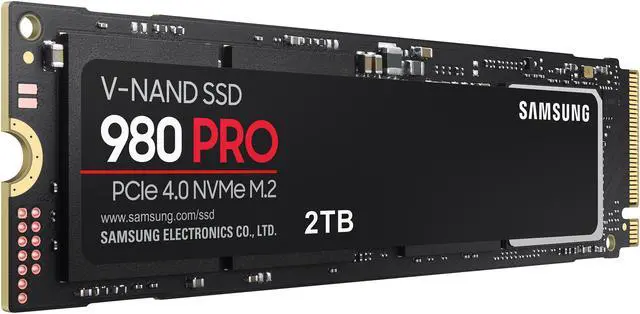
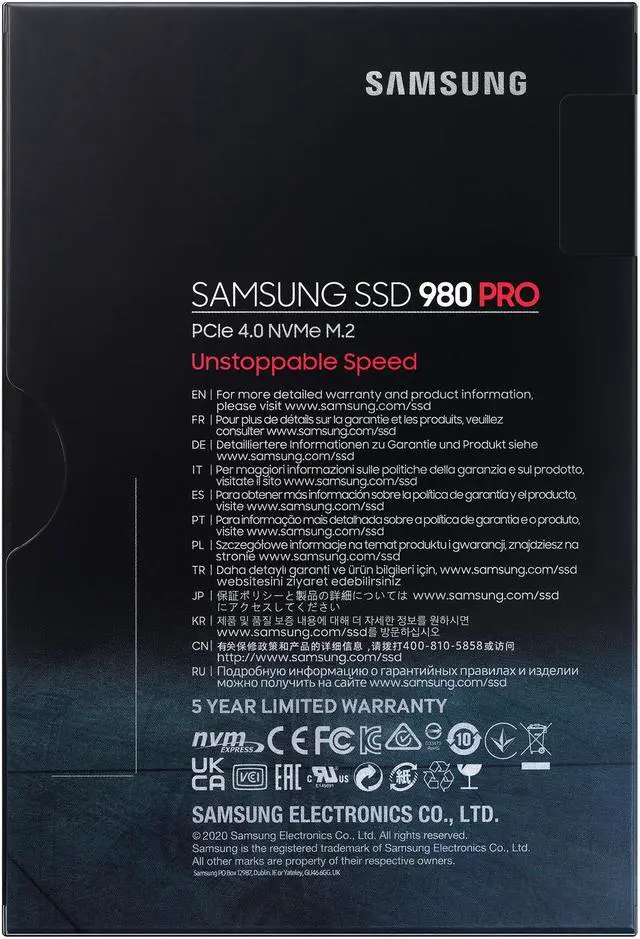
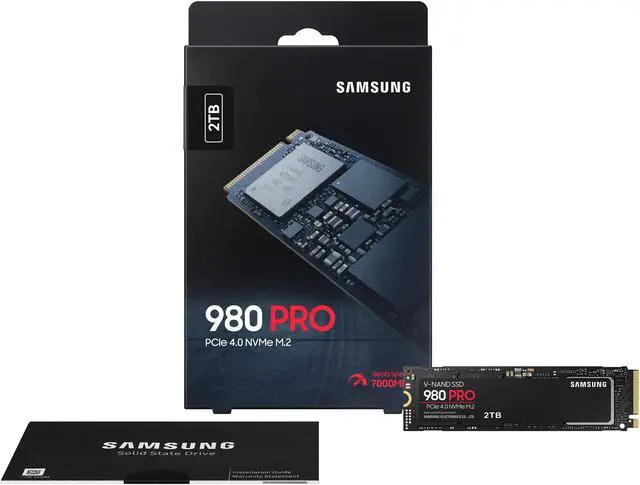


SAMSUNG 980 PRO SSD 2TB, M.2 2280, PCIe 4.0 x4 NVMe, Speeds Up-to 7,000MB/s (MZV8P2T0B/AM)
An Alternative Item Is Available:
- Next-level SSD performance: Unleash the power of the Samsung 980 PRO PCIe 4.0 NVMe SSD for next-level computing. 980 PRO delivers 2x the data transfer rate of PCIe 3.0, while maintaining compatibility with PCIe 3.0.
- Maximum Speed: Get read speeds up to 7,000 MB/s with 980 PRO and push the limits of what SSDs can do. Powered by a new Elpsis controller designed to harmonize the flash memory components and the interface for superior speed - with a PCIe 4.0 interface that's 2x faster than PCIe 3.0 SSDs and 12x faster than Samsung SATA SSDs - every component of this NVMe SSD is manufactured by Samsung for performance that lasts.
- A winning combination: Designed for hardcore gamers and tech-savvy users, the 980 PRO offers high-performance bandwidth and throughput for heavy-duty applications in gaming, graphics, data analytics, and more. It's fast at loading games, so you can play more and wait less.
- Efficient M.2 SSD: The 980 PRO comes in a compact M.2 2280 form factor.
Overview
Specs
Reviews (3,466)
Warranty & Returns
Warranty, Returns, And Additional Information
Warranty
- Limited Warranty period (parts): 5 years
- Limited Warranty period (labor): 5 years
- Read full details
Return Policies
- Return for refund within: 30 days
- Return for replacement within: 30 days
- This item is covered by Newegg.ca's Standard Return Policy.
- Read full return policy for details.
Manufacturer Contact Info
- Manufacturer Product Page
- Manufacturer Website
- Support Phone: 1-800-726-7864
- Support Website
- View other products from SAMSUNG
LOADING...
LOADING...
The Samsung 980 PRO is a 2TB PCIe 4.0 NVMe M.2 2280 internal SSD for gamers and power users who need fast storage for demanding games, graphics work, data analytics, and other heavy-duty applications.
Recommended For
- PC builders with a PCIe 4.0 M.2 slot who want a 2TB boot, application, and game drive with high sequential transfer speeds. The drive is most relevant when the system and tasks can use PCIe 4.0 bandwidth.
- Creators and technical users who regularly move large media files or project data and want fast transfers on a PCIe 4.0 system. The 2TB model’s write performance can drop after its write cache fills, so it is a better fit for frequent large transfers than for uninterrupted maximum-speed writes.
- PC gamers assembling a PCIe 4.0 system who want 2TB for a large game library and a fast NVMe drive for installs and transfers. It is less compelling as an upgrade solely to make games load noticeably faster than from an existing SSD.
Real-World Use Scenarios
- When a PC gamer installs a large library of games on one drive, the 2TB 980 PRO provides room for multiple titles and responsive level loading; benchmarked game loads are fast, though differences between high-end SSDs may be modest in everyday play.
- When a creator edits photos or video on a compatible desktop or laptop, the drive can serve as fast storage for active projects and media files, helping with file access and transfers; sustained, very large writes may slow after the cache is used.
- When moving a large folder of games or project files between fast drives, the 980 PRO can complete the transfer quickly in a suitable PCIe 4.0 system; actual time also depends on the source drive and the size and mix of files.
- When building or upgrading a PC with a compatible M.2 2280 slot, a user can install the 980 PRO as the system drive for Windows, applications, and games, keeping them together on one internal SSD; it also works in PCIe 3.0 systems, with performance limited by the system connection.
- When a workstation user regularly opens large datasets or project files, the drive’s responsive storage can reduce waiting during file access and everyday read-heavy tasks; workloads involving long, continuous writes can run slower once the write cache is exhausted.
Spec Summary
| Attribute | Value |
|---|---|
| Best For | Consumer gaming and internal storage in PC, Mac, or laptop systems; also listed as compatible with Sony PlayStation 5 |
| Capacity | 2TB solid-state storage |
| Interface And Form Factor | Internal M.2 2280 SSD using PCIe Gen 4.0 x4 and NVMe 1.3 |
| Read Write Performance | Sequential speeds up to 7,000 MB/s read and 5,100 MB/s write, with random read and write rates up to 1,000,000 IOPS each |
| Controller, Flash And Cache | Samsung Elpsis controller, Samsung V-NAND, and 2GB Samsung low-power DDR4 SDRAM cache |
| Security And Reliability | AES 256-bit full-disk encryption with TCG/Opal V2.0 and IEEE 1667 support; rated MTBF of 1,500,000 hours |
| Thermal Management | Nickel-coated controller, heat-spreader label, and embedded thermal-control algorithm help manage heat during extended use |
| Power Consumption | 35 mW idle; 6.1W average active and up to 7.2W in burst mode |
| Dimensions | 80.15 × 22.15 × 2.38 mm |
| Model Identifiers | Samsung 980 PRO; model MZ-V8P2T0B/AM |
Reference Q&A
Q: Should I get the Samsung 980 PRO 2TB or the 990 PRO 2TB?
A: Choose the 990 PRO for higher peak performance: Samsung rates it at up to 7,450 MB/s read and 6,900 MB/s write, compared with 7,000 MB/s and 5,100 MB/s for the 980 PRO. A direct review benchmark also found the 990 PRO faster in tested workloads. The 980 PRO is a sensible choice when its lower cost matters more than the 990 PRO’s additional performance, especially for gaming and everyday use.
Q: Samsung 980 PRO 2TB or WD Black SN850X 2TB—which should I choose?
A: Both are high-performance PCIe 4.0 M.2 2280 SSDs. The SN850X has higher manufacturer-rated sequential speeds—up to 7,300 MB/s read and 6,600 MB/s write versus 7,000 MB/s and 5,100 MB/s for the 980 PRO. Choose the SN850X if its higher rated write speed or an available heatsink model fits your build; choose the 980 PRO if you prefer Samsung’s drive features, including AES 256-bit full-disk encryption. Actual performance depends on the system and workload.
Q: Is the Samsung 980 PRO 2TB worth choosing over the 970 EVO Plus 2TB?
A: Choose the 980 PRO when your computer supports PCIe 4.0 and you want higher sequential transfer speeds: Samsung rates it at up to 7,000/5,100 MB/s read/write, while the PCIe 3.0 970 EVO Plus is rated at up to 3,500/3,300 MB/s. If your system only supports PCIe 3.0, the 980 PRO remains backward-compatible but operates within that system’s interface limits, so compare the drives on capacity and price rather than expecting its full PCIe 4.0 speeds.
Q: Will this SSD work in my laptop or desktop?
A: It requires an available M.2 2280 slot that supports NVMe storage. The drive is PCIe 4.0 x4 and is backward-compatible with PCIe 3.0, but its speed will depend on the system’s supported interface. Check your device’s specifications before buying.
Q: Is the 980 PRO 2TB suitable for gaming and demanding workloads?
A: Yes. Its 2TB capacity, NVMe interface, and sequential speeds of up to 7,000 MB/s read and 5,100 MB/s write suit gaming, graphics work, and other storage-intensive tasks. Actual speeds depend on system support and workload.
Q: Does this version include a heatsink?
A: The provided product information does not list a heatsink as included, and Best Buy’s Q&A for this 980 PRO 2TB model says it does not include one. Check that your device has suitable M.2 cooling if its installation requirements call for it.
Q: Can it get hot during use?
A: It can warm up during demanding use. Samsung lists thermal-control features, including a nickel-coated controller and a heat-spreader label, but temperatures and sustained performance can vary with the workload and the computer’s cooling. Check the device’s cooling provisions for your installation.
Q: Is the 980 PRO worth buying for gaming?
A: It can make sense if you need 2TB of fast storage or find it near the price of a less expensive drive. Reddit discussions suggest that for typical gaming, the difference between a high-end PCIe 4.0 SSD and a more affordable SSD may be small; the 980 PRO’s higher speeds are more relevant for frequent large file transfers or disk-intensive work.
Q: Is the 980 PRO compatible with a PCIe 3.0 system?
A: Yes. The provided product information says the drive is compatible with PCIe 3.0, but it will run at PCIe 3.0 speeds rather than its maximum PCIe 4.0 speeds. Check that your device has a compatible M.2 2280 slot.
Q: Should I check the firmware before using a 980 PRO 2TB?
A: Yes. Reddit users reported failures associated with an older 980 PRO 2TB firmware version and discussed updating through Samsung Magician. Check the installed firmware and drive health, install an applicable update, and keep backups of important data.
Q: Is the 980 PRO a good choice as a PC boot drive and for games?
A: It is a suitable fit if your system supports an M.2 2280 NVMe drive and you want one 2TB drive for an operating system and games. A Reddit buying discussion comparing it with a PCIe 3.0 drive suggests that the extra Gen 4 speed may not noticeably improve routine booting or gaming for every user.