
Your Browsing History
- In Stock
- Sold by Newegg
- New
Quick View
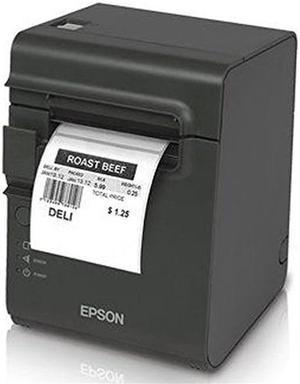
Epson TM-L90 Plus Thermal Label and Receipt Printer, 203 dpi, USB, Ethernet, Auto Cutter, With Peeler, Dark Gray - C31C412A7711
- Printer Type: Desktop
- Fonts Included: 9 x 17 / 12 x 24
- Barcode Type: UPC-A, UPC-E, JAN8 (EAN), Jan13 (EAN), ITF,CODE39, CODE93, CODE128, CODABAR, PDF417,MAXICODE, QRCODE
- Cutter: Auto-Cutter
- Model #: C31C412A7711
- $805.99 –
- More options from $805.99 - $982.13
- Free Shipping
Quick View
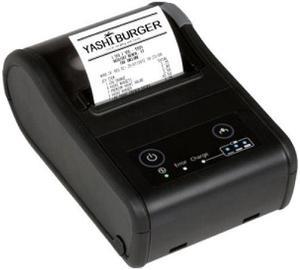
Epson Mobilink TM-P60II Mobile Wireless Receipt Printer with Auto Cutter – Black C31CC79551
- Printer Type: Handheld
- Memory: 4 KB
- Media Type: Receipt
- Interface: Bluetooth
- Model #: C31CC79551
- $665.99 –
- Free Shipping
Quick View
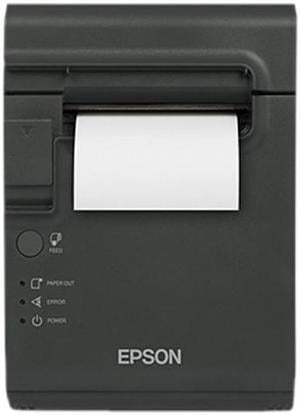
Epson TM-L90 Plus Thermal Label and Receipt Printer, 203 dpi, USB, Ethernet, Auto Cutter, No Peeler, Dark Gray - C31C412A7641
- Color: Dark Gray
- Printer Type: Desktop
- Cutter: Auto-Cutter
- Interface: Ethernet (UB-E04)
- Model #: C31C412A7641
- $829.99 –
- More options from $829.99 - $1,236.94
- Free Shipping
Quick View
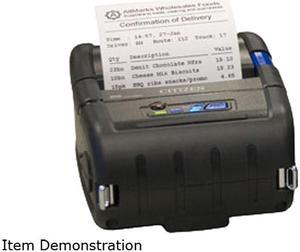
CITIZEN CMP-20II 2" Rugged Mobile Direct Thermal Receipt and Label Printer, 203 dpi, Serial, USB, STD, IoS Bluetooth, ESC/POS, CPCL - CMP-20IIBTIUC
- Printer Type: Mobile
- Cutter: Tear Bar
- Interface: Bluetooth / Serial / USB
- Model #: CMP-20IIBTIUC
- $544.99 –
- Free Shipping
Quick View
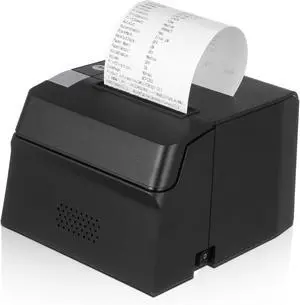
Thermal Receipt Printer for Square Pos Compact Design with High-Speed Printing Easy for Retail and Restaurant Compatible
- Model #: CHIXB0F2CY69LT
- $226.49 –
- Free Shipping

Quick View
Thermal Label Printing Machine Express Delivery Surface Single Printer Self-Adhesive Imported Label Machine
- Model #: CHIPB0DW83JN5N
- $1,073.99 –
- Free Shipping
Quick View
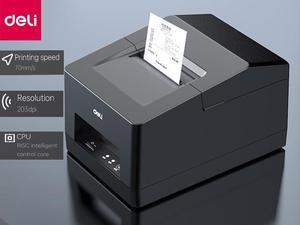
Deli Thermal Receipt Printer 48mm Max-Width Small USB Direct Printer with High-Speed Printing and and Support Bluetooth,Black
- Color: Black
- Printer Type: Desktop
- Barcode Type: 48mm width
- Features: High resolution: 203DIP means 203 printing dots per inch, compared with low-resolution printers, it can provide clearer and more detailed printing effects. This is very important for applications that need to print small fonts, barcodes or images. Fast printing speed: 70mm/s thermal printing technology enables DIP printers to print at a
- Model #: E581PW
- $116.23 –
- More options from $116.23 - $127.50
- Free Shipping
Quick View
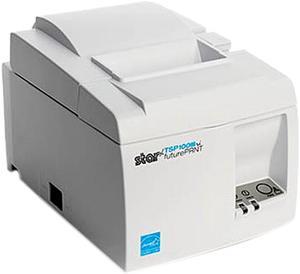
Open Box Star Micronics Futureprnt Tsp143iiilan Wt Us Direct Thermal Printer - Monochrome - Desktop - Receipt Print
- Color: White
- Printer Type: Desktop
- Cutter: Auto-Cutter
- Media sizes supported: Paper Width: 80.00 mm / 58.00 mm Paper Thickness: 0.053 mm - 0.085 mm Paper Diameter: Max 83.00 mm
- Model #: 39472010
- $261.49 –
- Free Shipping
Quick View
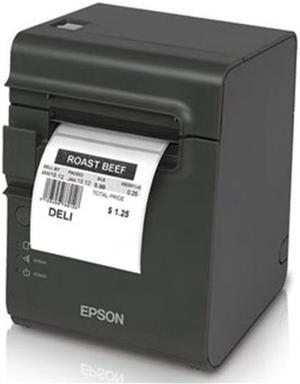
Open Box Epson TM-L90 Plus Liner-free Compatible Desktop Thermal Label and Receipt Printer, 203 dpi, 40/58/80 mm, USB, Serial, Dark Gray - C31C412A7891
- Color: Dark Gray
- Printer Type: Desktop
- Barcode Type: UPC-A, UPC-E, JAN8 (EAN), JAN13 (EAN), ITF, CODE39, CODE93, CODE128, CODABAR, PDF417, MAXICODE, QR CODE
- Reliability MCBF: 70 million lines (receipts), 35 million lines (labels)
- Model #: C31C412A7891
- $354.34 –
- Free Shipping
Quick View
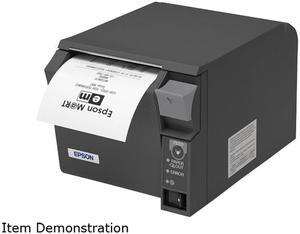
Epson TM-T70II Front-loading Single-station Thermal Printer, USB, Powered USB, Dark Gray (No Power Supply) - C31CD38A9991
- Color: Cool White, Dark Gray
- Printer Type: Desktop
- Interface: Powered USB (UB-U06)
- Dimensions: 4.49"(H) x 4.92"(W) x 7.64"(D)
- Model #: C31CD38A9991
- $506.99 –
- More options from $456.99 - $825.47
- Free Shipping
Quick View
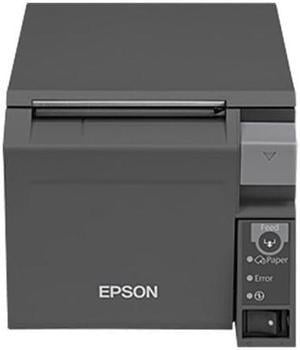
Epson TM-T70II Front-loading Single-station Thermal Printer, USB, Ethernet, Dark Gray - C31CD38A9801
- Color: Dark Gray
- Printer Type: Desktop
- Fonts Included: Font A: 12 x 24 dots; Font B: 9 x 17 dots (W x H)
- Barcode Type: UPC-A, UPC-E, JAN13 (EAN13), JAN8 (EAN), CODE39, ITF, CODABAR (NW-7), CODE93, CODE128, GS1-128, GS1 DataBar.
- Model #: C31CD38A9801
- $575.97 –
- More options from $575.97 - $985.57
- Free Shipping
Quick View
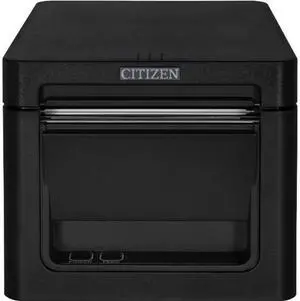
Citizen CT-S601II 3" Direct Thermal Desktop Receipt Printer, 203 dpi, USB, Serial, Ethernet, Front Exit, Black - CT-E651ETUBK
- Color: Black
- Printer Type: Desktop
- Cutter: Guillotine
- Interface: Ethernet / Serial / USB
- Model #: CT-E651ETUBK
- $395.99 –
- Free Shipping
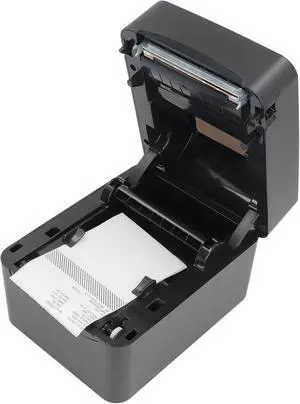
Quick View
Thermal Label Printer USB Bluetooth High Speed Printing Shipping Label Printer 100240V (US Plug)
- Model #: CHIDB0DPMX389W
- $251.99 –
- Free Shipping
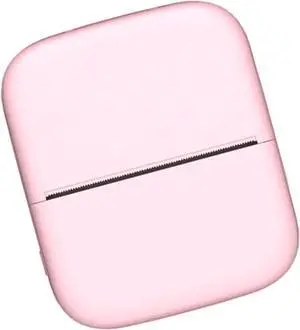
Quick View
Pocket Thermal Printer Photo Label Memo List Inkless Printing Portable Label
- Model #: BAOCAHB0FVVCVGVW
- $102.99 –
- Free Shipping
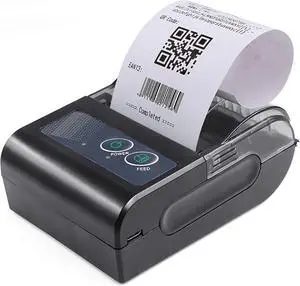
Quick View
58mm Portable Thermal Printer Label Receipt Shipping Express USB BT Connection Support ESC POS Command Compatible with Windows Android iOS for Supermarket Store Restaurant
- Model #: BAOCAHB0FT8W32C2
- $114.99 –
- Free Shipping
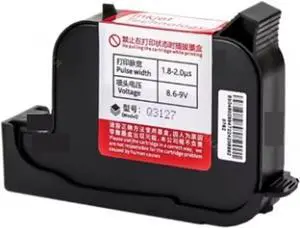
Quick View
27 Languages 25.4Mm 1Inch Printing Height Expiry Date Logo Label Coding Portable Thermal Inkjet Printer Multi-Format Printing,Only White Ink
- Model #: BAOCAHB0FWKGYTFP
- $739.99 –
- Free Shipping
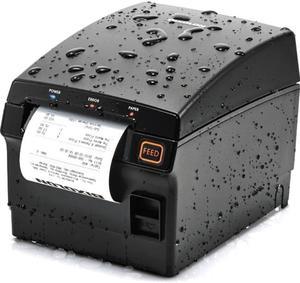
Quick View
SRP-F310II RECEIPT FRONT EXIT
- Color: N/A
- Printer Type: Desktop
- Memory: 64 MB
- Media Type: Receipt
- Model #: SRP-F310IICOK
- $368.99 –
- $11.67 Shipping
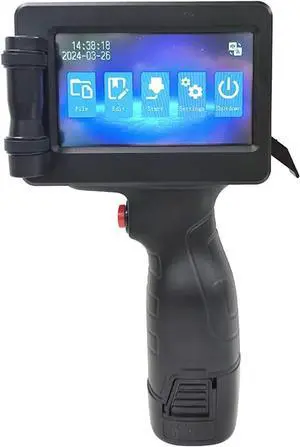
Quick View
28 Language 12.7mm Online Logo Expiry Date Label Portable Handheld Thermal Inkjet Printer Multi-Format Printing
- Model #: BAOCAHB0FQ2JQX9R
- $482.99 –
- Free Shipping
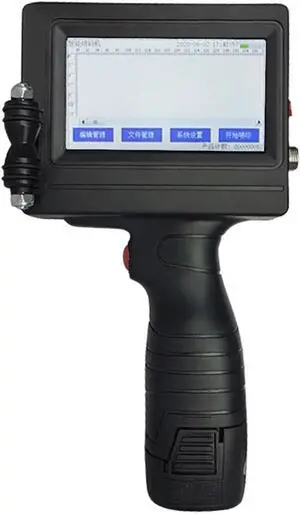
Quick View
Portable Printer Mini Thermal Printer QR Code Printer Expiry Date Time Batch Number Logo Bar Code Handheld Inkjet Printer Gun
- Model #: BAOCAHB0FLJCKZHF
- $738.99 –
- Free Shipping
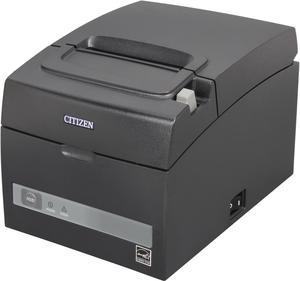
Quick View
Citizen CT-S310IIETUBK CT-S310II POS ETHERNET Thermal Receipt and Barcode Printer
- Fonts Included: Number of Columns: 80.00 mm Font A: 48, Font B: 64, Font C 72 58.00 mm Font A: 35, Font B: 46, Font C 52 Character Size (W x H) Font A: 1.50 x 3.00 mm, Font B: 1.13 x 2.13 mm, Font C: 1.00 x 2.00 mm
- Barcode Type: UPC-A/E, JAN (EAN) 13/8 columns, ITF, CODE39, CODE128, CODABAR (NW-7), CODE93, PDF417, QR Code, GS1-DataBar
- Cutter: Guillotine cutter Partial / Full cut available by software setting
- Reliability MCBF: Thermal Head: 300 Million pulse or 150.00 km (up to 200.00 km with LLP [Long Life Print] Function)
- Model #: CT-S310IIETUBK
- $370.99 –
- More options from $370.99 - $395.20
- $10.61 Shipping
Quick View
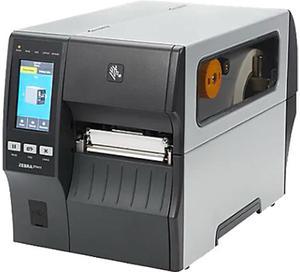
Zebra ZT411 Industrial Direct Thermal/Thermal Transfer Printer - Label Print - Ethernet - USB - Serial - Bluetooth - 39" Print Length - 4.09" Print Width ZT41146-T410000Z
- Weight: 44.0000
- Model #: ZT41146-T410000Z
- $3,971.00 –
- More options from $3,969.88 - $4,388.99
- Free Shipping
Quick View
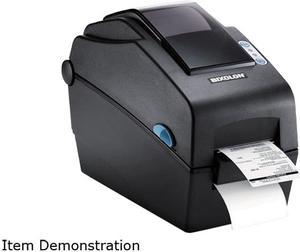
Bixolon SLP-DX220EG 2” Desktop Direct Thermal Barcode/Label/Wristband Printer, 203 dpi, Serial, Ethernet, SLCS, BPL-Z, BPL-E - Black
- Model #: SLP-DX220EG
- $382.99 –
- $6.99 Shipping
Quick View
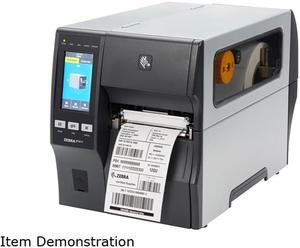
Zebra ZT411 Industrial Direct Thermal/Thermal Transfer Printer - Label Print - Ethernet - USB - Serial - Bluetooth - 13.08 ft Print Length - 4.09" Print Width - 14.02 in/s Mono ZT41142-T210000Z
- Weight: 43
- Model #: ZT41142-T210000Z
- $2,532.00 –
- More options from $2,532.00 - $3,219.89
- Free Shipping
Quick View
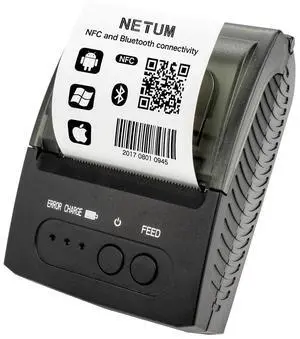
Bluetooth Receipt Printer, Portable 58mm Mini Thermal Pos Printer, Compatible with Android/Windows
- Brand: NETUM
- Series: NT
- Print Technology: Thermal
- Print Speed: 90 pages_per_minute
- Model #: 654353981309
- $116.98 –
- Free Shipping
Quick View
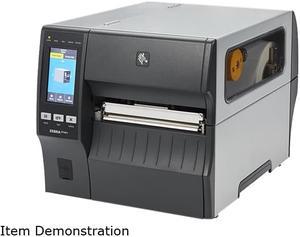
Zebra ZT421 Industrial Direct Thermal/Thermal Transfer Printer ZT42162-T410000Z
- Printer Type: Industrial
- Memory: 512MB Flash memory (64MB User Available)
- Fonts Included: 16 resident expandable ZPL II bitmap and two resident scalable ZPL fonts
- Barcode Type: Linear Barcodes: Code 11, Code39, Code 93, Code 128 with subsets A/B/C and UCC Case Codes, ISBT-128, UPA-A, UPC-E, EAN-8, EAN-13, UPC and EAN 2 or 5-digit extensions, Plessey, Postnet, Standard 2-of-5, Industrial 2-of-5, Interleaved 2-of-5, Logmars, MSI, Codabar and Planet Code 2D Barcodes: Codablock, PDF417, Code 49, Data Matrix, MaxiCode, QR Code, TLC 39, Micro PDF, RSS-14 (and composite), Aztec
- Model #: ZT42162-T410000Z
- $3,638.00 –
- More options from $3,638.00 - $7,175.19
- Free Shipping

Quick View
Epson Mobilink TM-P60II 2" Mobile Label Printer with Auto Cutter - Black - C31CC79751
- Printer Type: Mobile
- Media sizes supported: Media Thickness: 3.15 mil
- Interface: Bluetooth
- Dimensions: 2.6" x 10.3" x 6.3"
- Model #: C31CC79751
- $959.69 –
- Free Shipping
Quick View
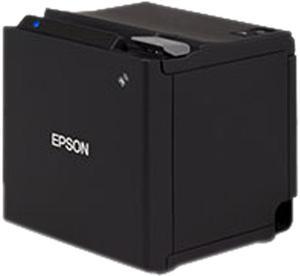
Epson TM-m30 Single-station Thermal Receipt Printer, USB + Ethernet + Bluetooth, Black - C31CE95012
- Color: Black
- Printer Type: Desktop
- Fonts Included: Fonts: Font A: 12 x 24 48cpl (default) Font B: 10 x 24 57 cpl Font C: 9 x 17 46 cpl Character Size: Font A: 1.25 x 3.00 mm Font B: 1.13 x 3.00 mm Font C: 0.88 x 2.13 mm Character Set: 95 Alphanumeric, 18 International, 128 x 43 Graphic
- Barcode Type: UPC-A, UPC-E, JAN8 / EAN 8, JAN13 / EAN13, Code39, Code93, Code128, ITF, CODABAR(NW-7), GS1-128, GS1 DataBar
- Model #: C31CE95012
- $550.00 –
- Free Shipping

Quick View
Compatible for TSC GODEX 203DPI Thermal Print Head, Fit TTP-244 Pro DA200 G500U EZ1100 ZA-124U Printer Models
- Model #: CHIPB0GKCKDPBD
- $166.48 –
- Free Shipping
Quick View
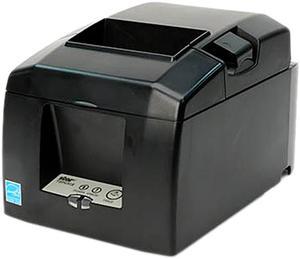
Star Micronics 39449772 TSP650II Series Direct Thermal Receipt Printer - Gray - TSP654IIE3-24 GRY US
- Model #: 39449772
- $429.74 –
- More options from $429.74 - $502.99
- Free Shipping
Quick View
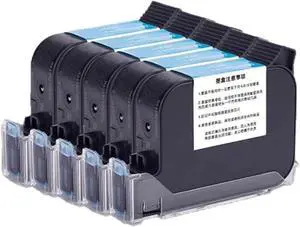
5Pcs 600Dpi Fast Quick Dry Solvent Based Ink Cartridge 12.7Mm for Online Handheld Inkjet Printer Multi-Format Printing,5 Black Ink
- Model #: BAOCAHB0FWKJ1TM6
- $858.99 –
- Free Shipping
Quick View
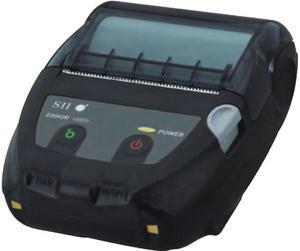
Seiko MP-B20 2" Mobile Thermal Label Printer, Bluetooth, Windows 7, 8, 8.1, 10, Tear bar - MP-B20-B02JK1-74
- Printer Type: Mobile
- Fonts Included: Code page(17pages), Optional font, Downloaded character, User-defined character, JIS 1&2 Level Kanji, Special character
- Barcode Type: UPC-A/E, JAN(EAN)8/13, ITF, CODE39, CODABAR, CODE93, CODE128 PDF417, QR Code, MaxiCode, Data Matrix, GS1 Databar
- Cutter: Tear Bar
- Model #: MP-B20-B02JK1-74
- $377.15 –
- More options from $377.15 - $400.94
- Free Shipping
Quick View
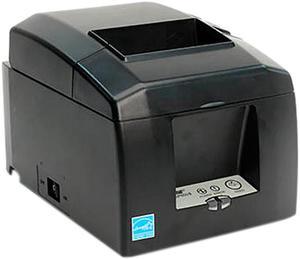
Star Micronics 37966030 TSP650 Series Direct Thermal Receipt Printer with CloudPRNT - Gray - TSP654IIW-24 GRY US
- Model #: 37966030
- $599.99 –
- More options from $599.99 - $607.04
- Free Shipping
Quick View
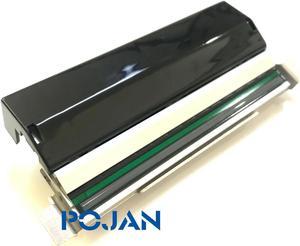
Printhead P1058930-009 Fit for Zebra ZT410 411 203dpi Thermal Printhead Kit New
- Product Type: Other Accessories
- Model #: bvwiuaep
- $529.90 –
- Free Shipping
Quick View
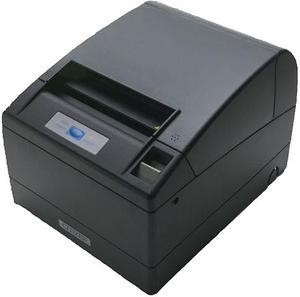
Citizen CT-S4000 4" Hi-Speed Direct Thermal Receipt Printer, 203 dpi, USB, Black - CT-S4000UBU-BK
- Color: Black
- Printer Type: Desktop
- Memory: 4 KB
- Fonts Included: Font A: 1.25 x 3.0 mm (12 x 24 dots) Font B: 0.88 x 2.13mm (9 x 17 dots) Font C: 0.88 x 2.00 (8 x 16 dots)
- Model #: CT-S4000UBU-BK
- $561.11 –
- Free Shipping
Quick View
- $1,184.99 –
- More options from $1,184.99 - $1,278.76
- Free Shipping
Choosing the Right Printer for Your Office Needs
When it comes to office solutions, printers and scanners are essential tools for any business. Whether you need to print important documents, scan invoices, or create professional-quality marketing materials, having the right equipment is crucial. In this article, we will explore the different types of printers and scanners available in the market and provide tips on how to choose the best one for your office.
All-in-One Printers: Versatility and Convenience
all-in-one printers, also known as multifunction printers, are a popular choice for offices. These devices combine the functionality of a printer, scanner, copier, and sometimes even a fax machine into a single unit. They offer versatility and convenience, allowing you to perform multiple tasks without the need for separate devices. All-in-one printers are available in both inkjet and laser options, catering to different printing needs and budgets.
Specialized Printers for Specific Tasks
In addition to all-in-one printers, there are specialized printers designed for specific tasks. For example, 3D printers are ideal for creating prototypes or intricate models, while barcode and label printers are perfect for businesses that require efficient inventory management. laser printers are known for their fast printing speeds and high-quality output, making them suitable for offices with high-volume printing needs. inkjet printers, on the other hand, are more cost-effective and can produce vibrant color prints.
Choosing the Right Supplies
Once you have selected the right printer for your office, it is important to choose the right supplies to ensure optimal performance and longevity. When it comes to inkjet printers, using high-quality ink cartridges is essential to achieve the best print quality and prevent clogging. For laser printers, it is important to choose the right type of toner cartridges that are compatible with your printer model. Additionally, investing in high-quality paper can make a significant difference in the final print results.
FAQs: Common Questions about Printers and Scanners
| Q: How often should I replace the ink cartridges? | A: The frequency of replacing ink cartridges depends on your printing volume. However, it is recommended to replace them when the print quality starts to degrade. |
|---|---|
| Q: Can I use third-party ink cartridges with my printer? | A: While it is possible to use third-party ink cartridges, it is important to ensure compatibility with your printer model. Using incompatible cartridges may result in poor print quality or damage to the printer. |
| Q: How do I clean the scanner glass? | A: To clean the scanner glass, use a soft, lint-free cloth slightly dampened with glass cleaner. Gently wipe the glass surface to remove any smudges or debris. |
| Q: What is the difference between optical and interpolated resolution in scanners? | A: Optical resolution refers to the actual hardware resolution of the scanner, while interpolated resolution is achieved through software enhancements. Optical resolution provides more accurate and detailed scans. |
| Q: How can I improve the scanning speed? | A: To improve scanning speed, reduce the scanning resolution, use black and white mode instead of color, and ensure that the scanner is connected to a high-speed USB port. |