


- Free 81-day Returns
$1,949.99
Sold by Newegg
Shipped by Newegg
Add to Wish List(Found on 91 wish lists)
Best Sellers
- $3,759.99
- + FREE SHIPPING


Get Educated
Make informed decisions with expert advice. Learn More

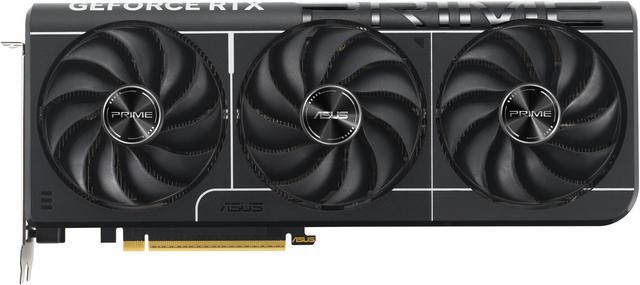
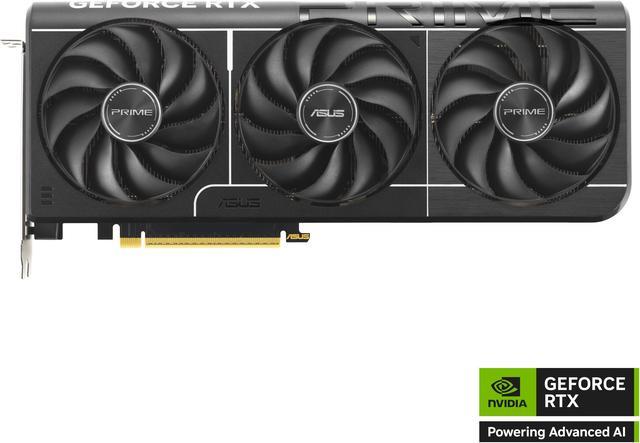
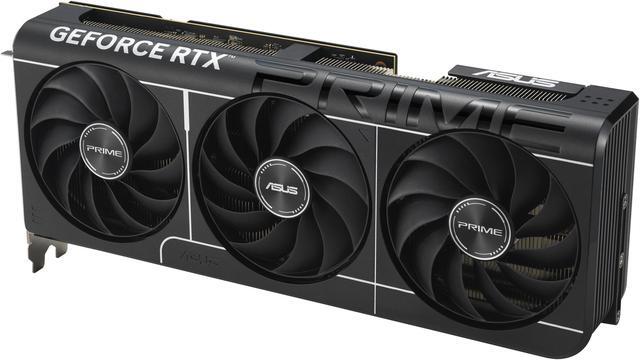

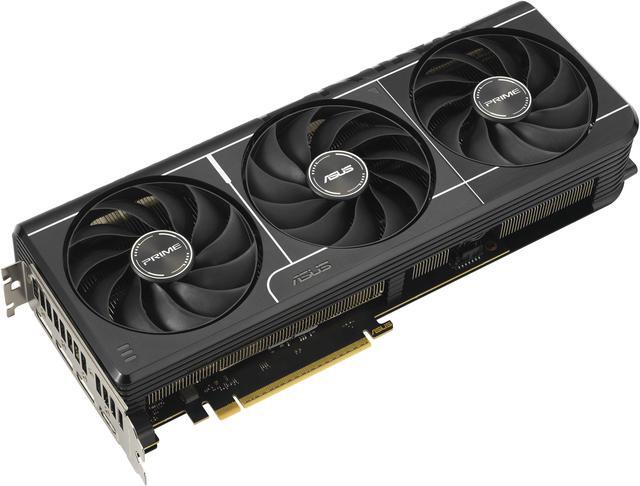
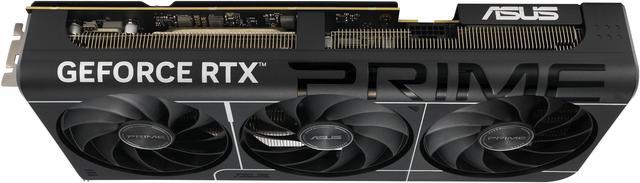
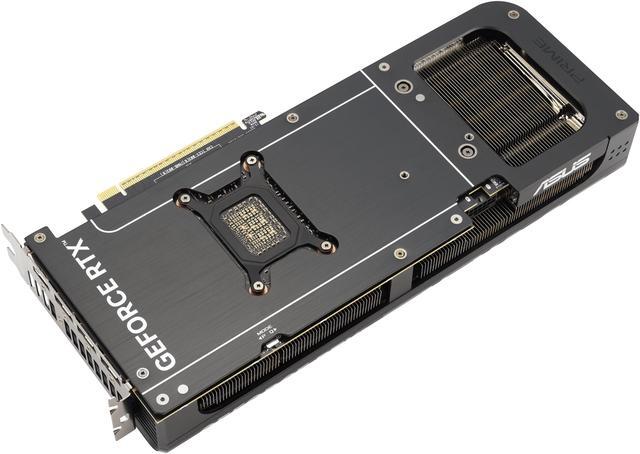
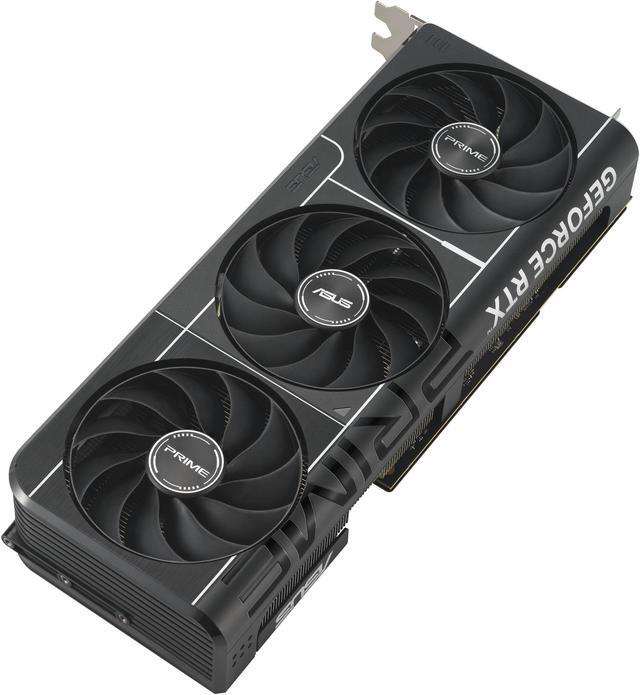
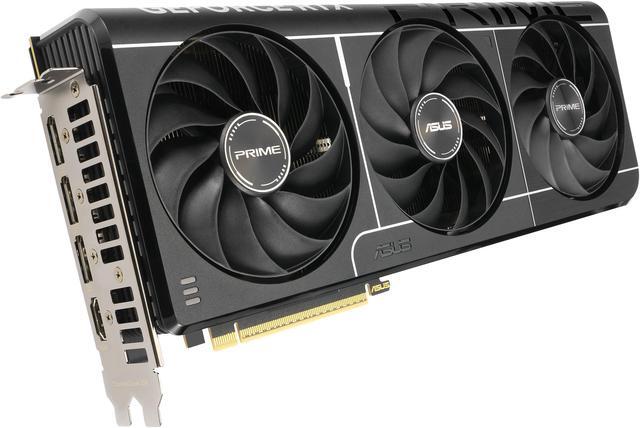
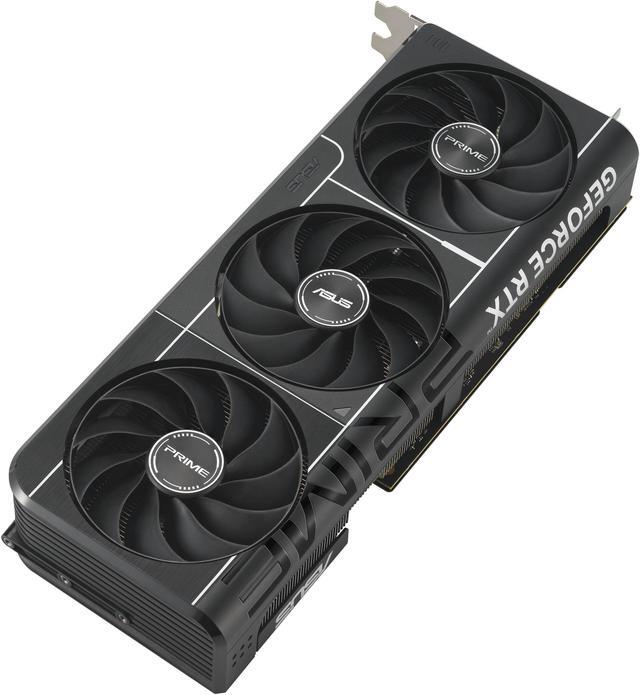
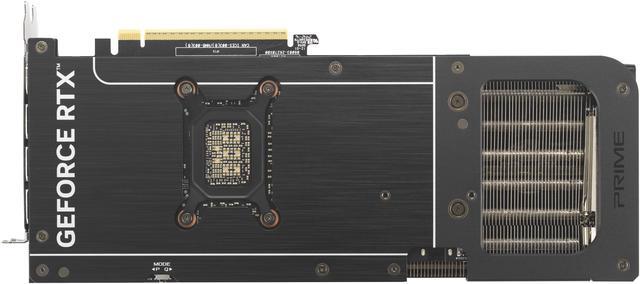


ASUS PRIME GeForce RTX 5070 Ti 16GB 256-Bit GDDR7 PCI Express 5.0 DLSS 4.0 Graphics Card PRIME-RTX5070TI-16G
- 16GB 256-Bit GDDR7
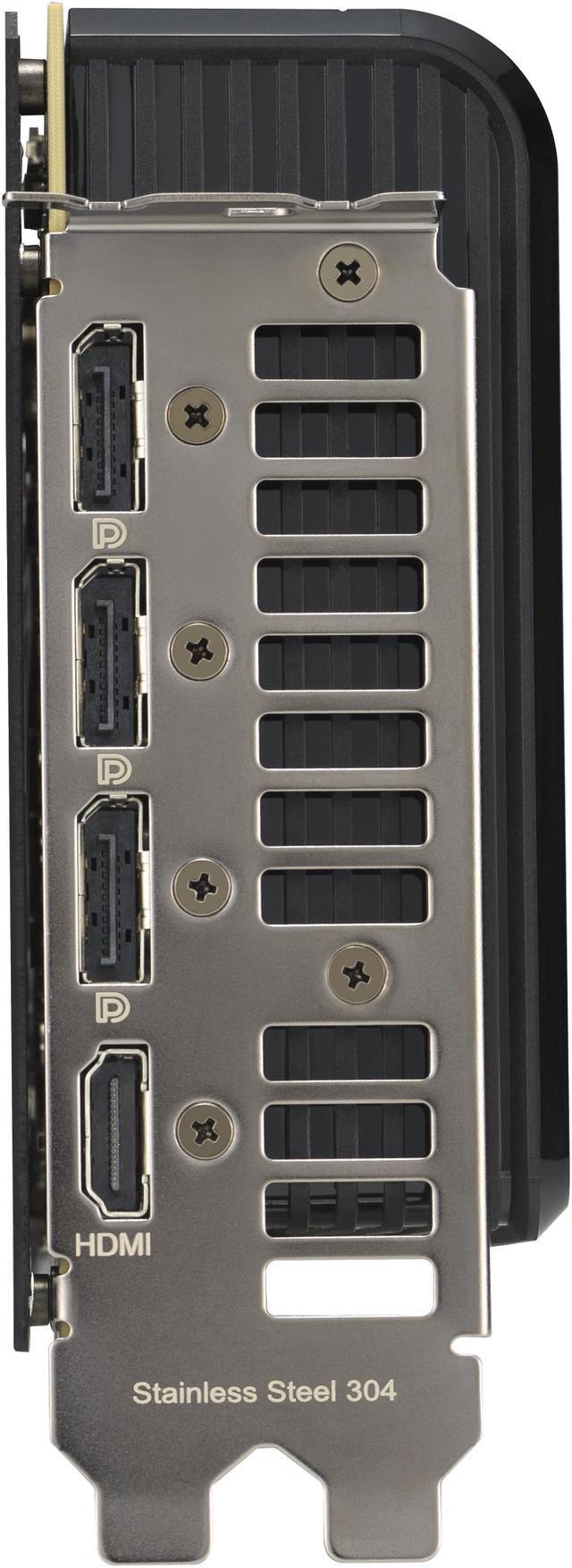
- 1 x HDMI 2.1b 3 x DisplayPort 2.1b
- 8960 CUDA Cores
- PCI Express 5.0
- DLSS 4.0
+
+
Overview
Specs
Reviews (257)
Experience Primal performance with the Prime GeForce RTX 5070 Ti, an SFF-Ready Enthusiast GeForce Card featuring a 2.5 -slot design for expansive compatibility, enhanced by a triple-fan setup for supreme airflow design for supreme cooling.
Warranty & Returns
Warranty, Returns, And Additional Information
Warranty
- Limited Warranty period (parts): 3 years
- Limited Warranty period (labor): 3 years
- Read full details
Return Policies
- Return for refund until: January 31, 2027
- Return for replacement until: January 31, 2027
- This item is covered by Newegg.ca's Extended Holiday Return Policy.
- 15% restocking fee may apply.
- Read full return policy for details.
We want to ensure your holiday shopping this year is hassle-free. That’s why we’re automatically extending our return policies on almost every product! For purchases placed between November 1st, 2026 and December 31, 2026 you will have until January 31, 2027 to return your product.
Manufacturer Contact Info
- Manufacturer Product Page
- Manufacturer Website
- Support Phone: 1-510-739-3777
- Support Website
- View other products from ASUS
LOADING...
LOADING...
The ASUS PRIME GeForce RTX 5070 Ti 16GB is a triple-fan ATX graphics card built for high-end 1440p gaming, 4K play, and demanding creative workloads for users who want 16GB of GDDR7 memory, modern display outputs, and PCIe 5.0 compatibility.
Recommended For
- 1440p high-refresh gamers who want to run newer AAA games with ray tracing and DLSS, without stepping up to a larger or pricier flagship-class card.
- Builders who need near-high-end GPU performance in cases with tighter clearance, especially those specifically looking for a shorter 2.5-slot card instead of the bulkier 3+ slot models common in this class.
- Players using a 4K TV or 4K monitor who are comfortable relying on DLSS and frame generation in heavier games, rather than expecting native-4K ultra settings in every title.
- Creators who game and also work in apps like Premiere Pro or DaVinci Resolve, and want one GPU that supports both modern gaming features and GPU-accelerated editing workflows.
Real-World Use Scenarios
- Playing recent AAA games at 1440p with high or ultra settings is the clearest fit for this card; reviews consistently place the RTX 5070 Ti as a native 1440p option that can deliver smooth frame rates without relying heavily on aggressive upscaling.
- Using a 4K monitor for single-player games is realistic when the goal is image quality first; expect good results in many titles with DLSS or frame generation enabled, while the most demanding games may need some settings tuning.
- For ray-traced games like Cyberpunk 2077 or other showcase titles, the practical use case is 1440p with DLSS and frame generation rather than brute-force native rendering; that setup is commonly shown as the smoother way to keep visual effects enabled.
- Pairing it with a high-refresh 1440p monitor for competitive or mixed gaming makes sense if the user wants both image quality and headroom for higher frame rates; community feedback often treats this as the easiest 'no-compromise' everyday setup for a 5070 Ti.
- Using the card in a compact or space-conscious ATX build is a practical scenario for buyers who want high-end gaming without moving to an oversized GPU; ASUS positions this Prime model as SFF-ready with a 2.5-slot design, which matters for case compatibility more than peak overclocking.
- For creators who also game, this is better suited to GPU-accelerated 3D work, rendering, and AI-assisted apps than to gaming alone; review coverage routinely includes Blender, V-Ray, and AI tests, so the real-world pattern is a hybrid gaming-plus-creation desktop rather than a pure workstation.
Spec Summary
| Attribute | Value |
|---|---|
| Best For | Desktop gaming and professional/office workloads on desktop PCs; VR-ready and supports up to 4 monitors |
| Model Identifiers | ASUS PRIME model PRIME-RTX5070TI-16G (part number PRIME-RTX5070TI-16G), manufacturer ASUS, style PRIME |
| GPU And Architecture | NVIDIA GeForce RTX 5070 Ti (GeForce RTX 50 Series) using Blackwell architecture |
| Cores And Clock Speeds | 8960 CUDA cores; GPU clock reported as 2482 MHz; effective memory data rate 28 Gbps |
| Memory And Bus | 16 GB GDDR7 memory on a 256-bit bus |
| Display Outputs And Resolution | 1 x HDMI 2.1b and 3 x DisplayPort 2.1b; supports up to 7680 x 4320 and multi-monitor setups (up to 4) |
| Power And Cooling | 300W thermal design power; uses 1 x 16-pin power connector; ASUS recommends a 750W PSU; triple-fan cooler (3 fans) |
| Physical Dimensions And Fit | ATX, 2.5-slot card with a max GPU length of 304 mm (~12 in); card dimensions 12 x 5 x 2 in; item weight 2.6 lb |
| Interface And Compatibility | PCI Express 5.0 x16 interface for desktop PCs |
| Standards And Software Support | DirectX 12 Ultimate and OpenGL 4.6 support; HDCP ready; no CrossFireX or SLI multi-GPU support |
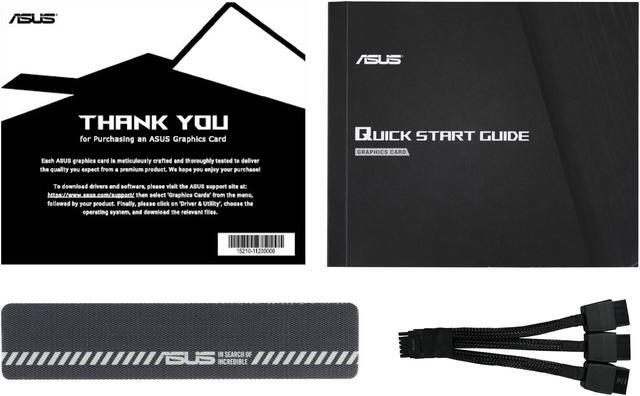
| Package Contents | Includes Speedsetup manual, ASUS Velcro hook & loop, thank you card and adapter cable (1 to 3); sold as 1 unit |
Reference Q&A
Q: Should I buy the ASUS PRIME RTX 5070 Ti or an RTX 4070 Ti Super?
A: Choose the ASUS PRIME RTX 5070 Ti if you want a newer NVIDIA platform with Blackwell features, 16GB of GDDR7, higher memory bandwidth, and a modest but real step up in gaming performance. Across major reviews, the RTX 5070 Ti usually lands around 9% to 13% ahead of the RTX 4070 Ti Super in ray tracing and roughly a low-double-digit gain overall, but the upgrade is often viewed as incremental rather than dramatic. If pricing is close, the RTX 5070 Ti is the more forward-looking choice; if the RTX 4070 Ti Super is meaningfully cheaper, it remains a practical alternative with similar VRAM capacity.
Q: Is the ASUS PRIME RTX 5070 Ti worth buying over an RTX 5070?
A: Buy the ASUS PRIME RTX 5070 Ti if your goal is stronger 1440p high-refresh gaming or more headroom for 4K, especially in heavier ray-traced games. The main advantage is not just higher raw performance, but also the move from 12GB on the RTX 5070 to 16GB on the RTX 5070 Ti, which gives more room for newer games, high-resolution textures, and creator workloads. Choose the RTX 5070 instead when lower power draw, lower cost, and solid upper-midrange performance matter more than extra headroom.
Q: Should I get the ASUS PRIME RTX 5070 Ti or move up to an RTX 4080 Super?
A: Choose an RTX 4080 Super if your priority is maximizing 4K performance and getting a faster card in native rendering. Choose the ASUS PRIME RTX 5070 Ti if you want to stay closer to the upper-midrange or lower high-end price tier while still getting 16GB of VRAM and current-generation NVIDIA features. Review data places the RTX 4080 Super above the RTX 5070 Ti in overall gaming performance, so this decision usually comes down to whether the extra 4K headroom is worth the added cost.
Q: Is the ASUS PRIME RTX 5070 Ti a good upgrade from an RTX 4070 Ti?
A: Yes, the ASUS PRIME RTX 5070 Ti is a sensible upgrade from an RTX 4070 Ti if you want more VRAM, much higher memory bandwidth, and better performance in newer ray-traced workloads. NVIDIA's published specs show a clear platform upgrade, and review data suggests the RTX 5070 Ti is typically around the low-teens to mid-20% faster than the original RTX 4070 Ti depending on the game and workload. It makes the most sense for users moving to 4K, pushing higher settings, or planning to keep the card for several years.
Q: Is the ASUS PRIME RTX 5070 Ti a good fit for 4K gaming and high-VRAM workloads?
A: Yes, it is a strong fit for buyers who want an upper-midrange to high-end GPU for 1440p ultra settings, entry-to-strong 4K gaming, and creator or AI workloads that benefit from 16GB of VRAM. The main reason is its 16GB GDDR7 memory on a 256-bit bus, which gives it more memory headroom than non-Ti RTX 5070 models with 12GB. It is less suitable if your priority is a smaller card, lower power draw, or the cheapest path to solid 1440p performance.
Q: Do I need a new power supply or special cable for this card?
A: Possibly. This card is rated at 300W, ASUS recommends a 750W PSU, and it uses a single 16-pin power connector. That means many upgraders will need to confirm both PSU capacity and cable support before buying. If your current power supply does not have the correct native cable, you may need to use the included adapter or upgrade the PSU for cleaner cable management and easier installation.
Q: Will this card fit in most PC cases and motherboards?
A: It will fit in most modern ATX or mATX desktop builds, but not all. The card uses a PCIe x16 slot, is 304 mm long, and takes up 2.5 slots, so case clearance is the main risk. Motherboard compatibility is usually straightforward because PCIe 5.0 cards are backward compatible with older PCIe x16 slots, but buyers should check case GPU length, slot clearance, and front radiator or drive cage interference before purchase.
Q: Is the ASUS PRIME version a better buy than a more expensive TUF or ROG Strix RTX 5070 Ti?
A: For most buyers, yes. The ASUS PRIME model is the better value if you want RTX 5070 Ti-class performance without paying extra for premium cooler design, factory overclocking, or heavier aesthetics. A TUF or ROG Strix model may be worth it only if you specifically want quieter thermals, more overclocking headroom, or a more premium build. If your goal is performance per dollar, the PRIME tier is usually the more practical choice.
Q: Who is this GPU most suitable for?
A: It is most suitable for desktop gamers and power users who want a long-life upgrade for demanding games, multi-monitor setups, VR, or memory-heavy creator workloads. It is not ideal for compact SFF builds, low-noise minimal-power systems, or buyers who only need basic esports or office performance. In short, this is a performance-focused desktop GPU for users who can support its size and power requirements.
Q: Is the ASUS PRIME RTX 5070 Ti worth buying if it is one of the cheaper 5070 Ti models?
A: Yes, if its price is close to other entry-level 5070 Ti cards. Reddit and YouTube discussion repeatedly frames the ASUS PRIME as a sensible buy when it is priced near launch-level or near competing basic models, because it still offers the full RTX 5070 Ti core configuration, 16GB of GDDR7 memory, and a triple-fan cooler. It is less compelling if it carries a large premium over similar 5070 Ti cards.
Q: Who is the ASUS PRIME RTX 5070 Ti best suited for?
A: It is best suited for buyers who want high-end gaming performance and 16GB VRAM without stepping up to a larger or more expensive premium-tier card. Based on the product specs and the way buyers discuss it, this model fits gamers targeting 1440p high-refresh or entry 4K use, and creators who can benefit from NVIDIA features and 16GB memory. It is less suitable for very small cases or buyers focused on ultra-low power draw.
Q: What are the main trade-offs of choosing the ASUS PRIME RTX 5070 Ti instead of a higher-end ASUS TUF or Strix-style card?
A: The main trade-off is that the PRIME is a simpler, value-oriented design. You still get the core RTX 5070 Ti specs, triple fans, and modern display outputs, but you give up some of the extras buyers associate with higher-tier models, such as more premium build touches, heavier cooling overhead, or enthusiast-focused tuning features. For most buyers, the decision comes down to whether those extras are worth paying more for.
Q: Is the ASUS PRIME RTX 5070 Ti a good choice if you care about size and case compatibility?
A: It is a reasonable fit for many standard ATX builds, but you should still check clearance before buying. This card is 304 mm long and 2.5 slots wide, so it is easier to fit than some larger premium GPUs, yet it is not a compact card. It makes the most sense for mid-tower or larger builds rather than small-form-factor systems.
Q: Are there any practical setup trade-offs to know before buying the ASUS PRIME RTX 5070 Ti?
A: Yes. The main practical considerations are power and space. This model has a 300W TDP, uses a single 16-pin power connector, and ASUS recommends a 750W PSU. That makes it a straightforward upgrade for a modern gaming PC with adequate power supply capacity, but less convenient if your current build has a weaker PSU or limited cable clearance.