







  • $489.97
  • Free 30-day Returns
  • Add to PC build list 
    Sold by Newegg

    Shipped by Newegg

    Price alert
    Add to Wish List(Found on 7 wish lists)

    Best Sellers

    4.3 (3,160 total ratings)
    • $581.61
    • + FREE SHIPPING
    4.6 (917 total ratings)
    • $636.43
    • + FREE SHIPPING
    NAS Builder
    Newegg PC Builder
    Shop it at NeweggBusiness.

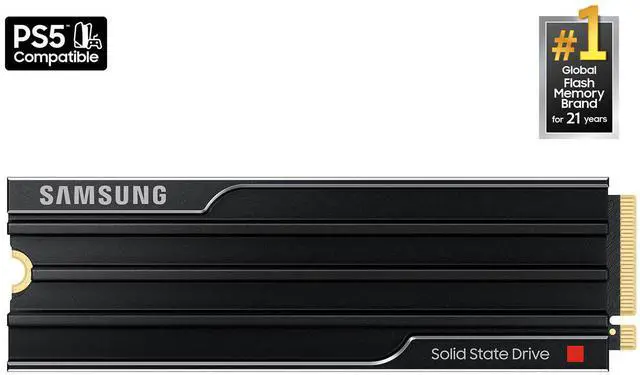
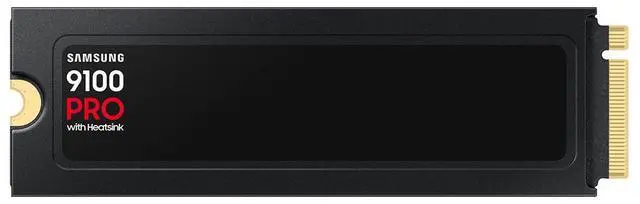
    SAMSUNG SSD 9100 PRO with Heatsink 1TB, PCIe 5.0x4 M.2 2280, Seq. Read Speeds Up to 14,800/13,400 MB/s, Best for AI Computing, Gaming, and Heavy Duty Workstations (MZ- VAP1T0CW)

    (1,244)(2) Write a Review
    • With Heatsink
    • Without Heatsink
    • 8TB
    • 8TB w/ Heatsink
    • 4TB
    • 4TB w/ Heatsink
    • 2TB
    • 2TB w/ Heatsink
    • 1TB
    • 1TB w/ Heatsink
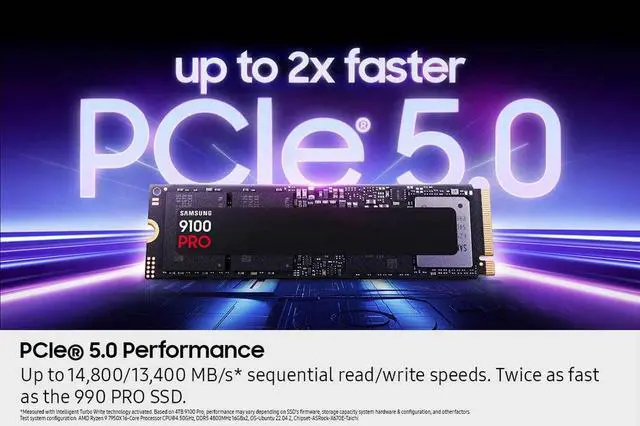
    • BREAKTHROUGH PCIe 5.0 PERFORMANCE: Supercharge your workflow and gaming with PCIe 5.0, boasting up to 14,800/13,400 MB/s1 sequential read/write speeds. Tackle massive files and power up your gaming with Gen5 - twice as fast as the 990 PRO SSD.
    • EVERY TASK, TURBOCHARGED: Speed past productivity limits. With random read/write speeds up to 2,200K/2,600K IOPS, enjoy seamless AI apps, fast game loads, and efficient multitasking. Virtually no lag, no limits - just nonstop performance.
    • THINK FAST, CREATE FASTER: With random read/write speeds of up to 2,200K/2,600K IOPS, the 9100 PRO SSD fuels seamless AI content creation, swift loads, and smooth gameplay. Work, play, and create at lightning speed.
    • SPEED, WHEREVER YOU NEED: From laptops to desktop PCs, experience blazing PCIe 5.0 speeds and up to 8TB of storage. Perfect for video editing, gaming, and creative tasks, with the compatibility to match your device.
    • STAY COOL, RUN FAST: Push limits, not temperatures. A 5nm controller boosts power efficiency up to 49% over the 990 PRO SSD, while advanced thermal control keeps performance smooth and reliable.
    • BREAK FREE FROM STORAGE LIMITS: Expand your gaming horizons with 8TB of storage on the 9100 PRO. Enjoy vast space to grow your game library, save every title, and keep all your favorites without compromise. Unleash your full gaming potential - store, save, and conquer like never before.
    +
    +
    Overview
    Specs
    Reviews (1,244)
    SAMSUNG SSD 9100 PRO
    SSD 9100 Pro
    Performance ready for a new era

    Blazing speed. Massive capacity. Built for Al and beyond. With up to twice the speed of the 990 PRO SSD1 and up to an 8TB storage option, the Samsung 9100 PRO SSD supercharges AI workloads, 4K video rendering, and gaming.

    1. Sequential and random write performance was measured with Intelligent Turbo Write technology being activated. Intelligent Turbo Write operates only within a specific data transfer size. Performance may vary depending on the SSD's firmware, storage capacity, system hardware & configuration, and other factors. For detailed information, please contact your local service center. The 4TB 9100 PRO SSD reaches 14,800 MB/s based on test system configuration: AMD Ryzen 9 7950X 16-Core Processor [email protected], DDR5 4800MHz 16GBx2, OS-Ubuntu 22.04.2, Chipset-ASRock-X670ETaichi. To maximize the performance of the 9100 PRO SSD, please check whether your system supports PCle® 5.0 at the Intel or AMD website.

    SAMSUNG SSD 9100 PRO
    SAMSUNG SSD 9100 PRO
    World's No. 1 Flash Memory Brand

    Performance and reliability you can count on from the world's number one brand for flash memory since 2003.1 All firmware and components are produced in-house, including our world-renowned DRAM and NAND, for quality you can trust.

    1. Source: 2003-2023 OMDIA data: NAND suppliers' revenue market share. Results are not an endorsement of Samsung. Any reliance on these results is at the third party's own risk.

    SAMSUNG 9100 PRO 1TB SSD

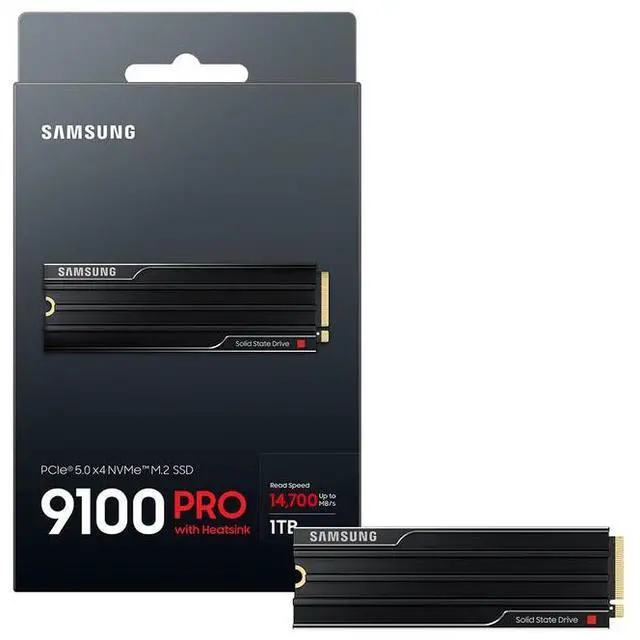
    The SAMSUNG 9100 PRO is a 1TB internal solid state drive with a heatsink, M.2 2280 form factor, PCI-Express 5.0 x4 interface, and NVMe 2.0 protocol. It is designed for consumer use cases including AI content creation, gaming, and high-performance tasks.


    Performance

    • Maximum sequential read: Up to 14,700 MBps
    • Maximum sequential write: Up to 13,300 MBps
    • 4KB random read: Up to 1,850,000 IOPS
    • 4KB random write: Up to 2,600,000 IOPS


    Specifications

    • Brand: SAMSUNG
    • Series: 9100 PRO
    • Model: MZ-VAP1T0CW
    • Device type: Internal Solid State Drive (SSD)
    • Capacity: 1TB
    • Form factor: M.2 2280
    • Memory components: Samsung V NAND TLC (V8)
    • Controller: In-House Controller
    • Cache: 1GB LPDDR4X
    • Intelligent TurboWrite 2.0: 242GB
    • Heatsink: With heatsink
    • Terabytes written: 600TB
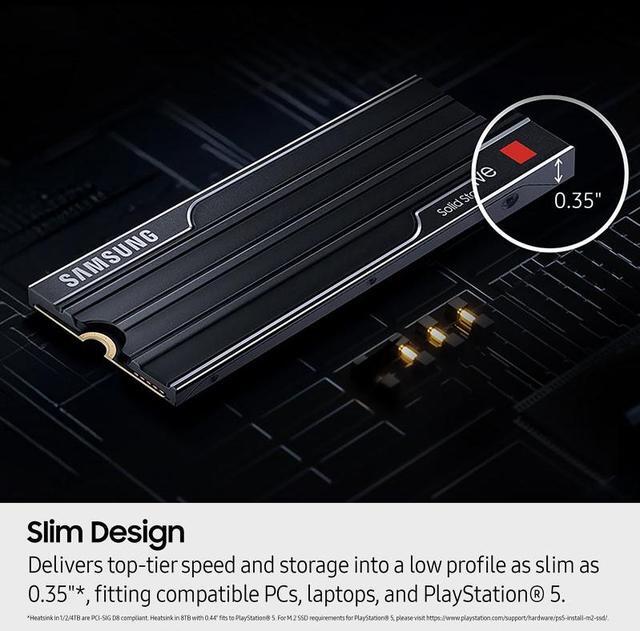
    • Dimensions: 8.88mm height, 25mm width, and 80.15mm depth
    • Weight: 28g


    Power and Security

    • Idle power consumption: 3.3mW Device Sleep (L1.2)
    • Active power consumption: 7.6W / 7.2W (Read/Write)
    • Encryption: Class 0 (AES 256), TCG/Opal v2.0, MS eDrive (IEEE1667)


    Warranty & Returns

    Warranty, Returns, And Additional Information

    Warranty

    Return Policies

    LOADING...
    LOADING...

    The Samsung 9100 PRO with Heatsink is a 1TB PCIe 5.0 x4 NVMe M.2 2280 internal SSD for compatible systems, suited to gamers, AI content creators, and workstation users who need high-speed storage for demanding workloads.

    Recommended For

    • PC creators and workstation users who regularly move large video, image, or project files and have a PCIe 5.0 x4 M.2 slot to use the drive’s high sequential transfer speeds.
    • Builders of high-end PCIe 5.0 desktops who want a flagship M.2 drive with its own heatsink, provided their motherboard slot and case have clearance for the heatsink’s dimensions.
    • Power users handling demanding, storage-heavy PC workloads who want a fast NVMe drive for frequent large-file transfers and application work—not just a faster-feeling everyday desktop.

    Real-World Use Scenarios

    • On a compatible PCIe 5.0 PC, a creator opening large video or photo projects and moving media files can spend less time waiting on storage; the benefit is most noticeable during large transfers, not every editing task.
    • For a PC game library, installing games on the drive can make launches and level loads feel responsive, but reviewers note that the difference from a good PCIe 4.0 SSD may be small in many games.
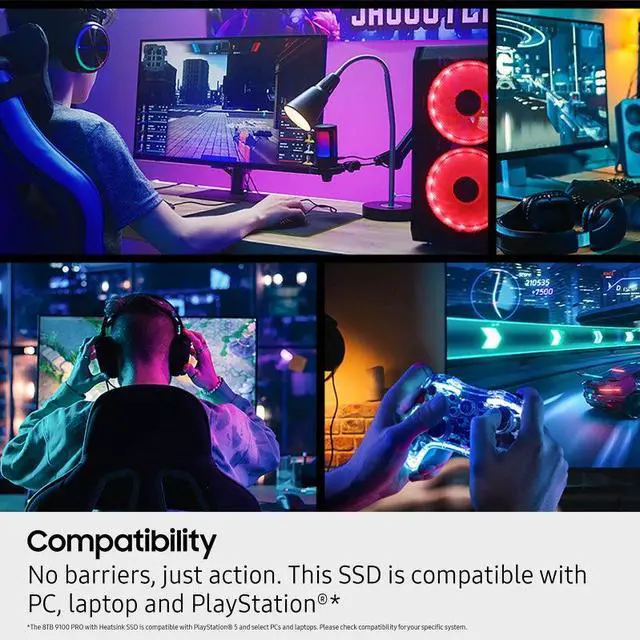
    • In a compatible PS5, the heatsink model can add internal storage for downloaded games; it is intended for PS5 use, though actual game-loading differences depend on the title and may not be dramatic.
    • When working with local AI models or large datasets, the drive can help load and save files faster when storage is the bottleneck; it does not make the GPU or CPU perform AI calculations faster.
    • For a workstation user copying large project archives or backups, the drive can shorten transfers when both the source drive and system support high throughput; everyday small-file tasks may show less difference.

    Spec Summary

    AttributeValue
    Best ForConsumer internal storage for desktop or laptop gaming and multimedia use, including compatible PlayStation 5 systems
    Capacity1 TB
    Interface And Form FactorInternal M.2 2280 SSD with PCIe 5.0 x4 and NVMe 2.0 connectivity
    Read Write PerformanceSequential speeds up to 14,700 MB/s read and 13,300 MB/s write; 4KB random speeds up to 1,850,000 IOPS read and 2,600,000 IOPS write
    Memory And CacheSamsung V-NAND TLC (V8) with 1 GB LPDDR4X cache and 242 GB Intelligent TurboWrite 2.0
    Controller And SecurityIn-house controller with Class 0 AES 256, TCG/Opal v2.0, and MS eDrive (IEEE1667) encryption
    Endurance600 TBW
    Power And ThermalIncludes a heatsink; active power consumption is 7.6 W / 7.2 W (read/write) and device-sleep consumption is 3.3 mW (L1.2), with power and thermal control features
    Physical Specifications80.15 × 25 × 8.88 mm (depth × width × height); 28 g
    Model IdentifiersSamsung 9100 PRO with Heatsink, model MZ-VAP1T0CW

    Reference Q&A

    Q: Samsung 9100 PRO vs. WD Black SN8100: which should I buy?

    A: Choose the Samsung 9100 PRO with Heatsink if you want a preinstalled heatsink and a drive that ran cooler than the SN8100 in PCGamesN’s test on the same motherboard. Choose the SN8100 if benchmarked peak write speed and overall test performance are your priorities; that review found it faster in several tests, while noting the differences in real-world use can be smaller.

    Q: Samsung 9100 PRO vs. 990 PRO: is the Gen5 upgrade worth it?

    A: Choose the 9100 PRO if your system supports PCIe 5.0 and your work involves large sequential transfers or other storage-heavy tasks: its rated sequential speeds are up to 14,700/13,300 MB/s for this 1TB model, versus up to 7,450/6,900 MB/s for the 990 PRO. For everyday gaming or general use on a PCIe 4.0 system, the 990 PRO may be a more practical fit; the 9100 PRO is backward compatible, but a PCIe 4.0 slot limits its interface speed.

    Q: Should I get the 1TB or 2TB Samsung 9100 PRO?

    A: Choose the 1TB model when that capacity covers your needs and you want the lower-capacity configuration. Choose the 2TB model for a larger game library or more working storage; Samsung rates it at 1,200 TBW endurance, double the 1TB model’s 600 TBW. Both are PCIe 5.0 x4 drives, so choose based on capacity and endurance needs rather than assuming the 2TB model is automatically faster.

    Q: Is the Samsung 9100 PRO worth choosing over a PCIe 4.0 SSD for gaming?

    A: Choose the 9100 PRO if you also need its high sequential speeds for large file transfers or other demanding storage workloads and have a PCIe 5.0-capable system. For a gaming-focused build, a PCIe 4.0 drive such as the 990 PRO can be a sensible alternative: the 9100 PRO’s higher rated sequential speeds do not by themselves guarantee noticeably faster game loading, and its full Gen5 performance requires a compatible PCIe 5.0 slot.

    Q: Will this SSD work in a PS5?

    A: Yes. The product is listed as PS5-compatible and includes a heatsink. A PS5 uses a PCIe 4.0 interface, so the drive will not reach its advertised PCIe 5.0 speeds in the console.

    Q: Will it fit in my laptop?

    A: Check the laptop’s M.2 slot and heatsink clearance before buying. This is an M.2 2280 drive with a heatsink and a listed height of 8.88 mm; a laptop may not have enough room for the heatsink.

    Q: What do I need to check before installing it in a PC?

    A: Confirm that the motherboard has an M.2 2280 NVMe slot and enough clearance for the attached heatsink. The drive uses PCIe 5.0 x4; check the motherboard specifications to confirm which PCIe generation the slot supports.

    Q: Who is this 1TB SSD best suited for?

    A: It is best suited for a compatible PC or workstation where fast storage supports demanding workloads such as gaming, AI applications, or large file transfers. For everyday office tasks, its PCIe 5.0 performance may be more than needed.

    Q: Is the Samsung 9100 PRO worth buying for gaming?

    A: It can be a fit if you have a PCIe 5.0 M.2 slot and want a high-speed drive, but Reddit users question the benefit for gaming alone. If your main goal is game storage or faster everyday use, compare its price with a larger or less expensive PCIe 4.0 SSD.

    Q: Will the 9100 PRO work in a PCIe 4.0 M.2 slot?

    A: Reddit discussions indicate that it can work in a compatible PCIe 4.0 M.2 slot, but it will run at PCIe 4.0 speeds rather than its advertised PCIe 5.0 speeds. Check that your system supports an M.2 2280 NVMe drive and verify which slot supports the desired PCIe generation.

    Q: Is the 1TB 9100 PRO overkill for everyday use?

    A: It may be more drive speed than everyday browsing, booting, or gaming requires. Reddit discussions suggest considering it when your system supports PCIe 5.0 and your work benefits from fast storage; otherwise, compare its cost with a higher-capacity PCIe 4.0 SSD.

    Q: Will the 9100 PRO with heatsink fit in a compact or mini-ITX build?

    A: Check the motherboard and case for clearance around the M.2 slot before buying. Reddit discussions raise heatsink space and cooling as considerations in cramped builds; this 1TB model includes a heatsink, so confirm that it fits alongside any motherboard cover or nearby components.