


- $119.99
- Free 30-day Returns
$110.99
Add to PC build list
Sold by Newegg
Shipped by Newegg
Add to Wish List(Found on 113 wish lists)
Best Sellers
- $151.43
- + FREE SHIPPING


Get Educated
Make informed decisions with expert advice. Learn More

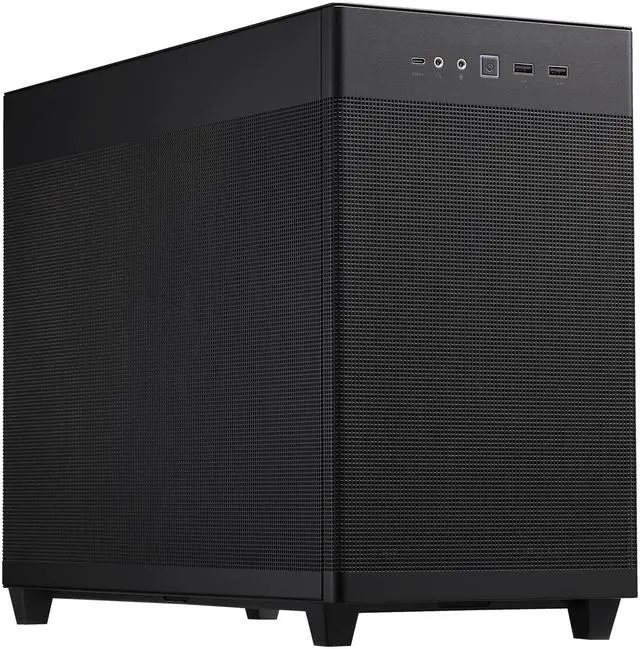
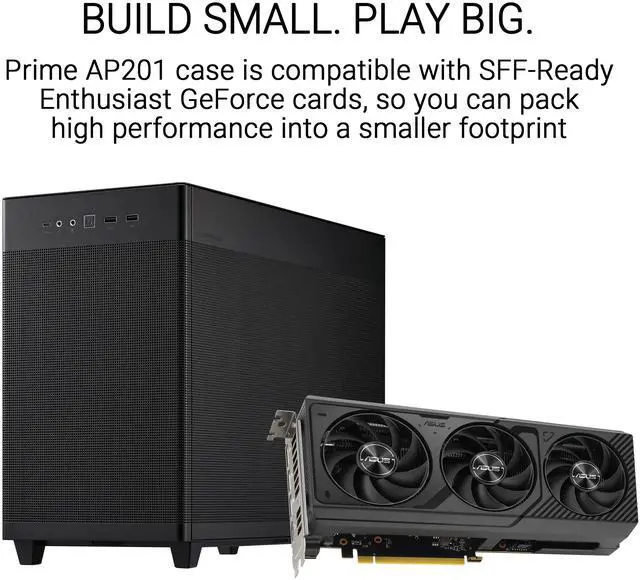
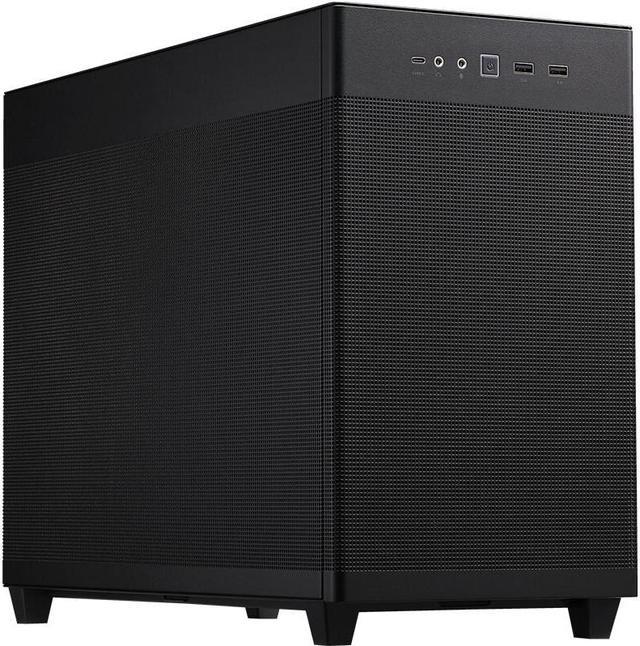
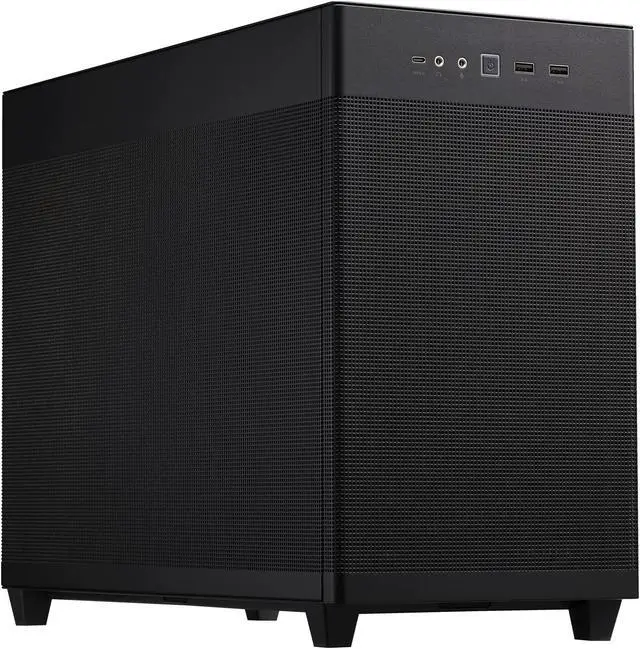


ASUS AP201 Type-C Airflow-focused Micro-ATX,Mini-ITX Computer Case, Support 360/280 Liquid Cooling - Black
- Steel / Plastic Micro ATX Tower
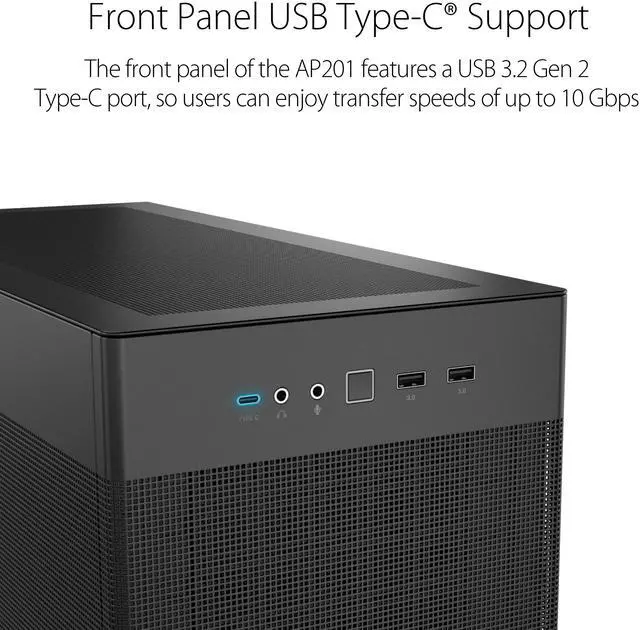
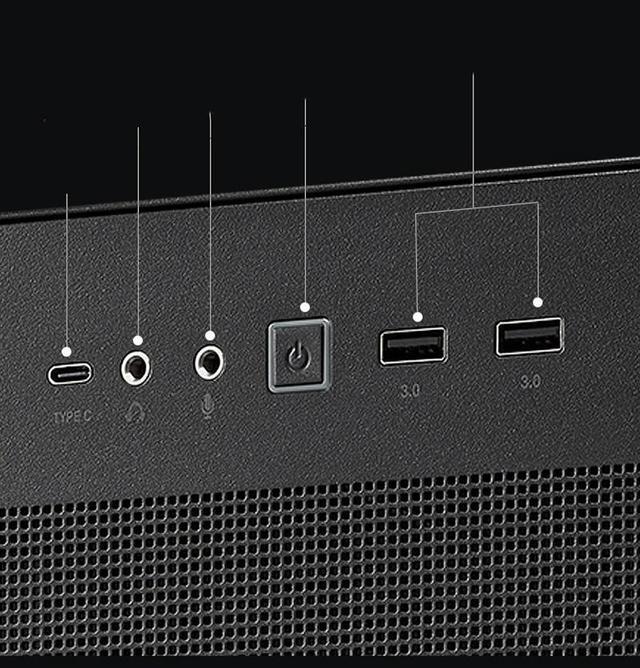
- 2 x USB 3.2 Gen 1, 1 x USB 3.2 Gen 2 Type-C, Audio Front Ports
- 3 x 2.5"/3.5" Combo Bay Internal 3.5" Drive Bays
+
+
Overview
Specs
Reviews (98)
Introducing the ASUS Prime AP201 - Small Tower - Micro ATX from ASUS. This sleek and compact tower is designed to deliver powerful performance in a space-saving form factor. With its micro ATX design, it offers flexibility and versatility for various computing needs.
The ASUS Prime AP201 features advanced technology and superior craftsmanship, ensuring seamless multitasking and smooth operation. Powered by a robust processor, it effortlessly handles demanding tasks, allowing you to work or play with ease. The compact size makes it ideal for small spaces, making the most of your desktop real estate.
Equipped with an array of connectivity options, this tower allows you to connect your favorite peripherals effortlessly. Whether you need to transfer data, connect to external displays, or enjoy high-speed internet, the ASUS Prime AP201 has you covered.
Additionally, this small tower is built with durability in mind, providing a reliable and long-lasting computing experience. From its innovative design to its powerful performance, the ASUS Prime AP201 - Small Tower - Micro ATX from ASUS is the perfect choice for those seeking a compact yet powerful desktop solution.
The ASUS Prime AP201 features advanced technology and superior craftsmanship, ensuring seamless multitasking and smooth operation. Powered by a robust processor, it effortlessly handles demanding tasks, allowing you to work or play with ease. The compact size makes it ideal for small spaces, making the most of your desktop real estate.
Equipped with an array of connectivity options, this tower allows you to connect your favorite peripherals effortlessly. Whether you need to transfer data, connect to external displays, or enjoy high-speed internet, the ASUS Prime AP201 has you covered.
Additionally, this small tower is built with durability in mind, providing a reliable and long-lasting computing experience. From its innovative design to its powerful performance, the ASUS Prime AP201 - Small Tower - Micro ATX from ASUS is the perfect choice for those seeking a compact yet powerful desktop solution.
Warranty & Returns
Warranty, Returns, And Additional Information
Warranty
- Limited Warranty period (parts): 1 year
- Limited Warranty period (labor): 1 year
- Read full details
Return Policies
- Return for refund within: 30 days
- Return for replacement within: 30 days
- This item is covered by Newegg.ca's Standard Return Policy.
- Read full return policy for details.
Manufacturer Contact Info
- Manufacturer Product Page
- Manufacturer Website
- Support Phone: 1-510-739-3777
- Support Website
- View other products from ASUS
LOADING...
LOADING...
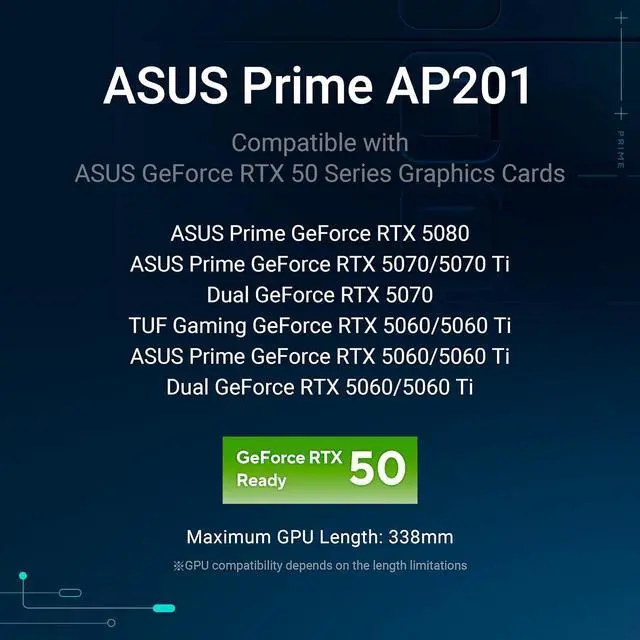
The ASUS AP201 is a compact black Micro-ATX/Mini-ITX PC case designed for high-performance builds, with mesh panels, support for up to 360mm or 280mm radiators, and graphics cards up to 338mm. It suits gaming and workstation users who want strong airflow and efficient use of a 33L chassis.
Recommended For
- Micro-ATX gaming builders who want a compact case with strong airflow for a full-size graphics card, standard ATX power supply, and high-performance components.
- Users building compact high-performance PCs around a 280mm or 360mm top-mounted liquid cooler, provided the radiator, motherboard, GPU, and power-supply dimensions are planned together.
- DIY PC builders who want easier component access in a small enclosure, since the removable panels and open internal layout make installation and maintenance less restrictive than many compact cases.
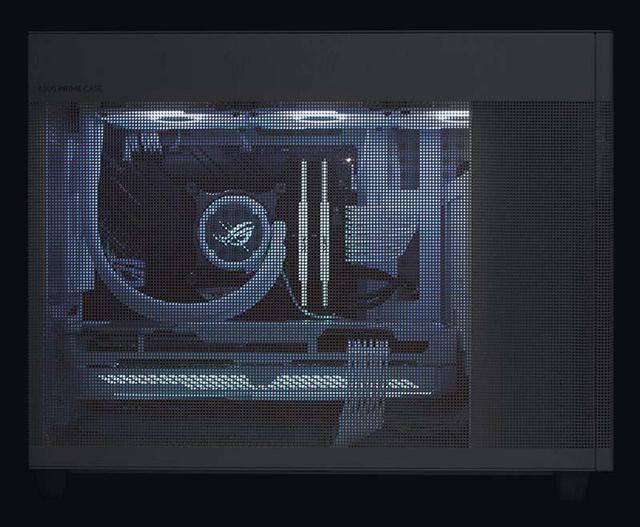
- Builders who prefer a restrained, non-showcase appearance and want mesh panels focused on ventilation rather than a tempered-glass display window or sound-dampened enclosure.
Real-World Use Scenarios
- A user builds a compact Micro-ATX gaming PC with a large graphics card and standard ATX power supply; the open mesh layout generally provides direct airflow to the GPU, while the 33-liter footprint takes up less desk or floor space than a conventional mid-tower.
- A user installs a high-performance CPU with a 280mm or 360mm top-mounted AIO; the case can accommodate the radiator, but PSU position, radiator thickness, GPU size, and cable routing need to be checked before purchase.
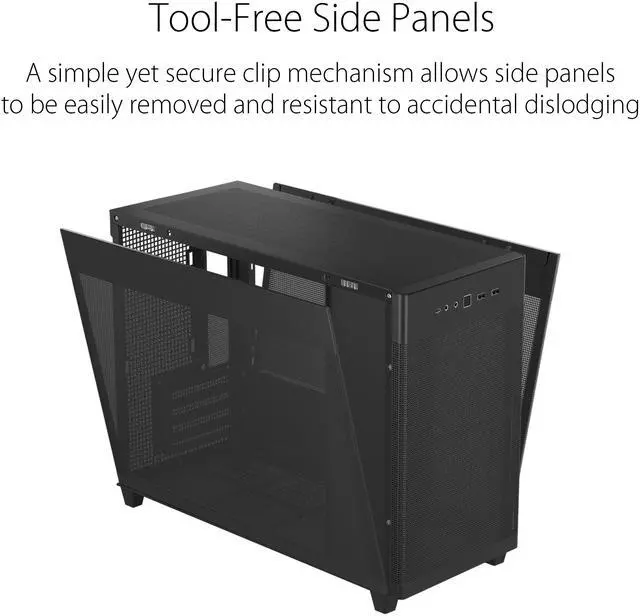
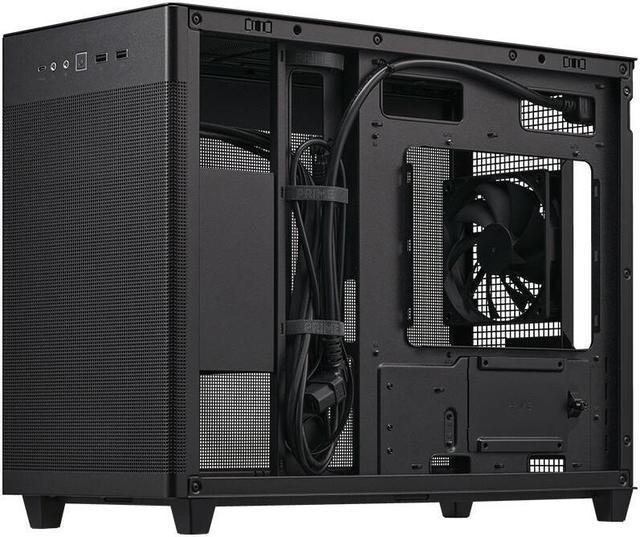
- A user assembles or upgrades a PC frequently and wants easier access than a cramped small-form-factor case; the tool-free side panels and spacious cable-routing area make installation and component changes relatively straightforward for a compact case.
- A user tunes airflow for a gaming system with a hot GPU by testing bottom intake fans and top or rear exhaust; temperatures can already be satisfactory with minimal fans, while adding bottom fans may improve GPU airflow in some builds but can also increase noise.
- A user builds a compact workstation or living-room PC that uses a Micro-ATX motherboard, NVMe storage, and possibly several additional drives; the case supports flexible storage and full-size components, but its highly ventilated panels allow component and fan noise to be heard more directly.
Spec Summary
| Attribute | Value |
|---|---|
| Best For | Micro-ATX and Mini-ITX desktop builds that need compact airflow, support for large graphics cards, and top-mounted air or liquid cooling |
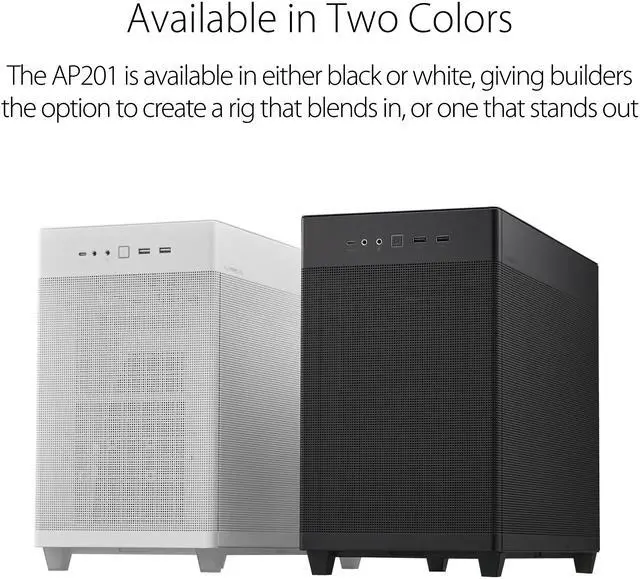
| Form Factor And Build | Micro ATX tower chassis in black steel and plastic with no side window, bottom dust filtration, and no included power supply |
| Motherboard And Expansion | Supports Micro ATX and Mini ITX motherboards with four expansion slots |
| Storage And Drive Bays | Three internal 2.5-inch/3.5-inch combo bays plus one dedicated internal 2.5-inch bay |
| Front I O | Front-panel connectivity includes two USB 3.2 Gen 1 ports, one USB 3.2 Gen 2 Type-C port, and audio |
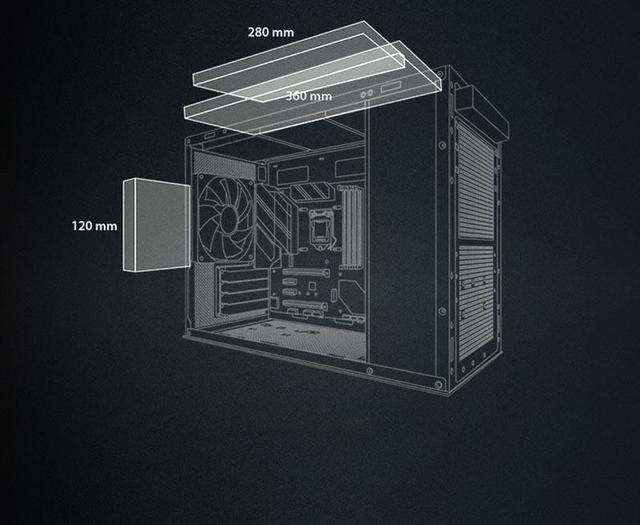
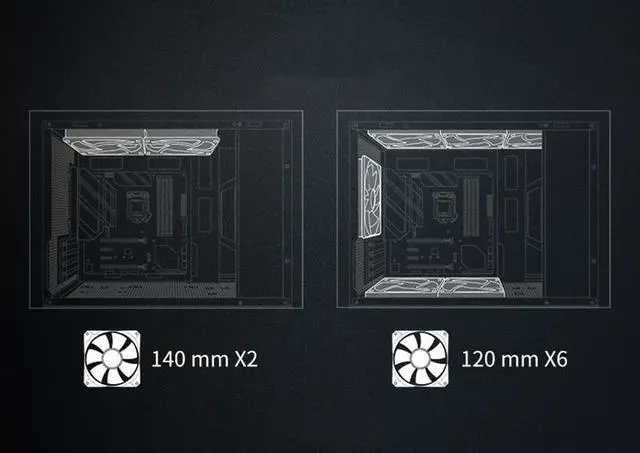
| Cooling Support | Supports top-mounted 360 mm, 280 mm, 240 mm, 140 mm, or 120 mm radiators and a rear 120 mm radiator; fan mounting supports up to six fans, with one 120 mm rear fan included |
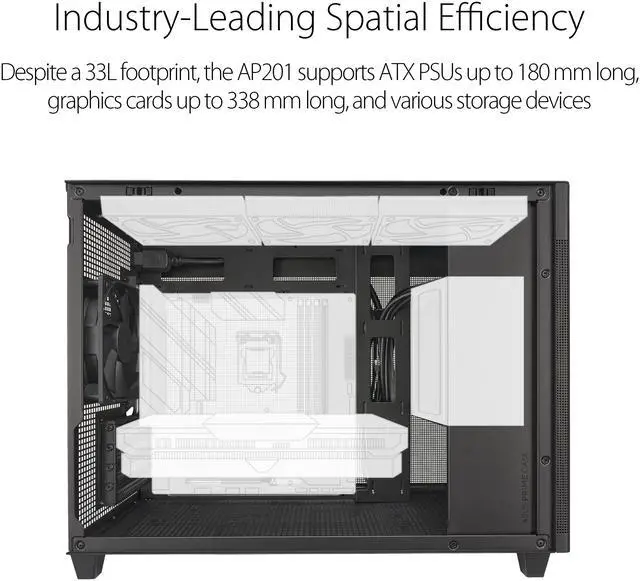
| Component Clearance | Accommodates graphics cards up to 338 mm, CPU coolers up to 170 mm tall, and power supplies up to 180 mm long |
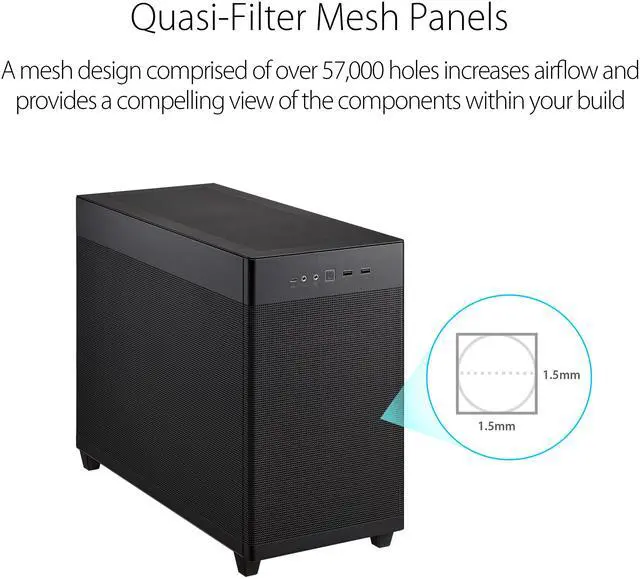
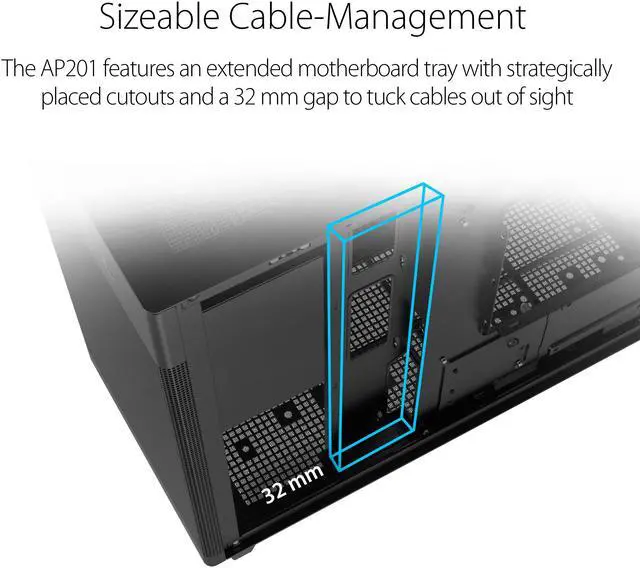
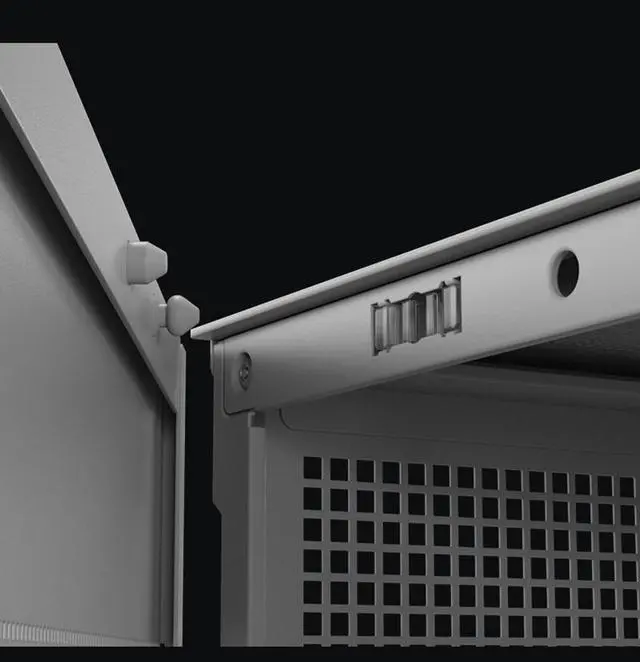
| Cable Management And Panels | Mesh panels support airflow, while the extended motherboard tray provides a 32 mm cable-management gap and clip-secured tool-free side panels |
| Dimensions And Weight | Measures 18.1 x 8.1 x 13.8 inches and weighs 12.79 pounds |
| Model Identifiers | ASUS Prime AP201 ASUS PRIME CASE MESH, part number CC-9011268-WW |
Reference Q&A
Q: Should I buy the ASUS AP201 or the Fractal Design Pop Mini Air?
A: Choose the ASUS AP201 when you want stronger liquid-cooling flexibility, a top-mounted 280mm or 360mm radiator, a standard ATX power supply up to 180mm, and a compact 33-liter micro-ATX layout. Choose the Fractal Design Pop Mini Air when you prefer included front intake fans, a tempered-glass presentation, and support for slightly longer graphics cards up to 365mm. The AP201 also includes front USB-C, while the Pop Mini Air requires a separate USB-C upgrade kit.
Q: Is the ASUS AP201 better than the Cooler Master NR200P for a compact gaming PC?
A: Choose the ASUS AP201 for a more flexible performance build because it supports micro-ATX motherboards, standard ATX power supplies up to 180mm, four expansion slots, CPU coolers up to 170mm, and top radiators up to 360mm. Choose the Cooler Master NR200P when minimum size and portability are the priority: it is an 18.25-liter Mini-ITX case with support for SFX or SFX-L power supplies and up to 280mm radiators. The NR200P is substantially smaller, while the AP201 offers more mainstream component compatibility.
Q: Is the ASUS AP201 a good choice for a high-performance air-cooled build?
A: The ASUS AP201 is a suitable choice for a high-performance air-cooled build when you can add bottom intake fans and use the top and rear positions for exhaust. Reviews and user testing consistently describe its open mesh layout as thermally capable, particularly for graphics-card cooling. The trade-off is that the mesh panels provide little sound isolation, so fan and GPU noise are more audible than in a closed or damped case. Choose the AP201 when airflow and component clearance matter more than acoustic isolation.
Q: Should I choose the ASUS AP201 or the larger Fractal Design Pop 2 Air?
A: Choose the ASUS AP201 for a smaller micro-ATX system with a 33-liter footprint, front USB-C, a 338mm graphics-card limit, and support for standard ATX power supplies up to 180mm. Choose the Fractal Design Pop 2 Air when you need ATX motherboard support, graphics cards up to 416mm, three included front fans, and a top-mounted 360mm radiator. The Pop 2 Air provides more internal expansion room, while the AP201 is better suited to a compact performance-focused build.
Q: Will a full-size ATX power supply fit in this case?
A: Yes. The AP201 supports standard ATX power supplies, with a listed maximum PSU length of 180 mm. For easier cable management and better clearance around a long graphics card or top-mounted radiator, a 160–170 mm PSU is the safer choice. ASUS documents different PSU-positioning limits depending on whether storage or a 360 mm radiator is installed.
Q: What size graphics card can fit in the ASUS AP201?
A: The case supports graphics cards up to 338 mm long. Before buying, check the exact GPU length, thickness, power-connector position, and PSU size because a long graphics card and a long ATX power supply can compete for space in this compact layout.
Q: Can this case use a 360 mm liquid cooler?
A: Yes. The AP201 supports 360 mm, 280 mm, 240 mm, 140 mm, and 120 mm radiators at the top, plus a 120 mm radiator at the rear. A top-mounted 360 mm radiator uses space that could otherwise support additional top fans or some storage configurations, so component placement should be planned before building.
Q: Is the AP201 suitable for a compact Micro-ATX or Mini-ITX build?
A: Yes. It is designed for Micro-ATX and Mini-ITX motherboards and has a compact 33-liter layout. It can still accommodate a full-size ATX power supply, a graphics card up to 338 mm, a CPU cooler up to 170 mm tall, and multiple storage drives. It is best suited to compact desktop builds that need more component flexibility than a very small-form-factor case.
Q: Does this case provide good airflow, and how many fans are included?
A: The AP201 is airflow-focused, using mesh panels and supporting up to three 120 mm or two 140 mm fans on top, two 120 mm fans on the bottom, and one 120 mm rear fan. One 120 mm rear fan is included; additional fans are needed for a fuller intake-and-exhaust setup. The open mesh design favors cooling but may allow more dust and fan noise than a more enclosed case.
Q: Is the ASUS AP201 a good choice for a compact, high-performance micro-ATX PC?
A: Yes, if you want a relatively compact 33L case with strong airflow, support for large GPUs, and space for up to a 360mm top radiator. It is less suitable if you want simple cable routing or guaranteed compatibility with unusually large GPUs and full-size power supplies.
Q: Will a long or oversized graphics card fit in the ASUS AP201?
A: The stated GPU limit is 338 mm, but community builds report that some cards longer than 338 mm can fit when the power supply is mounted higher or a shorter ATX or SFX power supply is used. Compatibility depends on the GPU’s exact length, thickness, power-connector position, PSU length, and PSU cable clearance, so cards above 338 mm should not be treated as guaranteed fits.
Q: Is the ASUS AP201 suitable for a 360mm radiator or other high-performance cooling setup?
A: Yes. The case supports a top-mounted 360mm, 280mm, or 240mm radiator and multiple fans, making it suitable for high-performance CPUs. However, radiator thickness, RAM height, PSU position, and GPU size can affect clearance, and large graphics cards may reduce the usefulness of bottom intake fans.
Q: Is cable management difficult in the ASUS AP201?
A: Cable management is manageable but relatively tight, especially with a non-modular or full-size ATX power supply, bulky cables, or a 360mm radiator. The 32 mm rear cable gap helps, but users commonly recommend planning cable routes before installing bottom fans and using shorter or custom-length cables when necessary.