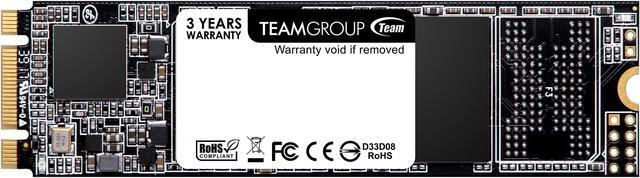
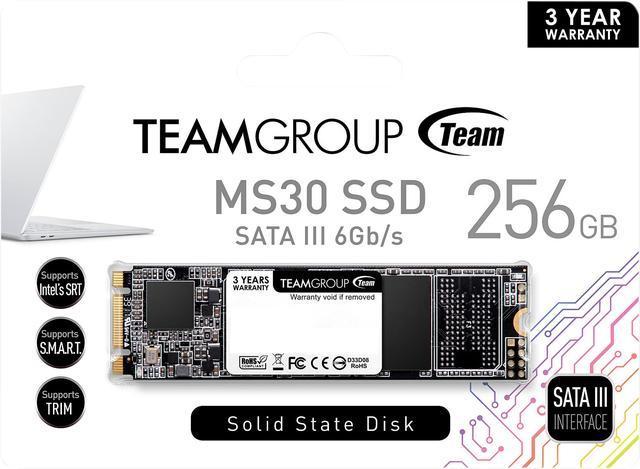
The TEAMGROUP MS30 is a 256GB M.2 2280 SATA III SSD for laptop or desktop users who need a compatible SATA-based drive for everyday storage or a system upgrade, with sequential speeds up to 500 MB/s read and 400 MB/s write.
Recommended For
- Owners of older laptops or mini PCs with an available M.2 2280 SATA slot who need a compact replacement system drive; a review of this exact 256GB model describes using it to upgrade an older laptop.
- Laptop users with SATA-compatible M.2 slots who want to add or replace storage without a separate 2.5-inch drive; TEAMGROUP lists power-saving features, and the M.2 format avoids a separate drive cable.
- Home-office users doing everyday computing—such as web browsing, documents, and light multitasking—who need a basic 256GB SATA SSD rather than a high-throughput drive.
- PC builders adding a secondary drive for a modest game library or files, provided their system has an available M.2 SATA slot and 256GB is enough for the intended collection.
Real-World Use Scenarios
- When an older laptop or nettop with a compatible M.2 SATA slot needs a storage refresh, install the MS30 as its system drive; it can give the device an SSD-based boot and everyday-use experience without using a 2.5-inch drive bay.
- For a small-form-factor desktop or all-in-one with a compatible M.2 SATA socket, use the MS30 where space and cabling are limited; the gumstick-style drive mounts directly on the motherboard rather than occupying a 2.5-inch bay.
- When replacing a failed or aging M.2 drive, use the MS30 as a straightforward SATA SSD replacement if the device supports M.2 SATA; check the device specifications first, because an M.2 connector alone does not confirm compatibility.
- For a modest-capacity boot drive in a home or office PC, use the 256GB MS30 for the operating system and frequently used applications; it fits the common role of a compact SATA SSD boot device, while larger files may need separate storage.
- For a small game collection on a compatible PC, use the MS30 to store and launch games from SSD storage; it can serve as a secondary game drive, but its 256GB capacity limits how many large games fit at once.
Spec Summary
| Attribute | Value |
|---|
| Best For | Internal storage upgrades for consumer desktops and laptops used for gaming, personal, or business computing |
|---|
| Capacity | 256GB |
|---|
| Interface And Form Factor | M.2 2280 drive with a SATA III interface and SATA protocol |
|---|
| Read Write Performance | Sequential read speeds up to 500 MB/s and sequential write speeds up to 400 MB/s |
|---|
| Memory And Cache | TLC NAND flash memory; no DRAM (HMB) |
|---|
| Endurance And Reliability | Rated for 128TB written with an MTBF of 1,500,000 hours |
|---|
| Features And Compatibility | Supports Intel SRT, S.M.A.R.T., and TRIM; includes power-saving technology |
|---|
| Operating Conditions | Operating temperature: 0°C to +70°C; storage temperature: -40°C to +80°C; operating humidity: RH 90% under 40°C |
|---|
| Shock And Vibration Resistance | Shock resistance up to 500G at 2 m/sec; vibration resistance of 80–2,000 Hz / 20G |
|---|
| Dimensions And Weight | 80 × 22 × 3.5 mm; 10 g |
|---|
| Model Identifiers | TEAMGROUP MS30; model TM8PS7256G0C101 |
|---|
Reference Q&A
Q: TEAMGROUP MS30 256GB vs MP33 256GB: should I choose SATA or NVMe?
A: Choose the MS30 if your system requires an M.2 SATA drive. Choose the MP33 if your system supports PCIe NVMe and you want higher rated sequential speeds: TEAMGROUP specifies up to 500/400 MB/s read/write for the MS30 256GB and up to 1,600/1,000 MB/s for the MP33 256GB. Check your device’s supported M.2 interface before buying; the M.2 shape alone does not confirm SATA or NVMe compatibility.
Q: Should I get the MS30 256GB or the MS30 512GB?
A: Choose the 512GB version if you need more room for apps, games, or files, or want its higher rated write speed and endurance. TEAMGROUP rates the 256GB model at up to 500/400 MB/s read/write and 128TBW; the 512GB model is rated at up to 530/430 MB/s and 256TBW. Choose 256GB when capacity and the listed performance are sufficient.
Q: TEAMGROUP MS30 M.2 SATA vs a 2.5-inch SATA SSD: which should I buy?
A: Choose the MS30 when your device has a compatible M.2 SATA slot and you want the compact M.2 form factor. Choose a 2.5-inch SATA SSD when your system has a 2.5-inch drive bay or does not support SATA through its M.2 slot. Both use SATA; the MS30’s M.2 form factor does not make it an NVMe drive or inherently faster than another SATA SSD.
Q: Will this SSD work in my laptop or desktop?
A: It can work in a laptop or desktop with an M.2 2280 slot that supports SATA SSDs. M.2 describes the form factor, not the connection type, so check the device manual: an NVMe-only M.2 slot may not support this SATA drive.
Q: Is this a good choice for everyday computing or as a boot drive?
A: It can suit everyday computing and may be used as a boot drive if the computer supports booting from a SATA M.2 SSD. Its rated sequential speeds are up to 500 MB/s read and 400 MB/s write, so it is intended for SATA-level performance rather than higher-speed NVMe performance.
Q: Is 256GB enough storage?
A: 256GB can be sufficient for an operating system, everyday applications, and a modest number of files. It may feel limited if you keep many large games, videos, or other files on the drive; check your current storage use before choosing this capacity.
Q: Is this SSD suitable for heavy, frequent write workloads?
A: It is better suited to typical consumer use than sustained, write-intensive work. The drive has no DRAM cache, uses SATA III, and is rated for up to 400 MB/s sequential writes; its listed endurance is 128TBW. Consider those limits if your workload frequently writes large amounts of data.
Q: Will this MS30 work in my M.2 slot?
A: Only if the slot supports M.2 SATA drives. This is an M.2 2280 SATA III SSD, not an NVMe drive, so check the motherboard or laptop specifications before buying. Reddit posts about this model describe drives not appearing in BIOS or disk management, making interface compatibility important to verify.
Q: Is the 256GB MS30 suitable for gaming and general storage?
A: It can suit a small game library or general storage if the device supports M.2 SATA. Its listed sequential speeds are up to 500 MB/s read and 400 MB/s write, and 256GB limits how many large games it can hold. A Reddit discussion considers a 1TB MS30 for gaming and general storage; that capacity is substantially larger than this model’s.
Q: Can I use this as a boot drive or an upgrade from a smaller SSD?
A: Yes, if the computer supports M.2 SATA and 256GB is enough for the operating system, applications, and files you plan to keep on it. A Reddit user identifies this exact model as an OS drive, and another discusses replacing a 128GB SSD with it.