
Your Browsing History
- Free 30-day Returns
$445.26
Ships from China.

Meet Your Seller

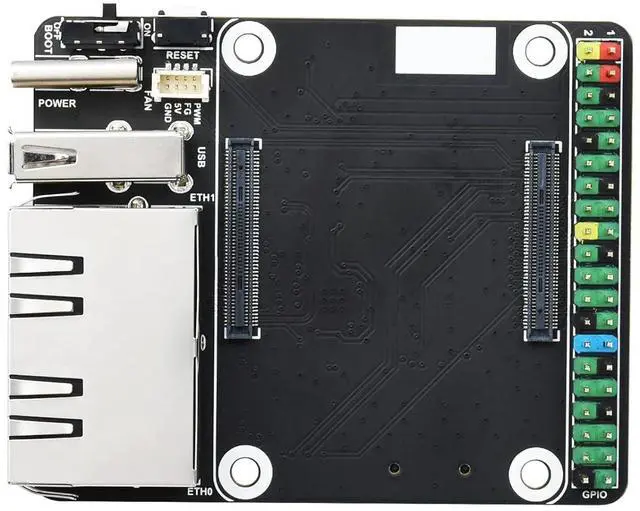
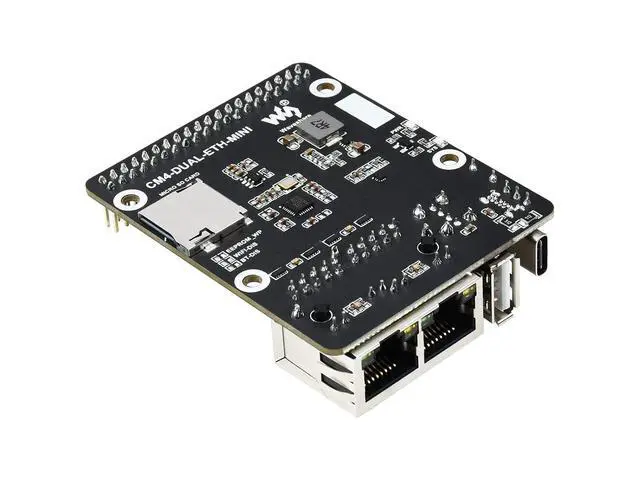
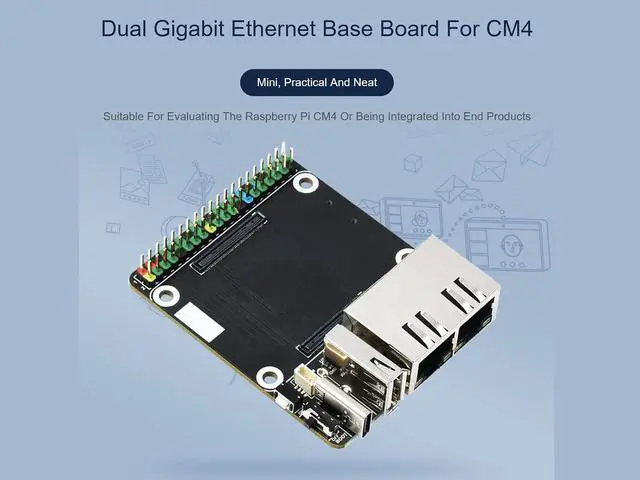
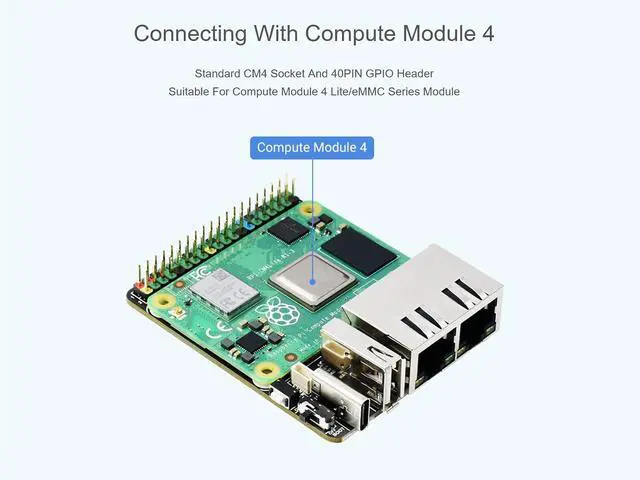


Mini Dual Gigabit Ethernet Base Board for Raspberry Pi Compute Module 4 CM4, Onboard ETH/Micro SD/USB Interfaces, Suitable for Evaluating the Raspberry Pi CM4 or Being Integrated into End Products
Limited time offer, ends 10/10 By TERRA HAVEN
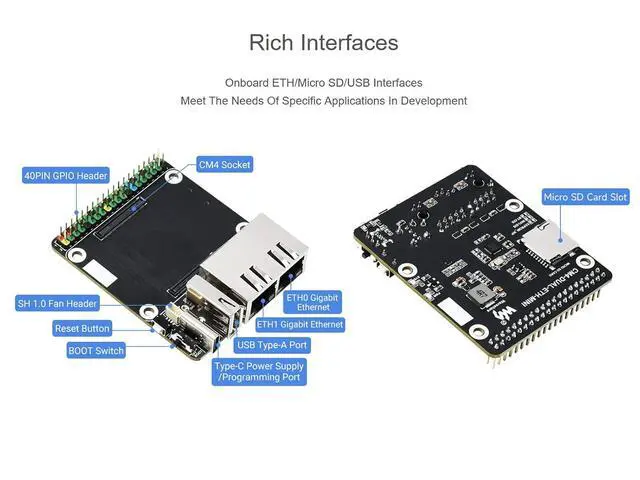
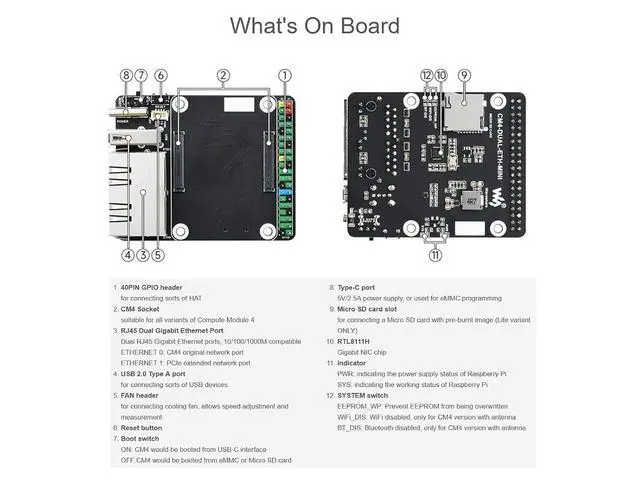
- Mini Dual Gigabit Ethernet Base BoardDesigned for Raspberry Pi Compute Module 4, onboard standard CM4 socket and 40PIN GPIO header, suitable for Compute Module 4 Lite/eMMC series module, Mini size: 55.0 × 68.0mm; Rich InterfacesOnboard dual gigabit ethernet RJ45 connector, USB2.0 port, Micro SD card socket for Compute Module 4 Lite (without eMMC) variants, meet the needs of specific applications in development; Fan HeaderOnboard 4-wire SH1.0 port, allows speed adjustment and measurement, only 5V fans are supported; Power InputSupports 5V DC Type-C interface power supply. Type C interface can be used as a power supply or as a USB interface to program the image (need to use the DIP switch to switch); NoteDo not plug or unplug any device other than a USB while it is powered on. In order to ensure the normal power supply for CM4, please do not connect other devices when using the Type C interface to program the image
+
+
Overview
Specs
Reviews
Mini Dual Gigabit Ethernet Base BoardDesigned for Raspberry Pi Compute Module 4, onboard standard CM4 socket and 40PIN GPIO header, suitable for Compute Module 4 Lite/eMMC series module, Mini
size: 55.0 × 68.0 mm
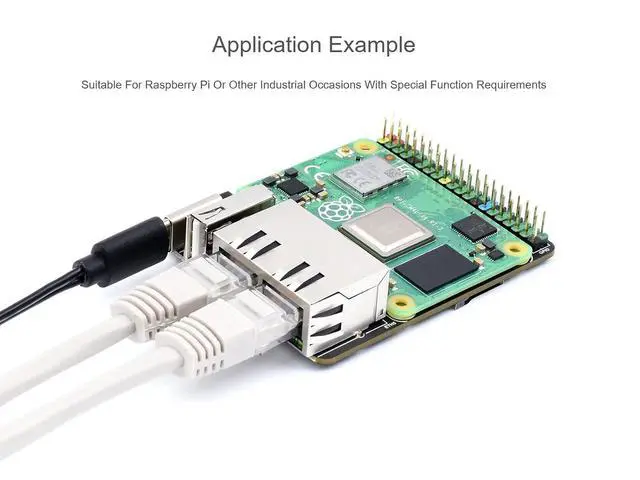
Rich InterfacesOnboard dual gigabit ethernet RJ45 connector, USB 2.0 port, Micro SD card socket for Compute Module 4 Lite (without eMMC) variants, meet the needs of specific applications in development
Fan HeaderOnboard 4-wire SH 1.0 port, allows speed adjustment and measurement, only 5V fans are supported
Power InputSupports 5V DC Type-C interface power supply. Type C interface can be used as a power supply or as a USB interface to program the image (need to use the DIP switch to switch)
NoteDo not plug or unplug any device other than a USB while it is powered on. In order to ensure the normal power supply for CM4, please do not connect other devices when using the Type C interface to program the image
size: 55.0 × 68.0 mm
Rich InterfacesOnboard dual gigabit ethernet RJ45 connector, USB 2.0 port, Micro SD card socket for Compute Module 4 Lite (without eMMC) variants, meet the needs of specific applications in development
Fan HeaderOnboard 4-wire SH 1.0 port, allows speed adjustment and measurement, only 5V fans are supported
Power InputSupports 5V DC Type-C interface power supply. Type C interface can be used as a power supply or as a USB interface to program the image (need to use the DIP switch to switch)
NoteDo not plug or unplug any device other than a USB while it is powered on. In order to ensure the normal power supply for CM4, please do not connect other devices when using the Type C interface to program the image
Warranty & Returns
Warranty, Returns, And Additional Information
Warranty
- Please contact the Seller directly for warranty information. Warranty information may also be found on the Manufacturer's website.
- CONTACT
Return Policies
- Return for refund within: 30 days
- Return for replacement within: 90 days
- This item is covered by TERRA HAVEN Return Policy
Manufacturer Contact Info
- For a directory of all our manufacturers, please click below.
- Manufacturers Directory
LOADING...