shippingWe‘re shipping as usual! The Canada Post strike only affects certain remote deliveries and PO Boxes. Details
shipping Holiday Shipping Details & Extended Holiday Returns
  • $51.65
  • Sale Ends in 22 Hours -
  • Free 15-day Returns
Ships from China.
Price alert

Shipped by ElectroWorks JV

Shop it at NeweggBusiness.

Meet Your Seller

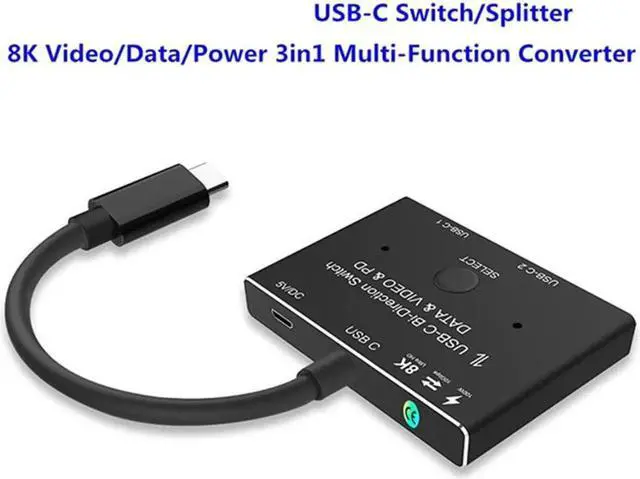
USB-C USB3.1 Type-C 8K Switch Bi-Direction Adapter 8K@30Hz 4K@120Hz Power Delivery 100w 10Gbps Data Transfer Multi-Function Splitter Converter Cable for Multiple USB-C Sources and Displays

Limited time offer, ends 12/16 By ElectroWorks JV

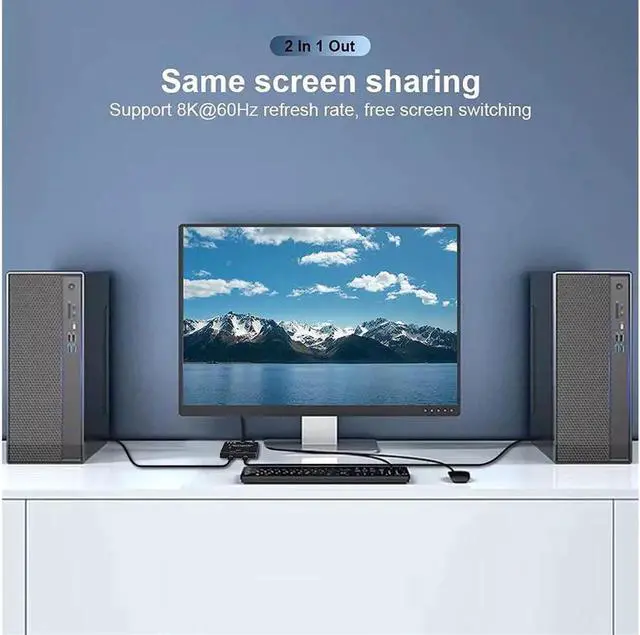
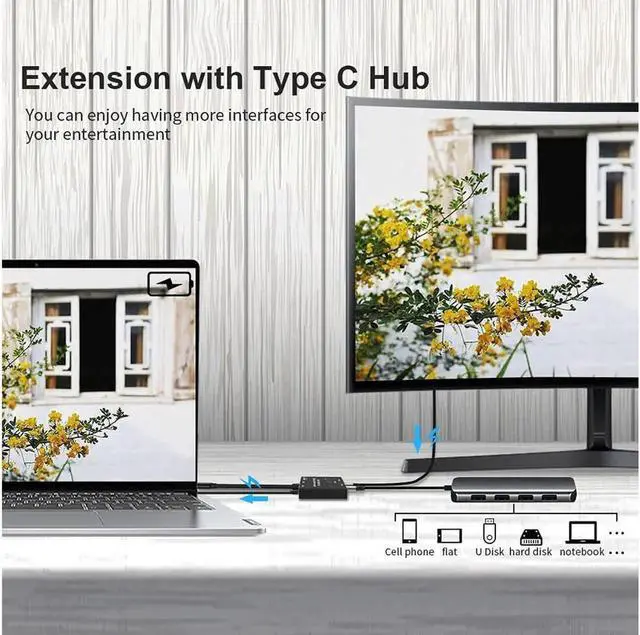
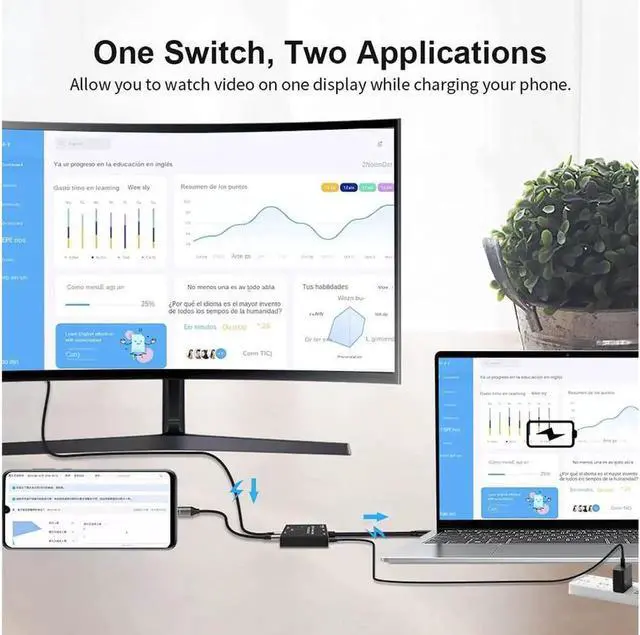
  • Function 1: 2 IN 1Out
  • 1. Connect two sources to the port "USB-C 1" and port "USB-C 2"
  • 2. Connect the display from the Supplied and Fixed USB-C Cable on the switch.
  • 3. Power the switch with the supplied USB to
  • DCcable4: Press"Select"Button to switch between two Sources Function 2: 1 In 2Out 1. Connect the source from the supplied and Fixed USB-C cable on the switch.
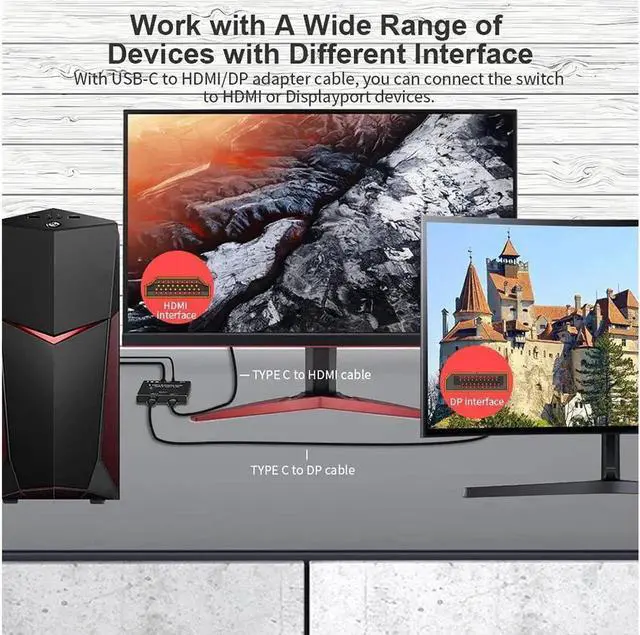
  • 2. Connect two displays to the port "USB-C 1" and port "USB-C 2"(Note: two displays cannot work at the same time). In this connection, you can also connect USB-C to HDMI or Displayport Cable from the Switch to relatively Monitor.
  • 3. Power the switch with the supplied USB to
  • DCcable4: Press"Select"Button to switch between two Displays
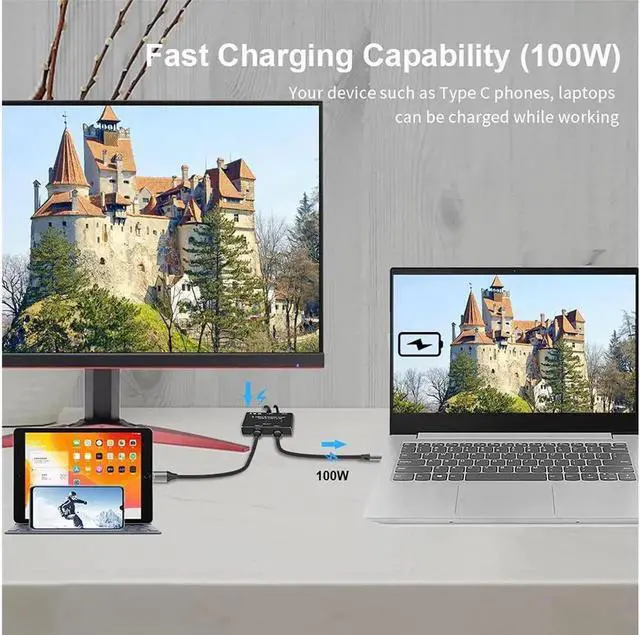
  • Function3: Power
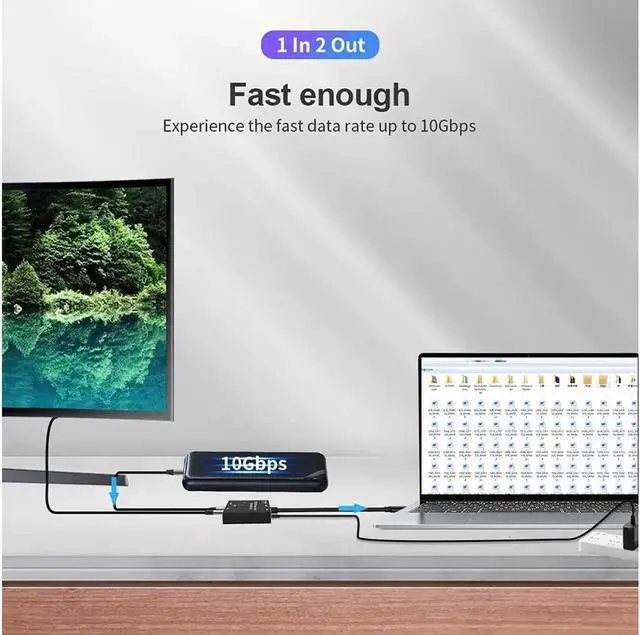
  • Delivery&Data1: Data Transfer, using USB 3.1 Gen 2 Cable for Max 10Gbps data Transmissions from your Host devices to your data storage devices.
  • 2: Max 100w Power Delivery for your relatively devices.
  • ImportantNoteswhileusing:
  • 1: While using, you must power the switch with the Supplied USB to DC Cable, or your external monitor would not show anything.
  • 2: In the market, There are various USB-C cables. If you want to realize the function of video transmission, then your own USB-C cable must support the relevant video transmission protocol. Similarly, if you want to realize data transmission, then your prepared USB-C cable must support the data transmission function.
  • 3: If you connect to your USB-C Monitors, your Monitor's USB-C Ports should support Video Transmitting. USB
+
+
Overview
Specs
Reviews

Function 1: 2 IN 1Out

1. Connect two sources to the port "USB-C 1" and port "USB-C 2"

2. Connect the display from the Supplied and Fixed USB-C Cable on the switch.

3. Power the switch with the supplied USB to

DCcable4: Press"Select"Button to switch between two Sources Function 2: 1 In 2Out 1. Connect the source from the supplied and Fixed USB-C cable on the switch.

2. Connect two displays to the port "USB-C 1" and port "USB-C 2"(Note: two displays cannot work at the same time). In this connection, you can also connect USB-C to HDMI or Displayport Cable from the Switch to relatively Monitor.

3. Power the switch with the supplied USB to

DCcable4: Press"Select"Button to switch between two Displays

Function3: Power

Delivery&Data1: Data Transfer, using USB 3.1 Gen 2 Cable for Max 10Gbps data Transmissions from your Host devices to your data storage devices.

2: Max 100w Power Delivery for your relatively devices.

ImportantNoteswhileusing:

1: While using, you must power the switch with the Supplied USB to DC Cable, or your external monitor would not show anything.

2: In the market, There are various USB-C cables. If you want to realize the function of video transmission, then your own USB-C cable must support the relevant video transmission protocol. Similarly, if you want to realize data transmission, then your prepared USB-C cable must support the data transmission function.

3: If you connect to your USB-C Monitors, your Monitor's USB-C Ports should support Video Transmitting. USB-C Switch with Power and Data Function, It supports Max 100w Power Delivery and Max Transmissions Speed 10Gbps(USB 3.1 Gen2), With our switch, you can charge your mobile phone, computer, tablet and other devices, and you can also transfer data from your computer, mobile phone, etc. to your U disk and other devices. Both data and charging functions require your USB-C cable to support the above functions. Ultra 8K Video Output, you can output max 8K@30Hz 4K@120Hz 1080P@165Hz via our USB-C Switch/Splitter to your USB-C Displays, The maximum resolution of your output depends on your Source device, monitor and cable used. When you use our switcher to realize the video function, we recommend that you do not use too long cables (The sum of the cables at both ends does not exceed 3 meters). Too long cables at both ends will cause the screen to flicker or the screen cannot be displayed

Warranty & Returns

Warranty, Returns, And Additional Information

Warranty

  • Please contact the Seller directly for warranty information. Warranty information may also be found on the Manufacturer's website.
  • CONTACT

Return Policies

Manufacturer Contact Info

LOADING...
LOADING...