
Your Browsing History
- Free 30-day Returns
$107.99
Ships from China.

Meet Your Seller

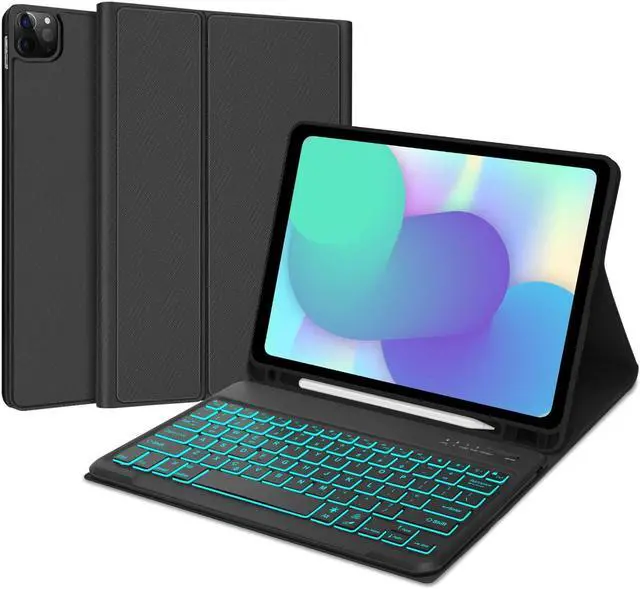



Keyboard Case for iPad Air 13-inch (M2, 2024) & iPad Pro 12.9 (6th 2022/5th 2021/4th 2020/3rd 2018 Gen), Detachable Bluetooth Keyboard| Smart 7 Color Backlit| Slim Protection Cover with Pencil Holder
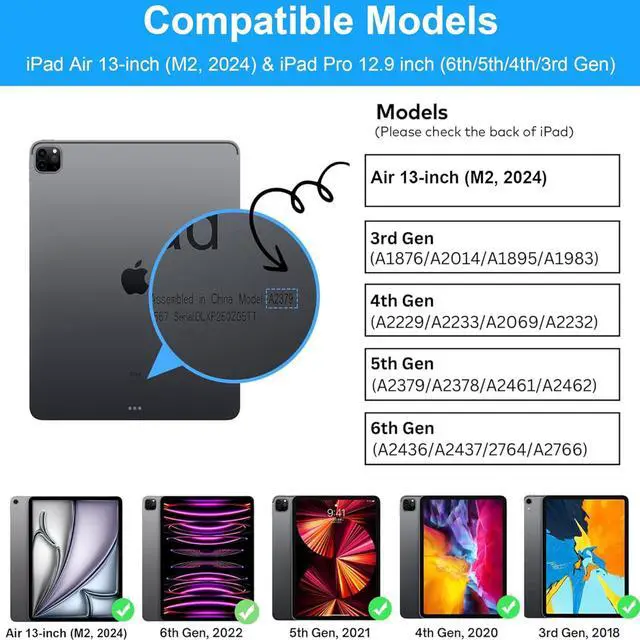
- [(iPad Pro 12.9 Case with Keyboard)] The case with keyboard is compatible with New iPad Air 13-inch (M2, 2024), iPad Pro 12.9 2022 6th Generation (A2436, A2437, A2764, A2766), iPad Pro 12.9 2021 5th Generation (A2378, A2379, A2461, A2462), iPad Pro 12.9 2020 4th Generation (A2229, A2069, A2232, A2233), and iPad Pro 12.9 2018 3rd Gen (A1876, A2014, A1895, A1983). Warmly Note: Please check the model number on the back of your iPad before purchasing.
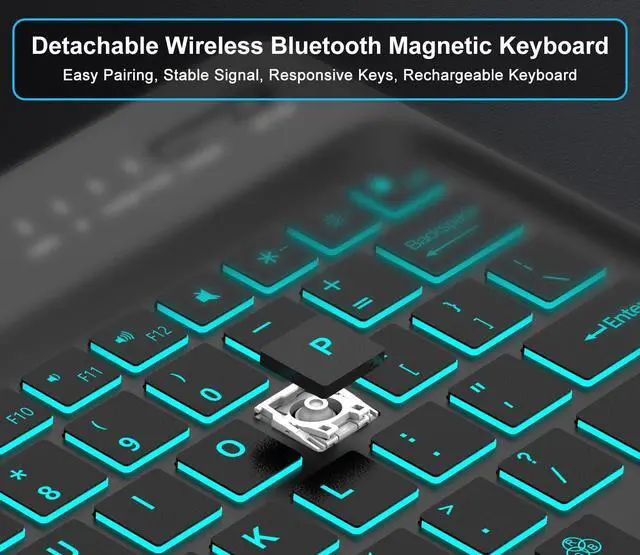
- [(Full Protective and Multiple Stand Angles )] : iPad 12.9 keyboard case with shockproof TPU inner and the keyboard keys has resilient, making typing more sensitive and accurate. Premium PU leather cover and soft, provide full protection for your iPad 12.9, it greatly reduces the damage to your tablet caused by collisions. Built-in ergonomic non-slip grooves and three adjustable angles allow for easy adjustment to a comfortable Angle for a pleasant using experience.
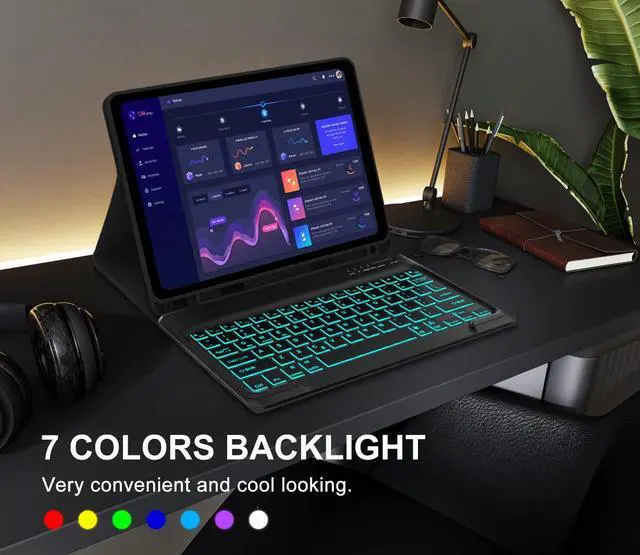
- [(7 Colors Backlit Keyboard & Long Life Battery)] : Optional backlight
+
+
Overview
Specs
Reviews
How to connect the keyboard to iPad:
1. Please fully charge the keyboard and turn it on.
2. Press and hold the power button to turn on the keyboard (press and hold for 3 seconds), press Fn+C to turn on the Bluetooth.
3. Go to the iPad settings, click on Bluetooth and look for the keyboard.
4. Select the "iPad Keyboard. " and it will connect.
Features:
-Anti-skid Design: Fashing texture can effectively prevent the keyboard from slipping;
-Precise Cutout: The cut-outs for the camera perfect;
-High -quality Material: High-quality materials enable our products to protect our iPad when the keyboard is accidentally slipped or falls off;
-Pencil Holder: The Pencil holder leaves a slot to protect your pen more carefully from rolling or losing it. (Apple Pencil or iPad NOT included);
-Type-C Charging Port: The built-in battery can be charged through the Type-C interface;
-Long Life Battery: Extra long standby time of up to 100 days and charging for 2-3 hours, and can work continuously for up to 70 hours under normal use;
Package List:
1 * Keyboard for iPad Pro 12.9 inch
1 * iPad pro 12.9 case
1* USB Charge Cable
1 * User Manual
1. Please fully charge the keyboard and turn it on.
2. Press and hold the power button to turn on the keyboard (press and hold for 3 seconds), press Fn+C to turn on the Bluetooth.
3. Go to the iPad settings, click on Bluetooth and look for the keyboard.
4. Select the "iPad Keyboard. " and it will connect.
Features:
-Anti-skid Design: Fashing texture can effectively prevent the keyboard from slipping;
-Precise Cutout: The cut-outs for the camera perfect;
-High -quality Material: High-quality materials enable our products to protect our iPad when the keyboard is accidentally slipped or falls off;
-Pencil Holder: The Pencil holder leaves a slot to protect your pen more carefully from rolling or losing it. (Apple Pencil or iPad NOT included);
-Type-C Charging Port: The built-in battery can be charged through the Type-C interface;
-Long Life Battery: Extra long standby time of up to 100 days and charging for 2-3 hours, and can work continuously for up to 70 hours under normal use;
Package List:
1 * Keyboard for iPad Pro 12.9 inch
1 * iPad pro 12.9 case
1* USB Charge Cable
1 * User Manual
Warranty & Returns
Warranty, Returns, And Additional Information
Warranty
- Please contact the Seller directly for warranty information. Warranty information may also be found on the Manufacturer's website.
- CONTACT
Return Policies
- Return for refund within: 30 days
- Return for replacement within: 30 days
- This item is covered by Fashion Technology Return Policy
Manufacturer Contact Info
- For a directory of all our manufacturers, please click below.
- Manufacturers Directory
LOADING...