
Your Browsing History
- Free 30-day Returns
$481.99
Ships from Hong Kong.
Sold by CITY BUSINESS Official
Shipped by CITY BUSINESS Official

Meet Your Seller

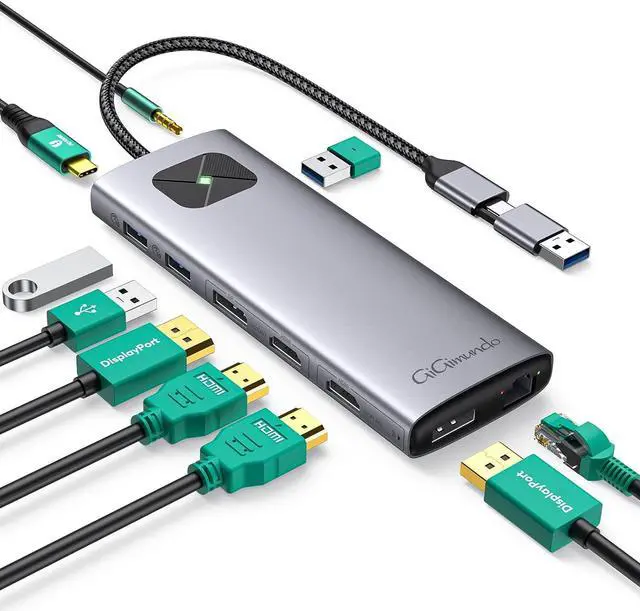
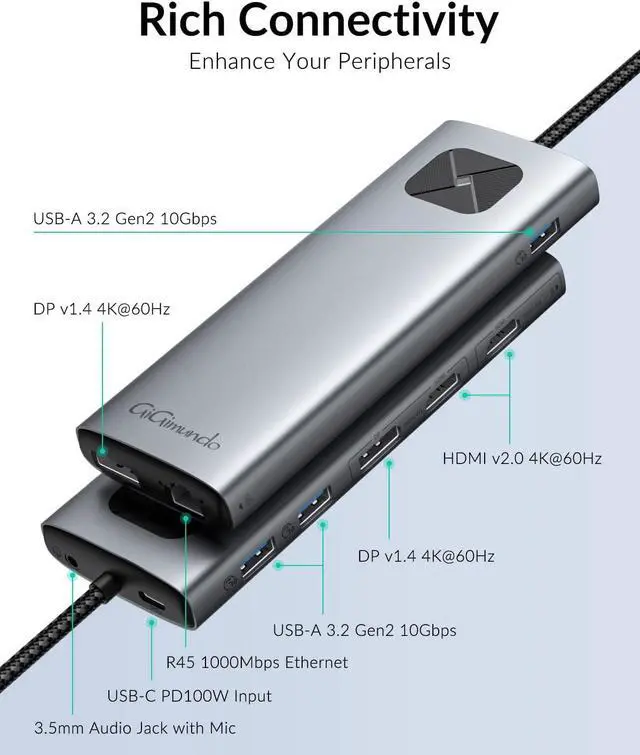


GiGimundo LK10 Portable DisplayLink USB3.0 Docking Station Dual 4K 60Hz, 3xUSB3.2 10Gbps, 2xHDMI, 2xDP, USB-C PD100W, 1Gbps Ethernet, 3.5mm AUX, for MacBook Air/Pro M1 M2 M3 & PC, Laptop, Gray
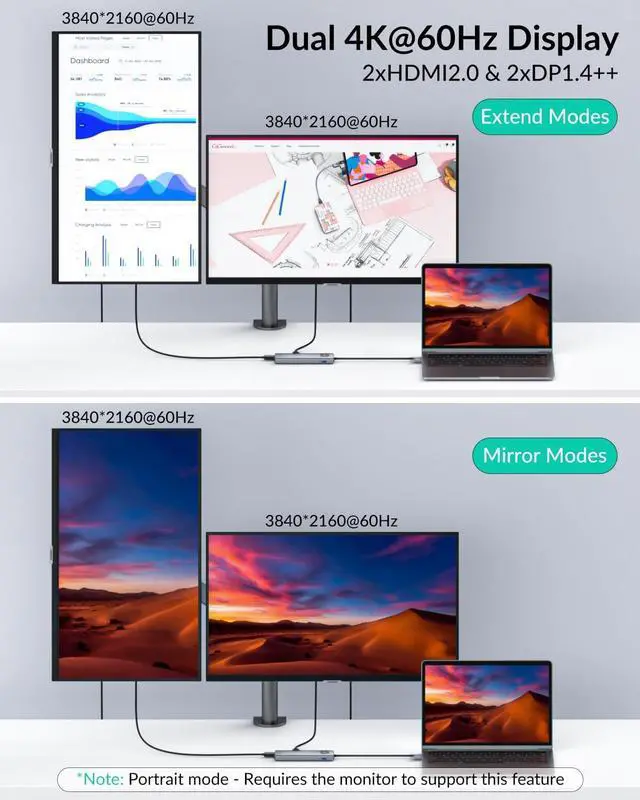
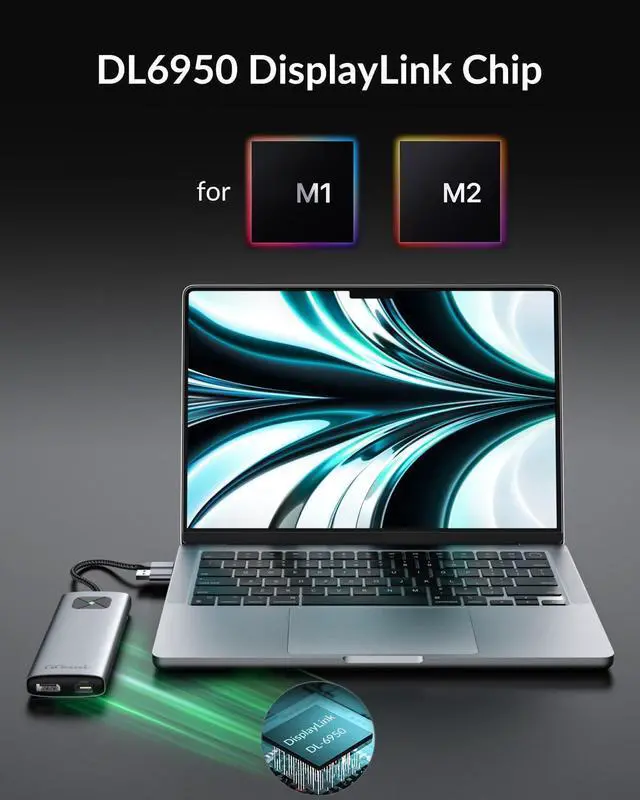
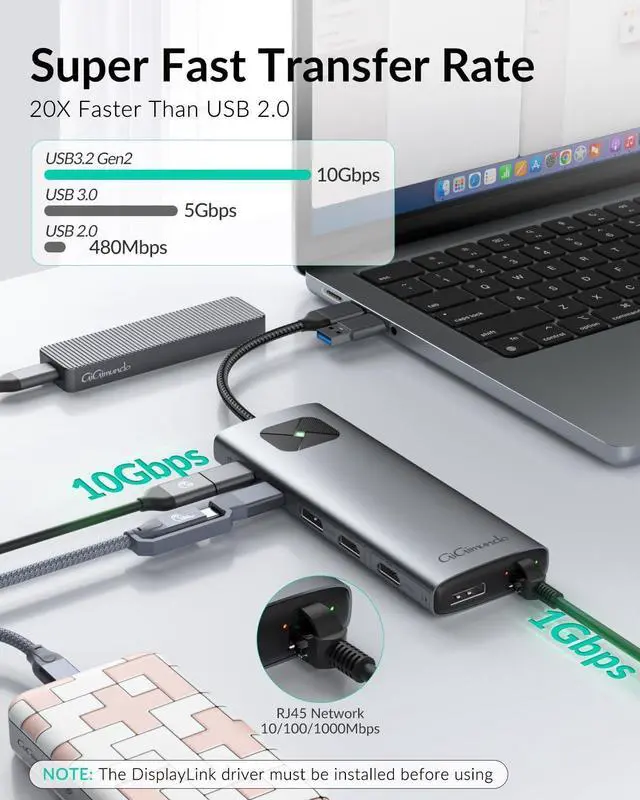
- Dual Monitor 4Kp60 Display: Unlock your productivity of Macbook Air M1/M2 and Macbook Pro M3 with this multi-screen extender featuring a DisplayLink chip. Get dual 3840x2160P 60Hz video output, a huge improvement for both amateur and professional users. You can also use LK10 for Macbook Pro to output dual 4K 60Hz video, so this way you will have the rest Thunderbolt 4 port to connect more devices such as NAS or additional docking stations to obtain more powerful functions
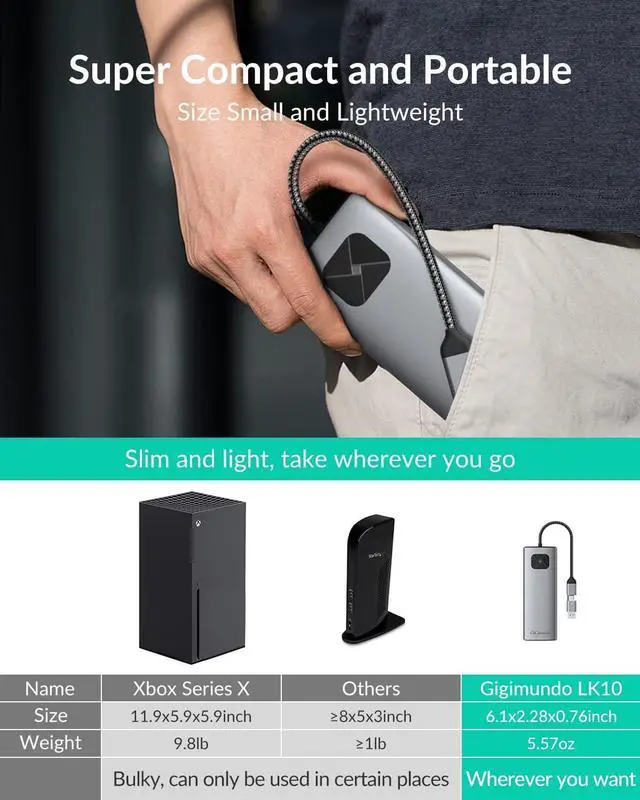
- Super Compact and Portable: Made with an aluminum alloy shell, this USB C dock is both durable and textured. Smaller than your mac 14pro, it's lightweight, approachably 5.6 ounces. Easily switch back and forth between the office and home
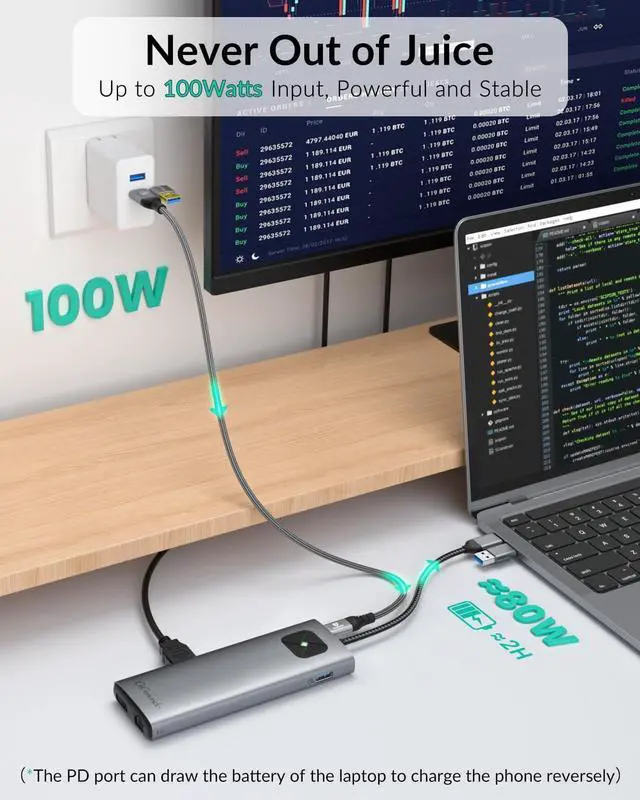
- Never Out of Juice: This type-c docking station features an extra USB-C port to support maximum 100 Watts power delivery. Your device will never run out of battery and you won't need to worry about losing important work due to a power outage
- Rich Connection IO Ports: With 1xUSB-C
+
+
Overview
Specs
Reviews
It can be used only after installing the driver, and the driver corresponding to the system must be installed. After the system is upgraded, the driver may also need to be upgraded.
LK10 outputs images through USB3.0 and does not output images under the graphics card. Widows computers are in MST mode. When some computers are set to copy mode, mixed mode will appear. When two screens are displayed at the same time, the screen is A+A+B. Some computers can enter the Intel graphics card control center to set the screen to be consistent, but Some computers cannot set it up
The smartphone only supports single-display projection with a resolution of 1080@60Hz. It does not support simultaneous display projection, cannot be in DEX mode, and cannot be connected to the Internet. (Smartphone needs to support DP Alt Mode).
Does not support iPad screen display, cannot connect to the Internet, and has no sound output when audio jack was plugged in.
Under full load conditions, when playing videos and running speeds, there is a chance that the USB flash drive may drop.
When DisplayLink screens are connected some protected content may not play. In those cases the video would remain black while audio is still playing. This is due to the behaviour of the OS X interfaces the DisplayLink driver uses to access graphics content. A side effect of those interfaces is that as soon as one DisplayLink screen is connected, protected content becomes unavailable on all screens. A workaround is to temporarily disconnect all DisplayLink screens, switch to another browser or disable hardware acceleration in your browser to access protected content.
If your laptop monitor always flickers or the external monitor always goes black, you may need to adjust the monitor's resolution and refresh rate, follow: Setting - Displays - Add Display - Tick your external monitor - Scaled - Adjust resolution - Show all resolutions - select lower resolutions and done.
If you need to frequently unplug the USB-C in order to wake up the external monitor, try updating the DisplayLink driver, or change the lock screen time all the way to Never. Display wake-up time delay of 12~15 seconds.
GiGimundo LK10 DisplayLink Adapter - Driver Installation for macOS Support M1/M2/M3 Basic Chips Warm Tips
LK10 outputs images through USB3.0 and does not output images under the graphics card. Widows computers are in MST mode. When some computers are set to copy mode, mixed mode will appear. When two screens are displayed at the same time, the screen is A+A+B. Some computers can enter the Intel graphics card control center to set the screen to be consistent, but Some computers cannot set it up
The smartphone only supports single-display projection with a resolution of 1080@60Hz. It does not support simultaneous display projection, cannot be in DEX mode, and cannot be connected to the Internet. (Smartphone needs to support DP Alt Mode).
Does not support iPad screen display, cannot connect to the Internet, and has no sound output when audio jack was plugged in.
Under full load conditions, when playing videos and running speeds, there is a chance that the USB flash drive may drop.
When DisplayLink screens are connected some protected content may not play. In those cases the video would remain black while audio is still playing. This is due to the behaviour of the OS X interfaces the DisplayLink driver uses to access graphics content. A side effect of those interfaces is that as soon as one DisplayLink screen is connected, protected content becomes unavailable on all screens. A workaround is to temporarily disconnect all DisplayLink screens, switch to another browser or disable hardware acceleration in your browser to access protected content.
If your laptop monitor always flickers or the external monitor always goes black, you may need to adjust the monitor's resolution and refresh rate, follow: Setting - Displays - Add Display - Tick your external monitor - Scaled - Adjust resolution - Show all resolutions - select lower resolutions and done.
If you need to frequently unplug the USB-C in order to wake up the external monitor, try updating the DisplayLink driver, or change the lock screen time all the way to Never. Display wake-up time delay of 12~15 seconds.
GiGimundo LK10 DisplayLink Adapter - Driver Installation for macOS Support M1/M2/M3 Basic Chips Warm Tips
Warranty & Returns
Warranty, Returns, And Additional Information
Warranty
- Please contact the Seller directly for warranty information. Warranty information may also be found on the Manufacturer's website.
- CONTACT
Return Policies
- Return for refund within: 30 days
- Return for replacement within: 90 days
- This item is covered by CITY BUSINESS Official Return Policy
Manufacturer Contact Info
- For a directory of all our manufacturers, please click below.
- Manufacturers Directory
LOADING...