
Your Browsing History
- Free 30-day Returns
$224.99
Ships from Hong Kong.
Sold by CITY BUSINESS Official
Shipped by CITY BUSINESS Official

Meet Your Seller

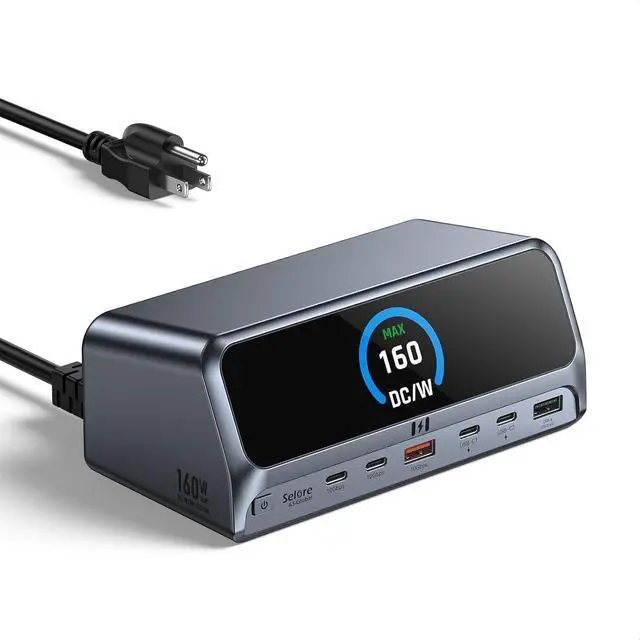


Selore Laptop Docking Station Dual Monitor with 160W Max Charging, 13-in-1 Powered Docking Station with 2.26" LCD Smart Display,Dual 4K HDMI,USB A/C Ports,Gigabit Ethernet,100W PD for Dell,HP,Lenovo
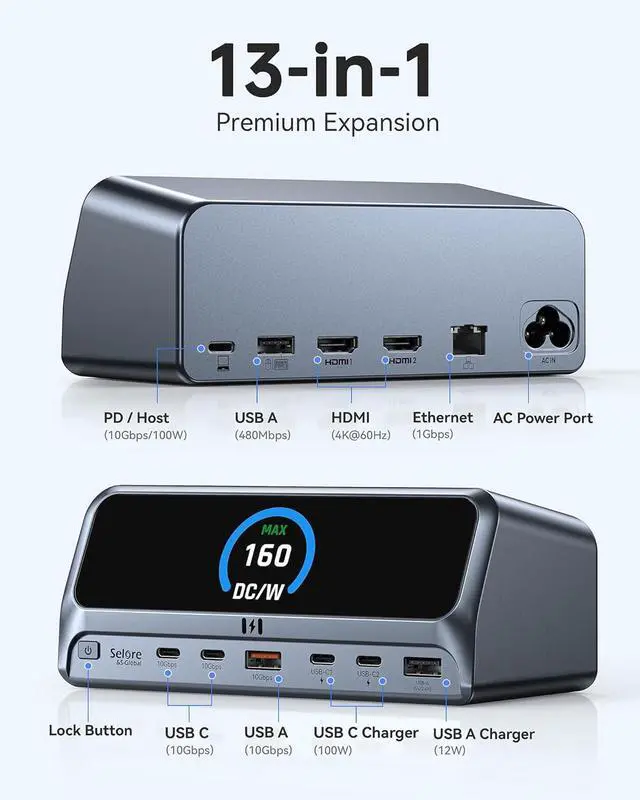
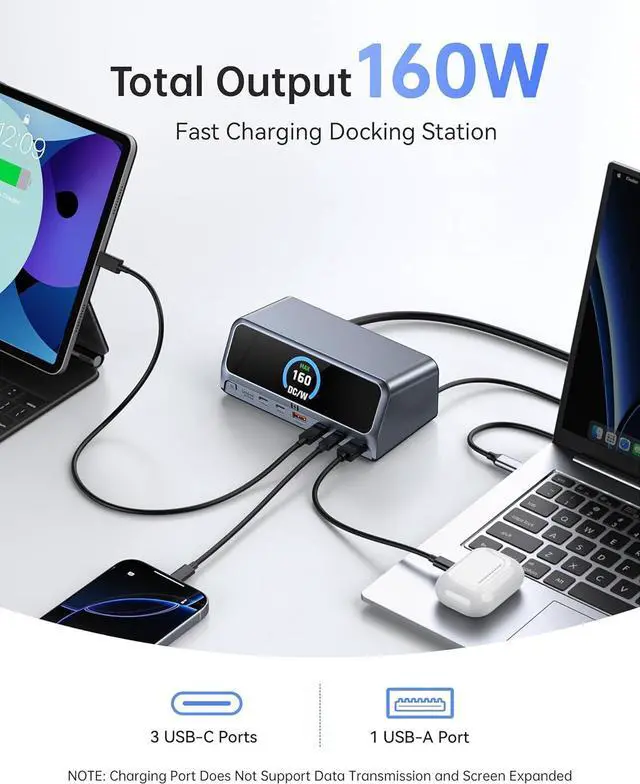
- High-Spec 13-in-1 Powered Docking Station: This all-in-one charging docking station dual monitor offers 2 HDMI ports, 2 USB-C ports and 1 USB-A ports supporting 10Gbps data transfer, USB-A 2.0 port for additional connectivity. It supports a max 160W output with 3 USB-C ports (including the host port) and 1 USB-A PD port, Gigabit Ethernet, an AC port, and a control button. It covers all your connectivity needs to boost productivity and streamline your workspace
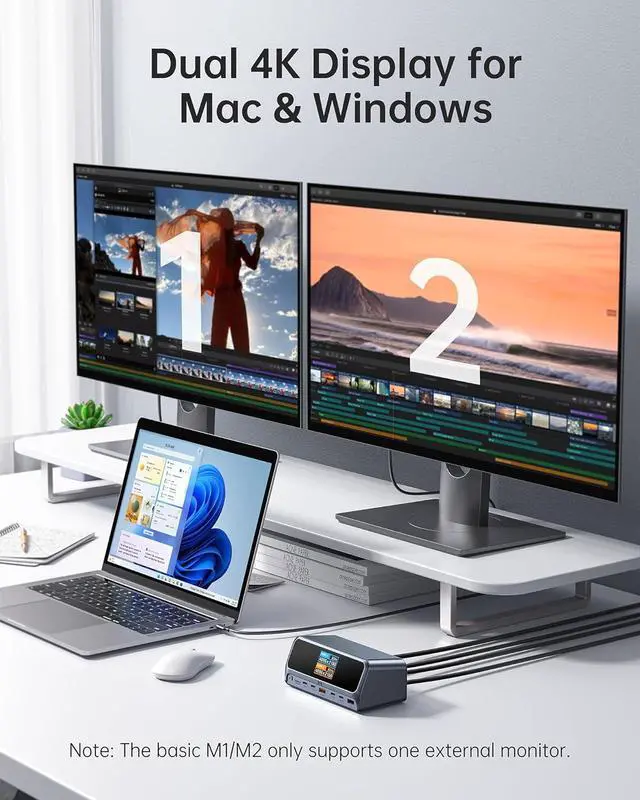
- Efficient Dual Monitor Docking Station: Selore Charging Docking Station connects to dual HDMI ports to enjoy clear streaming or mirroring on two displays at up to 2K@60Hz resolution on DP 1.4 laptops, or up to 1080p@60Hz resolution on DP 1.2 laptops. *Note: macOS systems do not support dual monitor extension mode, can only extend one display with connected monitors under the extension mode
- Ultra-Fast Powered Docking Station for Multiple Devices & 2.26" LCD Smart Display: Charging Dock Delivers a powerful charge with 160W of to
+
+
Overview
Specs
Reviews
High-Spec 13-in-1 Powered Docking Station: This all-in-one charging docking station dual monitor offers 2 HDMI ports, 2 USB-C ports and 1 USB-A ports supporting 10Gbps data transfer, USB-A 2.0 port for additional connectivity. It supports a max 160W output with 3 USB-C ports (including the host port) and 1 USB-A PD port, Gigabit Ethernet, an AC port, and a control button. It covers all your connectivity needs to boost productivity and streamline your workspace
Efficient Dual Monitor Docking Station: Selore Charging Docking Station connects to dual HDMI ports to enjoy clear streaming or mirroring on two displays at up to 2K@60Hz resolution on DP 1.4 laptops, or up to 1080p@60Hz resolution on DP 1.2 laptops. *Note: macOS systems do not support dual monitor extension mode, can only extend one display with connected monitors under the extension mode
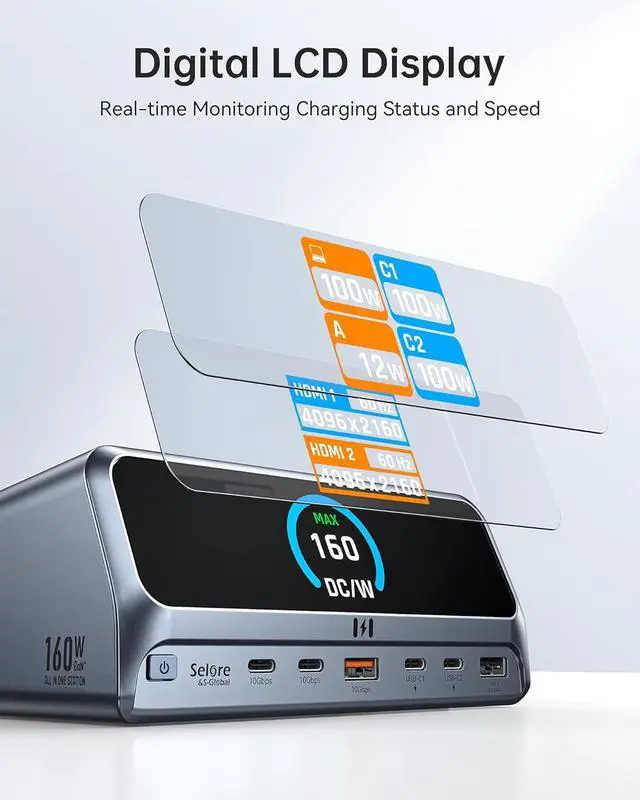
Ultra-Fast Powered Docking Station for Multiple Devices & 2.26" LCD Smart Display: Charging Dock Delivers a powerful charge with 160W of total output, capable of charging up to four devices simultaneously through three USB-C ports at 100W max each and one USB-A port at 12W max. Monitor your charging in real time with the 2.26-inch LCD display, providing visual feedback on charging status and speed. This powered docking station requires compatible host devices for full power supply functionality.
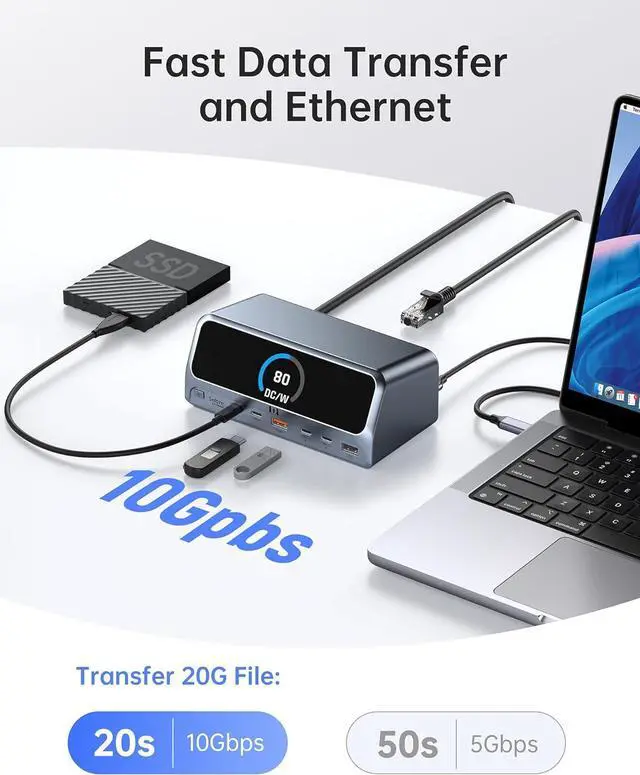
10Gbps Ultra-Fast Data & Gigabit Ethernet: This USB-C docking station achieves up to 10Gbps data transmission speed with its USB 3.2 Gen 2 ports (2 USB-C and 1 USB-A), enabling you to transfer 20GB files in just 20 seconds.Charging docking station ensures a fast and secure transfer experience. The 1000Mbps Gigabit Ethernet port enables quick movie downloads and smoother gaming with less lag
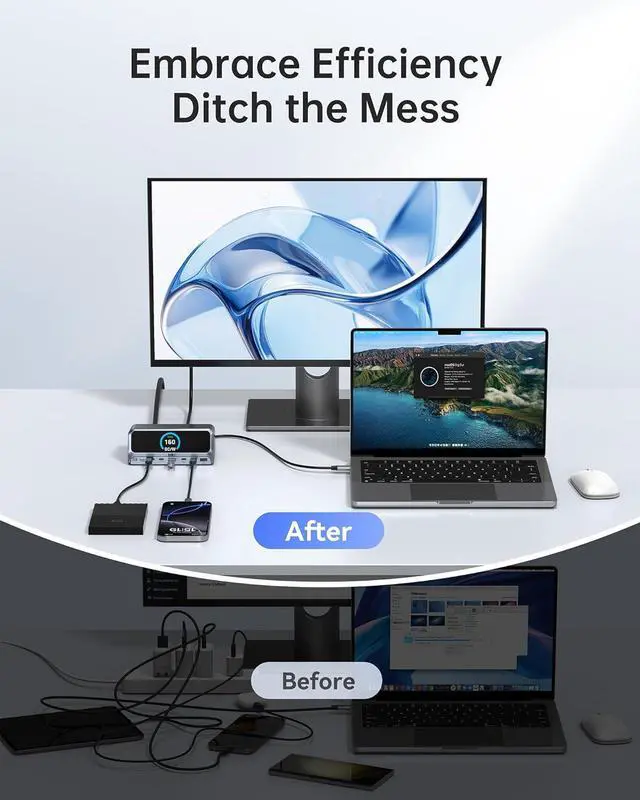
Space-saving Upright Design with Privacy Lock: This USB C Laptop Charging Station features an aluminum housing, 80 cm cable, and an LCD status display to show the connection status of each port. This multi-monitor docking station supports USB-C/USB4/Thunderbolt laptops with Windows/ChromeOS (macOS display mirroring only). Use the lock button to instantly protect sensitive data
Universal Docking Station for Windows/macOS: LCD Smart Display Docking Station with Charging support USB-C, USB4, and Thunderbolt connections. Compatible with Windows 10 and 11, ChromeOS, and laptops that support DP Alt Mode and Power Delivery. Note: 1. For macOS, the displays on both external monitors are identical. 2. This device is not compatible with Linux
Additional support and extended coverage are available for this Selore 13-in-1 laptop docking station with 160W max charging. For assistance, please contact Selore support.
Efficient Dual Monitor Docking Station: Selore Charging Docking Station connects to dual HDMI ports to enjoy clear streaming or mirroring on two displays at up to 2K@60Hz resolution on DP 1.4 laptops, or up to 1080p@60Hz resolution on DP 1.2 laptops. *Note: macOS systems do not support dual monitor extension mode, can only extend one display with connected monitors under the extension mode
Ultra-Fast Powered Docking Station for Multiple Devices & 2.26" LCD Smart Display: Charging Dock Delivers a powerful charge with 160W of total output, capable of charging up to four devices simultaneously through three USB-C ports at 100W max each and one USB-A port at 12W max. Monitor your charging in real time with the 2.26-inch LCD display, providing visual feedback on charging status and speed. This powered docking station requires compatible host devices for full power supply functionality.
10Gbps Ultra-Fast Data & Gigabit Ethernet: This USB-C docking station achieves up to 10Gbps data transmission speed with its USB 3.2 Gen 2 ports (2 USB-C and 1 USB-A), enabling you to transfer 20GB files in just 20 seconds.Charging docking station ensures a fast and secure transfer experience. The 1000Mbps Gigabit Ethernet port enables quick movie downloads and smoother gaming with less lag
Space-saving Upright Design with Privacy Lock: This USB C Laptop Charging Station features an aluminum housing, 80 cm cable, and an LCD status display to show the connection status of each port. This multi-monitor docking station supports USB-C/USB4/Thunderbolt laptops with Windows/ChromeOS (macOS display mirroring only). Use the lock button to instantly protect sensitive data
Universal Docking Station for Windows/macOS: LCD Smart Display Docking Station with Charging support USB-C, USB4, and Thunderbolt connections. Compatible with Windows 10 and 11, ChromeOS, and laptops that support DP Alt Mode and Power Delivery. Note: 1. For macOS, the displays on both external monitors are identical. 2. This device is not compatible with Linux
Additional support and extended coverage are available for this Selore 13-in-1 laptop docking station with 160W max charging. For assistance, please contact Selore support.
Warranty & Returns
Warranty, Returns, And Additional Information
Warranty
- Please contact the Seller directly for warranty information. Warranty information may also be found on the Manufacturer's website.
- CONTACT
Return Policies
- Return for refund within: 30 days
- Return for replacement within: 90 days
- This item is covered by CITY BUSINESS Official Return Policy
Manufacturer Contact Info
- For a directory of all our manufacturers, please click below.
- Manufacturers Directory
LOADING...