
Your Browsing History
- Free 30-day Returns
$539.99
Ships from Hong Kong.
Sold by CITY BUSINESS Official
Shipped by CITY BUSINESS Official

Meet Your Seller

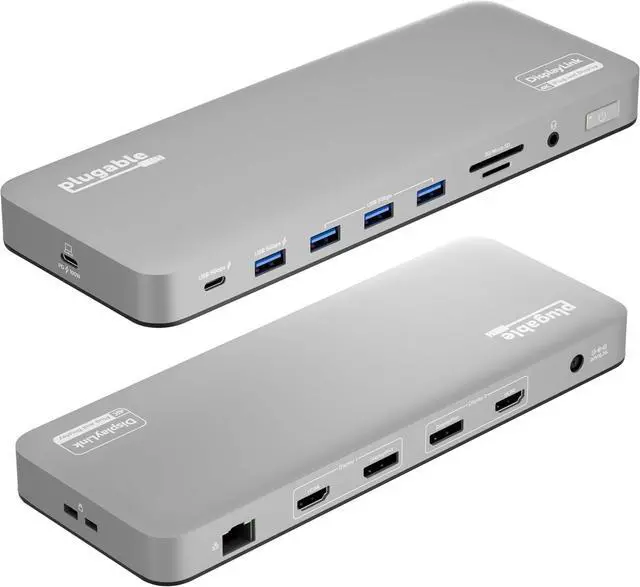


Plugable USB C Laptop Docking Station, Dual Monitor 4K 60Hz for Apple Mac M1/M2/M3/M4/M5, 2X HDMI or DisplayPort for MacBook, 100W Charging DisplayLink Dock, Driver Install Required (UD-6950PDH)
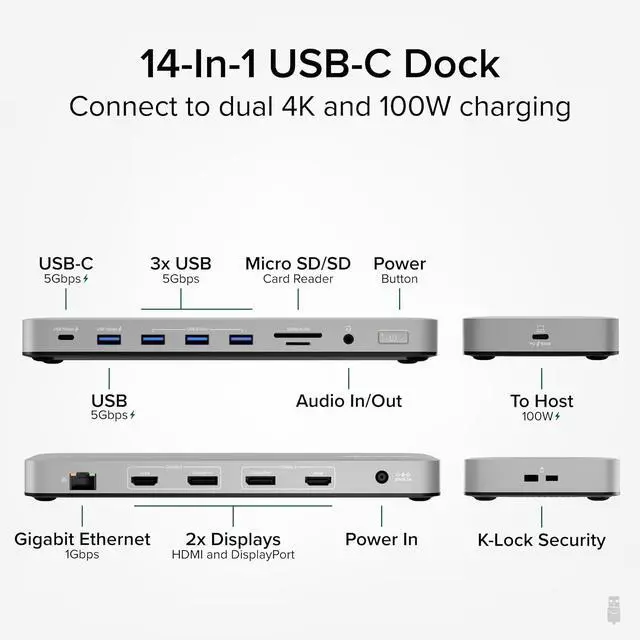
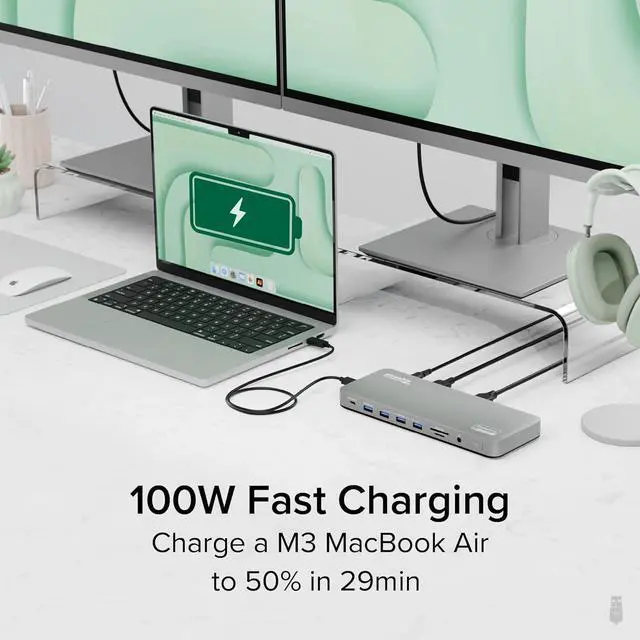
- 14-in-1 Dock for Mac - 14-port USB-C docking station with a premium aluminum housing and space gray finish for Mac hosts 2x 4K monitors in HDMI, DisplayPort or both, a front-facing USB-C and and USB port for charging, plus 3 additional USB 3.0 ports, SD and microSD card readers, 3.5mm headset jack, Ethernet, and 100W charging
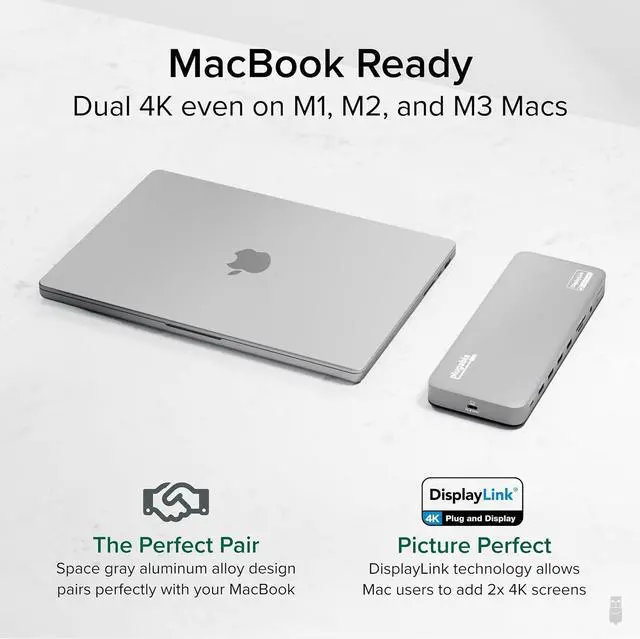
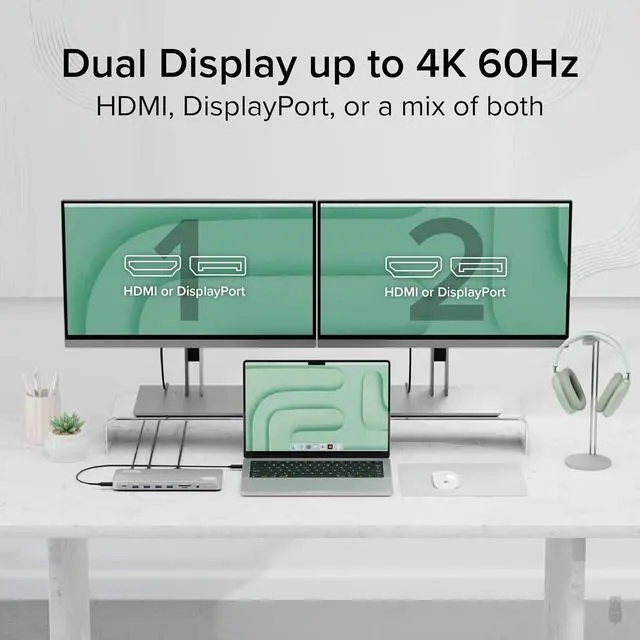
- Dual 4K Display: 2x HDMI ports and 2x DisplayPort ports for connecting two screens up to 4K 60Hz without adapters, even on Macs that typically support only one. Requires installation of DisplayLink to enable extended desktop on M1/M2/M3/M4/M5 MacBooks.
- How it Works - Some Macs only support a single extended monitor. This USB C dock uses DisplayLink technology to circumvent display limitations. Its an ideal solution for multitaskers and M1/M2/M3/M4 MacBook, MacBook Air, and MacBook Pro users
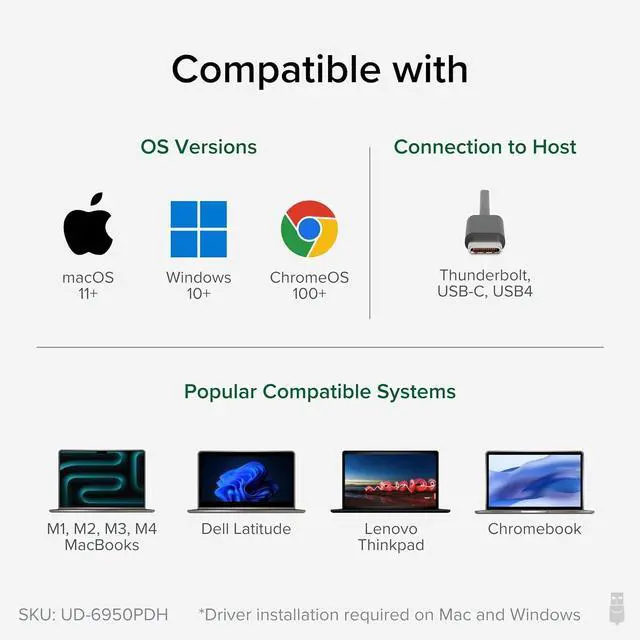
- Works With - Ideal for traditional and hybrid office setups, this MacBook dock for multiple monitors is compatible with macOS 11+, Windows 10 and newer, and ChromeOS 100+
+
+
Overview
Specs
Reviews
A: Yes, this dock allows for two additional 4K@60Hz displays to be connected via HDMI, DisplayPort, or a combination of both.
Do I need to install software in order to use the device and connect my external monitors
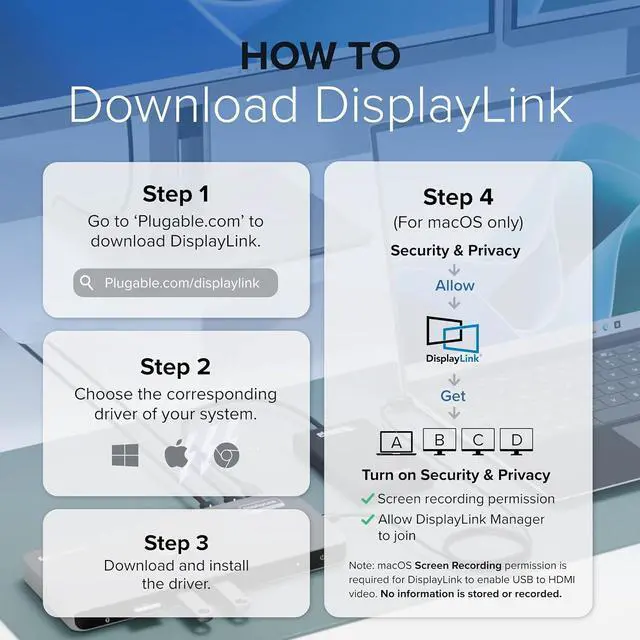
Yes, DisplayLink software is required for the UD-6950PDH to display an image. Manual installation is required for macOS, Windows installation is typically automatic. We recommend installing the latest DisplayLink software for the best performance.
Q: Is the Playback of Copy-Protected or Encrypted Video Content Supported on macOS while usingthe UD-6950PDH?
A: No, HDCP (High-bandwidth Digital Content Protection) is not supported on macOS when this docking station is connected. HDCP content will not play on any displays, including the built-in display or those connected directly to the computer.
I plugged into the front USB-C and nothing happened why?
The front USB-C port is for accessories and peripheral charging only (wireless earbuds, keyboards, phones). The USB-C port on the side of the dock is the host connection.
Q: When installing DisplayLink software on my Mac, why is it necessary to grant Screen Recording permission?
macOS requires "Screen Recording" for the DisplayLink driver to work properly. Approving it enables the driver to send data over USB from your computer to the DisplayLink-powered display. No data, images, or pixels are being stored or recorded.
UD-6950PDH Dual monitor setup 2x HDMI, 2x DisplayPort Laptop Charging Q:Does the UD-6950PDH support dual 4K@60Hz monitors in addition to any laptop displays?
Do I need to install software in order to use the device and connect my external monitors
Q: Is the Playback of Copy-Protected or Encrypted Video Content Supported on macOS while usingthe UD-6950PDH?
I plugged into the front USB-C and nothing happened why?
Q: When installing DisplayLink software on my Mac, why is it necessary to grant Screen Recording permission?
Do I need to install software in order to use the device and connect my external monitors
Yes, DisplayLink software is required for the UD-6950PDH to display an image. Manual installation is required for macOS, Windows installation is typically automatic. We recommend installing the latest DisplayLink software for the best performance.
Q: Is the Playback of Copy-Protected or Encrypted Video Content Supported on macOS while usingthe UD-6950PDH?
A: No, HDCP (High-bandwidth Digital Content Protection) is not supported on macOS when this docking station is connected. HDCP content will not play on any displays, including the built-in display or those connected directly to the computer.
I plugged into the front USB-C and nothing happened why?
The front USB-C port is for accessories and peripheral charging only (wireless earbuds, keyboards, phones). The USB-C port on the side of the dock is the host connection.
Q: When installing DisplayLink software on my Mac, why is it necessary to grant Screen Recording permission?
macOS requires "Screen Recording" for the DisplayLink driver to work properly. Approving it enables the driver to send data over USB from your computer to the DisplayLink-powered display. No data, images, or pixels are being stored or recorded.
UD-6950PDH Dual monitor setup 2x HDMI, 2x DisplayPort Laptop Charging Q:Does the UD-6950PDH support dual 4K@60Hz monitors in addition to any laptop displays?
Do I need to install software in order to use the device and connect my external monitors
Q: Is the Playback of Copy-Protected or Encrypted Video Content Supported on macOS while usingthe UD-6950PDH?
I plugged into the front USB-C and nothing happened why?
Q: When installing DisplayLink software on my Mac, why is it necessary to grant Screen Recording permission?
Warranty & Returns
Warranty, Returns, And Additional Information
Warranty
- Please contact the Seller directly for warranty information. Warranty information may also be found on the Manufacturer's website.
- CONTACT
Return Policies
- Return for refund within: 30 days
- Return for replacement within: 90 days
- This item is covered by CITY BUSINESS Official Return Policy
Manufacturer Contact Info
- For a directory of all our manufacturers, please click below.
- Manufacturers Directory
LOADING...