


- Free 30-day Returns
$146.99
Ships from Hong Kong.
Sold by CITY BUSINESS Official
Shipped by CITY BUSINESS Official

Meet Your Seller

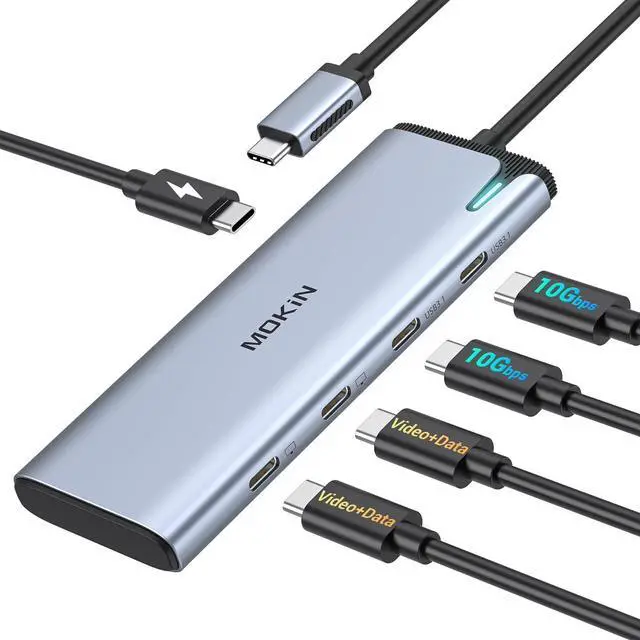


MOKiN USB C Hub Dual Monitor 4K@60Hz DP Alt Mode Video Output, 10Gbps Data Transfer, 100W PD Charging, Windows Compatible, 5-in-1 USB C Docking Station
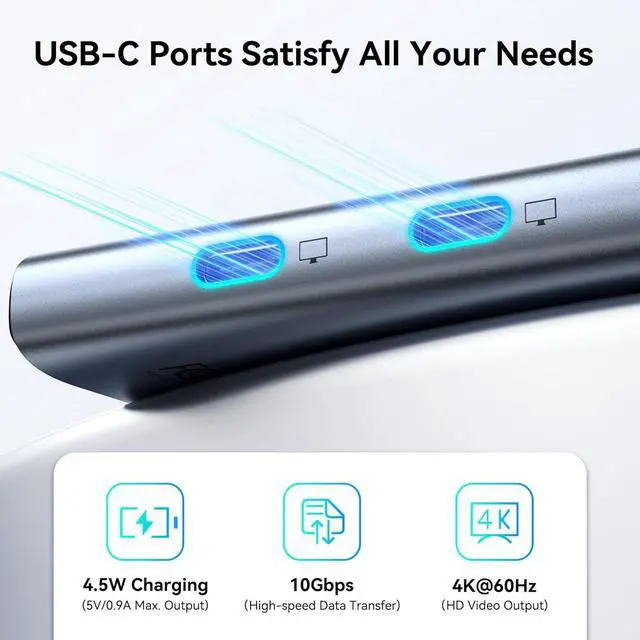
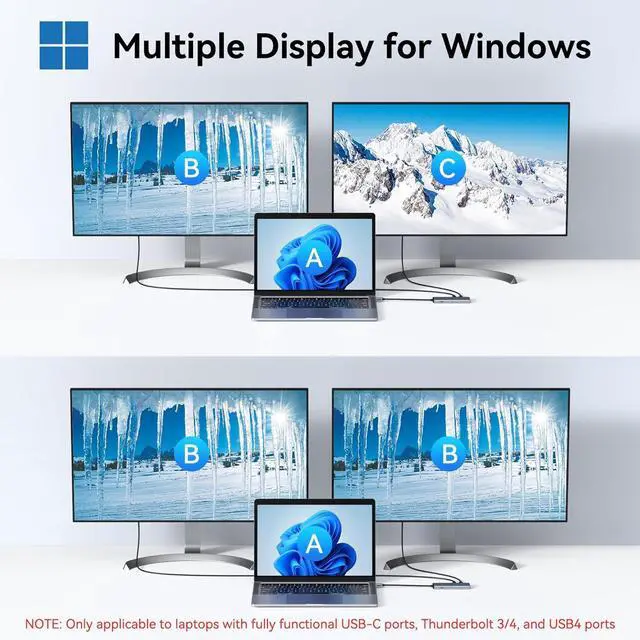
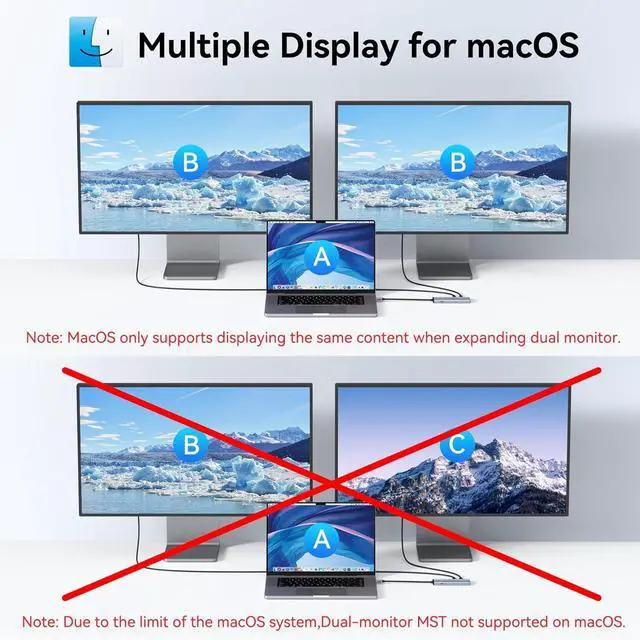
- Dual 4K USB C Video Hub: Equipped with upgraded professional chip, this USB C hub delivers dual 4K@60Hz video output via DP Alt Mode 1.4. Transform your laptops single USB 4/Thunderbolt 4 port into a dual-monitor workstation for USB C monitors (requires DP Alt Mode support). Not compatible with macOS system for dual-monitor use
- MST/SST USB C Splitter for Windows: This USB C video hub supports MST/SST dual-display modes exclusively for Thunderbolt 4/USB 4 Windows laptops, enabling 4K/60Hz on two USB C monitors. MST functionality is not supported on macOS system
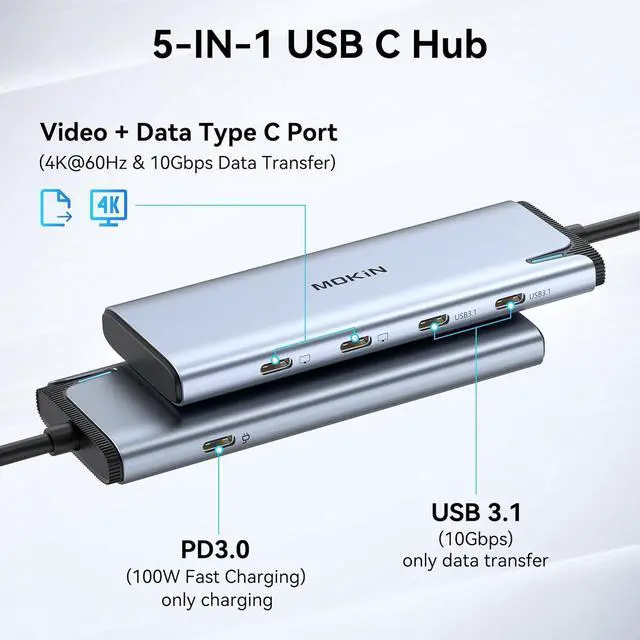
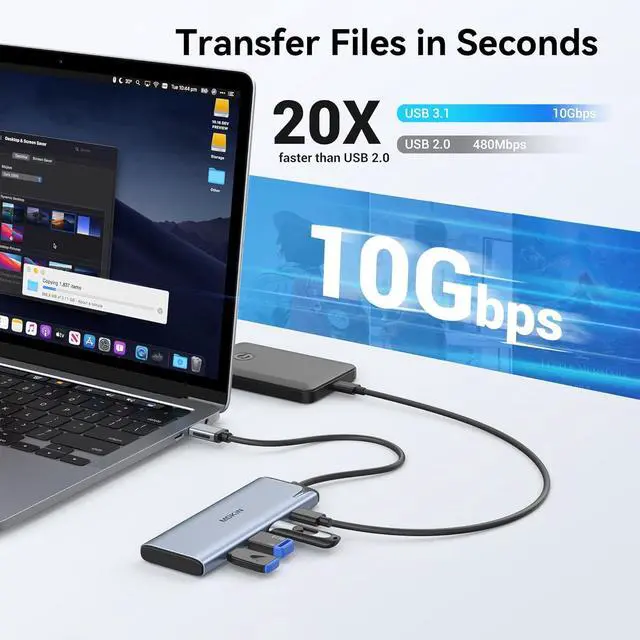
- 5-in-1 USB C Hub with 10Gbps Ports: Expand connectivity with 5 ports: dual USB C DP Alt Mode monitors, two USB-C 3.1 (10Gbps) data ports (5V/0.9A), and a 100W PD charging port. Ideal for multitasking across monitors, storage, and peripherals
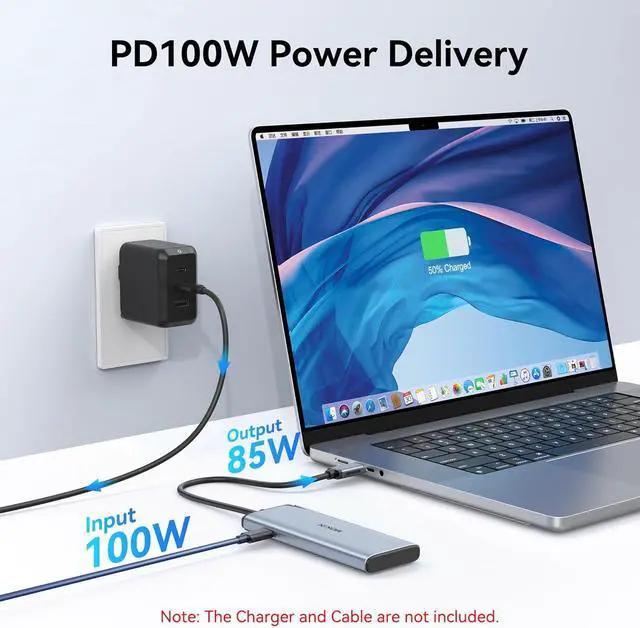
- 100W PD Charging & Stable Performance: Power laptops at up to 87W pass-through charging while transferring data. This USB C splitter ensures uninterrupted workflows with stable power
+
+
Overview
Specs
Reviews
1100W Fast Charging2High-Speed Transfer3Space-saving Design 2x productivity boost within 1 week
Can I charge my laptop through this hub?
Yes! The PD-C port provides:
-85W laptop charging
-15W for other devices
Power adapter sold separately
Why is charging slower than expected?
Try these steps:
-Check PD indicator status
-Use original laptop charger
-Avoid high-power device overload
Some Dell/HP restrict third-party chargers
Is a power cord included?
No power cord included.
Recommended options:
-100W USB-C charger
-Existing PD-compatible charger
Do I need to install drivers?
True plug-and-play convenience - no software required!
Instant Recognition:
-Works immediately with Windows 10/11 | macOS Ventura+ | ChromeOS
Does this hub support video output?
Can I charge my laptop through this hub?
Why is charging slower than expected?
Is a power cord included?
Do I need to install drivers?
Can I charge my laptop through this hub?
Yes! The PD-C port provides:
-85W laptop charging
-15W for other devices
Power adapter sold separately
Why is charging slower than expected?
Try these steps:
-Check PD indicator status
-Use original laptop charger
-Avoid high-power device overload
Some Dell/HP restrict third-party chargers
Is a power cord included?
No power cord included.
Recommended options:
-100W USB-C charger
-Existing PD-compatible charger
Do I need to install drivers?
True plug-and-play convenience - no software required!
Instant Recognition:
-Works immediately with Windows 10/11 | macOS Ventura+ | ChromeOS
Does this hub support video output?
Can I charge my laptop through this hub?
Why is charging slower than expected?
Is a power cord included?
Do I need to install drivers?
Warranty & Returns
Warranty, Returns, And Additional Information
Warranty
- Please contact the Seller directly for warranty information. Warranty information may also be found on the Manufacturer's website.
- CONTACT
Return Policies
- Return for refund within: 30 days
- Return for replacement within: 90 days
- This item is covered by CITY BUSINESS Official Return Policy
Manufacturer Contact Info
- For a directory of all our manufacturers, please click below.
- Manufacturers Directory
LOADING...