
Your Browsing History
- Free 30-day Returns
$519.99
Ships from Hong Kong.
Sold by CITY BUSINESS Official
Shipped by CITY BUSINESS Official

Meet Your Seller

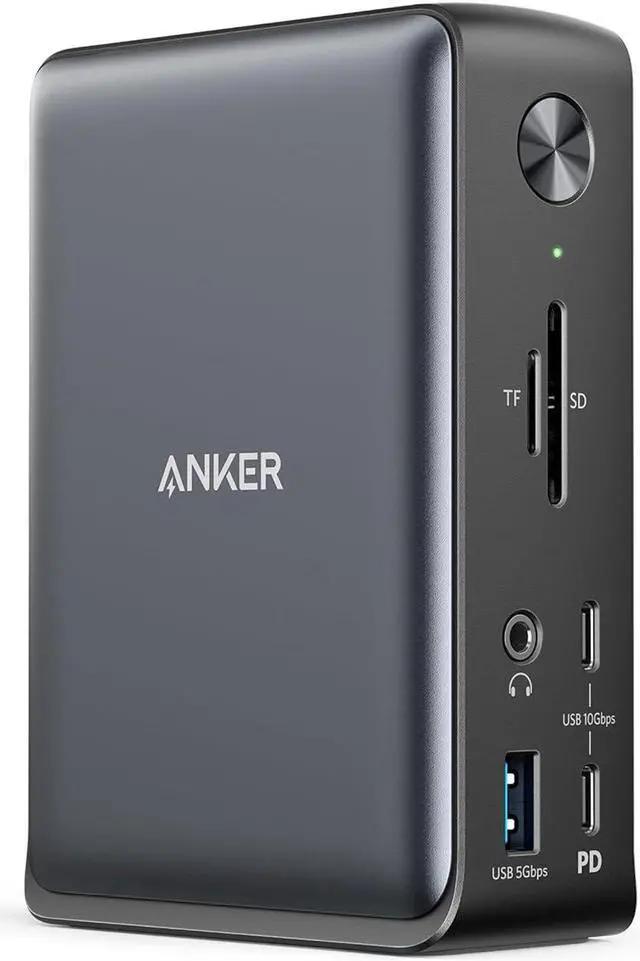


Anker Laptop Docking Station, 13-in-1 USB-C Docking Station, Triple Display with 2 x 4K HDMI and 1 x DP, 85W Charging for Laptop, 10 Gbps USB-C and 5 Gbps USB-A Data, Ethernet, Audio, SD
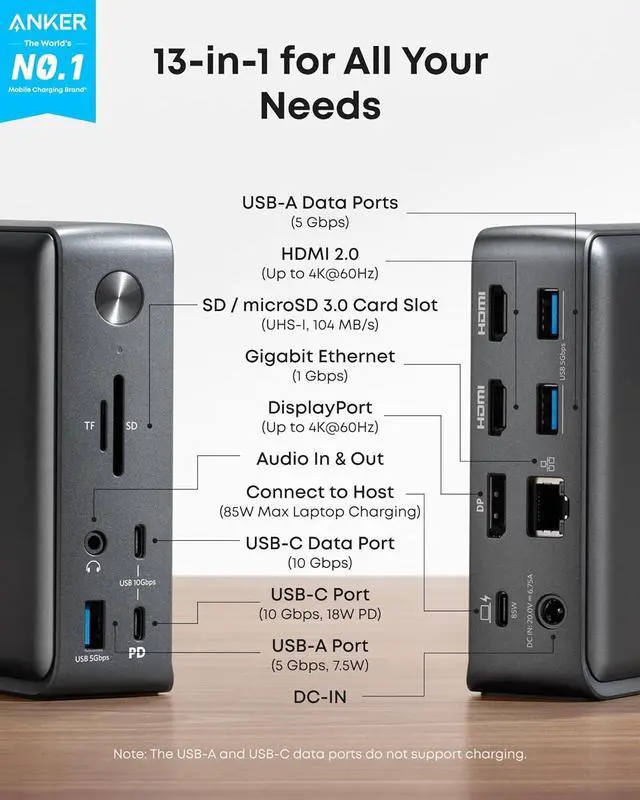
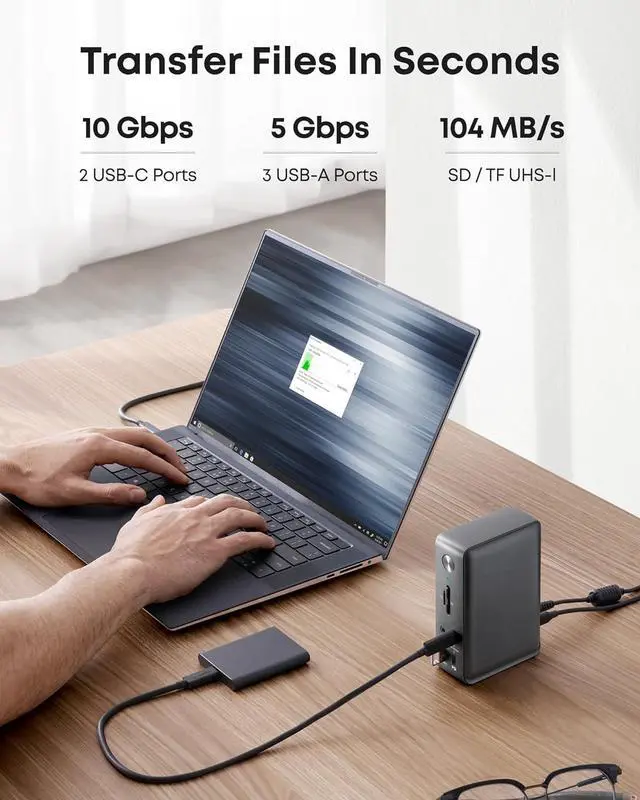
- Huge Expansion: Equipped with an 85W laptop-charging USB-C port, an 18W Power Delivery USB-C port, a USB-C data port, 3 USB-A ports, 2 HDMI ports, a DisplayPort, an Ethernet port, SD/microSD card slots, a 3.5 mm AUX port, and a DC input.
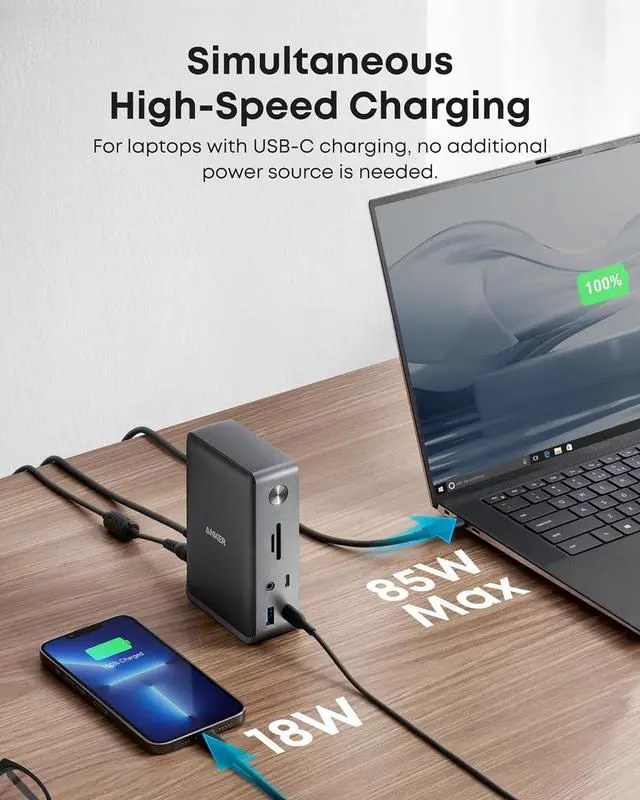
- Simultaneous Charging: Connect your laptop to the 85W USB-C port and connect your phone or other mobile device to the 18W Power Delivery USB-C port to get simultaneous high-speed charging.
- Comprehensive Media Display: Simultaneously stream media to up to 3 monitors in 1080p@60Hz via the DisplayPort and dual HDMI ports.
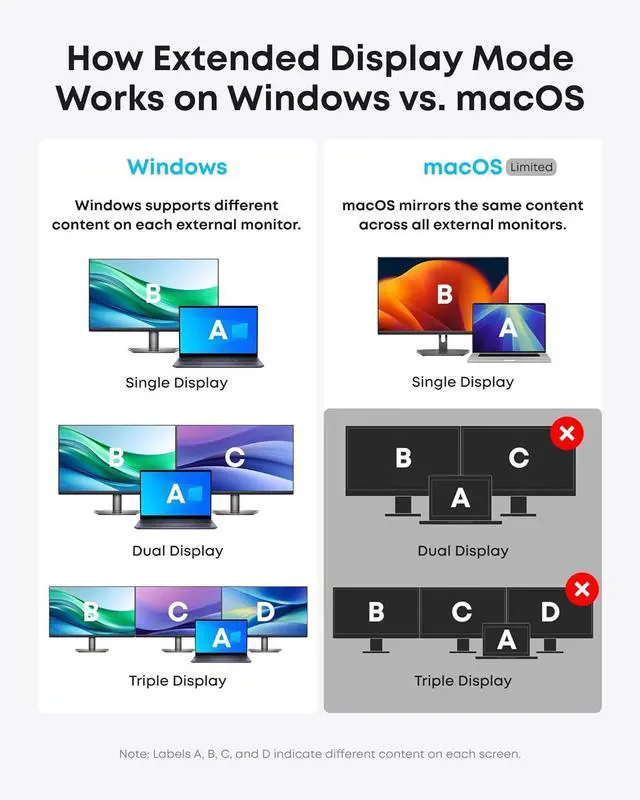
- Display Information: macOS and iPadOS only support Single-Stream Transport (SST) mode, which means all connected monitors will show the same content.
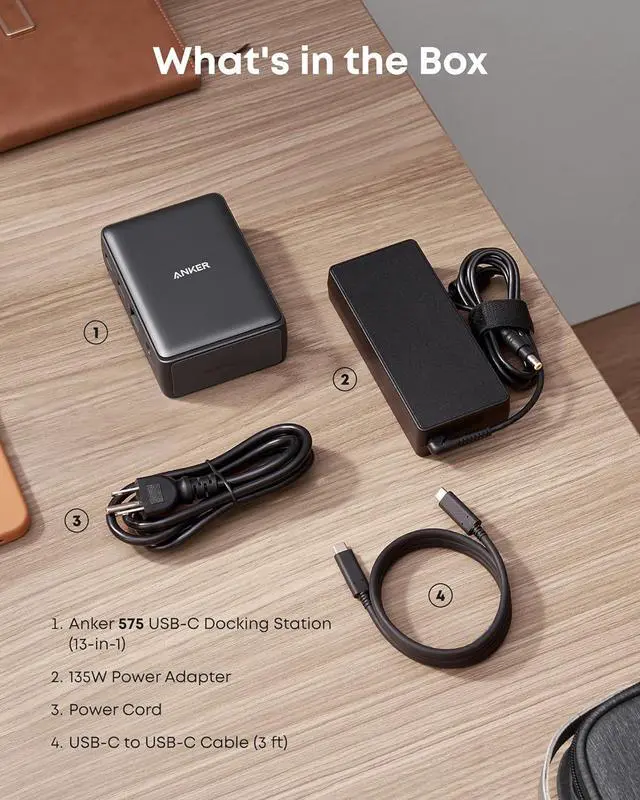
- What You Get: PowerExpand 13-in-1 USB-C Dock, a 135W power adapter, 1 m / 3 ft USB-C to USB-C cable, welcome guide, our worry-free 18-month warranty, and friendly customer service.
+
+
Overview
Specs
Reviews
1Universally Compatible 2For Windows3 For macOS1Multi-Device Charging2 Data & Display 3Other Ports & Dimensions1Resolutions for DP 1.42 Resolutions for DP 1.2 3Boost Productivity Q1: Will this dock work with any laptop? How do I make sure my laptop works with this dock
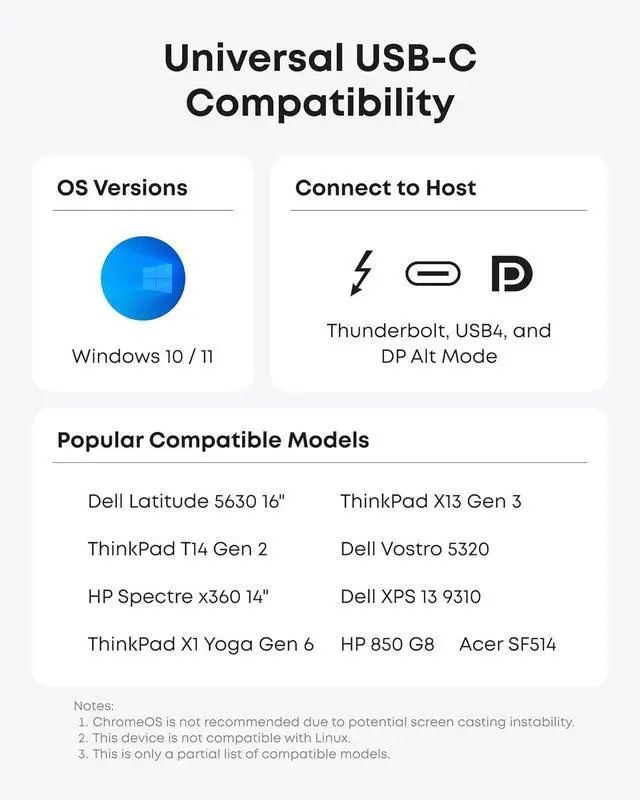
A: This dock works with laptops with a USB-C port that supports DisplayPort Alt Mode and Power Delivery. To confirm the USB-C port function of your laptop, consult your user manual or contact your laptops manufacturer. If your USB-C port doesnt support DisplayPort Alt Mode, you wont receive video output. If your USB-C port doesnt support Power Delivery, the dock will work correctly with video and data (including audio and Ethernet), but would not be able to supply charging to your laptop.
Q2: Can I use my own USB-C cable to connect the dock to my laptop?
A: Its recommended that you use the included 3 ft USB-C cable. If you need to use a different cable (due to loss etc.), then any other USB-C cable with support for USB 3.1 Gen 2 and 85W Power Delivery would also be compatible.
Q3: Do I need to install any drivers to use the dock?
A: No.
Q4: Is this dock compatible with computers that have a Thunderbolt 3 port?
A: Yes, however, it can only deliver a maximum bandwidth of 10Gbps, so it cannot not reach the maximum bandwidth of Thunderbolt 3 (40Gbps).
Q5: Sometimes the dock doesnt automatically reconnect after I wake up or restart my laptop. What should I do?
A: This situation doesnt happen very often, but if you are having this problem, try disconnecting and reconnecting the USB-C cable or restarting the dock.
Frequently Asked Questions:
A: This dock works with laptops with a USB-C port that supports DisplayPort Alt Mode and Power Delivery. To confirm the USB-C port function of your laptop, consult your user manual or contact your laptops manufacturer. If your USB-C port doesnt support DisplayPort Alt Mode, you wont receive video output. If your USB-C port doesnt support Power Delivery, the dock will work correctly with video and data (including audio and Ethernet), but would not be able to supply charging to your laptop.
Q2: Can I use my own USB-C cable to connect the dock to my laptop?
A: Its recommended that you use the included 3 ft USB-C cable. If you need to use a different cable (due to loss etc.), then any other USB-C cable with support for USB 3.1 Gen 2 and 85W Power Delivery would also be compatible.
Q3: Do I need to install any drivers to use the dock?
A: No.
Q4: Is this dock compatible with computers that have a Thunderbolt 3 port?
A: Yes, however, it can only deliver a maximum bandwidth of 10Gbps, so it cannot not reach the maximum bandwidth of Thunderbolt 3 (40Gbps).
Q5: Sometimes the dock doesnt automatically reconnect after I wake up or restart my laptop. What should I do?
A: This situation doesnt happen very often, but if you are having this problem, try disconnecting and reconnecting the USB-C cable or restarting the dock.
Frequently Asked Questions:
Warranty & Returns
Warranty, Returns, And Additional Information
Warranty
- Please contact the Seller directly for warranty information. Warranty information may also be found on the Manufacturer's website.
- CONTACT
Return Policies
- Return for refund within: 30 days
- Return for replacement within: 90 days
- This item is covered by CITY BUSINESS Official Return Policy
Manufacturer Contact Info
- For a directory of all our manufacturers, please click below.
- Manufacturers Directory
LOADING...