


- Free 30-day Returns
$220.99
Ships from Hong Kong.
Sold by E-Transit Limited
Shipped by E-Transit Limited

Meet Your Seller

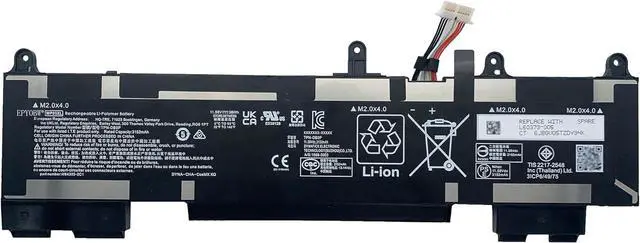
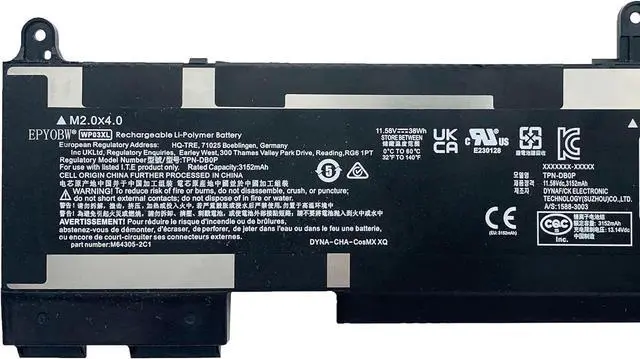
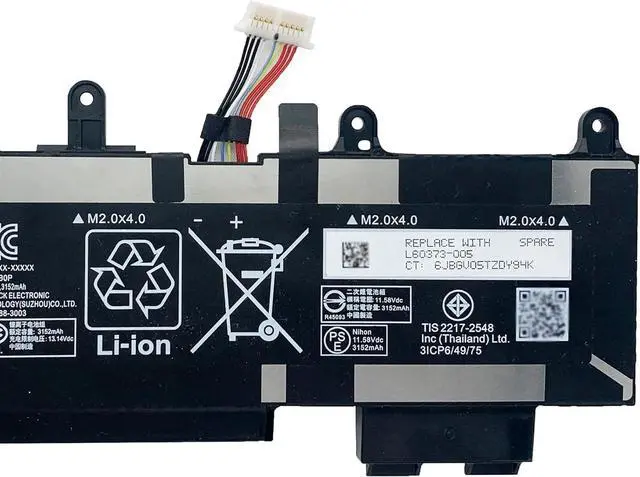
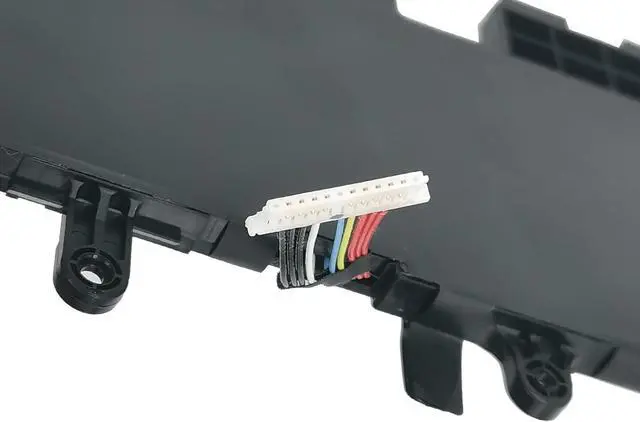
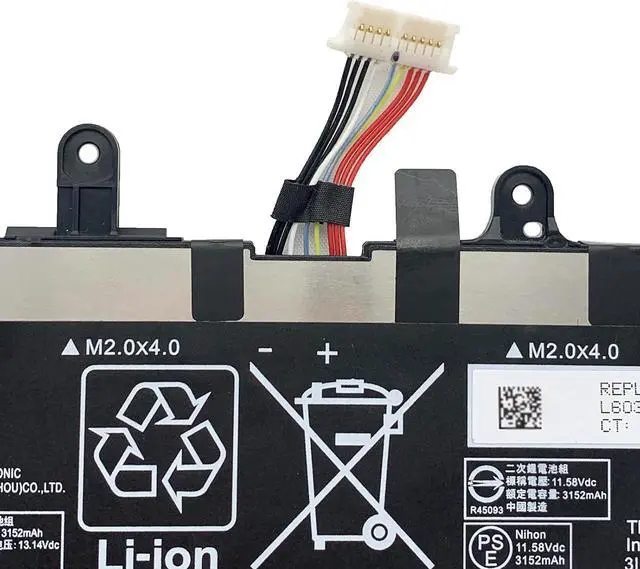
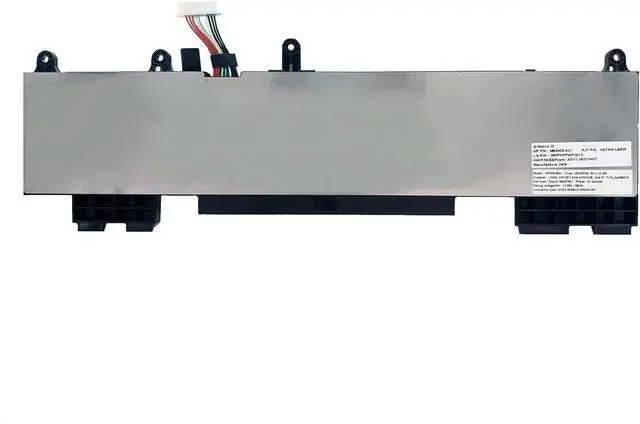


WP03XL Laptop Battery 38Wh 4249mAh 11.58V Compatible with HP Elitebook 830 835 840 845 860 865 G9 G10 / EliteBook X360 1040 G9 G10 Series HSTNN-OB2J M73466-005 M64305-421 L78555-005
- SpecificationsBattery Model: WP03XL / Voltage: 11.58V / Capacity: 51.3Wh 4249mAh / Color: Black / Condition: Brand New.
- Replace Part Number WP03XL M75019-2C1 TPN-DB0Q HSTNN-LB8W M73468-005 M73466-005 31CP6/49/75
- Compatible with Laptop Models For HP EliteBook 830 G9 / 840 G9 / 845 G9 / 860 G9 / 865 G9 / 830 G10 / 835 G10 / 840 G10 / 845 G10 / 860 G10 / 865 G10 Series; For HP EliteBook X360 1040 G9 Series; For HP EliteBook X360 1040 G9 2-in-1 Series; For HP EliteBook X360 1040 G10 Series; For HP EliteBook X360 1040 G10 2-in-1 Series; For HP ZBook Firefly 14 G9 Mobile Workstation Series; For HP ZBook Firefly 14 G10 Mobile Workstation Series; For HP Split X2 13-M000 Series.
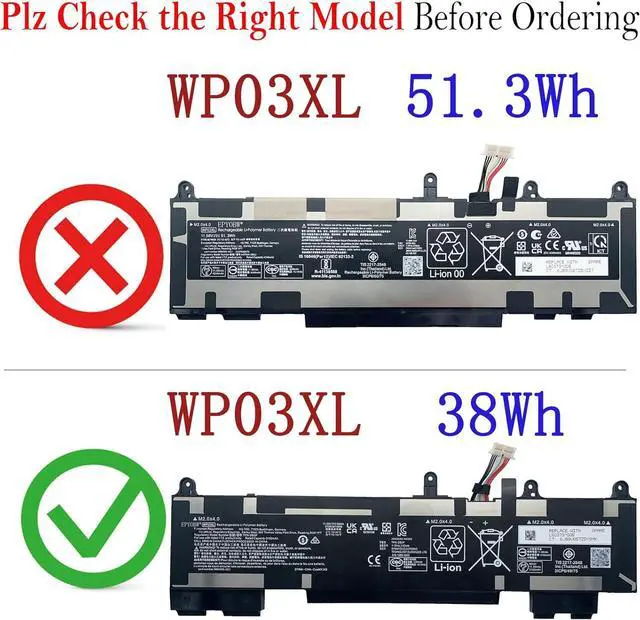
- Purchase Skills Please open the back cover of the laptop before ordering and make sure that the original battery model is consistent with the listing. After getting the battery, please install the battery correctly, make sure that the battery connector is firmly connected to the laptop motherboard, and use t
+
+
Overview
Specs
Reviews
SpecificationsBattery Model: WP03XL / Voltage: 11.58V / Capacity: 51.3Wh 4249mAh / Color: Black / Condition: Brand New.
Replace Part Number WP03XL M75019-2C1 TPN-DB0Q HSTNN-LB8W M73468-005 M73466-005 31CP6/49/75
Compatible with Laptop Models For HP EliteBook 830 G9 / 840 G9 / 845 G9 / 860 G9 / 865 G9 / 830 G10 / 835 G10 / 840 G10 / 845 G10 / 860 G10 / 865 G10 Series; For HP EliteBook X360 1040 G9 Series; For HP EliteBook X360 1040 G9 2-in-1 Series; For HP EliteBook X360 1040 G10 Series; For HP EliteBook X360 1040 G10 2-in-1 Series; For HP ZBook Firefly 14 G9 Mobile Workstation Series; For HP ZBook Firefly 14 G10 Mobile Workstation Series; For HP Split X2 13-M000 Series.
Purchase Skills Please open the back cover of the laptop before ordering and make sure that the original battery model is consistent with the listing. After getting the battery, please install the battery correctly, make sure that the battery connector is firmly connected to the laptop motherboard, and use the original charger to charge the laptop.Discharge the new battery to 5% (not 0%), then charge and cycle 3-4 times to wake up the new battery.
EPYOBW Promise All EPYOBW's batteries are certificated by UL/CE/FCC/RoHS. Our batteries are tested by strict quality control standards to ensure that the capacity is true, stable current, low self-discharge.And we also have short circuit, overheat, and overload protections. We are confident in the performance of replacement batteries and professional service.
Replace Part Number WP03XL M75019-2C1 TPN-DB0Q HSTNN-LB8W M73468-005 M73466-005 31CP6/49/75
Compatible with Laptop Models For HP EliteBook 830 G9 / 840 G9 / 845 G9 / 860 G9 / 865 G9 / 830 G10 / 835 G10 / 840 G10 / 845 G10 / 860 G10 / 865 G10 Series; For HP EliteBook X360 1040 G9 Series; For HP EliteBook X360 1040 G9 2-in-1 Series; For HP EliteBook X360 1040 G10 Series; For HP EliteBook X360 1040 G10 2-in-1 Series; For HP ZBook Firefly 14 G9 Mobile Workstation Series; For HP ZBook Firefly 14 G10 Mobile Workstation Series; For HP Split X2 13-M000 Series.
Purchase Skills Please open the back cover of the laptop before ordering and make sure that the original battery model is consistent with the listing. After getting the battery, please install the battery correctly, make sure that the battery connector is firmly connected to the laptop motherboard, and use the original charger to charge the laptop.Discharge the new battery to 5% (not 0%), then charge and cycle 3-4 times to wake up the new battery.
EPYOBW Promise All EPYOBW's batteries are certificated by UL/CE/FCC/RoHS. Our batteries are tested by strict quality control standards to ensure that the capacity is true, stable current, low self-discharge.And we also have short circuit, overheat, and overload protections. We are confident in the performance of replacement batteries and professional service.
Warranty & Returns
Warranty, Returns, And Additional Information
Warranty
- Please contact the Seller directly for warranty information. Warranty information may also be found on the Manufacturer's website.
- CONTACT
Return Policies
- Return for refund within: 30 days
- Return for replacement within: 90 days
- This item is covered by E-Transit Limited Return Policy
Manufacturer Contact Info
- For a directory of all our manufacturers, please click below.
- Manufacturers Directory
LOADING...