


- Free 30-day Returns
$146.99
Ships from Hong Kong.
Sold by E-Transit Limited
Shipped by E-Transit Limited

Meet Your Seller

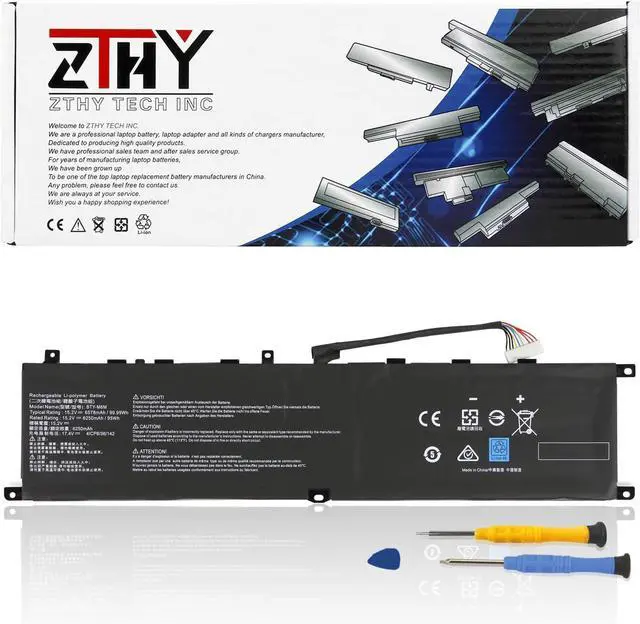
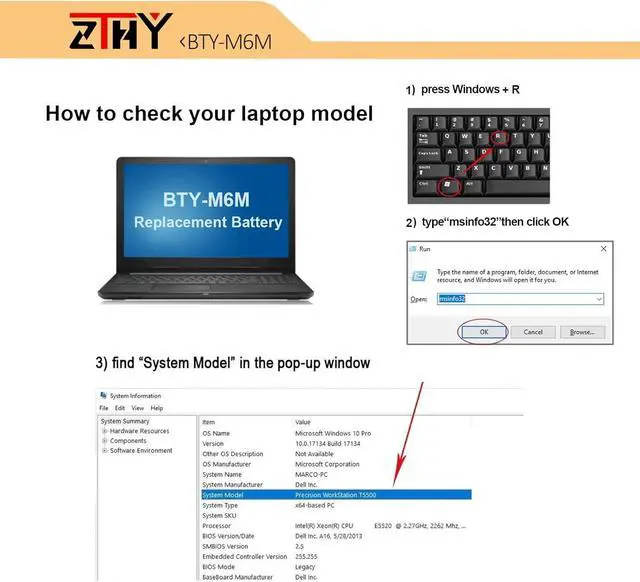
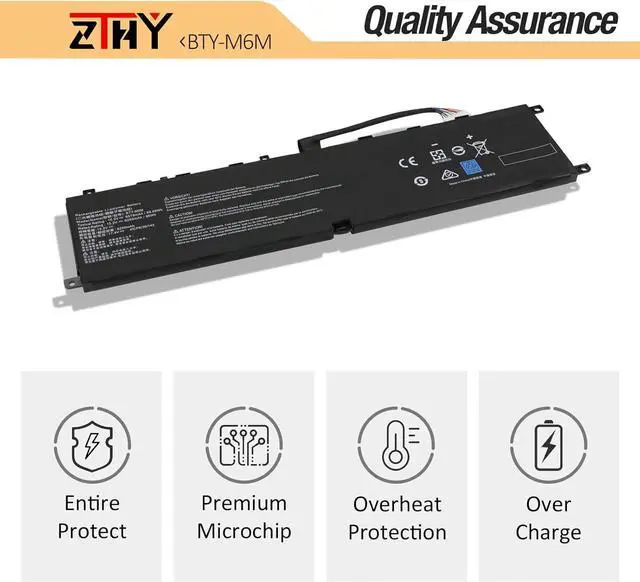
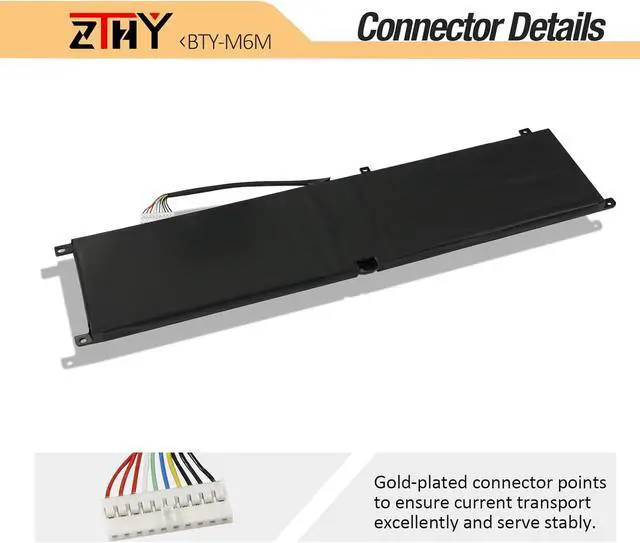
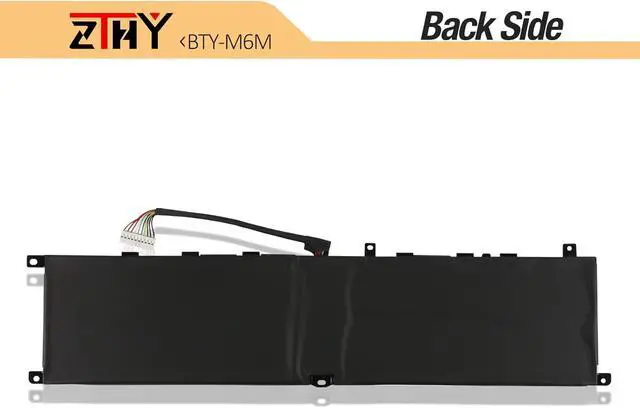
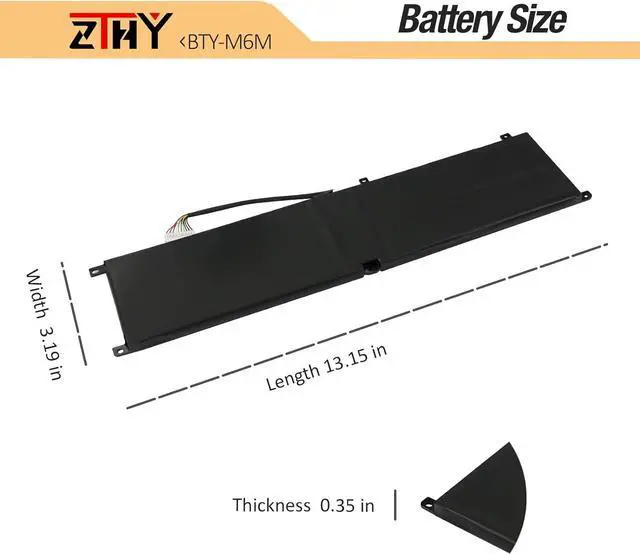


ZTHY BTY-M6M Laptop Battery Replacement for MSI Creator 15 A10SD A10SDT A10SEV GS66 Stealth 10SF 10SE 10UG 11UG Raider 10SD 10SE GE76 Raider 10UE 10UG 10UH 11UE 11UG 11UH WS66 10TK 11UM GS66 GE66 99WH
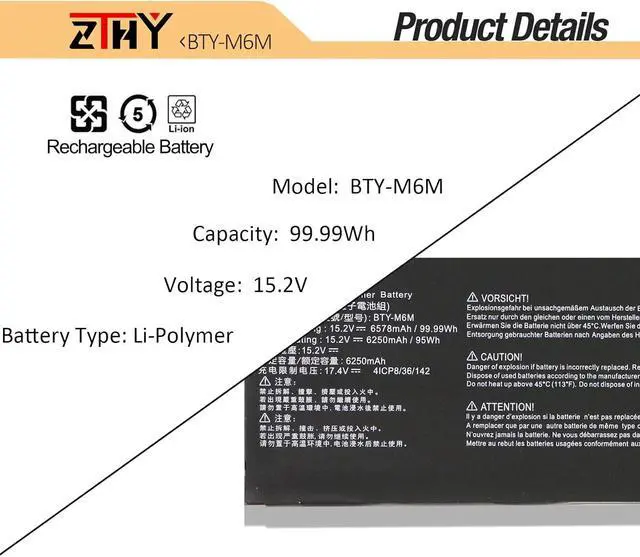
- Specification: Battery type: Li-polymer. Color: Black. Voltage: 15.2V.Capacity: 95Wh/6250mAh. 100% New from Manufacturer. Up to 500 recharge cycles over the life of the battery.
- Replace Part Number: BTY-M6M 4ICP8/35/142.
- Compatible Models: Replacement for MSI Creator 15 A10SD A10SDT A10SE A10SET A10SEV A10SF A10SFT A10SGS, GS66 Stealth 10SF 10SFS 10SGS 10SE 10UG 11UG, GE66 Raider 10SD 10SE 10SF 10SFS 10SGS 10UE 10UG 10UH 11UE 11UG 11UH, GE66 Raider 10SD 10SE 10SF 10SFS 10SGS 10UE 10UG 10UH 11UE 11UG 11UH Series.
- Compatible Models: Replacement for MSI GE76 Raider 10UE 10UG 10UH 11UE 11UG 11UH, GE76 Dragon Tiamat 10UG 10UH 11UG 11UH, WS66 Mobile Workstation, WS66 10TK 10TKT 10TL 10TLT 10TM 10TMT 11UK 11UKT 11UM 11UMT, WE76 11UK 11UM Series.
- Note: If the new battery is not recognized during the initial installation, please reinstall and check if the interface is fully connected. Discharge the new battery to 10-20% (not 0%), then charge and cycle 3-4 times to wake up the new battery.
+
+
Overview
Specs
Reviews
Compatible with Part Numbers:
BTY-M6M 4ICP8/35/142.
Fit Laptop Machine Models (please use ctrl+f to search for your laptop model):
MSI Creator 15 A10SD Series:
15 A10SDT-067FR,15 A10SDT-066PT,15 A10SDT(MS-16V2),15 A10SDT-059BE,15 A10SDT-230IT,15 A10SDT-091PL,15 A10SDT-065ES,15 A10SD(MS-16V2),15 A10SDT-058NL,15 A10SDT-263CZ,15 A10SDT-213FR.
MSI Creator 15 A10SF Series:
15 A10SFT-069FR,15 A10SFS-023FR,15 A10SFT-228IT,15 A10SFS-019PT,15 A10SFT(MS-16V2),15 A10SFS(MS-16V2),15 A10SFT-046BE,15 A10SFS-021FR,15 A10SFT-093DE,15 A10SFS-017ES,15 A10SFS-010DE,15 A10SFT-045NL,15 A10SFS-027PL.
MSI GS66 Stealth 10SFS Series:
GS66 Stealth 10SFS-056DE, 10SFS-064IT.
MSI GS66 Stealth 10SGS Series:
10SGS-016FR,10SGS-481FR,10SGS-241IT,10SGS-024PL,10SGS-263FR,10SGS-054DE,10SGS(MS-16V1),10SGS-424FR,10SGS-085BE,10SGS-009FR,10SGS-492FR,10SGS-217PT,10SGS-014FR,10SGS-264SP,10SGS-084NL,10SGS-423FR,10SGS-205DE,10SGS-493FR,10SGS-010FR,10SGS-219ES.
MSI GS66 Stealth 10SE-045 Series.
MSI GS66 Stealth 10UG Series.
MSI GE66 Raider 10SFS Series:
10SFS(MS-1541),10SFS-007CN,10SFS-072,10SF-412,10SF-077,10SF-228,10SGS(MS-1541),GE66 10SFS-072,10SD(MS-1541),10SGS-074,10SF-447FR.
MSI GE76 Raider 10UH-226TR Series.
MSI GE76 Raider 11UH Series:
11UG-069AU,11UH-437XTR.
MSI WS66 10TMT-207US Series.
MSI Creator 15 A10SE Series:
15 A10SET-083PT,15 A10SE-051BE,15 A10SGS-049FR,15 A10SET-082ES,15 A10SET(MS-16V2),15 A10SET-047NL,15 A10SGS-037FR,15 A10SET-243FR,15 A10SE-265ES,15 A10SGS-036FR,15 A10SET-212FR,15 A10SE-042NL,15 A10SGS-064PT,15 A10SET-084IT,15 A10SE-070FR,15 A10SGS-062ES,15 A10SET-068FR,15 A10SGS(MS-16V2),15 A10SDT-058NL,15 A10SET-262CZ,15 A10SE(MS-16V2),15 A10SEV(MS-16V2),15 A10SGS-026PL,15 A10SET-211FR,15 A10SGS-009DE,15 A10SE-264ES.
MSI WS66 10TMT-207US Series.
1, You need to turn off your laptop and disconnect the power.
2, Disconnect the connection between the old battery and the motherboard to avoid unnecessary damage caused by disassembling the battery. Then unscrew the old battery screws one by one and carefully save each screw.
3, Remove the old battery, carefully install the new battery on the battery case, screw in the screw, and connect the wiring of the new battery.
4, If you don't understand the above steps, you can search for the video about laptop battery installation on You Tube. Maybe it will help you.
1) Please click ZTHY TECH, we will help you solve it.
2) Please be assured that we will take the responsibility for each product we sold.
3) 30-days after purchase, we offer a no-questions-asked return policy.
4)12 months from the date of purchase, If the product fails, we will replace it with a new one.
1) You need to turn off your laptop and disconnect the power.
2) Disconnect the connection between the old battery and the motherboard to avoid unnecessary damage caused by disassembling the battery. Then unscrew the old battery screws one by one and carefully save each screw.
3) Remove the old battery, carefully install the new battery on the battery case, screw in the screw, and connect the wiring of the new battery.
4) If you don't understand the above steps, you can search for the video about laptop battery installation on YouTube. Maybe it will help you.
1)Discharge the new battery use to 10%(not to 0%) and then charge to 95%, and cycle 3-4 times.
2) Do not disassemble, crush or puncture. Do not dispose of in fire or water.
3) If you remove the battery for a long time, charge more than 80% at least one time within one month.
4) Don't connect the adapter for a long time while using the battery. It may damage the battery.
5)When using the battery, care should be taken to prevent exposure and moisture.
1) Could be caused by battery loss. Please re-install the battery and make sure that the battery cable and the motherboard interface are tightly inserted.
BTY-M6M 4ICP8/35/142.
Fit Laptop Machine Models (please use ctrl+f to search for your laptop model):
MSI Creator 15 A10SD Series:
15 A10SDT-067FR,15 A10SDT-066PT,15 A10SDT(MS-16V2),15 A10SDT-059BE,15 A10SDT-230IT,15 A10SDT-091PL,15 A10SDT-065ES,15 A10SD(MS-16V2),15 A10SDT-058NL,15 A10SDT-263CZ,15 A10SDT-213FR.
MSI Creator 15 A10SF Series:
15 A10SFT-069FR,15 A10SFS-023FR,15 A10SFT-228IT,15 A10SFS-019PT,15 A10SFT(MS-16V2),15 A10SFS(MS-16V2),15 A10SFT-046BE,15 A10SFS-021FR,15 A10SFT-093DE,15 A10SFS-017ES,15 A10SFS-010DE,15 A10SFT-045NL,15 A10SFS-027PL.
MSI GS66 Stealth 10SFS Series:
GS66 Stealth 10SFS-056DE, 10SFS-064IT.
MSI GS66 Stealth 10SGS Series:
10SGS-016FR,10SGS-481FR,10SGS-241IT,10SGS-024PL,10SGS-263FR,10SGS-054DE,10SGS(MS-16V1),10SGS-424FR,10SGS-085BE,10SGS-009FR,10SGS-492FR,10SGS-217PT,10SGS-014FR,10SGS-264SP,10SGS-084NL,10SGS-423FR,10SGS-205DE,10SGS-493FR,10SGS-010FR,10SGS-219ES.
MSI GS66 Stealth 10SE-045 Series.
MSI GS66 Stealth 10UG Series.
MSI GE66 Raider 10SFS Series:
10SFS(MS-1541),10SFS-007CN,10SFS-072,10SF-412,10SF-077,10SF-228,10SGS(MS-1541),GE66 10SFS-072,10SD(MS-1541),10SGS-074,10SF-447FR.
MSI GE76 Raider 10UH-226TR Series.
MSI GE76 Raider 11UH Series:
11UG-069AU,11UH-437XTR.
MSI WS66 10TMT-207US Series.
MSI Creator 15 A10SE Series:
15 A10SET-083PT,15 A10SE-051BE,15 A10SGS-049FR,15 A10SET-082ES,15 A10SET(MS-16V2),15 A10SET-047NL,15 A10SGS-037FR,15 A10SET-243FR,15 A10SE-265ES,15 A10SGS-036FR,15 A10SET-212FR,15 A10SE-042NL,15 A10SGS-064PT,15 A10SET-084IT,15 A10SE-070FR,15 A10SGS-062ES,15 A10SET-068FR,15 A10SGS(MS-16V2),15 A10SDT-058NL,15 A10SET-262CZ,15 A10SE(MS-16V2),15 A10SEV(MS-16V2),15 A10SGS-026PL,15 A10SET-211FR,15 A10SGS-009DE,15 A10SE-264ES.
MSI WS66 10TMT-207US Series.
1, You need to turn off your laptop and disconnect the power.
2, Disconnect the connection between the old battery and the motherboard to avoid unnecessary damage caused by disassembling the battery. Then unscrew the old battery screws one by one and carefully save each screw.
3, Remove the old battery, carefully install the new battery on the battery case, screw in the screw, and connect the wiring of the new battery.
4, If you don't understand the above steps, you can search for the video about laptop battery installation on You Tube. Maybe it will help you.
1) Please click ZTHY TECH, we will help you solve it.
2) Please be assured that we will take the responsibility for each product we sold.
3) 30-days after purchase, we offer a no-questions-asked return policy.
4)12 months from the date of purchase, If the product fails, we will replace it with a new one.
1) You need to turn off your laptop and disconnect the power.
2) Disconnect the connection between the old battery and the motherboard to avoid unnecessary damage caused by disassembling the battery. Then unscrew the old battery screws one by one and carefully save each screw.
3) Remove the old battery, carefully install the new battery on the battery case, screw in the screw, and connect the wiring of the new battery.
4) If you don't understand the above steps, you can search for the video about laptop battery installation on YouTube. Maybe it will help you.
1)Discharge the new battery use to 10%(not to 0%) and then charge to 95%, and cycle 3-4 times.
2) Do not disassemble, crush or puncture. Do not dispose of in fire or water.
3) If you remove the battery for a long time, charge more than 80% at least one time within one month.
4) Don't connect the adapter for a long time while using the battery. It may damage the battery.
5)When using the battery, care should be taken to prevent exposure and moisture.
1) Could be caused by battery loss. Please re-install the battery and make sure that the battery cable and the motherboard interface are tightly inserted.
Warranty & Returns
Warranty, Returns, And Additional Information
Warranty
- Please contact the Seller directly for warranty information. Warranty information may also be found on the Manufacturer's website.
- CONTACT
Return Policies
- Return for refund within: 30 days
- Return for replacement within: 90 days
- This item is covered by E-Transit Limited Return Policy
Manufacturer Contact Info
- For a directory of all our manufacturers, please click below.
- Manufacturers Directory
LOADING...