
Your Browsing History
- Free 30-day Returns
$98.99
Ships from Hong Kong.
Sold by E-Transit Limited
Shipped by E-Transit Limited

Meet Your Seller

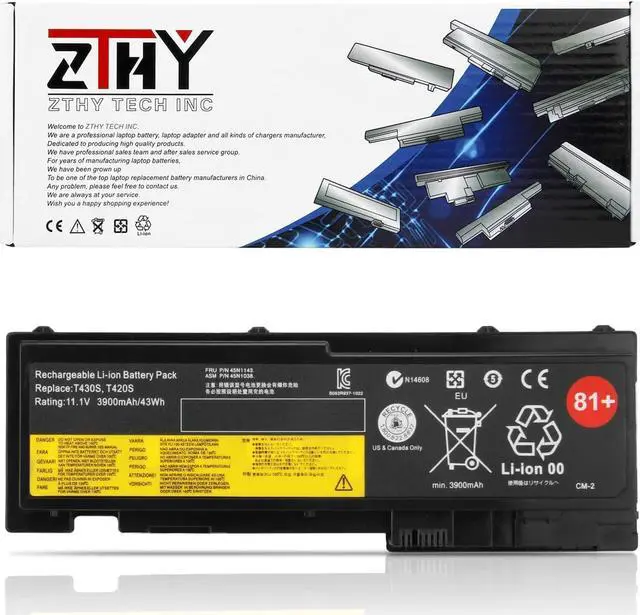
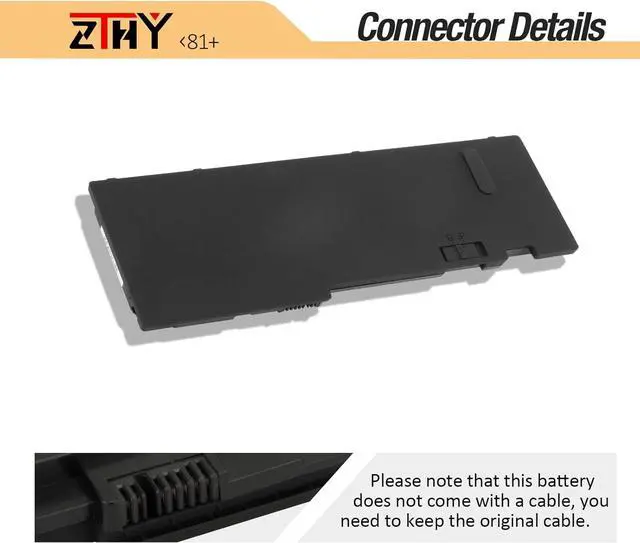
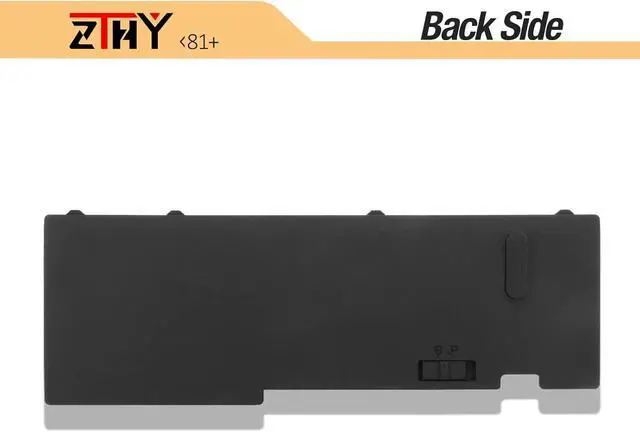
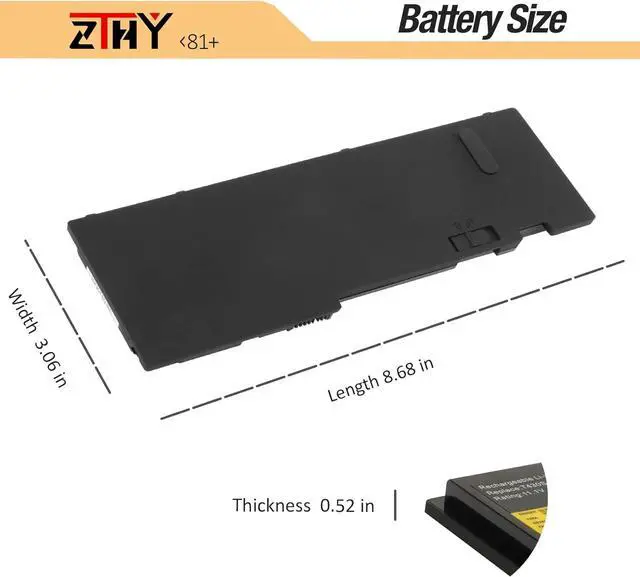


ZTHY 43Wh 81+ T430S Battery Replacement for T420si T420s 4170 4171 4172 4174 T430S T430si 2352 2353 2354 2355 2356 0A36287 42T4844 42T4845 42T4846 42T4847 45N1064 45N1065 45N1143 45N1036 45N1037 11.1V
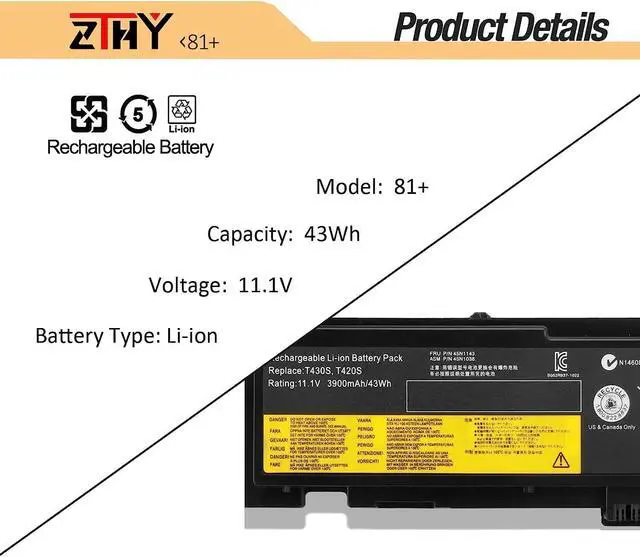
- Specifications: Battery Type: Li-ion Polymer; Voltage: 11.1V; Capacity: 43Wh/3900mAh/6-cells; Battery life: Up to 500 recharge cycles over the life of the battery
- Compatible Part Number: Len ovo 0A36287 42T4844 42T4845 42T4846 42T4847 45N1036 45N1037 45N1038 45N1039 45N1064 45N1065 45N1143
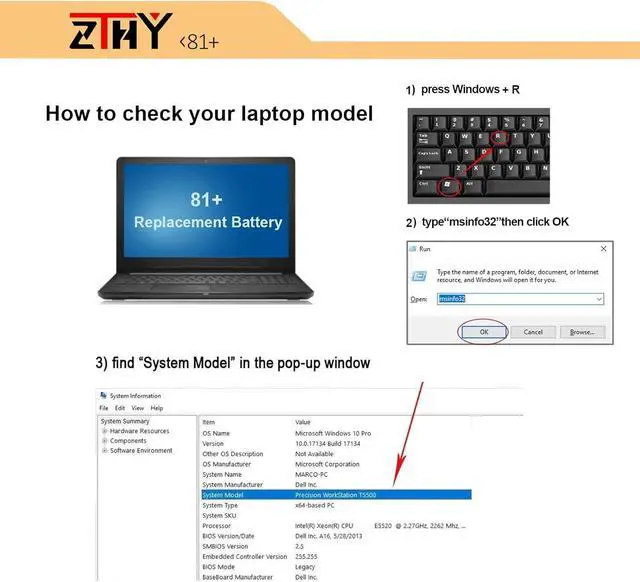
- Compatible Models: Len ovo ThinkPad T420si T420s T430S T430si Series (See Description Fit Laptop Models)
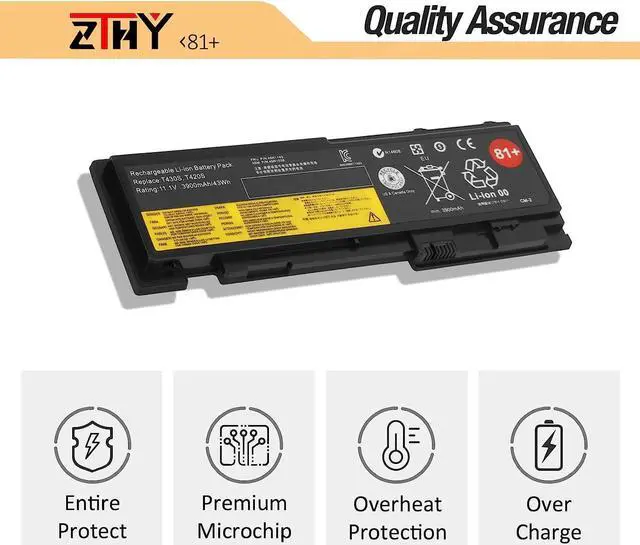
- Security: All products are Certified by CE, FCC for safety. Strict guidelines for compatibility, and standards compliance for environment safety.
- Laptop Battery Return Policy: Rest assured with 30 days Refund and 12 months Replacement,also get our friendly customer service
+
+
Overview
Specs
Reviews
Welcome to ZTHY TECH INC
We are a professional laptop battery, laptop adapter and all kinds of chargers manufacture. Dedicated to producing high quality products. We have professional sales team. To each of our customers with high quality products. Wish you have a happy shopping experience and thank you for your trust!
Specifications:
Battery Type: Li-ion
Battery Voltage: 11.1V
Battery Capacity: 43Wh
Certificate: CE,RoHS,FCC
Condition: 100% New from Manufacturer, Grade A Cell
Compatible Part Numbers:
Lenovo 0A36287 42T4844 42T4845 42T4846 42T4847 45N1036 45N1037 45N1038 45N1039 45N1064 45N1065 45N1143
Compatible Laptop Machine Models (please use ctrl+f to search for your laptop model):
Lenovo ThinkPad T420i Series
4170A11 4171A12 41716EC 4170A25 4172A25 4172A16
Lenovo ThinkPad T420s Series
4173A39 4171A58 4171A57 4171A13 4174EM7 4172A21 4173PU9 4172A35 4172A24 4171A22 4171A42 4171A24
4171A49 4172A36 4172A18 4172A34 4171A59 4172A26 4171A96 4172A17 4173A41 4171A25 4171A15 4171A35
Lenovo ThinkPad T430S Series
2355C72 2355C92 2355CB6 2355G3C 23522RC 2352A32 23522SC 2352A94 2352A13 2352A31 2352A98 2355BT5
2355AK6 235244C 235243C 23524BC 2353C15 235245C 235246C 2355HNC 2355A83 2355BF2 2355AK7 2355B54
ZTHY laptop battery instruction:
1.Discharge the new battery use to 5%(not to 0%) and then charge to 95%, and cycle 3-4 times.
2.Do not disassemble, crush or puncture. Do not dispose of in fire or water.
3.If you remove battery for a long time, charge more than 80% at least one time within one months.
4.Don't connect adapter for a long time while using the battery. It may damage the battery.
5.When using the battery, care should be taken to prevent exposure and moisture.
1, You need to turn off your laptop and disconnect the power.
2, Disconnect the connection between the old battery and the motherboard to avoid unnecessary damage caused by disassembling the battery. Then unscrew the old battery screws one by one and carefully save each screw.
3, Remove the old battery, carefully install the new battery on the battery case, screw in the screw, and connect the wiring of the new battery.
4, If you don't understand the above steps, you can search for the video about laptop battery installation on You Tube. Maybe it will help you.
1) Please click ZTHY TECH, we will help you solve it.
2) Please be assured that we will take the responsibility for each product we sold.
3) 30-days after purchase, we offer a no-questions-asked return policy.
4)12 months from the date of purchase, If the product fails, we will replace it with a new one.
1) You need to turn off your laptop and disconnect the power.
2) Disconnect the connection between the old battery and the motherboard to avoid unnecessary damage caused by disassembling the battery. Then unscrew the old battery screws one by one and carefully save each screw.
3) Remove the old battery, carefully install the new battery on the battery case, screw in the screw, and connect the wiring of the new battery.
4) If you don't understand the above steps, you can search for the video about laptop battery installation on YouTube. Maybe it will help you.
1)Discharge the new battery use to 10%(not to 0%) and then charge to 95%, and cycle 3-4 times.
2) Do not disassemble, crush or puncture. Do not dispose of in fire or water.
3) If you remove the battery for a long time, charge more than 80% at least one time within one month.
4) Don't connect the adapter for a long time while using the battery. It may damage the battery.
5)When using the battery, care should be taken to prevent exposure and moisture.
1) Could be caused by battery loss. Please re-install the battery and make sure that the battery cable and the motherboard interface are tightly inserted.
2) Maybe due to conductive material d
We are a professional laptop battery, laptop adapter and all kinds of chargers manufacture. Dedicated to producing high quality products. We have professional sales team. To each of our customers with high quality products. Wish you have a happy shopping experience and thank you for your trust!
Specifications:
Battery Type: Li-ion
Battery Voltage: 11.1V
Battery Capacity: 43Wh
Certificate: CE,RoHS,FCC
Condition: 100% New from Manufacturer, Grade A Cell
Compatible Part Numbers:
Lenovo 0A36287 42T4844 42T4845 42T4846 42T4847 45N1036 45N1037 45N1038 45N1039 45N1064 45N1065 45N1143
Compatible Laptop Machine Models (please use ctrl+f to search for your laptop model):
Lenovo ThinkPad T420i Series
4170A11 4171A12 41716EC 4170A25 4172A25 4172A16
Lenovo ThinkPad T420s Series
4173A39 4171A58 4171A57 4171A13 4174EM7 4172A21 4173PU9 4172A35 4172A24 4171A22 4171A42 4171A24
4171A49 4172A36 4172A18 4172A34 4171A59 4172A26 4171A96 4172A17 4173A41 4171A25 4171A15 4171A35
Lenovo ThinkPad T430S Series
2355C72 2355C92 2355CB6 2355G3C 23522RC 2352A32 23522SC 2352A94 2352A13 2352A31 2352A98 2355BT5
2355AK6 235244C 235243C 23524BC 2353C15 235245C 235246C 2355HNC 2355A83 2355BF2 2355AK7 2355B54
ZTHY laptop battery instruction:
1.Discharge the new battery use to 5%(not to 0%) and then charge to 95%, and cycle 3-4 times.
2.Do not disassemble, crush or puncture. Do not dispose of in fire or water.
3.If you remove battery for a long time, charge more than 80% at least one time within one months.
4.Don't connect adapter for a long time while using the battery. It may damage the battery.
5.When using the battery, care should be taken to prevent exposure and moisture.
1, You need to turn off your laptop and disconnect the power.
2, Disconnect the connection between the old battery and the motherboard to avoid unnecessary damage caused by disassembling the battery. Then unscrew the old battery screws one by one and carefully save each screw.
3, Remove the old battery, carefully install the new battery on the battery case, screw in the screw, and connect the wiring of the new battery.
4, If you don't understand the above steps, you can search for the video about laptop battery installation on You Tube. Maybe it will help you.
1) Please click ZTHY TECH, we will help you solve it.
2) Please be assured that we will take the responsibility for each product we sold.
3) 30-days after purchase, we offer a no-questions-asked return policy.
4)12 months from the date of purchase, If the product fails, we will replace it with a new one.
1) You need to turn off your laptop and disconnect the power.
2) Disconnect the connection between the old battery and the motherboard to avoid unnecessary damage caused by disassembling the battery. Then unscrew the old battery screws one by one and carefully save each screw.
3) Remove the old battery, carefully install the new battery on the battery case, screw in the screw, and connect the wiring of the new battery.
4) If you don't understand the above steps, you can search for the video about laptop battery installation on YouTube. Maybe it will help you.
1)Discharge the new battery use to 10%(not to 0%) and then charge to 95%, and cycle 3-4 times.
2) Do not disassemble, crush or puncture. Do not dispose of in fire or water.
3) If you remove the battery for a long time, charge more than 80% at least one time within one month.
4) Don't connect the adapter for a long time while using the battery. It may damage the battery.
5)When using the battery, care should be taken to prevent exposure and moisture.
1) Could be caused by battery loss. Please re-install the battery and make sure that the battery cable and the motherboard interface are tightly inserted.
2) Maybe due to conductive material d
Warranty & Returns
Warranty, Returns, And Additional Information
Warranty
- Please contact the Seller directly for warranty information. Warranty information may also be found on the Manufacturer's website.
- CONTACT
Return Policies
- Return for refund within: 30 days
- Return for replacement within: 90 days
- This item is covered by E-Transit Limited Return Policy
Manufacturer Contact Info
- For a directory of all our manufacturers, please click below.
- Manufacturers Directory
LOADING...