


- Free 30-day Returns
$99.99
Ships from Hong Kong.
Sold by E-Transit Limited
Shipped by E-Transit Limited

Meet Your Seller

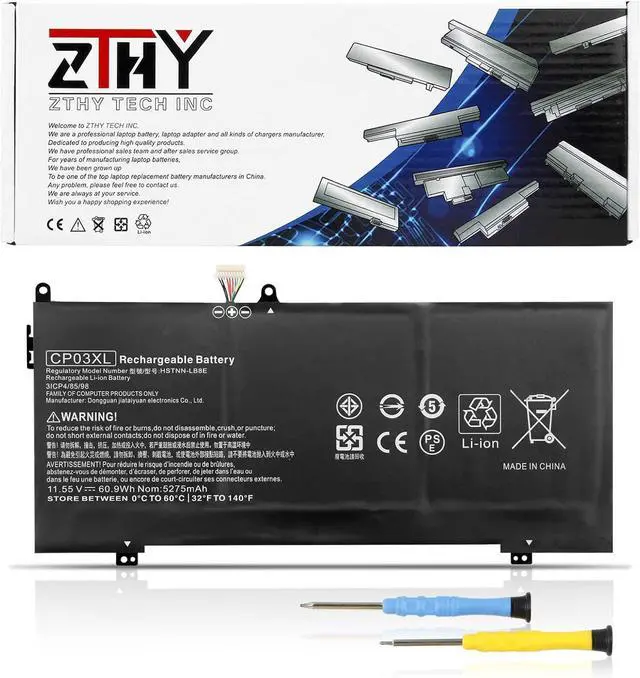
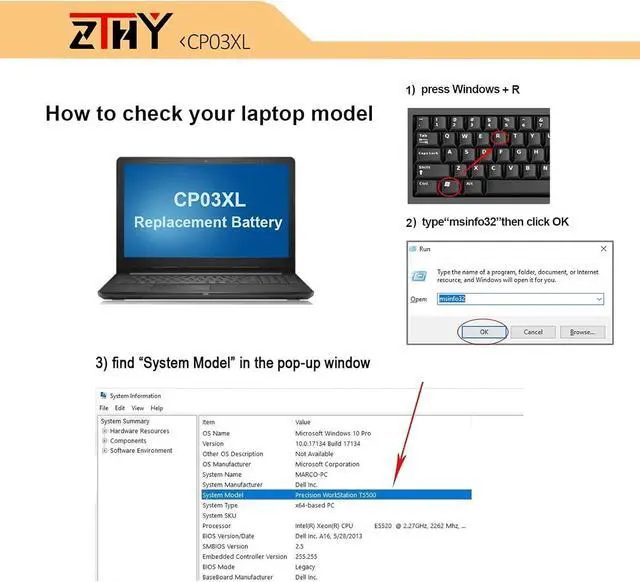
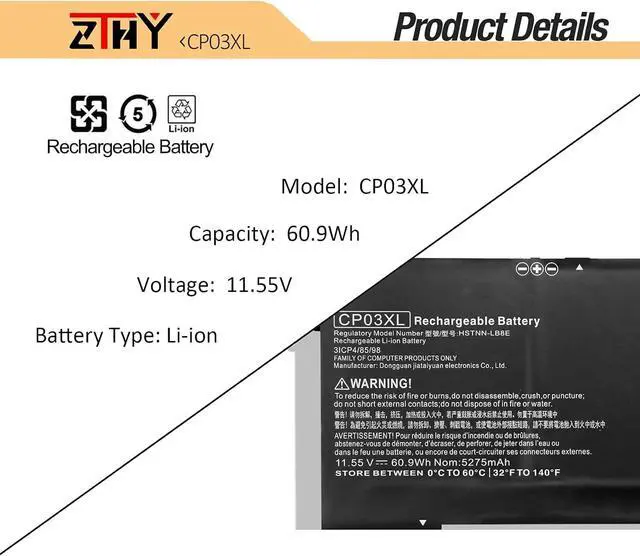
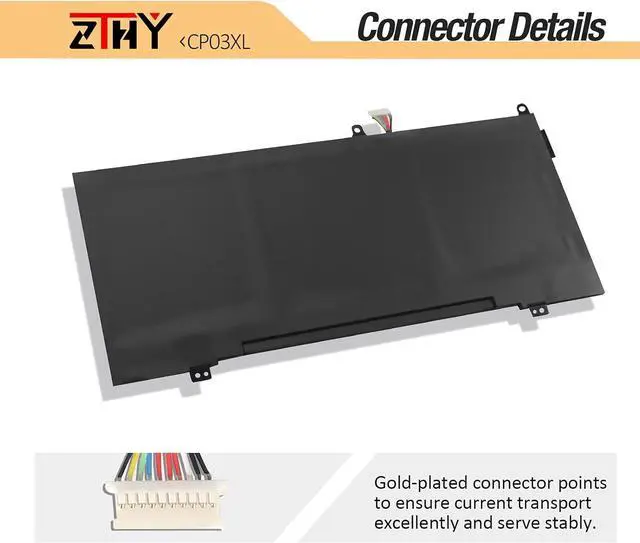
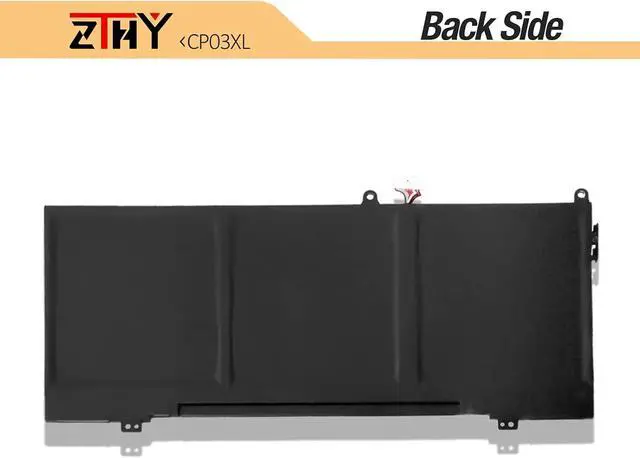
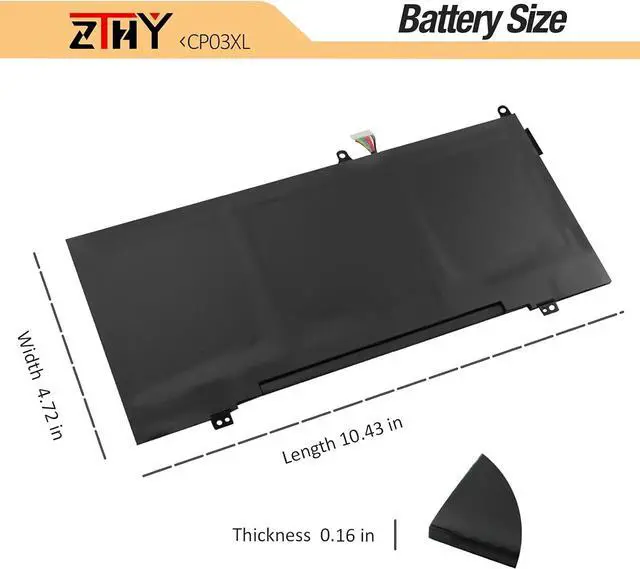


ZTHY 60.9Wh CP03XL Laptop Battery Compatible with HP Spectre X360 13-AE000 13-AE000NC 13-AE001NG 13-AE003NB 13-AE005NN 13-AE006NO 13-AE010NI 13-AE011NV 13-AE012UR 13-AE013DX/AE043TU/AE022UR 929072855
- Specifications: Battery type:Li-polymer. Voltage: 11.55V. Capacity: 60.9Wh/ 5275mAh/3Cell. 100% New from Manufacturer. Up to 500 recharge cycles over the life of the battery.
- Compatible Part Number: CP03XL CP03060XL 929066-421929072-855 HSTNN-LB8 HSTNN-LB8E TPN-Q199
- Compatible Models: For HP Spectre X360 13-AE000 Series: Spectre X360 13-AE0xx 13-AE000 13-AE000NC 13-AE005NN 13-AE006NO 13-AE008NE 13-AE001NG 13-AE049NG 13-AE013DX 13-AE011DX 13-AE040NG 13-AE000NE 13-AE000NF 13-AE003NB 13-AE010NI 13-AE514TU
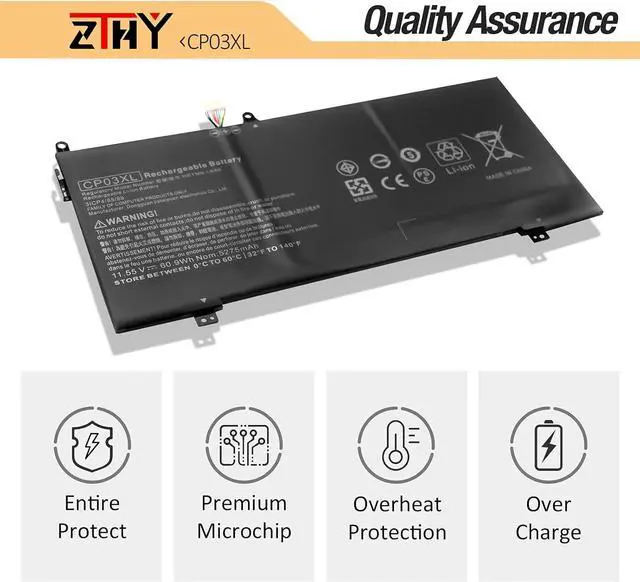
- Security: All ZTHY products are Certified by CE, FCC for safety. Strict guidelines for compatibility, and standards compliance for environment safety.
- ZTHY Laptop Battery Return Policy: Rest assured with 30 days Refund and 12 months Replacement, also get our friendly customer service.Contact us by follow step:go to the product detail page and click on "ZTHY TECH" under the Add to Cart and then click on "Ask a question".
+
+
Overview
Specs
Reviews
Compatible Laptop Models:(Use "Ctrl"+"F" to find your laptop model):
HP Spectre X360 13-AE Series Alle Modelle:
HP Spectre X360 13-AE000NC 13-AE000NE 13-AE000NF 13-AE000NI 13-AE000NP 13-AE000NQ 13-AE000NS 13-AE000NT 13-AE000NU 13-AE000NX 13-AE000NZ 13-AE000TU 13-AE000UR 13-AE001NC 13-AE001ND 13-AE001NE 13-AE001NF 13-AE001NG 13-AE001NL 13-AE001NO 13-AE001NP 13-AE001NS 13-AE001NT 13-AE001NU 13-AE001NV 13-AE001NW 13-AE001NX 13-AE001TU 13-AE001UR 13-AE002NB 13-AE002NC 13-AE002NE 13-AE002NF 13-AE002NG 13-AE002NN 13-AE002NO 13-AE002NP 13-AE002NQ 13-AE002NS 13-AE002NT 13-AE002NW 13-AE002NX 13-AE002TU 13-AE002UR 13-AE003NA 13-AE003NB 13-AE003NE 13-AE003NF 13-AE003NG 13-AE003NN 13-AE003NO 13-AE003NP 13-AE003NQ 13-AE003NS 13-AE003NW 13-AE003TU 13-AE003UR 13-AE004NA 13-AE004NB 13-AE004NC 13-AE004NE 13-AE004NF 13-AE004NG 13-AE004NL 13-AE004NN 13-AE004NO 13-AE004NP 13-AE004NS 13-AE004NX 13-AE004TU 13-AE004UR 13-AE005NA 13-AE005NB 13-AE005NC 13-AE005ND 13-AE005NF 13-AE005NN 13-AE005NO 13-AE005NX 13-AE005TU 13-AE006NA 13-AE006NB 13-AE006NE 13-AE001NG 13-AE001TU 13-AE002NG 13-AE002TU 13-AE003NG 13-AE003TU 13-AE004NG 13-AE004TU 13-AE005TU 13-AE006TU 13-AE007TU 13-AE007NF 13-AE007UR 13-AE007NB 13-AE007ND 13-AE008NE 13-AE008ND 13-AE008NB 13-AE008TU 13-AE008UR 13-AE009TU 13-AE009UR 13-AE010ND 13-AE010TU 13-AE010CA 13-AE010NE 13-AE010NF 13-AE010UR 13-AE011DX 13-AE011NE 13-AE011NV 13-AE011NO 13-AE012DX 13-AE012NC 13-AE012NV 13-AE012TU 13-AE012UR 13-AE013DX 13-AE014DX 13-AE014UR 13-AE015DX 13-AE015ND 13-AE015NF 13-AE015NG 13-AE015TU 13-AE016TU 13-AE017NF 13-AE018TU 13-AE019NL 13-AE019TU 13-AE019NF 13-AE021TU 13-AE022TU 13-AE023TU 13-AE023NL 13-AE024TU 13-AE025TU 13-AE025NF 13-AE026TU 13-AE027NF 13-AE028TU 13-AE030CA 13-AE030NG 13-AE034TU 13-AE034NG 13-AE035NG 13-AE039NG 13-AE040CA 13-AE040NG 13-AE041NG 13-AE042NG 13-AE043NG 13-AE044TU 13-AE044NG 13-AE045TU 13-AE046NG 13-AE047NG 13-AE048NG 13-AE049NG 13-AE050CA 13-AE051NR 13-AE052NR 13-AE053NA 13-AE054TU 13-AE055NA 13-AE055TU 13-AE055NR 13-AE056TU 13-AE060NZ 13-AE061NZ 13-AE063TU 13-AE071TU 13-AE072TU 13-AE076TU 13-AE077TU 13-AE079TU 13-AE080ND 13-AE082NG 13-AE082TU 13-AE083TU 13-AE084TU 13-AE085NO 13-AE086TU 13-AE087NZ 13-AE088TU 13-AE088CA 13-AE089TU 13-AE090NZ 13-AE090TU 13-AE091MS 13-AE091TU 13-AE092TU 13-AE092NZ 13-AE093TU 13-AE094TU 13-AE094NZ 13-AE095TU 13-AE096TU
1, You need to turn off your laptop and disconnect the power.
2, Disconnect the connection between the old battery and the motherboard to avoid unnecessary damage caused by disassembling the battery. Then unscrew the old battery screws one by one and carefully save each screw.
3, Remove the old battery, carefully install the new battery on the battery case, screw in the screw, and connect the wiring of the new battery.
4, If you don't understand the above steps, you can search for the video about laptop battery installation on You Tube. Maybe it will help you.
1) Please click ZTHY TECH, we will help you solve it.
2) Please be assured that we will take the responsibility for each product we sold.
3) 30-days after purchase, we offer a no-questions-asked return policy.
4)12 months from the date of purchase, If the product fails, we will replace it with a new one.
1) You need to turn off your laptop and disconnect the power.
2) Disconnect the connection between the old battery and the motherboard to avoid unnecessary damage caused by disassembling the battery. Then unscrew the old battery screws one by one and carefully save each screw.
3) Remove the old battery, carefully install the new battery on the battery case, screw in the screw, and connect the wiring of the new battery.
4) If you don't understand the above steps, you can search for the video about laptop battery installation on YouTube. Maybe it will help you.
1)Discharge the new battery use to 10%(not to 0%) and then charge to 95%, and cycle 3-4 times.
2) Do not disassemble, crush or puncture. Do
HP Spectre X360 13-AE Series Alle Modelle:
HP Spectre X360 13-AE000NC 13-AE000NE 13-AE000NF 13-AE000NI 13-AE000NP 13-AE000NQ 13-AE000NS 13-AE000NT 13-AE000NU 13-AE000NX 13-AE000NZ 13-AE000TU 13-AE000UR 13-AE001NC 13-AE001ND 13-AE001NE 13-AE001NF 13-AE001NG 13-AE001NL 13-AE001NO 13-AE001NP 13-AE001NS 13-AE001NT 13-AE001NU 13-AE001NV 13-AE001NW 13-AE001NX 13-AE001TU 13-AE001UR 13-AE002NB 13-AE002NC 13-AE002NE 13-AE002NF 13-AE002NG 13-AE002NN 13-AE002NO 13-AE002NP 13-AE002NQ 13-AE002NS 13-AE002NT 13-AE002NW 13-AE002NX 13-AE002TU 13-AE002UR 13-AE003NA 13-AE003NB 13-AE003NE 13-AE003NF 13-AE003NG 13-AE003NN 13-AE003NO 13-AE003NP 13-AE003NQ 13-AE003NS 13-AE003NW 13-AE003TU 13-AE003UR 13-AE004NA 13-AE004NB 13-AE004NC 13-AE004NE 13-AE004NF 13-AE004NG 13-AE004NL 13-AE004NN 13-AE004NO 13-AE004NP 13-AE004NS 13-AE004NX 13-AE004TU 13-AE004UR 13-AE005NA 13-AE005NB 13-AE005NC 13-AE005ND 13-AE005NF 13-AE005NN 13-AE005NO 13-AE005NX 13-AE005TU 13-AE006NA 13-AE006NB 13-AE006NE 13-AE001NG 13-AE001TU 13-AE002NG 13-AE002TU 13-AE003NG 13-AE003TU 13-AE004NG 13-AE004TU 13-AE005TU 13-AE006TU 13-AE007TU 13-AE007NF 13-AE007UR 13-AE007NB 13-AE007ND 13-AE008NE 13-AE008ND 13-AE008NB 13-AE008TU 13-AE008UR 13-AE009TU 13-AE009UR 13-AE010ND 13-AE010TU 13-AE010CA 13-AE010NE 13-AE010NF 13-AE010UR 13-AE011DX 13-AE011NE 13-AE011NV 13-AE011NO 13-AE012DX 13-AE012NC 13-AE012NV 13-AE012TU 13-AE012UR 13-AE013DX 13-AE014DX 13-AE014UR 13-AE015DX 13-AE015ND 13-AE015NF 13-AE015NG 13-AE015TU 13-AE016TU 13-AE017NF 13-AE018TU 13-AE019NL 13-AE019TU 13-AE019NF 13-AE021TU 13-AE022TU 13-AE023TU 13-AE023NL 13-AE024TU 13-AE025TU 13-AE025NF 13-AE026TU 13-AE027NF 13-AE028TU 13-AE030CA 13-AE030NG 13-AE034TU 13-AE034NG 13-AE035NG 13-AE039NG 13-AE040CA 13-AE040NG 13-AE041NG 13-AE042NG 13-AE043NG 13-AE044TU 13-AE044NG 13-AE045TU 13-AE046NG 13-AE047NG 13-AE048NG 13-AE049NG 13-AE050CA 13-AE051NR 13-AE052NR 13-AE053NA 13-AE054TU 13-AE055NA 13-AE055TU 13-AE055NR 13-AE056TU 13-AE060NZ 13-AE061NZ 13-AE063TU 13-AE071TU 13-AE072TU 13-AE076TU 13-AE077TU 13-AE079TU 13-AE080ND 13-AE082NG 13-AE082TU 13-AE083TU 13-AE084TU 13-AE085NO 13-AE086TU 13-AE087NZ 13-AE088TU 13-AE088CA 13-AE089TU 13-AE090NZ 13-AE090TU 13-AE091MS 13-AE091TU 13-AE092TU 13-AE092NZ 13-AE093TU 13-AE094TU 13-AE094NZ 13-AE095TU 13-AE096TU
1, You need to turn off your laptop and disconnect the power.
2, Disconnect the connection between the old battery and the motherboard to avoid unnecessary damage caused by disassembling the battery. Then unscrew the old battery screws one by one and carefully save each screw.
3, Remove the old battery, carefully install the new battery on the battery case, screw in the screw, and connect the wiring of the new battery.
4, If you don't understand the above steps, you can search for the video about laptop battery installation on You Tube. Maybe it will help you.
1) Please click ZTHY TECH, we will help you solve it.
2) Please be assured that we will take the responsibility for each product we sold.
3) 30-days after purchase, we offer a no-questions-asked return policy.
4)12 months from the date of purchase, If the product fails, we will replace it with a new one.
1) You need to turn off your laptop and disconnect the power.
2) Disconnect the connection between the old battery and the motherboard to avoid unnecessary damage caused by disassembling the battery. Then unscrew the old battery screws one by one and carefully save each screw.
3) Remove the old battery, carefully install the new battery on the battery case, screw in the screw, and connect the wiring of the new battery.
4) If you don't understand the above steps, you can search for the video about laptop battery installation on YouTube. Maybe it will help you.
1)Discharge the new battery use to 10%(not to 0%) and then charge to 95%, and cycle 3-4 times.
2) Do not disassemble, crush or puncture. Do
Warranty & Returns
Warranty, Returns, And Additional Information
Warranty
- Please contact the Seller directly for warranty information. Warranty information may also be found on the Manufacturer's website.
- CONTACT
Return Policies
- Return for refund within: 30 days
- Return for replacement within: 90 days
- This item is covered by E-Transit Limited Return Policy
Manufacturer Contact Info
- For a directory of all our manufacturers, please click below.
- Manufacturers Directory
LOADING...