


- Free 30-day Returns
$97.99
Ships from Hong Kong.
Sold by E-Transit Limited
Shipped by E-Transit Limited

Meet Your Seller

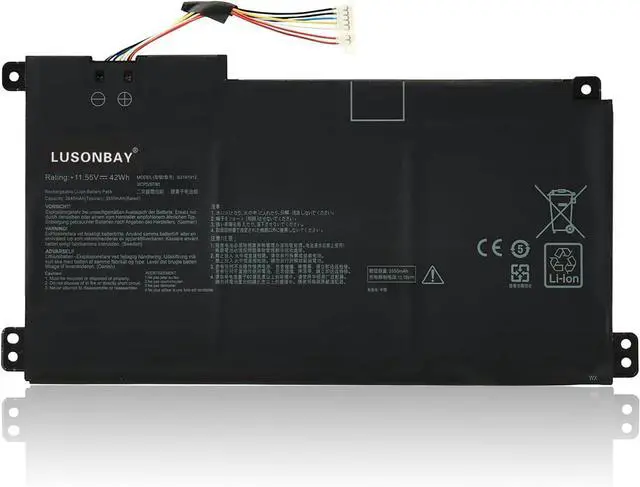
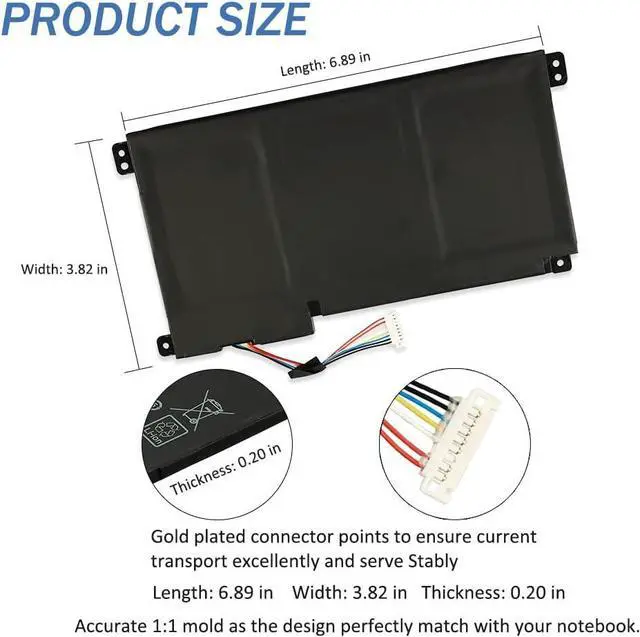
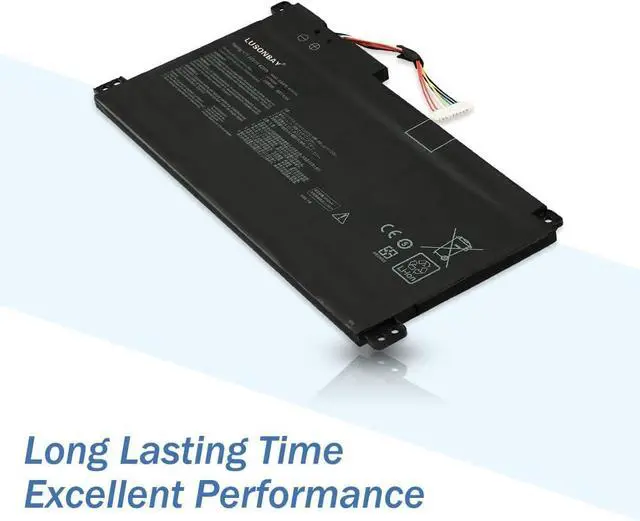
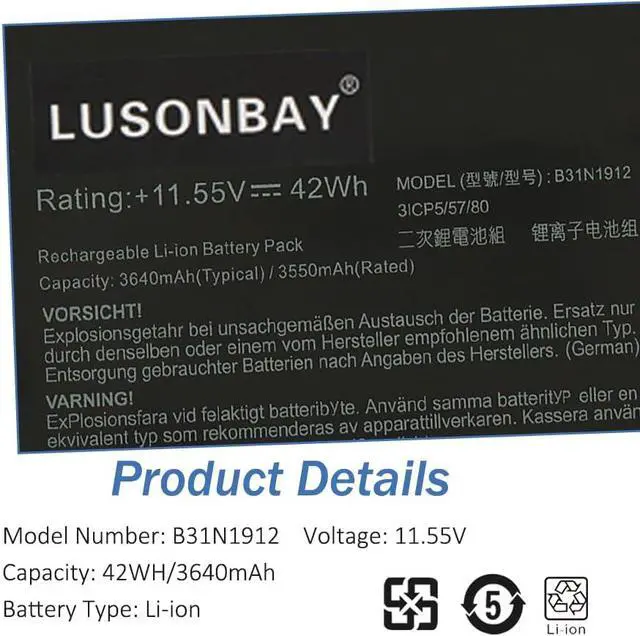
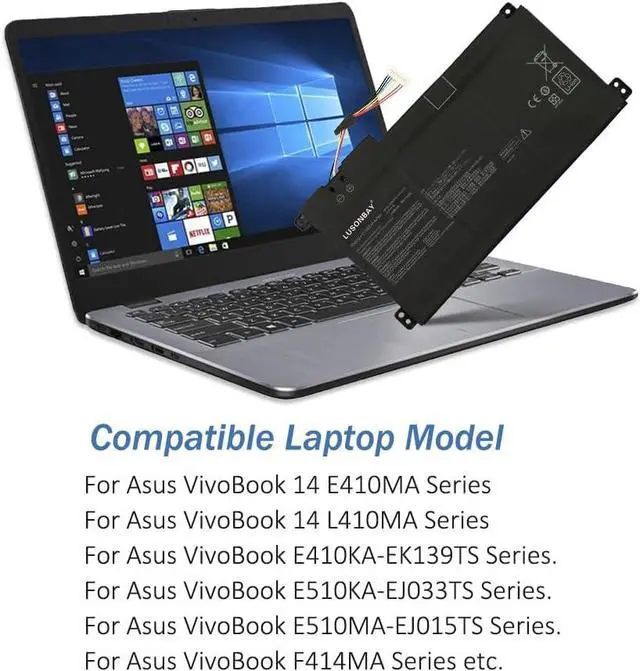


B31N1912 C31N1912 Laptop Battery for ASUS VivoBook 14 E410MA E410KA-EK139TS L410MA E510MA E510KA L510MA F414MA R522MA 0B200-03680200
- Hight Quality Laptop Battery:Voltage:11.55V.Capacity:42Wh.Our batteries are strictly tested before shipment,and a great choice of replacement for the batteries gives the notebook a new lease of life and won't let your notebook down.
- Perfect Compatibility laptop battery:For Asus VivoBook 14 E410MA Series;For Asus VivoBook 14 L410MA Series;For Asus VivoBook E410KA-EK139TS Series;For Asus VivoBook E510KA-EJ033TS Series;For Asus VivoBook E510MA-EJ015TS Series;For Asus VivoBook F414MA Series;For Asus VivoBook L510MA Series;For Asus VivoBook R522MA Series;For Asus VivoBook E510M Series;For Asus VivoBook E510MA Series.
- Compatible P/N:B31N1912 C31N1912 0B200-03680200 0B200-03680000.
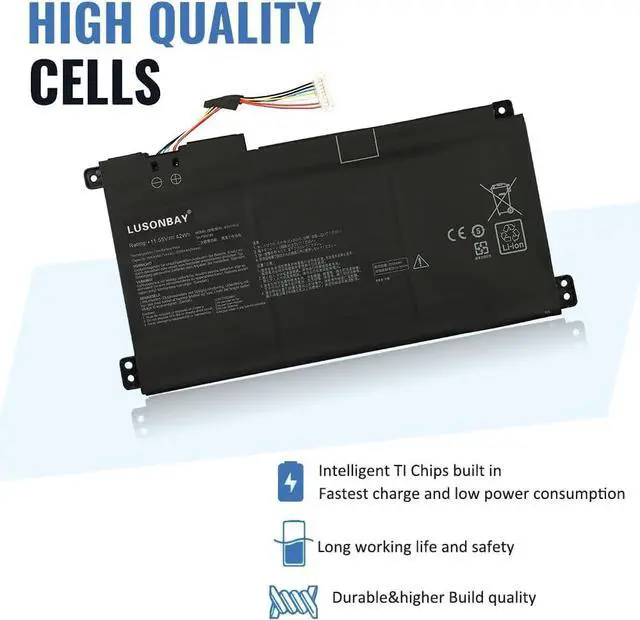
- Safety & Security:Unsafe batteries may hurt your devices.Our batteries are CE-/FCC-/RoHS certified for safety.With an intelligent control chip,and durable A-grade battery to ensure maximum service life and power,save points,and more.Laptop batteries have multiple protection functions of over-charge,over-dis
+
+
Overview
Specs
Reviews
About Us:
Greetings from the LUASONBAY Laptop Battery store.LUSONBAY is a manufacturer specializing in developing and producing notebook batteries and power supplies.All products are subject to strict quality control and are constantly being improved.Our constant pursuit is to provide high-quality products and services for every customer.
Specification:
Battery Type:Li-ion
Voltage:11.55V
Capacity:42WH
Color:Black
Condition:New
Compatible Part Number:
B31N1912 C31N1912 0B200-03680200 0B200-03680000.
Matching Laptops:
For Asus VivoBook 14 E410MA Series
For Asus VivoBook 14 L410MA Series
For Asus VivoBook E410KA-EK139TS Series.
For Asus VivoBook E510KA-EJ033TS Series.
For Asus VivoBook E510MA-EJ015TS Series.
For Asus VivoBook F414MA Series.
For Asus VivoBook L510MA Series.
For Asus VivoBook R522MA Series.
For Asus VivoBook E510M Series.
For Asus VivoBook E510MA Series.
Notice needing attention:
Not all compatible laptop models are listed or included here.
You can open the back of your laptop to check the battery model number.
Please contact us online if you have any question for the compatibility.
Bullet Points:
Good performance A++ cells.
Multiple protection prevents damage to the device.
Professional technical team,quick response within 24 hrs.
Replace a new replacement within 1 Year if quality problem.
Professional tech teams production plants and different types of batteries are available.
FAQ
What's the step to install the battery?
1.Remove the battery and the connected small circuit board,please note that the battery small circuit board is connected to the main board and the power amplifier small circuit board at the same time,there are two sockets,at right angles,be careful when pulling out.
2.Take out the battery and circuit board,and test the new battery with a multimeter to ensure that the battery can be used normally.
3.Remove the old battery,fix the small circuit board,use the tin to protect the solder pad at the solder joint,heat the solder joint,and carefully remove the old battery joint.
4.Clean the tin of the four welding holes on the circuit board,insert the new battery into the hole completely by pressing the "-" and "+" electrodes (the red line is the positive electrode),and then weld them one by one,taking care not to touch the two poles of the battery interface to avoid battery short circuit.
5.Install the battery back into the machine in the way,and press the power button to see whether the indicator light is on normally and whether it can be used normally.
Greetings from the LUASONBAY Laptop Battery store.LUSONBAY is a manufacturer specializing in developing and producing notebook batteries and power supplies.All products are subject to strict quality control and are constantly being improved.Our constant pursuit is to provide high-quality products and services for every customer.
Specification:
Battery Type:Li-ion
Voltage:11.55V
Capacity:42WH
Color:Black
Condition:New
Compatible Part Number:
B31N1912 C31N1912 0B200-03680200 0B200-03680000.
Matching Laptops:
For Asus VivoBook 14 E410MA Series
For Asus VivoBook 14 L410MA Series
For Asus VivoBook E410KA-EK139TS Series.
For Asus VivoBook E510KA-EJ033TS Series.
For Asus VivoBook E510MA-EJ015TS Series.
For Asus VivoBook F414MA Series.
For Asus VivoBook L510MA Series.
For Asus VivoBook R522MA Series.
For Asus VivoBook E510M Series.
For Asus VivoBook E510MA Series.
Notice needing attention:
Not all compatible laptop models are listed or included here.
You can open the back of your laptop to check the battery model number.
Please contact us online if you have any question for the compatibility.
Bullet Points:
Good performance A++ cells.
Multiple protection prevents damage to the device.
Professional technical team,quick response within 24 hrs.
Replace a new replacement within 1 Year if quality problem.
Professional tech teams production plants and different types of batteries are available.
FAQ
What's the step to install the battery?
1.Remove the battery and the connected small circuit board,please note that the battery small circuit board is connected to the main board and the power amplifier small circuit board at the same time,there are two sockets,at right angles,be careful when pulling out.
2.Take out the battery and circuit board,and test the new battery with a multimeter to ensure that the battery can be used normally.
3.Remove the old battery,fix the small circuit board,use the tin to protect the solder pad at the solder joint,heat the solder joint,and carefully remove the old battery joint.
4.Clean the tin of the four welding holes on the circuit board,insert the new battery into the hole completely by pressing the "-" and "+" electrodes (the red line is the positive electrode),and then weld them one by one,taking care not to touch the two poles of the battery interface to avoid battery short circuit.
5.Install the battery back into the machine in the way,and press the power button to see whether the indicator light is on normally and whether it can be used normally.
Warranty & Returns
Warranty, Returns, And Additional Information
Warranty
- Please contact the Seller directly for warranty information. Warranty information may also be found on the Manufacturer's website.
- CONTACT
Return Policies
- Return for refund within: 30 days
- Return for replacement within: 90 days
- This item is covered by E-Transit Limited Return Policy
Manufacturer Contact Info
- For a directory of all our manufacturers, please click below.
- Manufacturers Directory
LOADING...