


- Free 30-day Returns
$106.99
Ships from Hong Kong.
Sold by E-Transit Limited
Shipped by E-Transit Limited

Meet Your Seller

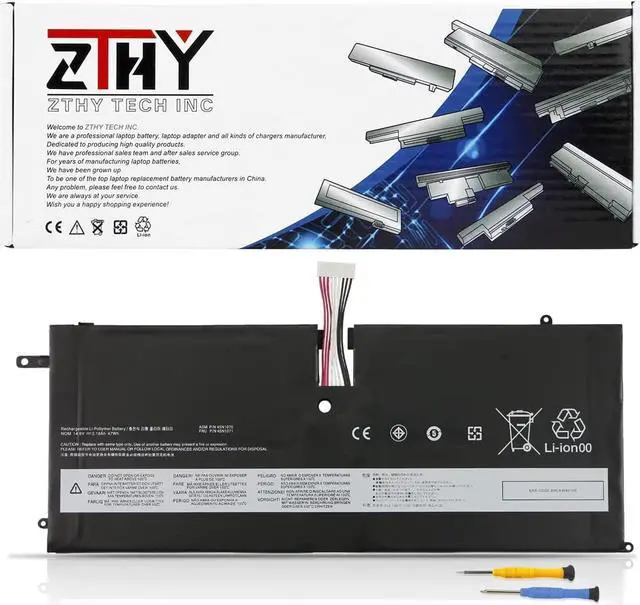
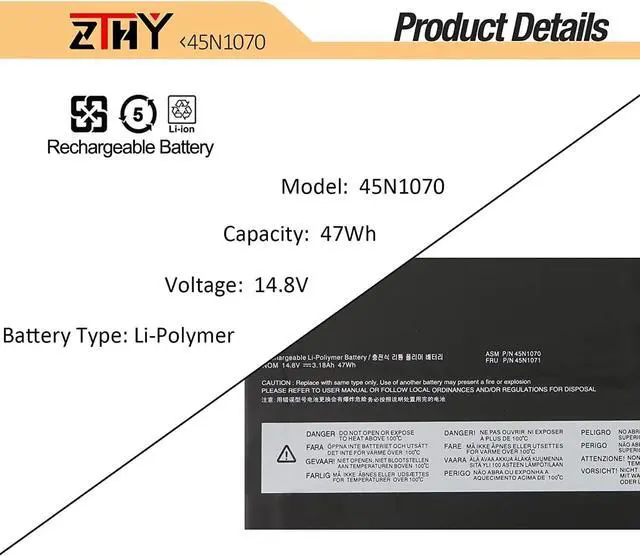
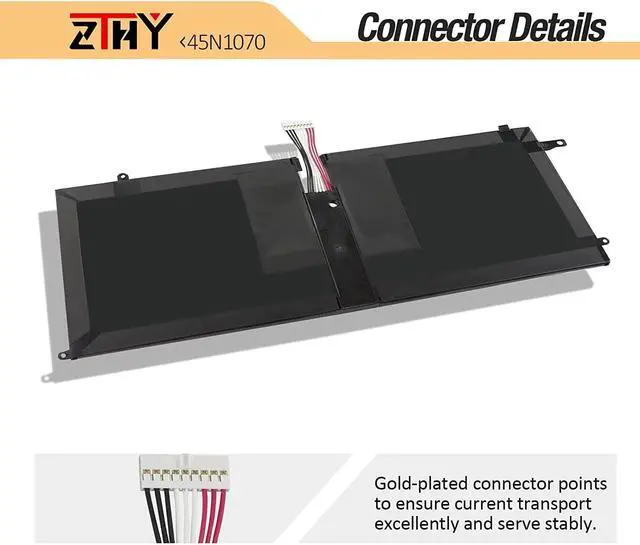
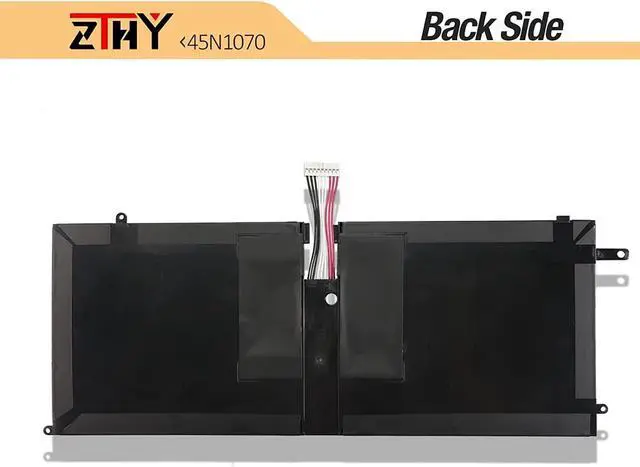
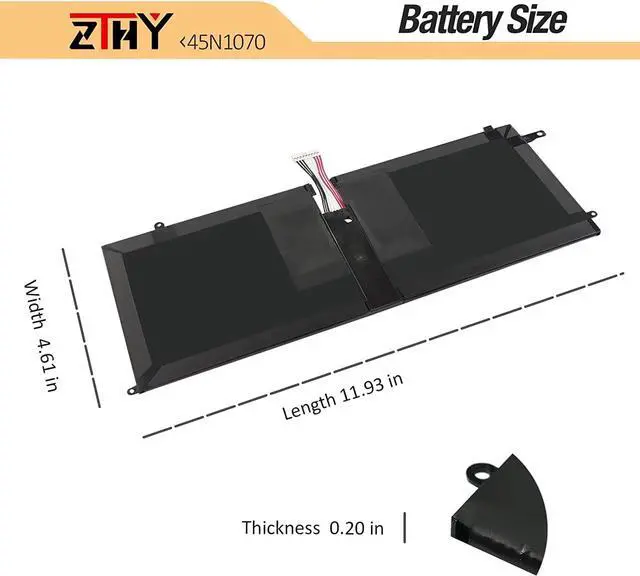


ZTHY 45N1070 45N1071 Laptop Battery Replacement for Lenovo ThinkPad X1 Carbon Gen 1, X1 Carbon 1st Gen (2012), Type 34xx 3443/3444/ 3448/3460/ 3462/3463 Series 4ICP4/51/95 14.8V 47Wh 3180mAh
- SpecificationsBattery Type: Li-ion; Voltage: 14.8V; Capacity: 47Wh/3180mAh; Battery life: Up to 500 recharge cycles over the life of the battery.
- Compatible Part Number45N1070 45N1071
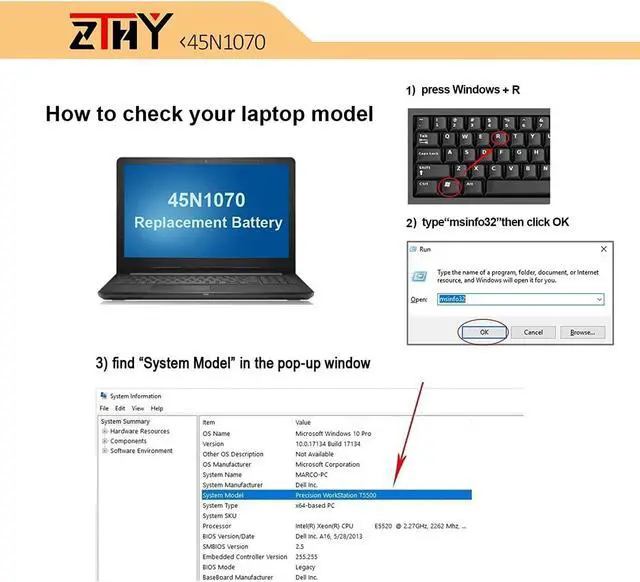
- Compatible Laptop ModelsLenovo ThinkPad X1 Carbon 1 Gen 3443 3444 3446 3448 3460 3462 3463 Series Laptop Battery.
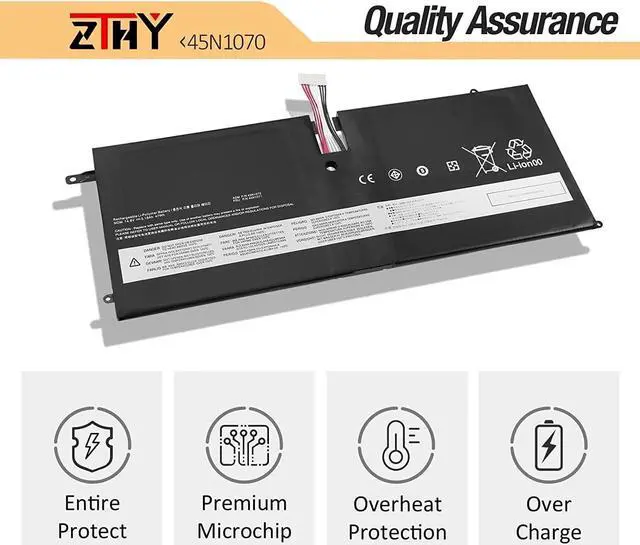
- SecurityAll ZTHY products are Certified by CE, FCC for safety. Strict guidelines for compatibility, and standards compliance for environment safety.
- ZTHY Laptop Battery Return PolicyRest assured with 30 days Refund and 12 months Replacement,also get our friendly customer service.
+
+
Overview
Specs
Reviews
Welcome to ZTHY TECH INC
We are a professional laptop battery, laptop adapter and all kinds of chargers manufacture. Dedicated to producing high quality products. We have professional sales team. To each of our customers with high quality products. Wish you have a happy shopping experience and thank you for your trust!
Compatible with: (use "ctrl+F" to find out your model quickly)
ThinkPad X1 Carbon (3443) Series:
344325C 344326C 344327C 34432AC 34432PC 34432SC 344368C 344369C 34436AC 34436BC 34436DC 34436FC 34436HC 34438BC 34438CC 34438HC 34438LC 3443A89 3443A92 3443A93 3443A94 3443A96 3443A99 3443AA1 3443AA2 3443AB1 3443AB2 3443AB3 3443CA6
ThinkPad X1 Carbon (3444) Series:
3444-25U 3444-28U 3444-2DU 3444-2GU 3444-2HU 3444-2KU 3444-4ZU 3444-52U 3444-53U 3444-54U 3444-55U 3444-56U 3444-59U 3444-5AU 3444-AWU 3444-AZU 3444-B7U 3444-B8U 3444-B9U 3444-BAU 3444-BBU 3444-BCU 3444-BDU 3444-BEU 3444-BFU 3444-CUU 3444-CWU 3444-CXU 3444-CYU 3444-F7U 3444-F8U 3444-F9U 3444-FAU 3444-FBU 3444-FCU 3444-FDU 3444-FEU 3444-FFU 3444-FGU 3444-2SC 3444-2TC 3444-48C 3444-4HC 3444-CA6 3444-56U
ThinkPad X1 Carbon (3448) Series:
3448-22U 3448-23U 3448-24U 3448-25U 3448-2MU 3448-34U 3448-35U 3448-39U 3448-3AU 3448-58U 3448-59U 3448-5AU 3448-5BU 3448-5CU 3448-5DU 3448-7FU 3448-7MU 3448-7NU 3448-7PU 3448-8RU 3448-8SU 3448-94U 3448-95U 3448-AVU 3448-AWU 3448-AXU 3448-AYU 3448-AZU 3448-B2U 3448-B3U 3448-B4U 3448-B6U 3448-B8U 3448-BBU 3448-AU9 3448-AV1 3448-AW4 3448-AZ1 3448-BV1 3448-CA6 3448-B84
ThinkPad X1 Carbon (3460) Series:
3460-22U 3460-23U 3460-24U 3460-25U 3460-34U 3460-35U 3460-36U 3460-37U 3460-58U 3460-59U 3460-5AU 3460-5BU 3460-5CU 3460-5DU 3460-9RU 3460-9SU 3460-9TU 3460-9UU 3460-9VU 3460-9WU 3460-ALU 3460-AMU 3460-AVU 3460-AWU 3460-AXU 3460-AYU 3460-AZU 3460-B2U 3460-BDU 3460-BEU 3460-BFU 3460-BGU 3460-BNU 3460-BPU 3460-BQU 3460-BRU 3460-82G 3460-7ZG 3460-AQG
ThinkPad X1 Carbon (3446)
Thinkpad X1 Carbon (3462)
Thinkpad X1 Carbon (3463)
1, You need to turn off your laptop and disconnect the power.
2, Disconnect the connection between the old battery and the motherboard to avoid unnecessary damage caused by disassembling the battery. Then unscrew the old battery screws one by one and carefully save each screw.
3, Remove the old battery, carefully install the new battery on the battery case, screw in the screw, and connect the wiring of the new battery.
4, If you don't understand the above steps, you can search for the video about laptop battery installation on YouTube. Maybe it will help you.
1) Please click ZTHY TECH, we will help you solve it.
2) Please be assured that we will take the responsibility for each product we sold.
3) 30-days after purchase, we offer a no-questions-asked return policy.
4)12 months from the date of purchase, If the product fails, we will replace it with a new one.
1) You need to turn off your laptop and disconnect the power.
2) Disconnect the connection between the old battery and the motherboard to avoid unnecessary damage caused by disassembling the battery. Then unscrew the old battery screws one by one and carefully save each screw.
3) Remove the old battery, carefully install the new battery on the battery case, screw in the screw, and connect the wiring of the new battery.
4) If you don't understand the above steps, you can search for the video about laptop battery installation on YouTube. Maybe it will help you.
1)Discharge the new battery use to 10%(not to 0%) and then charge to 95%, and cycle 3-4 times.
2) Do not disassemble, crush or puncture. Do not dispose of in fire or water.
3) If you remove the battery for a long time, charge more than 80% at least one time within one month.
4) Don't connect the adapter for a long time while using the battery. It may damage the battery.
5)When using the battery, care should be taken to prevent exposure and moisture. <
We are a professional laptop battery, laptop adapter and all kinds of chargers manufacture. Dedicated to producing high quality products. We have professional sales team. To each of our customers with high quality products. Wish you have a happy shopping experience and thank you for your trust!
Compatible with: (use "ctrl+F" to find out your model quickly)
ThinkPad X1 Carbon (3443) Series:
344325C 344326C 344327C 34432AC 34432PC 34432SC 344368C 344369C 34436AC 34436BC 34436DC 34436FC 34436HC 34438BC 34438CC 34438HC 34438LC 3443A89 3443A92 3443A93 3443A94 3443A96 3443A99 3443AA1 3443AA2 3443AB1 3443AB2 3443AB3 3443CA6
ThinkPad X1 Carbon (3444) Series:
3444-25U 3444-28U 3444-2DU 3444-2GU 3444-2HU 3444-2KU 3444-4ZU 3444-52U 3444-53U 3444-54U 3444-55U 3444-56U 3444-59U 3444-5AU 3444-AWU 3444-AZU 3444-B7U 3444-B8U 3444-B9U 3444-BAU 3444-BBU 3444-BCU 3444-BDU 3444-BEU 3444-BFU 3444-CUU 3444-CWU 3444-CXU 3444-CYU 3444-F7U 3444-F8U 3444-F9U 3444-FAU 3444-FBU 3444-FCU 3444-FDU 3444-FEU 3444-FFU 3444-FGU 3444-2SC 3444-2TC 3444-48C 3444-4HC 3444-CA6 3444-56U
ThinkPad X1 Carbon (3448) Series:
3448-22U 3448-23U 3448-24U 3448-25U 3448-2MU 3448-34U 3448-35U 3448-39U 3448-3AU 3448-58U 3448-59U 3448-5AU 3448-5BU 3448-5CU 3448-5DU 3448-7FU 3448-7MU 3448-7NU 3448-7PU 3448-8RU 3448-8SU 3448-94U 3448-95U 3448-AVU 3448-AWU 3448-AXU 3448-AYU 3448-AZU 3448-B2U 3448-B3U 3448-B4U 3448-B6U 3448-B8U 3448-BBU 3448-AU9 3448-AV1 3448-AW4 3448-AZ1 3448-BV1 3448-CA6 3448-B84
ThinkPad X1 Carbon (3460) Series:
3460-22U 3460-23U 3460-24U 3460-25U 3460-34U 3460-35U 3460-36U 3460-37U 3460-58U 3460-59U 3460-5AU 3460-5BU 3460-5CU 3460-5DU 3460-9RU 3460-9SU 3460-9TU 3460-9UU 3460-9VU 3460-9WU 3460-ALU 3460-AMU 3460-AVU 3460-AWU 3460-AXU 3460-AYU 3460-AZU 3460-B2U 3460-BDU 3460-BEU 3460-BFU 3460-BGU 3460-BNU 3460-BPU 3460-BQU 3460-BRU 3460-82G 3460-7ZG 3460-AQG
ThinkPad X1 Carbon (3446)
Thinkpad X1 Carbon (3462)
Thinkpad X1 Carbon (3463)
1, You need to turn off your laptop and disconnect the power.
2, Disconnect the connection between the old battery and the motherboard to avoid unnecessary damage caused by disassembling the battery. Then unscrew the old battery screws one by one and carefully save each screw.
3, Remove the old battery, carefully install the new battery on the battery case, screw in the screw, and connect the wiring of the new battery.
4, If you don't understand the above steps, you can search for the video about laptop battery installation on YouTube. Maybe it will help you.
1) Please click ZTHY TECH, we will help you solve it.
2) Please be assured that we will take the responsibility for each product we sold.
3) 30-days after purchase, we offer a no-questions-asked return policy.
4)12 months from the date of purchase, If the product fails, we will replace it with a new one.
1) You need to turn off your laptop and disconnect the power.
2) Disconnect the connection between the old battery and the motherboard to avoid unnecessary damage caused by disassembling the battery. Then unscrew the old battery screws one by one and carefully save each screw.
3) Remove the old battery, carefully install the new battery on the battery case, screw in the screw, and connect the wiring of the new battery.
4) If you don't understand the above steps, you can search for the video about laptop battery installation on YouTube. Maybe it will help you.
1)Discharge the new battery use to 10%(not to 0%) and then charge to 95%, and cycle 3-4 times.
2) Do not disassemble, crush or puncture. Do not dispose of in fire or water.
3) If you remove the battery for a long time, charge more than 80% at least one time within one month.
4) Don't connect the adapter for a long time while using the battery. It may damage the battery.
5)When using the battery, care should be taken to prevent exposure and moisture. <
Warranty & Returns
Warranty, Returns, And Additional Information
Warranty
- Please contact the Seller directly for warranty information. Warranty information may also be found on the Manufacturer's website.
- CONTACT
Return Policies
- Return for refund within: 30 days
- Return for replacement within: 90 days
- This item is covered by E-Transit Limited Return Policy
Manufacturer Contact Info
- For a directory of all our manufacturers, please click below.
- Manufacturers Directory
LOADING...