
Your Browsing History
- Free 30-day Returns
$114.99
Ships from Hong Kong.
Sold by E-Transit Limited
Shipped by E-Transit Limited

Meet Your Seller

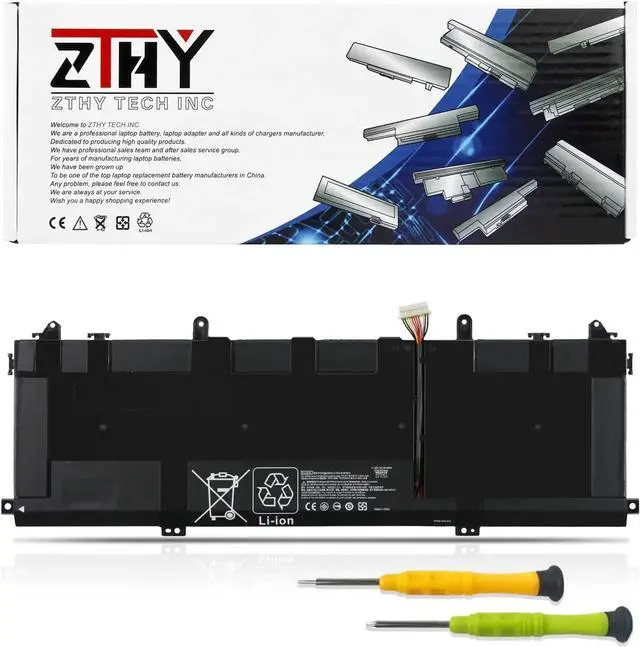
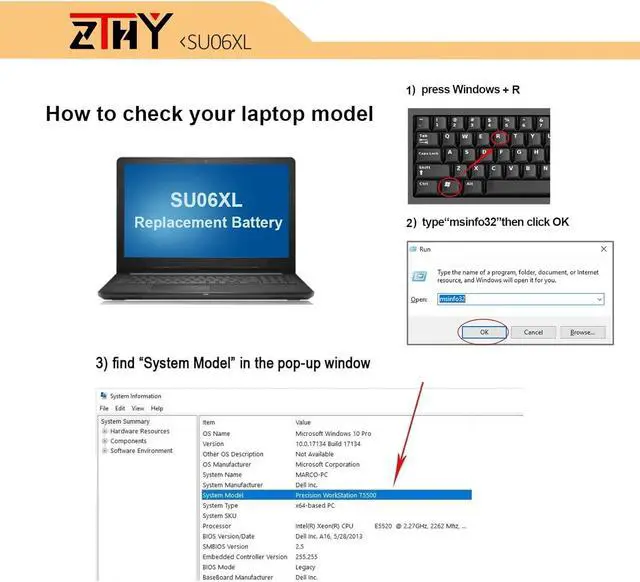
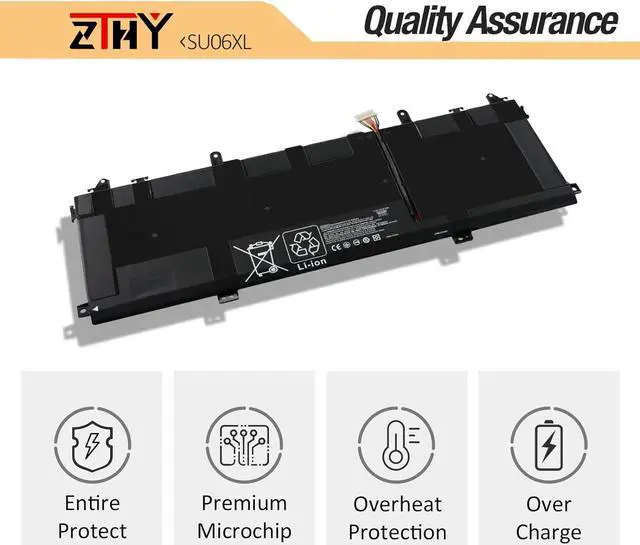
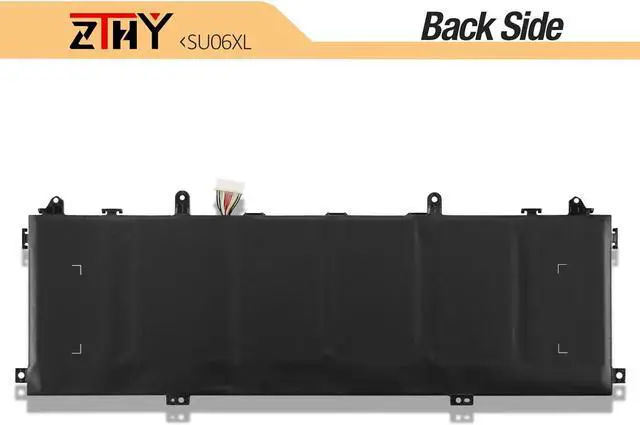
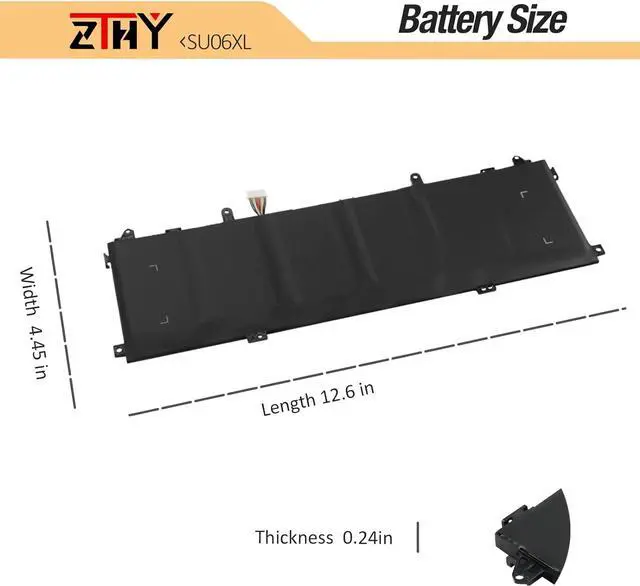


ZTHY New 84.08Wh SU06XL Battery Replacement for HP Spectre X360 15-DF000 15T-DF000 15-DF0XXX 15-DF1XXX 15T-DF100 15-DF0013DX 15-df1033dx DF0033DX DF1043DX HSTNN-DB8W L29048-271 L29184-005 SU06084XL
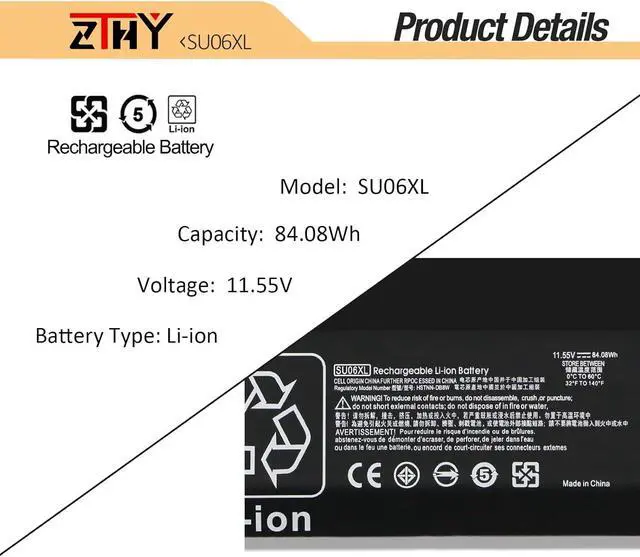
- SpecificationBattery type: Li-ion. Color: Black. Voltage: 11.55V. Capacity: 84.08Wh/6-Cell. New from Manufacturer
- Replace Part Number: SU06XL HSTNN-DB8W L29048-271 L29184-005 SU06084XL
- Compatible Models: Replacement for HP Spectre X360 15-DF0000 15-DF0000NF 15-DF0000NO 15-DF0000NV 15-DF0000NX 15-DF0000TX 15-DF0005TX 15-DF0011NF 15-DF0025NA 15-DF0044NB 15-DF0757NZ 15-DF0999NB 15-DF0XXX 15-DF1XXX 15T-DF100 15-DF0013DX 15-df1033dx 15-DF0033DX 15-DF1043DX 15-DF0043DX 15-DF0070NR Series; Replacement for HP Spectre X360 15 Late 2019 15-5ZV31AV Convertible PC Series
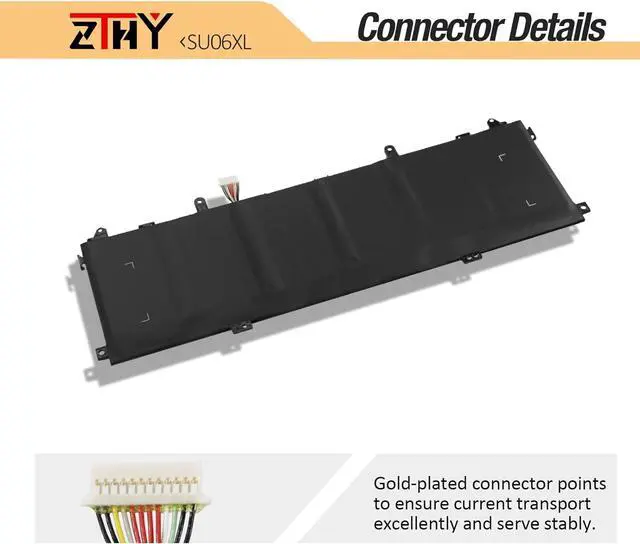
- Note: If you install the battery, you find that the laptop cannot detect the battery or the battery level cannot be displayed normally. Please check whether the battery cable is installed properly. Sometimes the battery cannot be charged because the cable is not fixed properly.
- Note: If the new battery is not recognized during the initial installation, please reinstall and check if the interface is fully connected. Discharge
+
+
Overview
Specs
Reviews
SpecificationBattery type: Li-ion. Color: Black. Voltage: 11.55V. Capacity: 84.08Wh/6-Cell. New from Manufacturer
Replace Part Number: SU06XL HSTNN-DB8W L29048-271 L29184-005 SU06084XL
Compatible Models: Replacement for HP Spectre X360 15-DF0000 15-DF0000NF 15-DF0000NO 15-DF0000NV 15-DF0000NX 15-DF0000TX 15-DF0005TX 15-DF0011NF 15-DF0025NA 15-DF0044NB 15-DF0757NZ 15-DF0999NB 15-DF0XXX 15-DF1XXX 15T-DF100 15-DF0013DX 15-df1033dx 15-DF0033DX 15-DF1043DX 15-DF0043DX 15-DF0070NR Series; Replacement for HP Spectre X360 15 Late 2019 15-5ZV31AV Convertible PC Series
Note: If you install the battery, you find that the laptop cannot detect the battery or the battery level cannot be displayed normally. Please check whether the battery cable is installed properly. Sometimes the battery cannot be charged because the cable is not fixed properly.
Note: If the new battery is not recognized during the initial installation, please reinstall and check if the interface is fully connected. Discharge the new battery to 10-20% (not 0%), then charge and cycle 3-4 times to wake up the new battery
Replace Part Number: SU06XL HSTNN-DB8W L29048-271 L29184-005 SU06084XL
Compatible Models: Replacement for HP Spectre X360 15-DF0000 15-DF0000NF 15-DF0000NO 15-DF0000NV 15-DF0000NX 15-DF0000TX 15-DF0005TX 15-DF0011NF 15-DF0025NA 15-DF0044NB 15-DF0757NZ 15-DF0999NB 15-DF0XXX 15-DF1XXX 15T-DF100 15-DF0013DX 15-df1033dx 15-DF0033DX 15-DF1043DX 15-DF0043DX 15-DF0070NR Series; Replacement for HP Spectre X360 15 Late 2019 15-5ZV31AV Convertible PC Series
Note: If you install the battery, you find that the laptop cannot detect the battery or the battery level cannot be displayed normally. Please check whether the battery cable is installed properly. Sometimes the battery cannot be charged because the cable is not fixed properly.
Note: If the new battery is not recognized during the initial installation, please reinstall and check if the interface is fully connected. Discharge the new battery to 10-20% (not 0%), then charge and cycle 3-4 times to wake up the new battery
Warranty & Returns
Warranty, Returns, And Additional Information
Warranty
- Please contact the Seller directly for warranty information. Warranty information may also be found on the Manufacturer's website.
- CONTACT
Return Policies
- Return for refund within: 30 days
- Return for replacement within: 90 days
- This item is covered by E-Transit Limited Return Policy
Manufacturer Contact Info
- For a directory of all our manufacturers, please click below.
- Manufacturers Directory
LOADING...