


- Free 30-day Returns
$108.99
Ships from Hong Kong.
Sold by E-Transit Limited
Shipped by E-Transit Limited

Meet Your Seller

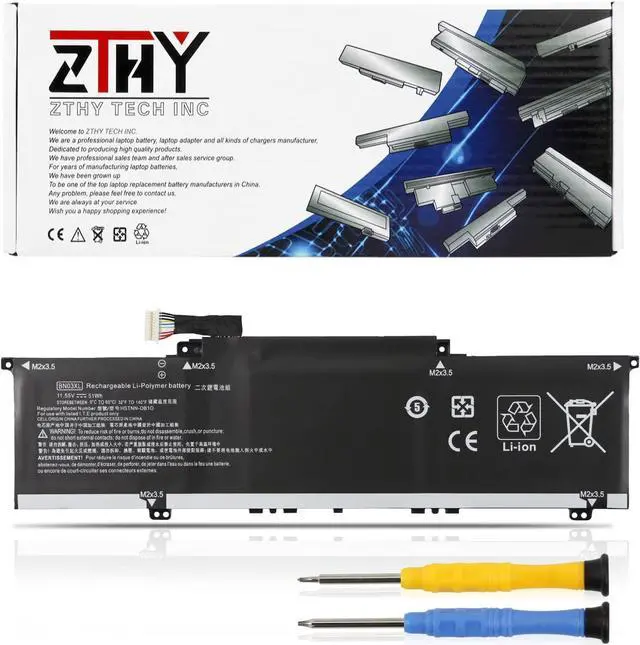
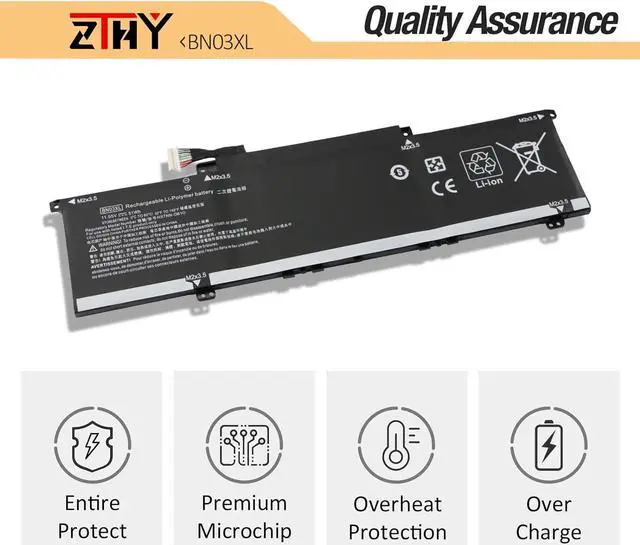
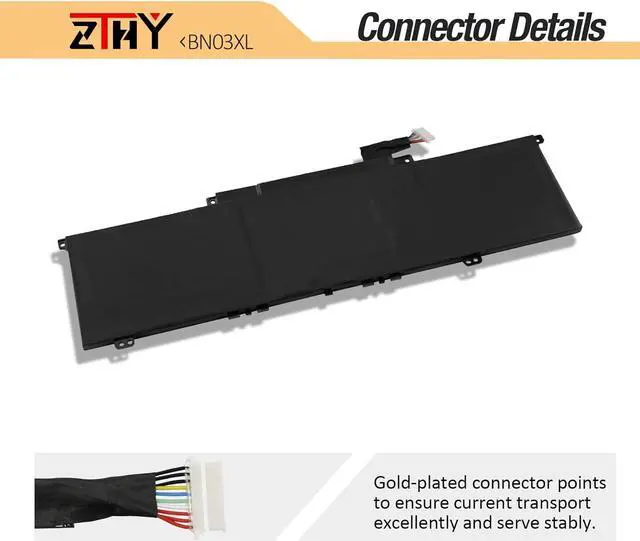
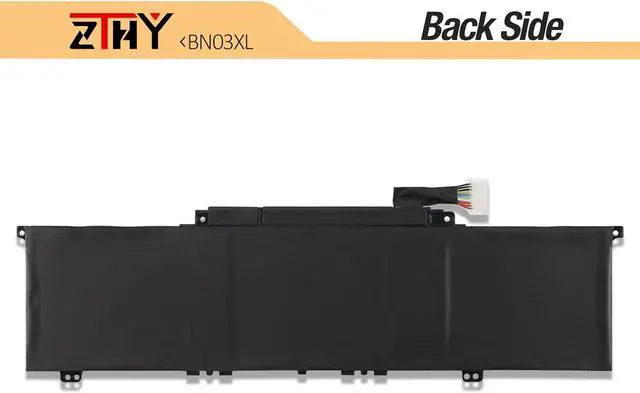
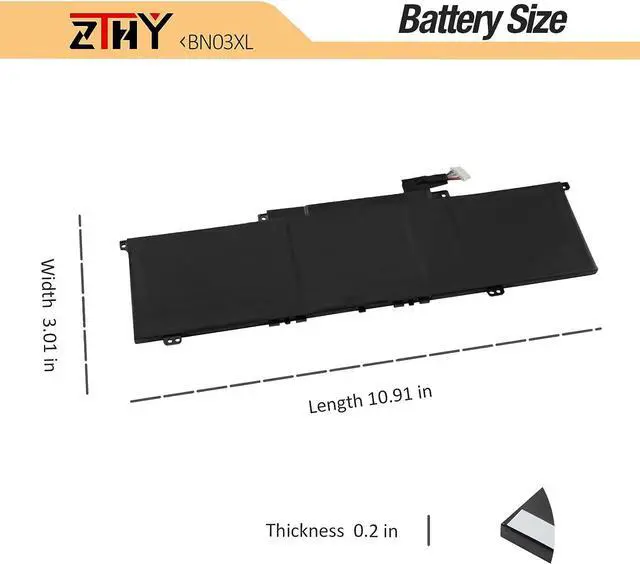


ZTHY 51Wh BN03XL L77034-005 Laptop Battery Replacement for HP Envy X360 Convertible 15-ED 15-EE 15-ES 13-BA 13-AY Series 15m-ee0xxx 15m-ed1xxx 15m-es1023dx 15-ed1055wm 15m-ee013dx 15m-ee0023dx
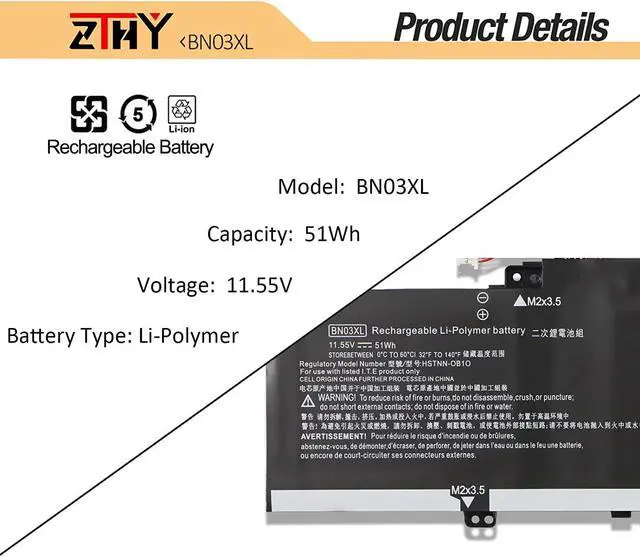
- SpecificationsBattery Type: Li-polymer; Voltage: 11.55V; Capacity: 51Wh; Battery life: Up to 500 recharge cycles over the life of the battery.
- Compatible Part Number BN03XL L76965-271 HSTNN-DB9N HSTNN-OB1O L73965-271 L76965-2C1 L76965-AC1 L76985-271 L77034-005 L770374-005.
- Compatible ModelsReplacement for HP Envy X360 13-AY 13Z-AY 13-BA 13T-BA 13-BD 13T-BD 13M-BD Series: 13-ba0xxx 13-ba1093cl 13-ba1095cl 13-ba1063cl 13-AY0xxx 13m-bd0xxx 13m-bd1xxx 13-ay0065AU 13-ba0004nu 13-ay1035nr 13-ay0055cl 13-ay0009na 15-ed0007na 13-ay0001nc 13-ay0002nd 15-ed0009TX 13-ay0075nr 13-ar0082au 13-ay0021nf 13-ay0010nr 13-ay0003nf 13-ba0003nu 13-ay0008na 13-ay0004nc 13-ay0021nr 13-ay0360ng 13-ay0007ca 13-ay0378ng 13-ay0000 13-ba0010nr 13-ay0055cl 13-BD0504SA.
- Compatible ModelsReplacement for HP Envy X360 15M-ED 15T-ED 15-EU 15z-eu 15M-EU 15-EE 15M-EE 15Z-EE 15-ES 15T-ES Series: 15-ed0xxx 15T-ED0xxx 15-EU0XXX 15-ee0257ng 15-ed0006TX 15-ES0709NZ 15z-eu000 15-EU0006UR 15-EU0175NG 15-EE0000UR 15-
+
+
Overview
Specs
Reviews
Compatible with Part Numbers:
BN03XL L76965-271 HSTNN-DB9N HSTNN-OB1O L73965-271 L76965-2C1 L76965-AC1 L76985-271 L77034-005 L770374-005.
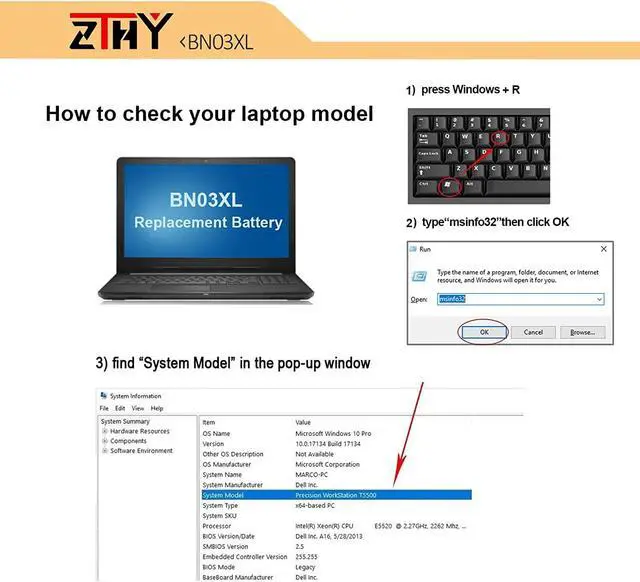
Compatible Model Numbers (please use ctrl+f to search for your laptop model):
HP Envy X360 13-AY0000 13Z-AY0000 13-BA0000 13T-BA0000 13-BD000 13T-BD0000 13M-BD0000 Series.
HP Envy X360 13-AY0065AU 13-AY0136AU 13-AY0522AU 13-AY0006CA 13-AY0007CA 13-AY0055CL 13-AY0001LA 13-AY0201LA 13-AY0008NA 13-AY0009NA 13-AY0001NC 13-AY0002ND 13-AY0003NF 13-AY0360NG 13-AY0010NR 13-AY0021NR 13-AY0021NF 13-AY0004NC 13-AY0378NG 13-AY0000 13-AY0075NR.
HP ENVY X360 13Z-AY000 13Z-AY100.
HP Envy X360 13-BA0001CA 13-BA0045CL 13-BA1124LA 13-BA0010NR 13-BA0025OD 13-BA0001TU 13-BA0047WM 13-BA0004NU 13-BA0003NU.
HP ENVY X360 13T-BA000 13T-BA100.
HP ENVY X360 13-BD0033DX 13-BD0060TU 13-BD0500TU 13-BD0525TU 13-BD1000TU.
HP ENVY X360 13T-BD000 13T-BD100.
HP ENVY X360 13M-BD0XXX 13m-bd1000 13M-BD0023DX 13M-BD0033DX 13M-BD0063DX.
HP Envy X360 15-ED0000 15M-ED0000 15T-ED0000 15-EU0000 15-EU0000 15Z-EU0000 15M-EU0000 15-EE0000 15M-EE0000 15M-ES0000 15Z-EE0000 15-ES0000 15T-ES0000 Series.
HP ENVY X360 15-ED0000 15Z-EU000 15-ED0003CA 15-ED0001LA 15-ED1052MS 15-ED0007NA 15-ED0047NR 15-ED0006TX 15-ED1055WM 15-ED0009TX.
HP ENVY X360 15M-ED0013DX 15M-ED1013DX.
HP ENVY X360 15T-ED000 15T-ED100.
HP ENVY X360 15-EU0000 15-EU0003CA 15-EU0033DX 15-EU0097NR.
HP ENVY X360 15M-EU0013DX 15M-EU0023DX 15M-EU0XXX.
HP ENVY X360 15-EE0000 15-EE0500AU 15-EE0003CA 15-EE1083CL 15-EE0257NG 15-EE0047NR.
HP ENVY X360 15M-ES0013DX 15M-ES1013DX.
HP ENVY X360 15Z-EE000 15Z-EE100 15Z-EU000.
HP ENVY X360 15-ES0000 15-ES0003CA 15-ES0097NR 15-ES0000TX 15-ES1000TU.
HP ENVY X360 15T-ES000 15T-ES100 and more.
1, You need to turn off your laptop and disconnect the power.
2, Disconnect the connection between the old battery and the motherboard to avoid unnecessary damage caused by disassembling the battery. Then unscrew the old battery screws one by one and carefully save each screw.
3, Remove the old battery, carefully install the new battery on the battery case, screw in the screw, and connect the wiring of the new battery.
1) Please click ZTHY TECH, we will help you solve it.
2) Please be assured that we will take the responsibility for each product we sold.
3) 30-days after purchase, we offer a no-questions-asked return policy.
4)12 months from the date of purchase, If the product fails, we will replace it with a new one.
1) You need to turn off your laptop and disconnect the power.
2) Disconnect the connection between the old battery and the motherboard to avoid unnecessary damage caused by disassembling the battery. Then unscrew the old battery screws one by one and carefully save each screw.
3) Remove the old battery, carefully install the new battery on the battery case, screw in the screw, and connect the wiring of the new battery.
4) If you don't understand the above steps, you can search for the video about laptop battery installation on YouTube. Maybe it will help you.
1)Discharge the new battery use to 10%(not to 0%) and then charge to 95%, and cycle 3-4 times.
2) Do not disassemble, crush or puncture. Do not dispose of in fire or water.
3) If you remove the battery for a long time, charge more than 80% at least one time within one month.
4) Don't connect the adapter for a long time while using the battery. It may damage the battery.
5)When using the battery, care should be taken to prevent exposure and moisture.
1) Could be caused by battery loss. Please re-install the battery and make sure that the battery cable and the motherboard interface are tightly inserted.
2) Maybe due to conductive material damage which the laptop motherboard and battery anode and cathode contact position, you can try to confirm it with your original battery.
3) Check whethe
BN03XL L76965-271 HSTNN-DB9N HSTNN-OB1O L73965-271 L76965-2C1 L76965-AC1 L76985-271 L77034-005 L770374-005.
Compatible Model Numbers (please use ctrl+f to search for your laptop model):
HP Envy X360 13-AY0000 13Z-AY0000 13-BA0000 13T-BA0000 13-BD000 13T-BD0000 13M-BD0000 Series.
HP Envy X360 13-AY0065AU 13-AY0136AU 13-AY0522AU 13-AY0006CA 13-AY0007CA 13-AY0055CL 13-AY0001LA 13-AY0201LA 13-AY0008NA 13-AY0009NA 13-AY0001NC 13-AY0002ND 13-AY0003NF 13-AY0360NG 13-AY0010NR 13-AY0021NR 13-AY0021NF 13-AY0004NC 13-AY0378NG 13-AY0000 13-AY0075NR.
HP ENVY X360 13Z-AY000 13Z-AY100.
HP Envy X360 13-BA0001CA 13-BA0045CL 13-BA1124LA 13-BA0010NR 13-BA0025OD 13-BA0001TU 13-BA0047WM 13-BA0004NU 13-BA0003NU.
HP ENVY X360 13T-BA000 13T-BA100.
HP ENVY X360 13-BD0033DX 13-BD0060TU 13-BD0500TU 13-BD0525TU 13-BD1000TU.
HP ENVY X360 13T-BD000 13T-BD100.
HP ENVY X360 13M-BD0XXX 13m-bd1000 13M-BD0023DX 13M-BD0033DX 13M-BD0063DX.
HP Envy X360 15-ED0000 15M-ED0000 15T-ED0000 15-EU0000 15-EU0000 15Z-EU0000 15M-EU0000 15-EE0000 15M-EE0000 15M-ES0000 15Z-EE0000 15-ES0000 15T-ES0000 Series.
HP ENVY X360 15-ED0000 15Z-EU000 15-ED0003CA 15-ED0001LA 15-ED1052MS 15-ED0007NA 15-ED0047NR 15-ED0006TX 15-ED1055WM 15-ED0009TX.
HP ENVY X360 15M-ED0013DX 15M-ED1013DX.
HP ENVY X360 15T-ED000 15T-ED100.
HP ENVY X360 15-EU0000 15-EU0003CA 15-EU0033DX 15-EU0097NR.
HP ENVY X360 15M-EU0013DX 15M-EU0023DX 15M-EU0XXX.
HP ENVY X360 15-EE0000 15-EE0500AU 15-EE0003CA 15-EE1083CL 15-EE0257NG 15-EE0047NR.
HP ENVY X360 15M-ES0013DX 15M-ES1013DX.
HP ENVY X360 15Z-EE000 15Z-EE100 15Z-EU000.
HP ENVY X360 15-ES0000 15-ES0003CA 15-ES0097NR 15-ES0000TX 15-ES1000TU.
HP ENVY X360 15T-ES000 15T-ES100 and more.
1, You need to turn off your laptop and disconnect the power.
2, Disconnect the connection between the old battery and the motherboard to avoid unnecessary damage caused by disassembling the battery. Then unscrew the old battery screws one by one and carefully save each screw.
3, Remove the old battery, carefully install the new battery on the battery case, screw in the screw, and connect the wiring of the new battery.
1) Please click ZTHY TECH, we will help you solve it.
2) Please be assured that we will take the responsibility for each product we sold.
3) 30-days after purchase, we offer a no-questions-asked return policy.
4)12 months from the date of purchase, If the product fails, we will replace it with a new one.
1) You need to turn off your laptop and disconnect the power.
2) Disconnect the connection between the old battery and the motherboard to avoid unnecessary damage caused by disassembling the battery. Then unscrew the old battery screws one by one and carefully save each screw.
3) Remove the old battery, carefully install the new battery on the battery case, screw in the screw, and connect the wiring of the new battery.
4) If you don't understand the above steps, you can search for the video about laptop battery installation on YouTube. Maybe it will help you.
1)Discharge the new battery use to 10%(not to 0%) and then charge to 95%, and cycle 3-4 times.
2) Do not disassemble, crush or puncture. Do not dispose of in fire or water.
3) If you remove the battery for a long time, charge more than 80% at least one time within one month.
4) Don't connect the adapter for a long time while using the battery. It may damage the battery.
5)When using the battery, care should be taken to prevent exposure and moisture.
1) Could be caused by battery loss. Please re-install the battery and make sure that the battery cable and the motherboard interface are tightly inserted.
2) Maybe due to conductive material damage which the laptop motherboard and battery anode and cathode contact position, you can try to confirm it with your original battery.
3) Check whethe
Warranty & Returns
Warranty, Returns, And Additional Information
Warranty
- Please contact the Seller directly for warranty information. Warranty information may also be found on the Manufacturer's website.
- CONTACT
Return Policies
- Return for refund within: 30 days
- Return for replacement within: 90 days
- This item is covered by E-Transit Limited Return Policy
Manufacturer Contact Info
- For a directory of all our manufacturers, please click below.
- Manufacturers Directory
LOADING...