


- Free 30-day Returns
$110.99
Ships from Hong Kong.
Sold by E-Transit Limited
Shipped by E-Transit Limited

Meet Your Seller

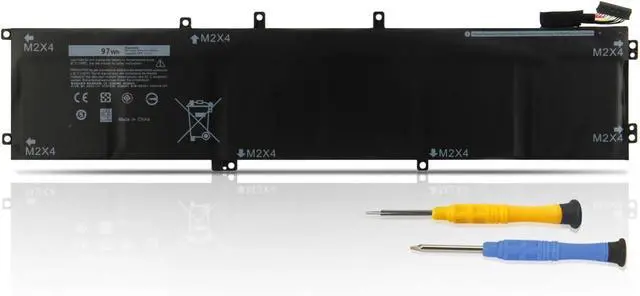
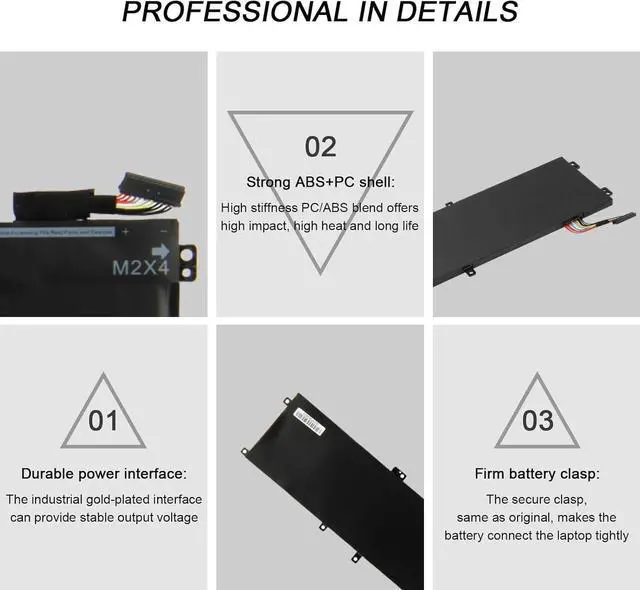
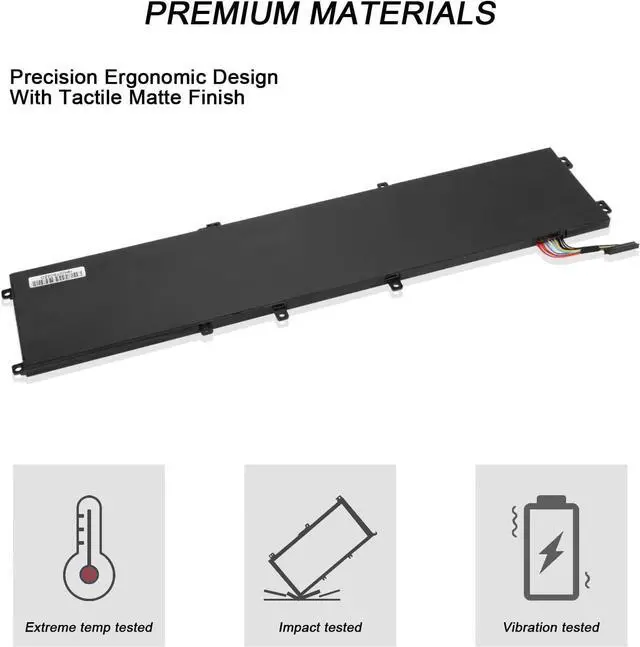
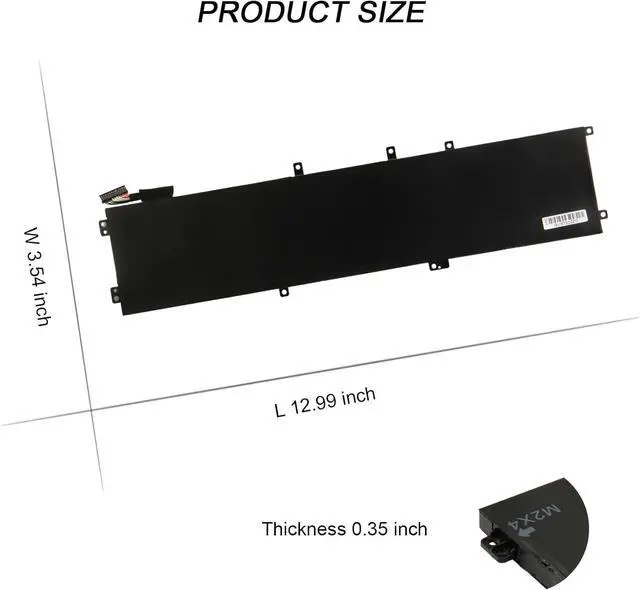


97Wh 6GTPY Battery Replacement for Dell XPS 15 9550 9560 9570 7590,Precision 15 5510 5520 5530 5540 M5510 M5520 Workstation,Vostro 7500,GPM03 5XJ28 5D91C 5041C 05041C 15-9560-D1545 D1645 D1745 P56F002
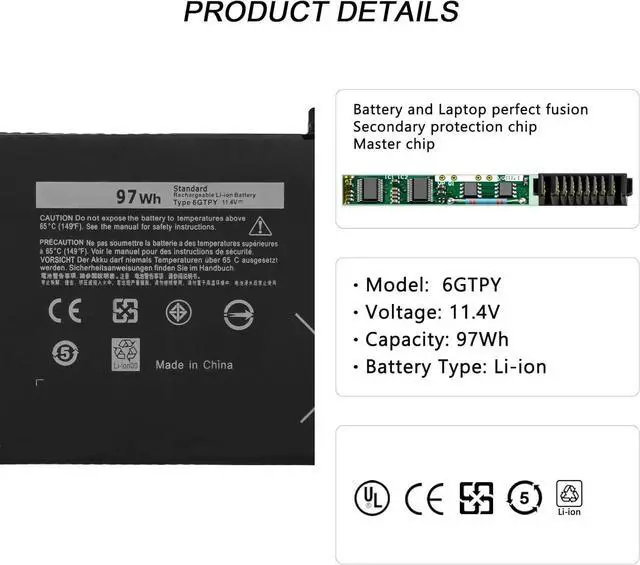
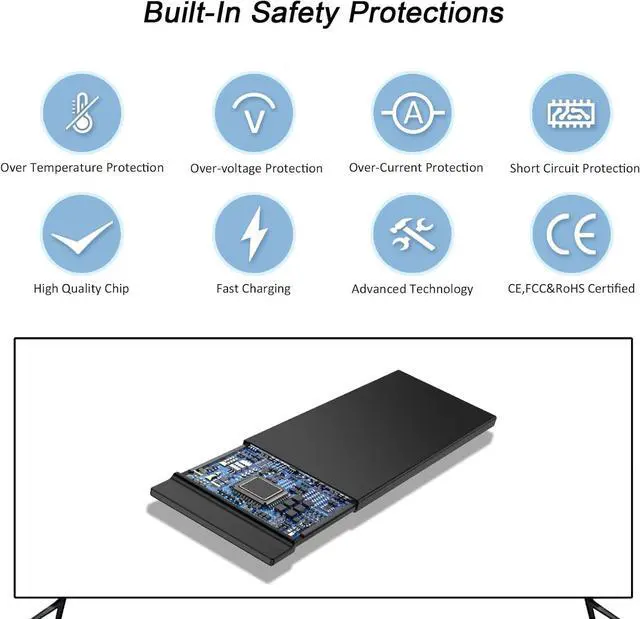
- Specifications: Model name : 6GTPY; Battery Type: Li-ion; Capacity:97Wh Cells: 6-A+cells; Voltage: 11.4V, Color: Black with Free Screwdrivers 100% brand new. Each of our product is CE-/FCC-/RoHS-Certified
- Compatible Laptop Models: Dell XPS 15 2017 9560;Dell XPS 9550 2015;Dell XPS 15 2018 9570 Series;Dell XPS 15 7590 Series;Dell XPS 15 9570 2018 XPS 15 9560 2017 I7-7700HQ XPS 15 7590; Dell Vostro 7500 Series;Dell Precision 5520 M5520 Workstation Series;Dell Precision 5530 M5530 Workstation Series;Dell Precision 5540 M5540 Workstation Series, Dell Precision 5510 M5510 Workstation Series
- Compatible Part Number: 6GTPY 5041C 05041C 5D91C 5XJ28 GPM03 P56F002 P56F001 P56F, Dell XPS 15-9560-D1745 15-9560-D1845T 15-9570-D1501 15-9570-D1741 15-9560-D1845T 15-9560-D1645 15-9560-D1545 15-9560-D1845 15-9570-D1541 15-9570-D1945T 15-9570- D1841 15-9570-D1845 15-9570-D1501 15-9570-D1741 15-9570-D1605 15-9570-D1941T
- Quality Assurance: 100% new from manufacturer, every battery has passed factory tes
+
+
Overview
Specs
Reviews
Specifications:
Battery Type: Li-ion
Voltage: 11.4V
Capacity: 97WH/6CELL
Certificate: CE,RoHS,FCC
Condition: 100% New from Manufacturer, Grade A Cell
NOTE: If your laptop has a 2.5" SSD or HDD,you should choose the 56WHr/3 Cell H5H20 battery.
But if you get the 97WH /6 Cell 6GTPY battery you won't be able to install a second SSD/HDD.
Compatible Part Numbers:
05041C 5041C 5D91C 5XJ28 6GTPY
Compatible Laptop Modelsuse "Ctrl+F to find your model quickly"):
For Dell XPS 15 9560 Series:
XPS 15 2017 9560, XPS 15 9560 i7-7700HQ, XPS 15-9560-D1745,
XPS 15-9560-D1845T, XPS 15-9560-D1645, XPS 15-9560-D1545, XPS 15-9560-D1845;
For Dell XPS 15 9570 Series:
XPS 15 2018 9570, XPS 15-9570-D1541, XPS 15-9570-D1945T,
XPS 15-9570-D1841, XPS 15-9570 -D1845, XPS 15-9570-D1501,
XPS 15-9570-D1741, XPS 15-9570-D1605, XPS 15 9570 i7 UHD,
XPS 15-9570-D1941T, XPS 15 -9570;
For Dell Precision M5520 5520 Workstation Series;
For Dell Precision 5530 Xeon E-2176M Workstation Series;
For Dell XPS 15 7590 Series
For Laptop Maintenance:
1. Fully Activation: First use the new battery, youd better try a few cycles of discharging to 5%. Then charging up to 95%. So that it can be activated completely.
2. Overuse to 0% is Not Recommended: Frequently Running out of a battery to 0% would make it damaged or usage life shortened.
3. When charging, first install the battery, then turn on the power. When fully charged, first cut off the power, then pull the power plug.
4. Please store the unused battery fully charged.(Charge it once a month) Low battery storage will lead to a shorter battery life.
Battery Type: Li-ion
Voltage: 11.4V
Capacity: 97WH/6CELL
Certificate: CE,RoHS,FCC
Condition: 100% New from Manufacturer, Grade A Cell
NOTE: If your laptop has a 2.5" SSD or HDD,you should choose the 56WHr/3 Cell H5H20 battery.
But if you get the 97WH /6 Cell 6GTPY battery you won't be able to install a second SSD/HDD.
Compatible Part Numbers:
05041C 5041C 5D91C 5XJ28 6GTPY
Compatible Laptop Modelsuse "Ctrl+F to find your model quickly"):
For Dell XPS 15 9560 Series:
XPS 15 2017 9560, XPS 15 9560 i7-7700HQ, XPS 15-9560-D1745,
XPS 15-9560-D1845T, XPS 15-9560-D1645, XPS 15-9560-D1545, XPS 15-9560-D1845;
For Dell XPS 15 9570 Series:
XPS 15 2018 9570, XPS 15-9570-D1541, XPS 15-9570-D1945T,
XPS 15-9570-D1841, XPS 15-9570 -D1845, XPS 15-9570-D1501,
XPS 15-9570-D1741, XPS 15-9570-D1605, XPS 15 9570 i7 UHD,
XPS 15-9570-D1941T, XPS 15 -9570;
For Dell Precision M5520 5520 Workstation Series;
For Dell Precision 5530 Xeon E-2176M Workstation Series;
For Dell XPS 15 7590 Series
For Laptop Maintenance:
1. Fully Activation: First use the new battery, youd better try a few cycles of discharging to 5%. Then charging up to 95%. So that it can be activated completely.
2. Overuse to 0% is Not Recommended: Frequently Running out of a battery to 0% would make it damaged or usage life shortened.
3. When charging, first install the battery, then turn on the power. When fully charged, first cut off the power, then pull the power plug.
4. Please store the unused battery fully charged.(Charge it once a month) Low battery storage will lead to a shorter battery life.
Warranty & Returns
Warranty, Returns, And Additional Information
Warranty
- Please contact the Seller directly for warranty information. Warranty information may also be found on the Manufacturer's website.
- CONTACT
Return Policies
- Return for refund within: 30 days
- Return for replacement within: 90 days
- This item is covered by E-Transit Limited Return Policy
Manufacturer Contact Info
- For a directory of all our manufacturers, please click below.
- Manufacturers Directory
LOADING...