


- Free 30-day Returns
$108.99
Ships from Hong Kong.
Sold by E-Transit Limited
Shipped by E-Transit Limited

Meet Your Seller

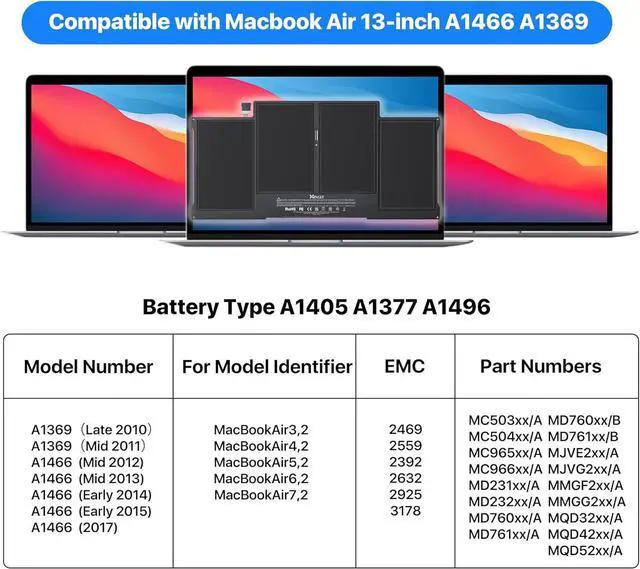
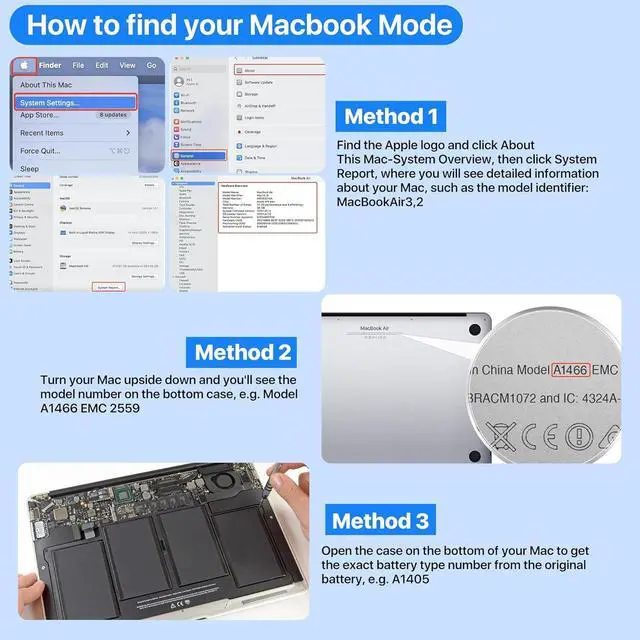



Higher Capacity 8000+mAh Replacement Laptop Battery for MacBook Air 13 inch A1466 Battery(Mid 2012, Mid 2013, Early 2014, Early 2015,2017) A1369(Late 2010, Mid 2011 Version) fits A1496 A1405 A1377
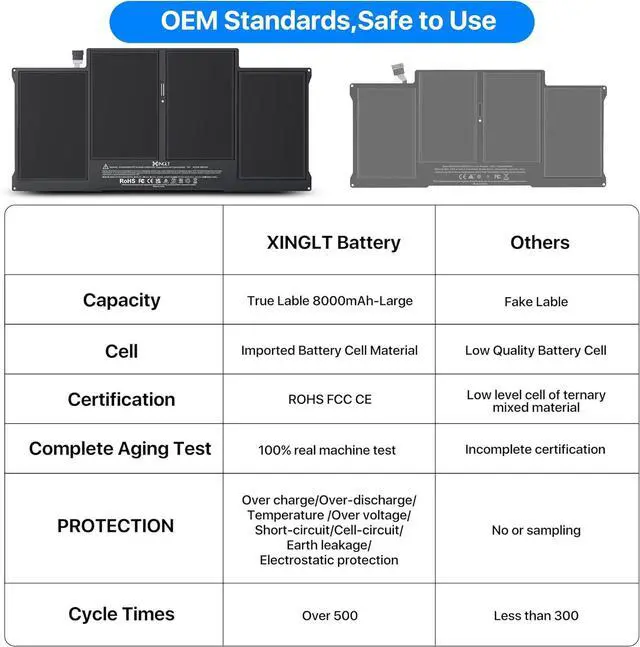
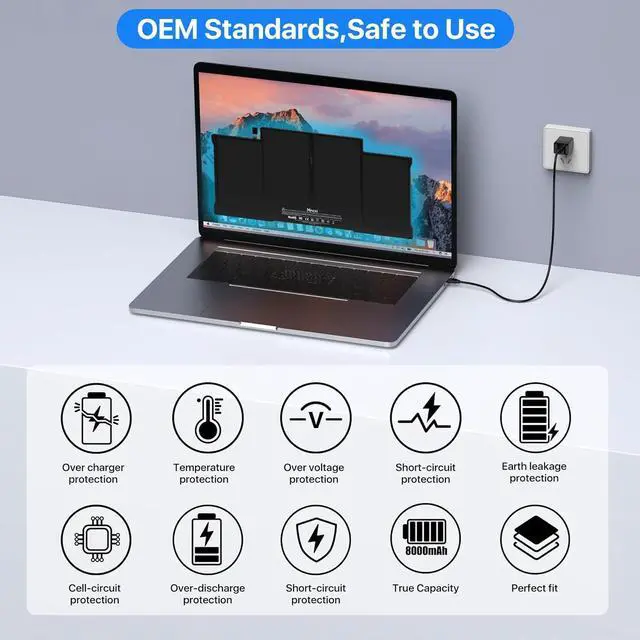
- XINGLT MacBook Air Battery: [New Upgraded 3.0, Japan Electric Core, Cobalt Proportion: 99%]. Cobalt: 99%, The higher the proportion of cobalt, the better the performance of the battery. The manufacturing standards and testing standard are the same as those of the original battery supplier.
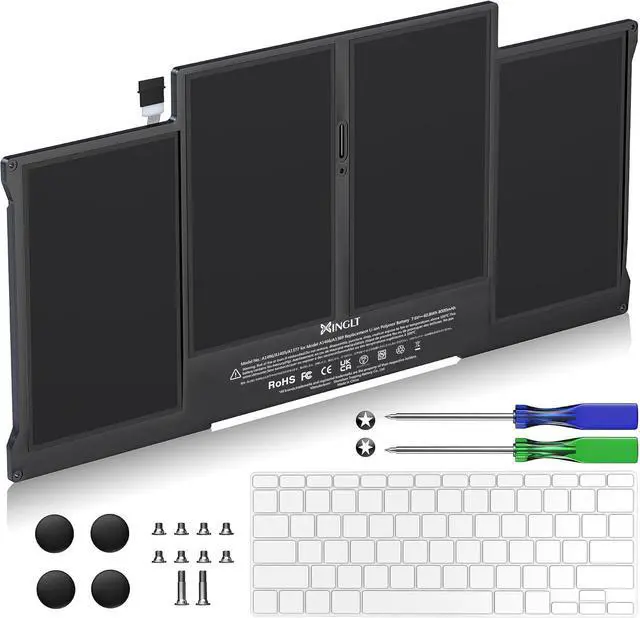
- New Upgrade 3.0 Quality: Battery for macbook air 13 inch with Japan High Performance Electric Core, 8000mAh Voltage:7.4V Capacity: 53.28Wh(Compatible with 7.6V/55Wh and 7.4V/53.28Wh) Package include: 1 x Macbook battery; 1 x keyboard protective film; 2 x screwdrivers; 4 x helper mat; 10 x replacement screws.
- After sale and Operation time: consistent with the new original battery life, even more than the original battery. Up to 500 recharge cycles over the life of the battery. 25 Months After sale (Normal capacity loss is not covered by the After sale) 30 days money return service and 24/7 Email customer support
- Replacement Battery for MacBook Air: Made for MacBook Air 13 inch A1466 (Mid 2012, Mid
+
+
Overview
Specs
Reviews
1.If you have any issues, questions or concerns, please feel free to inform us,we promise to resolve the problem within 24 hours.
2.We have 30 days money-back policy.
3.If the product fails within 12 months from the date of purchase, we will replace it with a new one.
When using the battery for the first time, to optimize battery performance, charge the battery for 12 hours with the laptop turned off, then drain the battery to 7% of its remaining capacity and repeat the full charge cycle 3 to 5 times to fully engage and optimize the performance of the battery over its lifetime.
As for the charge is depleting quickly- there is a virtual electricity existence for the first installation. The computer has not been fully calibrated. After using 5-10 cycles, the computer will be automatically calibrated.
What should we do if we receive defective product? How to optimize the battery performance? Why does the battery run out of power quickly when charging for the first time?
2.We have 30 days money-back policy.
3.If the product fails within 12 months from the date of purchase, we will replace it with a new one.
When using the battery for the first time, to optimize battery performance, charge the battery for 12 hours with the laptop turned off, then drain the battery to 7% of its remaining capacity and repeat the full charge cycle 3 to 5 times to fully engage and optimize the performance of the battery over its lifetime.
As for the charge is depleting quickly- there is a virtual electricity existence for the first installation. The computer has not been fully calibrated. After using 5-10 cycles, the computer will be automatically calibrated.
What should we do if we receive defective product? How to optimize the battery performance? Why does the battery run out of power quickly when charging for the first time?
Warranty & Returns
Warranty, Returns, And Additional Information
Warranty
- Please contact the Seller directly for warranty information. Warranty information may also be found on the Manufacturer's website.
- CONTACT
Return Policies
- Return for refund within: 30 days
- Return for replacement within: 90 days
- This item is covered by E-Transit Limited Return Policy
Manufacturer Contact Info
- For a directory of all our manufacturers, please click below.
- Manufacturers Directory
LOADING...