


- Free 30-day Returns
$138.99
Ships from Hong Kong.
Sold by E-Transit Limited
Shipped by E-Transit Limited

Meet Your Seller

Sponsored Products
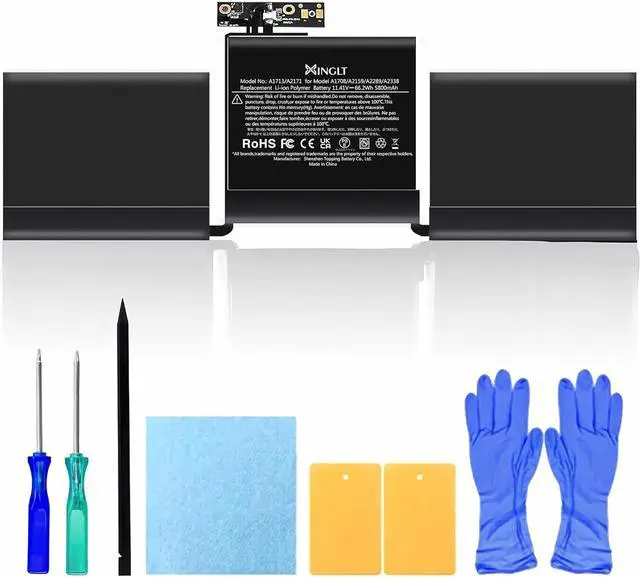
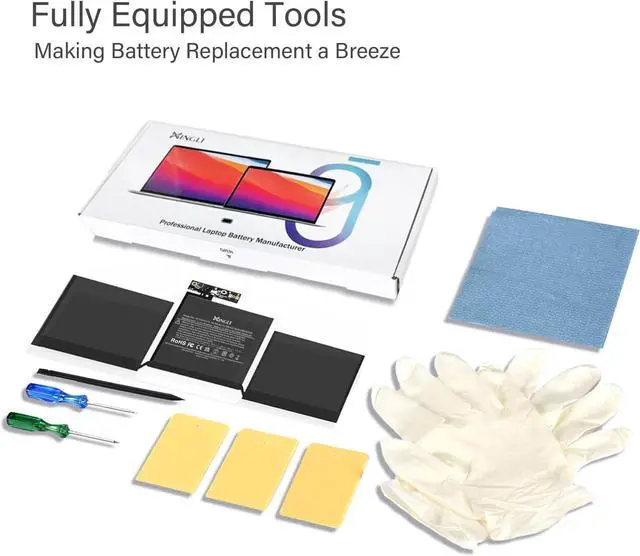


5800mAh A2159 A1708 Battery Replacement Laptop for A1708 MacBook Pro 13 Inch Battery A2289 5800mAh(Late 2016 Mid 2017) A2159 (2019) A2289 A2338(2020)
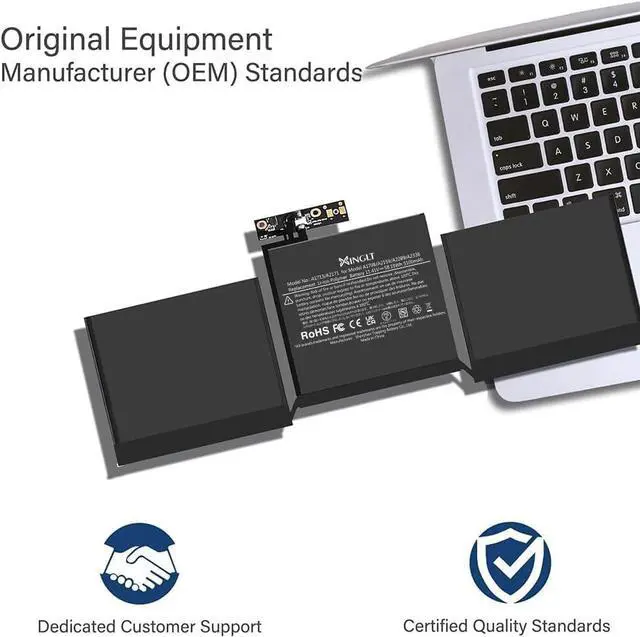
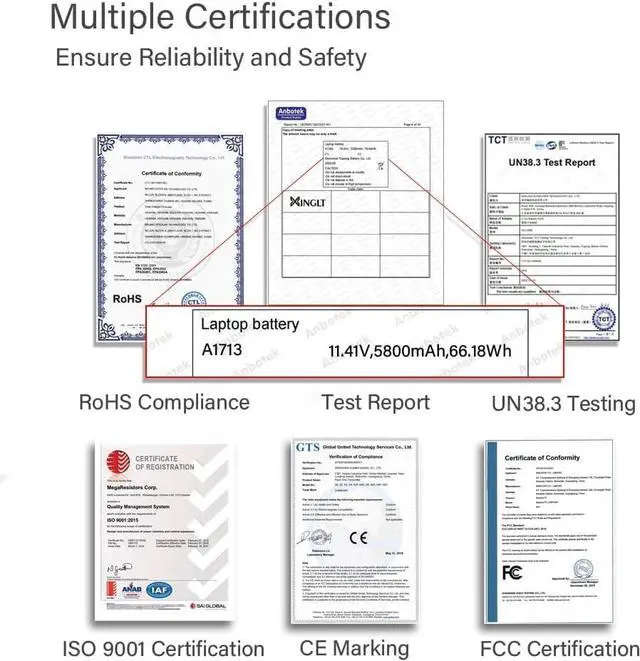
- XINGLT MacBook Pro Battery: [New Upgraded 3.0, Japan Electric Core, Cobalt Proportion: 99%]. Cobalt: 99%, The higher the proportion of cobalt, the better the performance of the battery. The manufacturing standards and testing standards are the same as those of the original battery supplier.
- A1708 Battery: Battery compatible with Macbook Pro 13 inch with Japan High-Performance Electric Core, 4781mAh Voltage:11.4V Capacity: 54.5Wh (Compatible with 5103mAh 11.4V 58.2Wh)
- After-Sale and OperationTime: Consistent with the new original battery life, even more than the original battery. Up to 500 recharge cycles over the life of the battery. 12 Months After-sale (Normal capacity loss is not covered by the After-sale) 30 days money return service and 24/7 Email customer support.
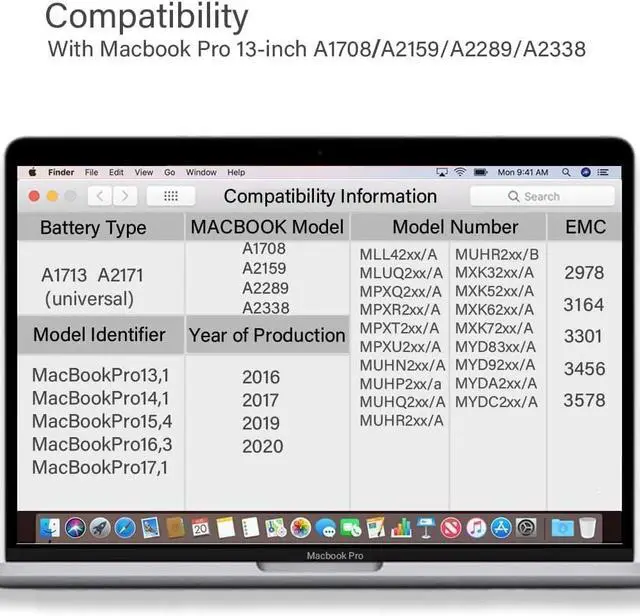
- Replacement Battery compatible with MacBook Pro: compatible with MacBook Pro 13 inch A1708 (Late 2016, Mid 2017) A2159 (2019) A2289 A2338 (2020) 58.2Wh 5103mAh. EMC Applicable number: 2978/3164/3301/3456/3578(see co
+
+
Overview
Specs
Reviews
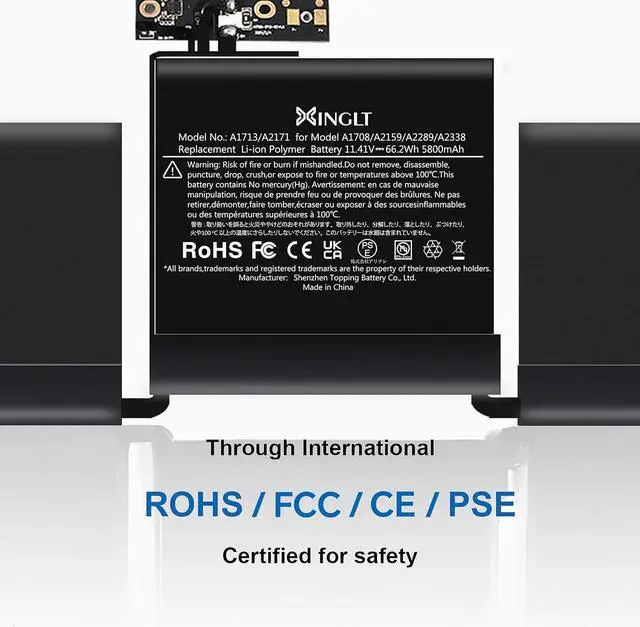
Battery Model No.:A1713/A2171Battery Details:Voltage: 11.41V. Capacity: 66.18Wh / 5800mAhBattery TypeLithium polymer batteryCompatible:For 13-Inch Macbook Pro A1708 (2016/ 2017), A2159 (2019), A2289(2020), A2338 (2020).Model Identifier:For MacBookPro13,1/MacBookPro14,1/MacBookPro15,4/MacBookPro16,3/MacBookPro17,12016 Model Identifier:For MacBookPro13,1 (MacBook Pro (13-inch, 2016, Two Thunderbolt 3 ports)) Part Numbers: MLL42xx/A, MLUQ2xx/A2017 Model Identifier:For MacBookPro14,1(MacBook Pro (13-inch, 2017, Two Thunderbolt 3 ports)) Part Numbers: MPXQ2xx/A, MPXR2xx/A, MPXT2xx/A, MPXU2xx/A2019 Model Identifier:For MacBookPro15,4(MacBook Pro (13-inch, 2019, Two Thunderbolt 3 ports)) Part Numbers: MUHN2xx/A, MUHP2xx/a, MUHQ2xx/A, MUHR2xx/A, MUHR2xx/B2020 Model Identifier:For MacBookPro16,3(MacBook Pro (13-inch, 2020, Two Thunderbolt 3 ports)) Part Numbers: MXK32xx/A, MXK52xx/A, MXK62xx/A, MXK72xx/A2020 Model Identifier:For MacBookPro17,1 (MacBook Pro (13-inch, M1, 2020)) Part Numbers: MYD83xx/A, MYD92xx/A, MYDA2xx/A, MYDC2xx/AEMC2978/3164/3301/3456/3578 A1708 battery with intelligent core temperature control,full real-time temperature control ,won't get hot and hurt the machine
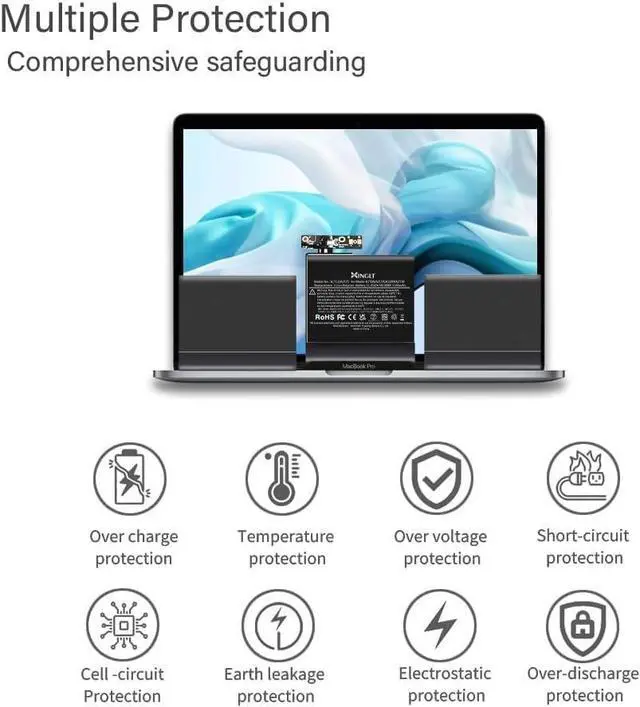
Macbook pro battery replacement A1708 with Overheating protection/Overcurrent protection/Overvoltage protection/Overcharge protection/Short circuit protection/Over discharge protection/Circuit Protection & Low power consumption
Resetting the System Management Controller (SMC) resolves certain issues related to power, battery, and other functions.The SMC is responsible for managing the behavior associated with the following functions. If you are experiencing problems related to these functions, you may need to reset the SMC. -Power, including the power button and the USB port for power, battery, charging, fan, and other thermal management functions. -Indicators or sensors, such as status indicators (sleep status, battery charge status, etc.), burst motion sensors, ambient light sensors and keyboard backlighting, and behavior when opening and closing the laptop lid.
A.Most frequently BATTERY ISSUES : The new battery can't be recognized?
Solution:
Reset SMC to remind your laptop to recognize the new battery.
Please Remove the old battery first ,secondly,plug power cable.thirdly,press the power button for more than 5 seconds.
fourthly, ensure the power cable disconnect and Reinstall new battery, last step is fully charging the new battery.
B.Why battery may drop out fast when first loaded for charging?
As for the charge is depleting quickly- there is a virtual electricity existence for the first installation. The computer has not been fully calibrated. After using 5-10 cycles, the computer will be automatically calibrated.
1.If you have any issues, questions or concerns, please feel free to inform us,we promise to resolve the problem within 24 hours.
2.We have 30 days money-back policy.
3.If the product fails within 12 months from the date of purchase, we will replace it with a new one.
When using the battery for the first time, to optimize battery performance, charge the battery for 12 hours with the laptop turned off, then drain the battery to 7% of its remaining capacity and repeat the full charge cycle 3 to 5 times to fully engage and optimize the performance of the battery over its lifetime.
As for the charge is depleting quickly- there is a virtual electricity existence for the first installation. The computer has not been fully calibrated. After using 5-10 cycles, the computer will be automatically calibrated.
Upgraded A1708 Replacement Battery For MacBook pro 13 inch Macbook Pro Battery A1708 Replacement A1713 Battery Parameters Our A1708 Battery's design for you UpgardedElectric core for A1708 Battery XINGLT Smart control chip,ensures battery protection safety system: Normal questions for 13inch Macbook pro A1708 battery replacement A1713 (Late 2016,Mid 201
Macbook pro battery replacement A1708 with Overheating protection/Overcurrent protection/Overvoltage protection/Overcharge protection/Short circuit protection/Over discharge protection/Circuit Protection & Low power consumption
Resetting the System Management Controller (SMC) resolves certain issues related to power, battery, and other functions.The SMC is responsible for managing the behavior associated with the following functions. If you are experiencing problems related to these functions, you may need to reset the SMC. -Power, including the power button and the USB port for power, battery, charging, fan, and other thermal management functions. -Indicators or sensors, such as status indicators (sleep status, battery charge status, etc.), burst motion sensors, ambient light sensors and keyboard backlighting, and behavior when opening and closing the laptop lid.
A.Most frequently BATTERY ISSUES : The new battery can't be recognized?
Solution:
Reset SMC to remind your laptop to recognize the new battery.
Please Remove the old battery first ,secondly,plug power cable.thirdly,press the power button for more than 5 seconds.
fourthly, ensure the power cable disconnect and Reinstall new battery, last step is fully charging the new battery.
B.Why battery may drop out fast when first loaded for charging?
As for the charge is depleting quickly- there is a virtual electricity existence for the first installation. The computer has not been fully calibrated. After using 5-10 cycles, the computer will be automatically calibrated.
1.If you have any issues, questions or concerns, please feel free to inform us,we promise to resolve the problem within 24 hours.
2.We have 30 days money-back policy.
3.If the product fails within 12 months from the date of purchase, we will replace it with a new one.
When using the battery for the first time, to optimize battery performance, charge the battery for 12 hours with the laptop turned off, then drain the battery to 7% of its remaining capacity and repeat the full charge cycle 3 to 5 times to fully engage and optimize the performance of the battery over its lifetime.
As for the charge is depleting quickly- there is a virtual electricity existence for the first installation. The computer has not been fully calibrated. After using 5-10 cycles, the computer will be automatically calibrated.
Upgraded A1708 Replacement Battery For MacBook pro 13 inch Macbook Pro Battery A1708 Replacement A1713 Battery Parameters Our A1708 Battery's design for you UpgardedElectric core for A1708 Battery XINGLT Smart control chip,ensures battery protection safety system: Normal questions for 13inch Macbook pro A1708 battery replacement A1713 (Late 2016,Mid 201
Warranty & Returns
Warranty, Returns, And Additional Information
Warranty
- Please contact the Seller directly for warranty information. Warranty information may also be found on the Manufacturer's website.
- CONTACT
Return Policies
- Return for refund within: 30 days
- Return for replacement within: 90 days
- This item is covered by E-Transit Limited Return Policy
Manufacturer Contact Info
- For a directory of all our manufacturers, please click below.
- Manufacturers Directory
LOADING...