


- Free 30-day Returns
$136.99
Ships from Hong Kong.
Sold by E-Transit Limited
Shipped by E-Transit Limited

Meet Your Seller

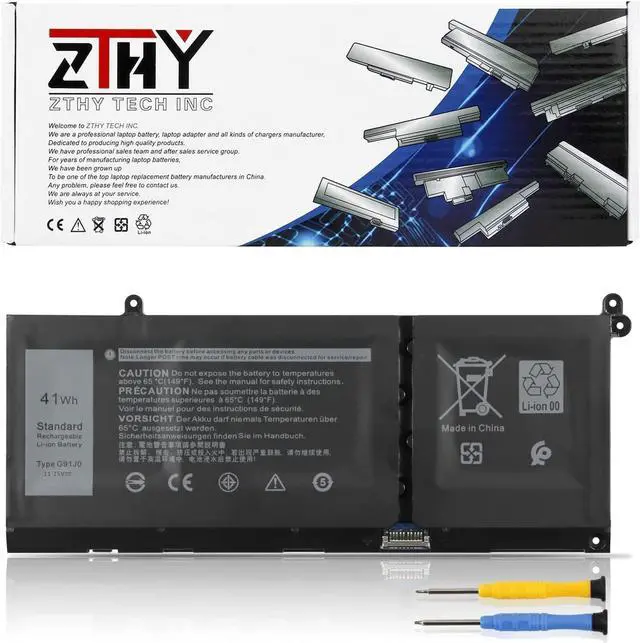
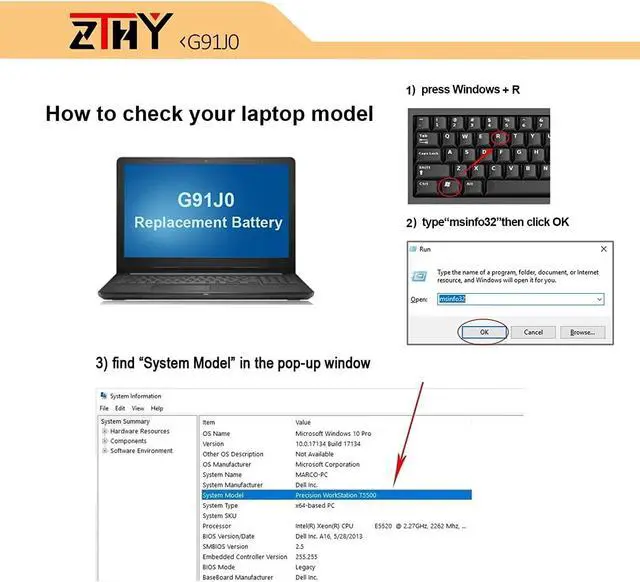
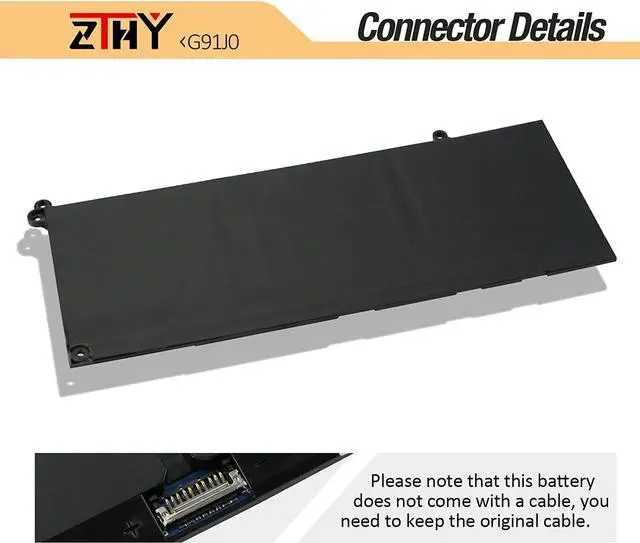
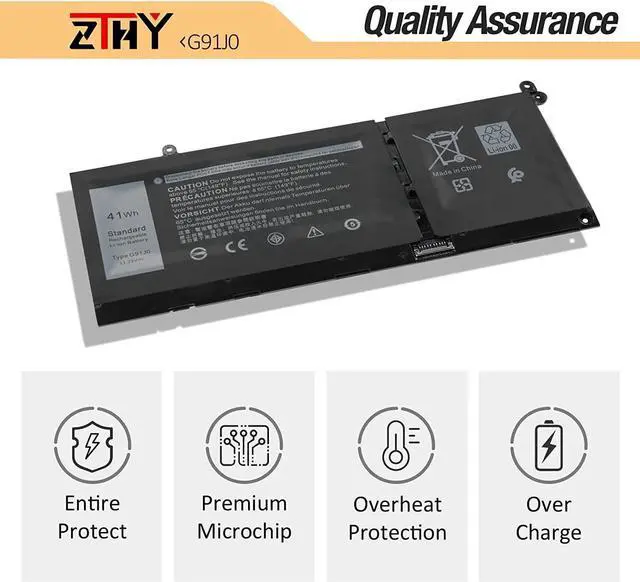
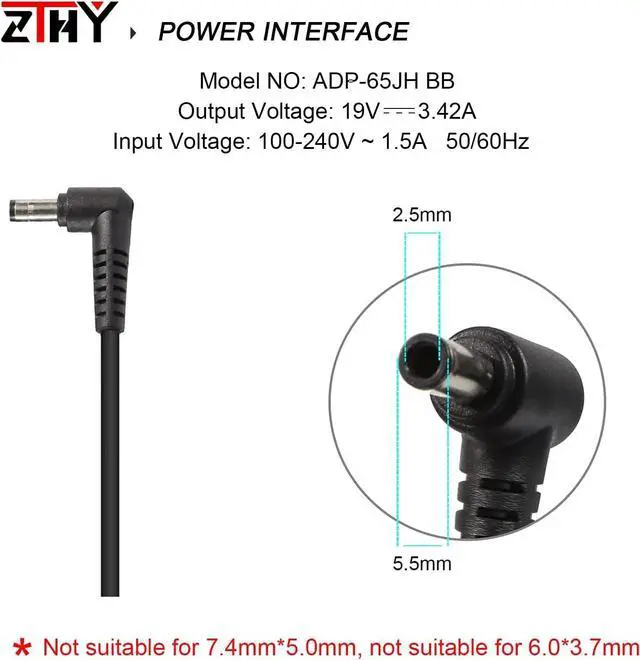


ZTHY 41Wh G91J0 Laptop Battery Compatible with Dell Latitude 3320 3420 3520 Vostro 3510 3511 3515 5310 5410 5415 5510 5515 Inspiron 5418 5518 7415 2-in-1 C91JO V6W33 0VKYJX 0MVK11 0XDY9K 0FH3K2 0MGCM5
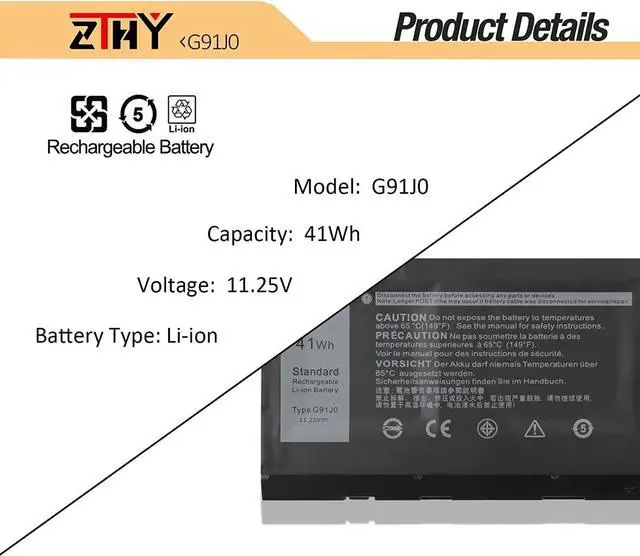
- SpecificationBattery type: Li-ion. Color: Black. Voltage: 11.25V. Capacity: 41Wh/3467mAh. 100% New from Manufacturer. Up to 500 recharge cycles over the life of the battery.
- Replace Part NumberV6W33 0WV3K8 0VKYJX 0MVK11 0XDY9K G91J0 0PG8YJ 0927N5 0FH3K2 0MGCM5.
- Compatible ModelsReplacement for Dell Latitude 3320 3420 3520 Ins 5310 5410 5415 5418 Ins 5410 7415 2-in-1 Ins 3510 3511 3515 5510 5515 5518 Vostro 5310 5410 5415 5510 5515 3510 3515 Series Notebook.
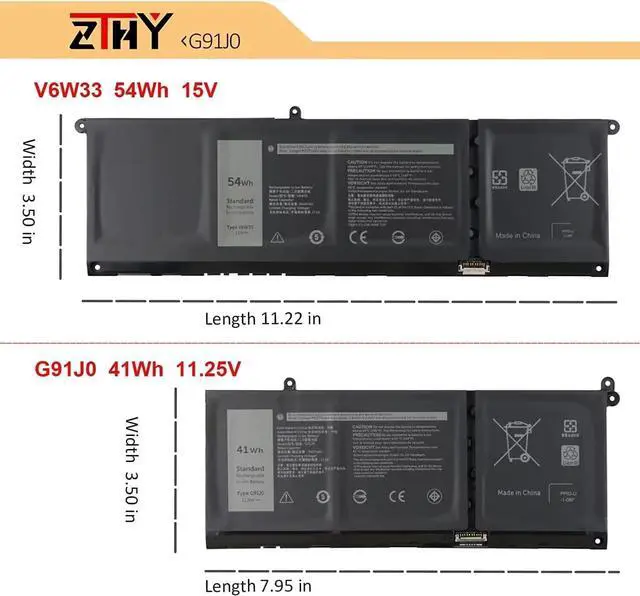
- Purchasing Note There are 2 battery(41Wh-G91J0 and 54Wh-V6W33) of the above laptops,Please choose the which one you are going to replace and according to your laptop's original battery.
- ZTHY Laptop Battery Return PolicyRest assured with 30 days Refund and 12 months Warranty, also get our friendly customer service.
+
+
Overview
Specs
Reviews
Compatible Part NumberV6W33 0WV3K8 0VKYJX 0MVK11 0XDY9K G91J0 0PG8YJ 0927N5 0FH3K2 0MGCM5.Compatible ModelReplacement for Dell Inspiron 15 3510 3511 3515 3520 3525 3530 3535 SeriesCompatible ModelReplacement for Dell Inspiron 13 5310 5320 5330 SeriesCompatible ModelReplacement for Dell Inspiron 14 5410 5415 5418 5420 5425 5430 5435 SeriesCompatible ModelReplacement for Dell Inspiron 14 Plus 7420 SeriesCompatible ModelReplacement for Dell Inspiron 15 5510 5515 5518 SeriesCompatible ModelReplacement for Dell Inspiron 16 5625 5630 5635 SeriesCompatible ModelReplacement for Dell Inspiron 14 5410 2-in-1 SeriesCompatible ModelReplacement for Dell Inspiron 14 7415 2-in-1 SeriesCompatible ModelReplacement for Dell Inspiron 14 7420 2-in-1 SeriesCompatible ModelReplacement for Dell Inspiron 14 7425 2-in-1 SeriesCompatible ModelReplacement for Dell Inspiron 14 7430 2-in-1 SeriesCompatible ModelReplacement for Dell Inspiron 14 7435 2-in-1 SeriesCompatible ModelReplacement for Dell Inspiron 16 7620 2-in-1 SeriesCompatible ModelReplacement for Dell Latitude 3320 3330 3420 3520 SeriesCompatible ModelReplacement for Dell Vostro 15 3510 3511 3515 3520 3525 SeriesCompatible ModelReplacement for Dell Vostro 13 5310 5320 SeriesCompatible ModelReplacement for Dell Vostro 14 3420 3425 5410 5415 SeriesCompatible ModelReplacement for Dell Vostro 15 5510 5515 SeriesCompatible ModelReplacement for Dell Vostro 5620 5625 SeriesMatters needing attentionNot all the compatible laptop models have been listed.Please open the back cover of your laptop to check the original battery size and capacity before placing an order. What do I need to be aware of when I receive a battery?
You need to check its appearance, confirm the model, read the instruction manual. Cycle and charge it 5 to 6 times to activate the maximum usage space of the battery. When not in use temporarily, charge the battery to 50%-60%.
What should I do if laptop won't boot up after installing a new battery?
1.Check if the battery is properly seated and connections are clean. 2.Try charging it or use the adapter alone to start. 3.Examine hardware links, like RAM and adapters. 4.Reset BIOS settings if needed. 5.Enter Safe Mode to fix system issues.
How should I do if the battery is not recognised?
If it is not recognised, it is recommended to update the BIOS settings or please disconnecting the old battery, and holding down the power button for 20 seconds, then connect the new battery.
What should I do if the battery expands?
1.Power off your laptop and disconnect it from any power source. 2.Carefully remove the swollen battery from the laptop in a well-ventilated area, avoid pressing or squeezing the battery during removal.
What can you do if you are not satisfied with the battery?
Please Contact ZTHY, click on "ZTHY TECH", you can see "question" on the page.we'll help you. Our battery have 12 months replace a new one and 30 days moeny back guarrante.
1) Please click ZTHY TECH, we will help you solve it.
2) Please be assured that we will take the responsibility for each product we sold.
3) 30-days after purchase, we offer a no-questions-asked return policy.
4)12 months from the date of purchase, If the product fails, we will replace it with a new one.
1) You need to turn off your laptop and disconnect the power.
2) Disconnect the connection between the old battery and the motherboard to avoid unnecessary damage caused by disassembling the battery. Then unscrew the old battery screws one by one and carefully save each screw.
3) Remove the old battery, carefully install the new battery on the battery case, screw in the screw, and connect the wiring of the new battery.
4) If you don't understand the above steps, you can search for the video about laptop battery installation on YouTube. Maybe it will help you.
1)Discharge the new battery use to 10%(not to 0%) and then charge to 95%, and cycle 3-
You need to check its appearance, confirm the model, read the instruction manual. Cycle and charge it 5 to 6 times to activate the maximum usage space of the battery. When not in use temporarily, charge the battery to 50%-60%.
What should I do if laptop won't boot up after installing a new battery?
1.Check if the battery is properly seated and connections are clean. 2.Try charging it or use the adapter alone to start. 3.Examine hardware links, like RAM and adapters. 4.Reset BIOS settings if needed. 5.Enter Safe Mode to fix system issues.
How should I do if the battery is not recognised?
If it is not recognised, it is recommended to update the BIOS settings or please disconnecting the old battery, and holding down the power button for 20 seconds, then connect the new battery.
What should I do if the battery expands?
1.Power off your laptop and disconnect it from any power source. 2.Carefully remove the swollen battery from the laptop in a well-ventilated area, avoid pressing or squeezing the battery during removal.
What can you do if you are not satisfied with the battery?
Please Contact ZTHY, click on "ZTHY TECH", you can see "question" on the page.we'll help you. Our battery have 12 months replace a new one and 30 days moeny back guarrante.
1) Please click ZTHY TECH, we will help you solve it.
2) Please be assured that we will take the responsibility for each product we sold.
3) 30-days after purchase, we offer a no-questions-asked return policy.
4)12 months from the date of purchase, If the product fails, we will replace it with a new one.
1) You need to turn off your laptop and disconnect the power.
2) Disconnect the connection between the old battery and the motherboard to avoid unnecessary damage caused by disassembling the battery. Then unscrew the old battery screws one by one and carefully save each screw.
3) Remove the old battery, carefully install the new battery on the battery case, screw in the screw, and connect the wiring of the new battery.
4) If you don't understand the above steps, you can search for the video about laptop battery installation on YouTube. Maybe it will help you.
1)Discharge the new battery use to 10%(not to 0%) and then charge to 95%, and cycle 3-
Warranty & Returns
Warranty, Returns, And Additional Information
Warranty
- Please contact the Seller directly for warranty information. Warranty information may also be found on the Manufacturer's website.
- CONTACT
Return Policies
- Return for refund within: 30 days
- Return for replacement within: 90 days
- This item is covered by E-Transit Limited Return Policy
Manufacturer Contact Info
- For a directory of all our manufacturers, please click below.
- Manufacturers Directory
LOADING...