


- Free 30-day Returns
$146.99
Ships from Hong Kong.
Sold by CITY BUSINESS Official
Shipped by CITY BUSINESS Official

Meet Your Seller

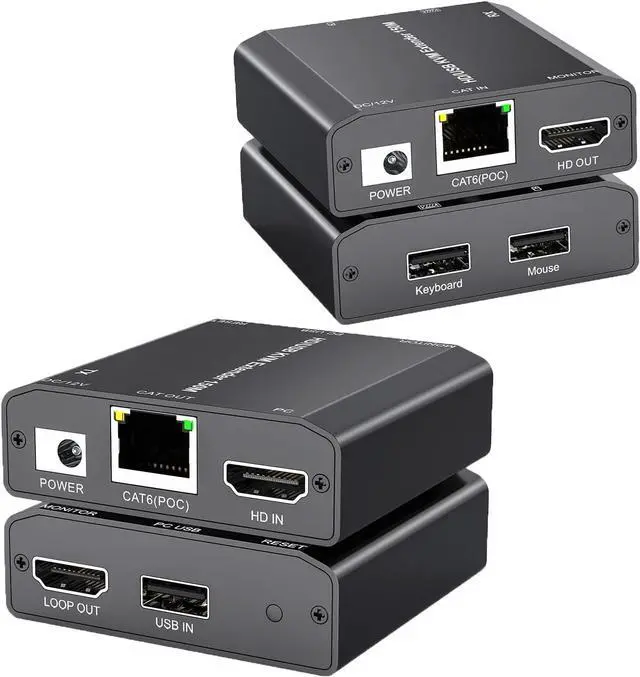


HDMI USB KVM Extender Over Cat 6/7 1080P@60Hz KVM Extender 150M/492FT HDMI Over Ethernet Transmitter Receiver Support Keyboard Mouse,No Latency POC Function Single Power Supply
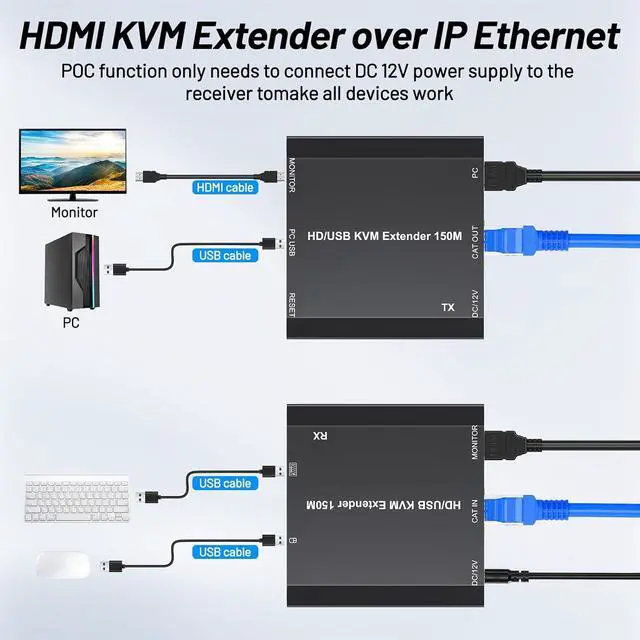
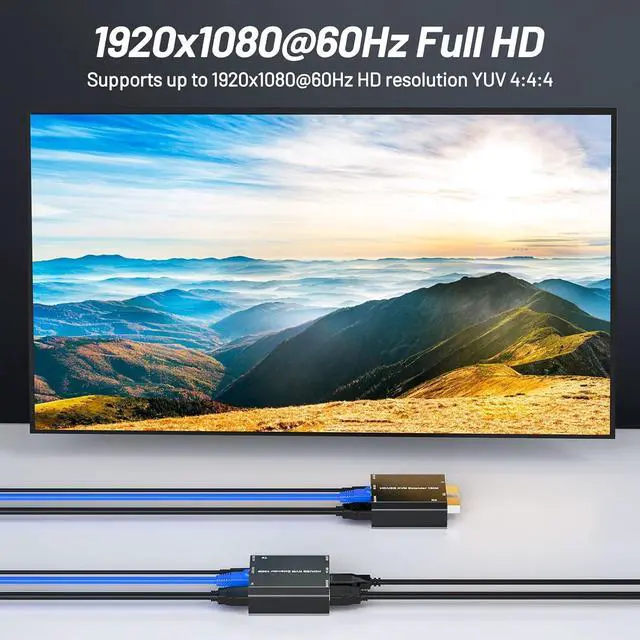
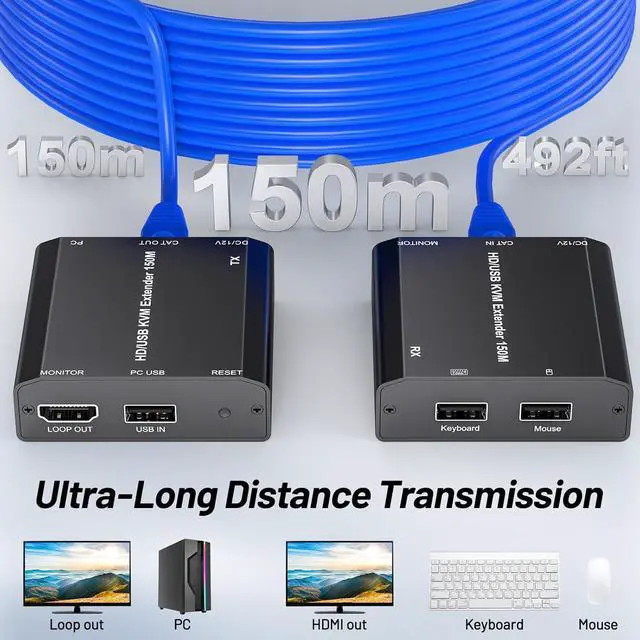
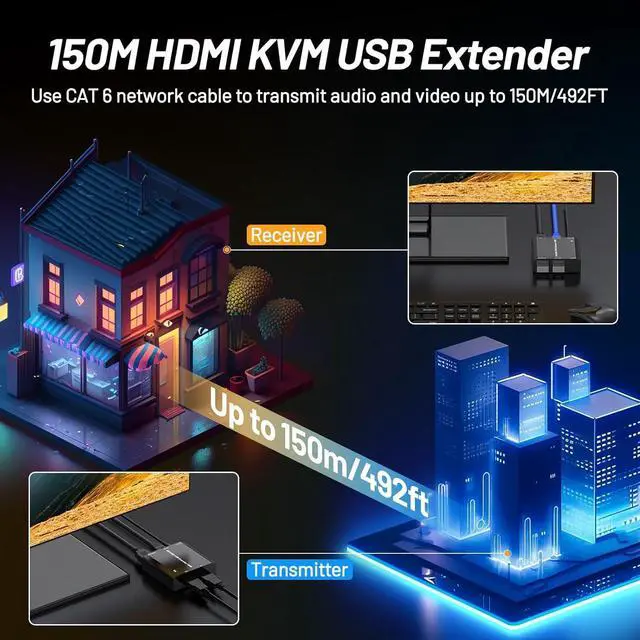
- 1080P@60Hz HDMI/ USB KVM extender can transmit HDMI and 2 USB signals (keyboard and mouse) up to 492ft/150m over a single CAT6 cable with zero latency, audio and video synchronization.
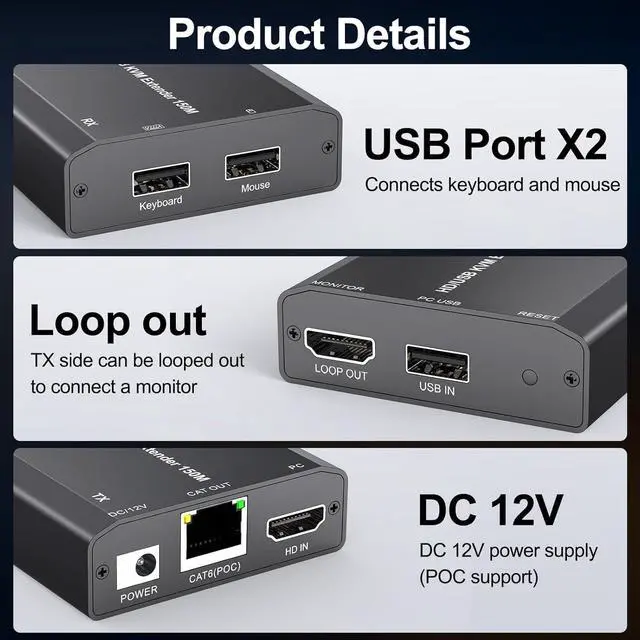
- . This HDMI USB KVM extender receiver with 2 USB2.0 ports, which can allow you to control a computer system through keyboard and mouse. By transmitting keyboard and mouse data via a CAT6 cable, and you can easily control the signal source, ideal for remote control of devices such as computer, monitors and so on. Please use the USB cables to connect to the PC for the KVM extender work properly.
- - This USB KVM extender over ip has an HDMI output port on the Transmitter (TX), can connect an additional HDMI output screen, which support local loop-out live video for flexible monitoring options, easily know the content of the remote HDMI input signal you transmitted.
- This 492ft HDMI exten
+
+
Overview
Specs
Reviews
1080P@60Hz HDMI/ USB KVM extender can transmit HDMI and 2 USB signals (keyboard and mouse) up to 492ft/150m over a single CAT6 cable with zero latency, audio and video synchronization.
. This HDMI USB KVM extender receiver with 2 USB2.0 ports, which can allow you to control a computer system through keyboard and mouse. By transmitting keyboard and mouse data via a CAT6 cable, and you can easily control the signal source, ideal for remote control of devices such as computer, monitors and so on. Please use the USB cables to connect to the PC for the KVM extender work properly.
- This USB KVM extender over ip has an HDMI output port on the Transmitter (TX), can connect an additional HDMI output screen, which support local loop-out live video for flexible monitoring options, easily know the content of the remote HDMI input signal you transmitted.
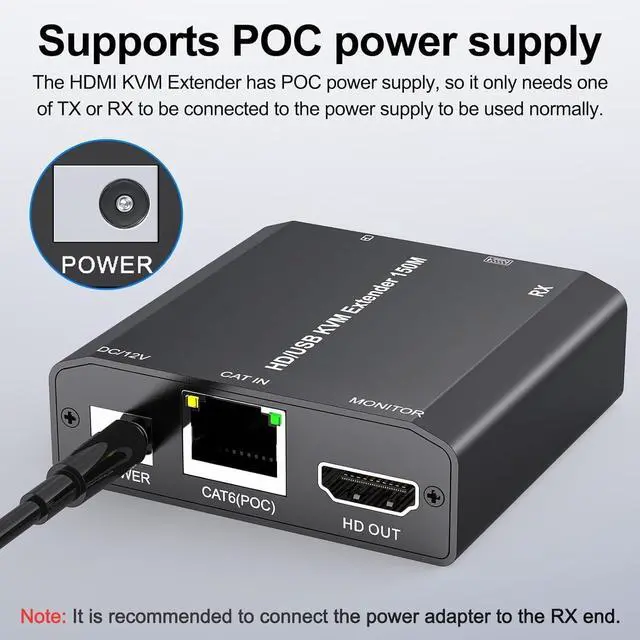
This 492ft HDMI extender adopt POC technology, power over cable, only one power adapter is needed to connect to the TX terminal can support the entire device's operation, more simple and convenient. , .It is recommended that a DC12V power adapter included in the package be connected to the power supply port on the RX side.
492FT (150M) HDMI USB KVM Extender Transmitter + Receiver * 1, DC 12V/1A Power Adapter * 1+USB Cable*1+User Manual * 1.
. This HDMI USB KVM extender receiver with 2 USB2.0 ports, which can allow you to control a computer system through keyboard and mouse. By transmitting keyboard and mouse data via a CAT6 cable, and you can easily control the signal source, ideal for remote control of devices such as computer, monitors and so on. Please use the USB cables to connect to the PC for the KVM extender work properly.
- This USB KVM extender over ip has an HDMI output port on the Transmitter (TX), can connect an additional HDMI output screen, which support local loop-out live video for flexible monitoring options, easily know the content of the remote HDMI input signal you transmitted.
This 492ft HDMI extender adopt POC technology, power over cable, only one power adapter is needed to connect to the TX terminal can support the entire device's operation, more simple and convenient. , .It is recommended that a DC12V power adapter included in the package be connected to the power supply port on the RX side.
492FT (150M) HDMI USB KVM Extender Transmitter + Receiver * 1, DC 12V/1A Power Adapter * 1+USB Cable*1+User Manual * 1.
Warranty & Returns
Warranty, Returns, And Additional Information
Warranty
- Please contact the Seller directly for warranty information. Warranty information may also be found on the Manufacturer's website.
- CONTACT
Return Policies
- Return for refund within: 30 days
- Return for replacement within: 90 days
- This item is covered by CITY BUSINESS Official Return Policy
Manufacturer Contact Info
- For a directory of all our manufacturers, please click below.
- Manufacturers Directory
LOADING...