


- Free 30-day Returns
$102.99
Ships from Hong Kong.
Sold by E-Transit Limited
Shipped by E-Transit Limited

Meet Your Seller

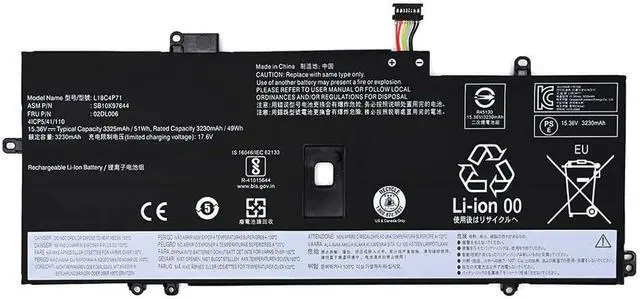
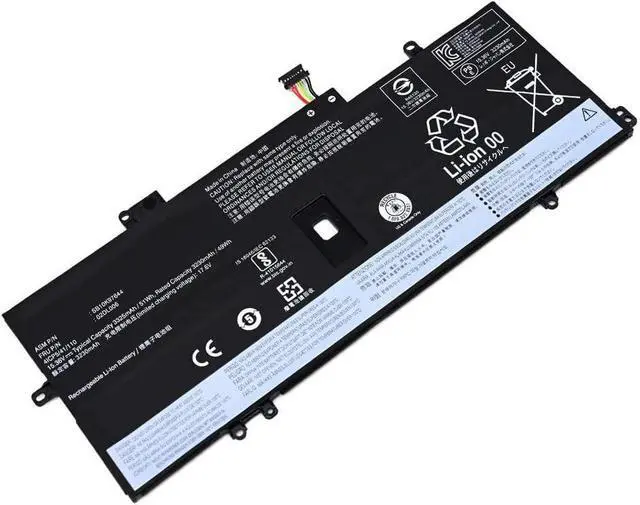
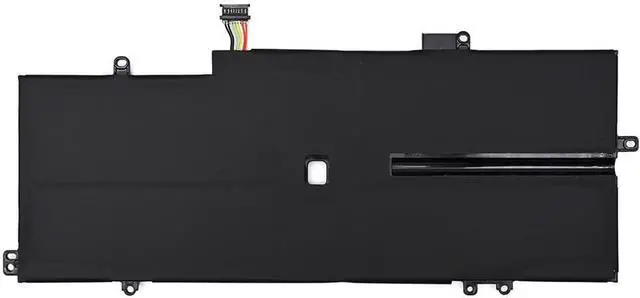
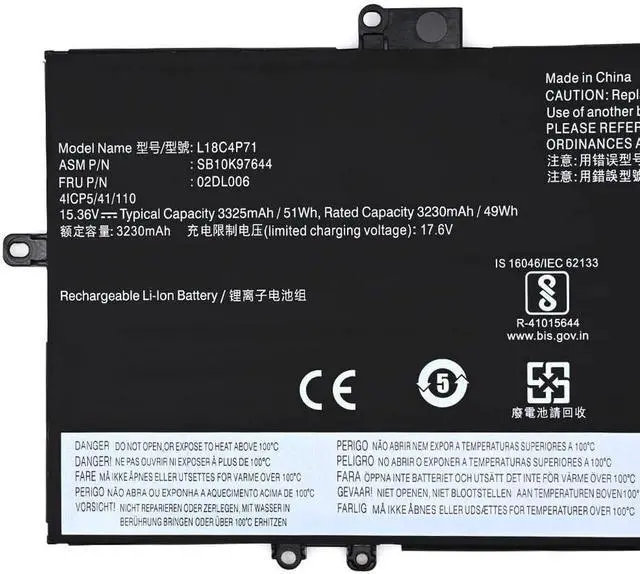
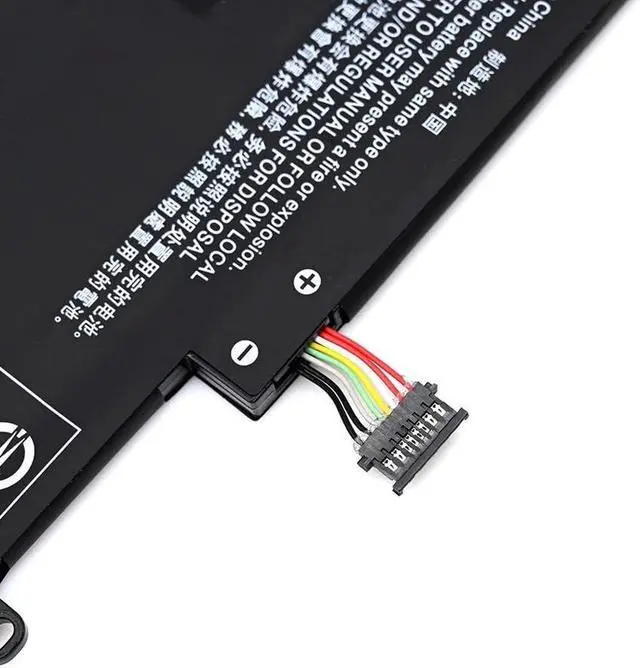


15.36V 3325mAh 51Wh L18C4P71 L18C4P72 L18L4P71 L18L4P72 L18M4P72 L18S4P72 Laptop Battery Replacement for Lenovo Thinkpad X1 Yoga 4th 5th Gen,X1 Carbon 7th 8th Gen
- Battery Type: Li-ion, Capacity: 15.36V; Voltage: 3325mAh/51Wh
- Compatible with Part Number: L18C4P71, L18C4P72, L18L4P71, L18L4P72, L18M4P72, L18S4P72 02DL004, 02DL005, 5B10W13930, SB10K97642, SB10K97643, SB10T83173
- Compatible with Model: For Lenovo Thinkpad X1C X1 Carbon 2019
- All of our product are CE & ROHS certified. 100% compatible as original battery. Grade A cells ensure fast charges and low power consumption; Built-in circuit protection ensures both safety and stability.
- 30 Days Money Back and 12 months Warranty. 24 x 7 email support and get our friendly customer service.
+
+
Overview
Specs
Reviews
About Us:
A professional manufacturer in the field of power tool batteries, laptop batteries and charger.
provides high-quality, real capacity power products with excellent customer service.
Specification:
Battery type: Li-ion;
Capacity: 3325mAh/51Wh
Voltage: 15.36V;
Certificate: CE,RoHS,FCC
Condition: 100% compatible as original battery, Grade A Cell
Compatible Part Numbers:
L18C4P71, L18C4P72, L18L4P71, L18L4P72, L18M4P72, L18S4P72
02DL004, 02DL005, 5B10W13930, SB10K97642, SB10K97643, SB10T83173
Fit below models (Use "Ctrl + F" to quickly find your model):
For Lenovo 2019 X1 Carbon, Carbon X1 7th gen, Carbon X1-7th generation, X1 Carbon 2019 LTE, X1 Carbon 7th, X1 Carbon 7th gen, X1 Carbon Gen 7,
X1 Yoga 2019, X1 Yoga 2019-20QGS00A00, X1 Yoga 20SA000GUS, X1 Yoga 4th Gen, X1 Yoga Gen 4, X1 Carbon 7th-gen, X1 Yoga 4th-gen
Note:
1. Please make sure the product you are about to buy fits the brand number, model and part.
2.Download the new battery at 5% (not 0%), then charge up to 95% and scroll 3-4 times.
3.The first use of the battery, the battery voltage may be too low, it is necessary to recharge the standby 24 hours before normal use.
4. Do not connect the adapter for a long time while using the battery, as it may damage it.
5. If you remove the battery for a long time, charge more than 80% at least once within a month.
6. The computer does not recognize the battery, the battery connector may be in bad contact with the computer socket. At this time it is necessary to check if the copper battery connector is exposed.
We have always been trying our best to provide the best service and reliable products for every customer. Please contact us via message to resolve the issue.
A professional manufacturer in the field of power tool batteries, laptop batteries and charger.
provides high-quality, real capacity power products with excellent customer service.
Specification:
Battery type: Li-ion;
Capacity: 3325mAh/51Wh
Voltage: 15.36V;
Certificate: CE,RoHS,FCC
Condition: 100% compatible as original battery, Grade A Cell
Compatible Part Numbers:
L18C4P71, L18C4P72, L18L4P71, L18L4P72, L18M4P72, L18S4P72
02DL004, 02DL005, 5B10W13930, SB10K97642, SB10K97643, SB10T83173
Fit below models (Use "Ctrl + F" to quickly find your model):
For Lenovo 2019 X1 Carbon, Carbon X1 7th gen, Carbon X1-7th generation, X1 Carbon 2019 LTE, X1 Carbon 7th, X1 Carbon 7th gen, X1 Carbon Gen 7,
X1 Yoga 2019, X1 Yoga 2019-20QGS00A00, X1 Yoga 20SA000GUS, X1 Yoga 4th Gen, X1 Yoga Gen 4, X1 Carbon 7th-gen, X1 Yoga 4th-gen
Note:
1. Please make sure the product you are about to buy fits the brand number, model and part.
2.Download the new battery at 5% (not 0%), then charge up to 95% and scroll 3-4 times.
3.The first use of the battery, the battery voltage may be too low, it is necessary to recharge the standby 24 hours before normal use.
4. Do not connect the adapter for a long time while using the battery, as it may damage it.
5. If you remove the battery for a long time, charge more than 80% at least once within a month.
6. The computer does not recognize the battery, the battery connector may be in bad contact with the computer socket. At this time it is necessary to check if the copper battery connector is exposed.
We have always been trying our best to provide the best service and reliable products for every customer. Please contact us via message to resolve the issue.
Warranty & Returns
Warranty, Returns, And Additional Information
Warranty
- Please contact the Seller directly for warranty information. Warranty information may also be found on the Manufacturer's website.
- CONTACT
Return Policies
- Return for refund within: 30 days
- Return for replacement within: 90 days
- This item is covered by E-Transit Limited Return Policy
Manufacturer Contact Info
- For a directory of all our manufacturers, please click below.
- Manufacturers Directory
LOADING...