
Your Browsing History
- Free 30-day Returns
$312.99
Ships from Hong Kong.
Sold by CITY BUSINESS Official
Shipped by CITY BUSINESS Official

Meet Your Seller



USB C Docking Station Dual 4K Monitor, TOBENONE Laptop Docking Station for MacBook Pro/Air, 15 in 2 USB-C Dock with 2 HDMI Port, 7 USB, SD&Micro SD, Gigabit Ethernet, 87W PD 3.0, Audio/Mic
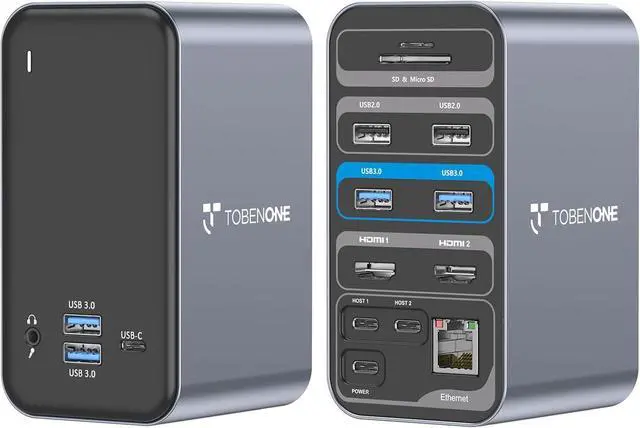
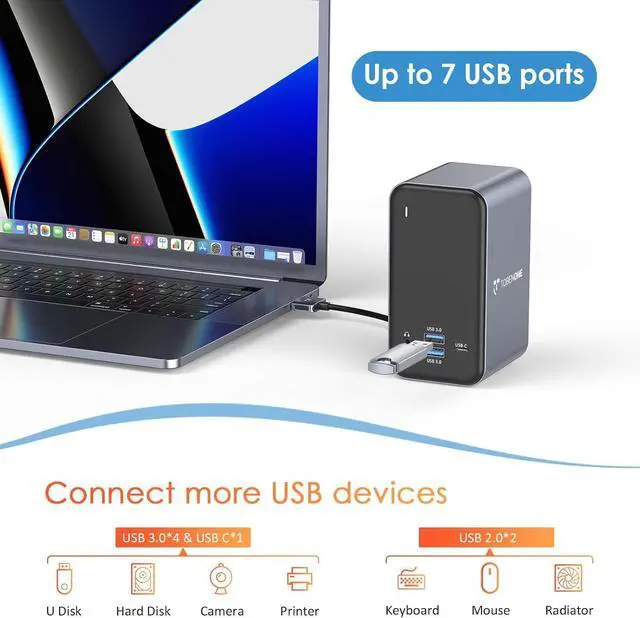
- 15-IN-2 Powerful Expansion: TobenONE MacBook Pro dock expands to 2 x 4K@30Hz|60Hz HDMI ports, 4 x USB 3.0, 1 x USB-C, USB C PD 3.0, 2 x USB 2.0 for wireless keyboard and mouse, 3.5mm Audio/Mic, SD/TF reader and RJ45 Gigabit Ethernet. It allows you to connect up to 13 devices at the same time, so you can one-step build your completely efficient workstation via this one small mac dock. Plug and play, NO driver needed
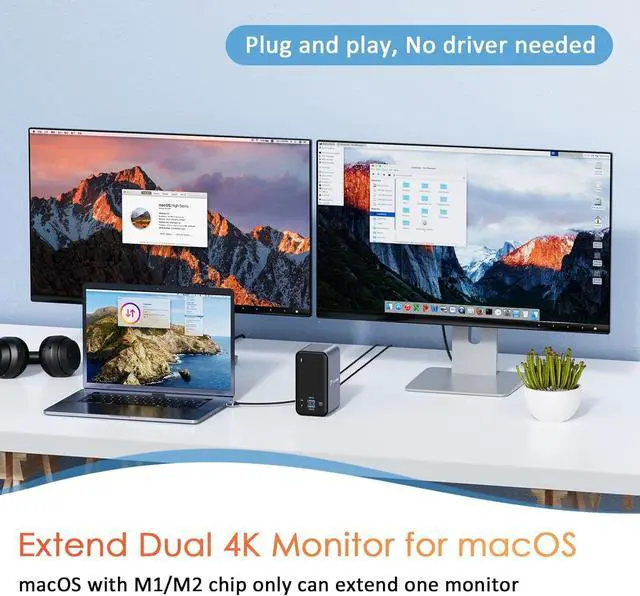
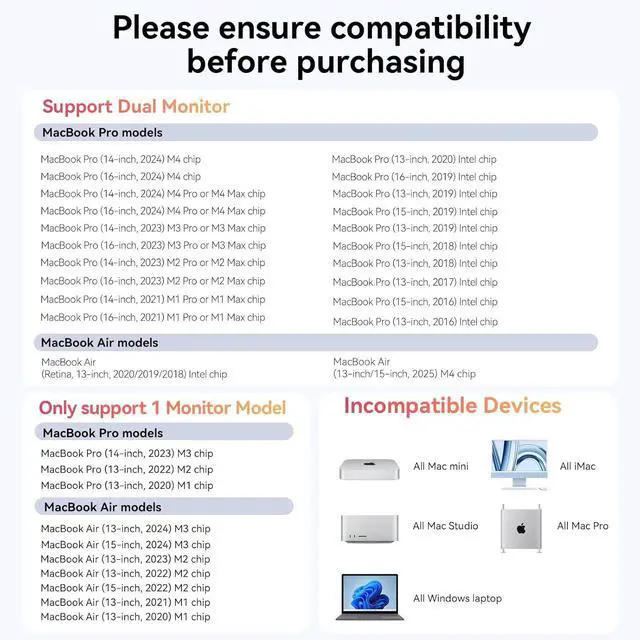
- Designed for Your MacBook: Not for Windows laptop and MacBook with M1/M2/M3 chip (non-Pro/Max) can only extend one external monitor. This MacBook Pro Docking Station is fully compatible with 13'' 2018-2020 MacBook Air Intel chip; 13'' 2016-2020 MacBook Pro Intel chip; 14''/16'' 2021 MacBook Pro M1 Pro/M1 Max; 15'' 2016-2019 MacBook Pro; 14''/16'' 2023 MacBook Pro M2 Pro/M2 Max/M3 Pro/M3 Max; 14''/16'' 2024 MacBook Pro M4/M4 Pro/M4 Max; 13''/15'' 2025 MacBook Air M4. NOTE: MacBook with M1/M2/M3 chip can only extend 1 monitor due to the limit of M1/M2/M3 chip
- Versatile Dual
+
+
Overview
Specs
Reviews
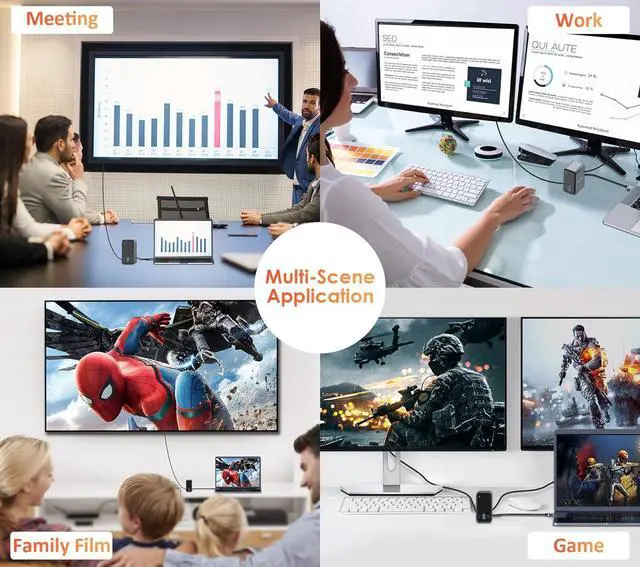
TOBENONE universal docking station with a unique design allows you to connect two 4K displays via two HDMI ports without any driver. Plug and play. Easily turn your MacBook into an ultra HD 4K dual extended display workstation. Makes your work more convenient and more effective!
From Super-Speed charging to high-definition media display, ultra-fast data transfer to crystal clear audio output, and access files from universal SD and TF memory cardThis UPDATED MacBook dock can do it all.
Note:
1. The cable that connects the laptop docking station dual monitor to the Laptop is about 3.3ft.
2. Special design for MacBook, not for Windows. MacBook with M1/M2/M3 chip only can extend one monitor due to the limit of the M1/M2/M3 chip.
3. The power charger is NOT included.
4. The USB C port on the front of the dock is only for data transfer, not for display. So this MacBook docking station USB C cannot work with USB C monitors.
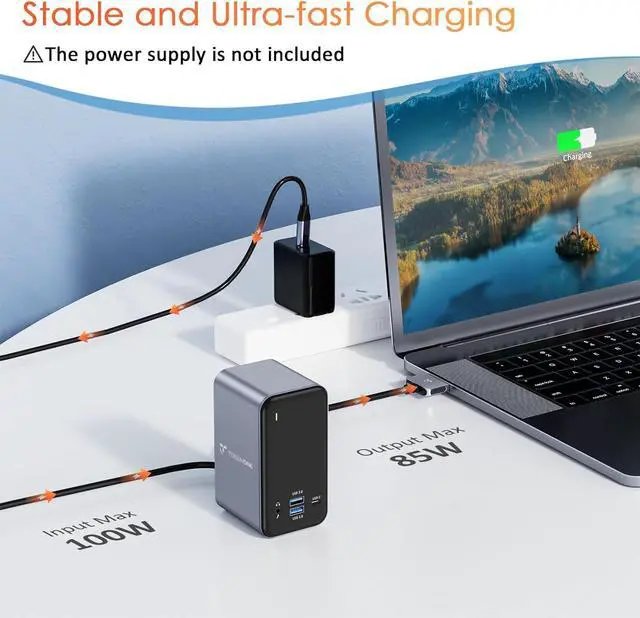
This MacBook Pro dock station supports up to 100W input and offers a max 87W safe and quick charging for your compatible MacBook Pro/Air.
Please connect the 65W power supply to thePD port providing up to fast pass-through charging for your laptopall while retaining the full functionality of the vertical Docks other ports.
The Gigabit Ethernet port supports 1000Mbps/100Mbps/10Mbps. Faster and more reliable than WIFI. Whether during working or gaming, the screen runs very smoothly without lag.
TOBENONE always insists on providing a perfect and efficient solution for users' work/life! Meet all your needs with one hub, creating more value for work and life.
This USB C Dock connects your Mac and everything with only one dual USB-C cable! It's equipped with all common interfaces, whether it is data transmission, video expansion, image transmission, or audio transmission, it can work excellently! Reasonable port design, let the desktop farewell to mess! It is the best choice for designers, programmers, and other workers.
Let it create a powerful and efficient workstation for you, without extra drivers or installation requirements, just plug and play!
Compatible:
Retina 13-inch 2018/2019/2020 MacBook Air Intel Chip, 13-inch 2025 MacBook Air M4 Chip, 15-inch 2025 MacBook Air M4 Chip,
13'' 2016/2017/2018/2019/2020 MacBook Pro Intel Chip
14'' 2021 MacBook Pro Apple M1 Pro or M1 Max; 2023 MacBook Pro Apple M2 Pro or M2 Max; 2023 MacBook Pro Apple M3 Pro or M3 Max; 2024 MacBook Pro Apple M4 Pro or M4 Max; 2024 MacBook Pro Apple M4
15" 2016/2017/2018/2019 MacBook Pro Intel Chip
16" 2021 MacBook Pro Apple M1 Pro or M1 Max; 2023 MacBook Pro Apple M2 Pro or M2 Max; 2023 MacBook Pro Apple M3 Pro or M3 Max; 2024 MacBook Pro Apple M4 Pro or M4 Max; 2024 MacBook Pro Apple M4
NOTE: The below models ONLY can get ONE external monitor!!! If you are not sure if your MAC is compatible, ask us!
13" 2020 MacBook Pro with M1 chip
13" 2022 MacBook Pro with M2 chip
13" 2020 MacBook Air with M1 / M2 chip
14" 2023 MacBook Pro with M3 chip
15" 2023 MacBook Air with M2 chip
Incompatible:
NOT suitable MacBook Pro before 2015(included 2015), MacBook Air before 2018(included 2018); Mac mini, iMac, Mac Pro, Mac Studio
NOT All Windows laptop
1. If USB ports are not working, what should I do?
1> Please follow the below steps to check whether can work or not: Remove all cables-Reboot MacBook-attach the dual USB C cable to the dock and MacBook-attach the power supply to the PD port-attach USB devices
2> If not fixed, please try other USB ports to check the USB devices whether can work
3> If USB devices can work well, to exclude compatibility, please use other USB devices to test whether the USB port can work well or not
2. How to set up dual monitors and What should I do if two monitors cannot be used at the same time?
1>Ensure laptop is macOS system. (Note: macOS with M1/M2/M3 chip only can ex
From Super-Speed charging to high-definition media display, ultra-fast data transfer to crystal clear audio output, and access files from universal SD and TF memory cardThis UPDATED MacBook dock can do it all.
Note:
1. The cable that connects the laptop docking station dual monitor to the Laptop is about 3.3ft.
2. Special design for MacBook, not for Windows. MacBook with M1/M2/M3 chip only can extend one monitor due to the limit of the M1/M2/M3 chip.
3. The power charger is NOT included.
4. The USB C port on the front of the dock is only for data transfer, not for display. So this MacBook docking station USB C cannot work with USB C monitors.
This MacBook Pro dock station supports up to 100W input and offers a max 87W safe and quick charging for your compatible MacBook Pro/Air.
Please connect the 65W power supply to thePD port providing up to fast pass-through charging for your laptopall while retaining the full functionality of the vertical Docks other ports.
The Gigabit Ethernet port supports 1000Mbps/100Mbps/10Mbps. Faster and more reliable than WIFI. Whether during working or gaming, the screen runs very smoothly without lag.
TOBENONE always insists on providing a perfect and efficient solution for users' work/life! Meet all your needs with one hub, creating more value for work and life.
This USB C Dock connects your Mac and everything with only one dual USB-C cable! It's equipped with all common interfaces, whether it is data transmission, video expansion, image transmission, or audio transmission, it can work excellently! Reasonable port design, let the desktop farewell to mess! It is the best choice for designers, programmers, and other workers.
Let it create a powerful and efficient workstation for you, without extra drivers or installation requirements, just plug and play!
Compatible:
Retina 13-inch 2018/2019/2020 MacBook Air Intel Chip, 13-inch 2025 MacBook Air M4 Chip, 15-inch 2025 MacBook Air M4 Chip,
13'' 2016/2017/2018/2019/2020 MacBook Pro Intel Chip
14'' 2021 MacBook Pro Apple M1 Pro or M1 Max; 2023 MacBook Pro Apple M2 Pro or M2 Max; 2023 MacBook Pro Apple M3 Pro or M3 Max; 2024 MacBook Pro Apple M4 Pro or M4 Max; 2024 MacBook Pro Apple M4
15" 2016/2017/2018/2019 MacBook Pro Intel Chip
16" 2021 MacBook Pro Apple M1 Pro or M1 Max; 2023 MacBook Pro Apple M2 Pro or M2 Max; 2023 MacBook Pro Apple M3 Pro or M3 Max; 2024 MacBook Pro Apple M4 Pro or M4 Max; 2024 MacBook Pro Apple M4
NOTE: The below models ONLY can get ONE external monitor!!! If you are not sure if your MAC is compatible, ask us!
13" 2020 MacBook Pro with M1 chip
13" 2022 MacBook Pro with M2 chip
13" 2020 MacBook Air with M1 / M2 chip
14" 2023 MacBook Pro with M3 chip
15" 2023 MacBook Air with M2 chip
Incompatible:
NOT suitable MacBook Pro before 2015(included 2015), MacBook Air before 2018(included 2018); Mac mini, iMac, Mac Pro, Mac Studio
NOT All Windows laptop
1. If USB ports are not working, what should I do?
1> Please follow the below steps to check whether can work or not: Remove all cables-Reboot MacBook-attach the dual USB C cable to the dock and MacBook-attach the power supply to the PD port-attach USB devices
2> If not fixed, please try other USB ports to check the USB devices whether can work
3> If USB devices can work well, to exclude compatibility, please use other USB devices to test whether the USB port can work well or not
2. How to set up dual monitors and What should I do if two monitors cannot be used at the same time?
1>Ensure laptop is macOS system. (Note: macOS with M1/M2/M3 chip only can ex
Warranty & Returns
Warranty, Returns, And Additional Information
Warranty
- Please contact the Seller directly for warranty information. Warranty information may also be found on the Manufacturer's website.
- CONTACT
Return Policies
- Return for refund within: 30 days
- Return for replacement within: 90 days
- This item is covered by CITY BUSINESS Official Return Policy
Manufacturer Contact Info
- For a directory of all our manufacturers, please click below.
- Manufacturers Directory
LOADING...