


- Free 30-day Returns
$92.99
Ships from Hong Kong.
Sold by CITY BUSINESS Official
Shipped by CITY BUSINESS Official

Meet Your Seller

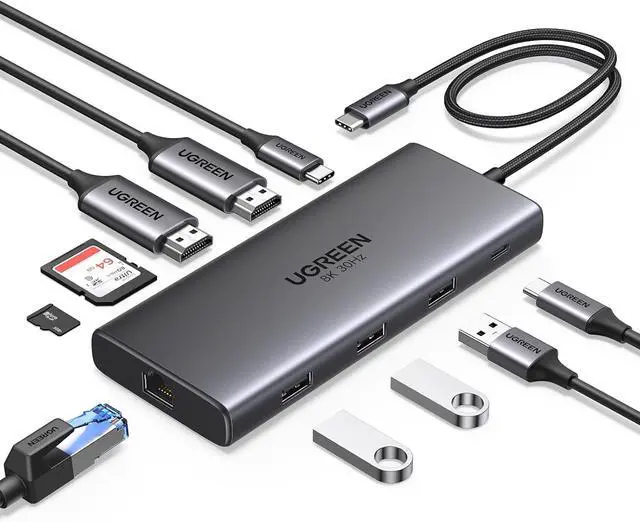
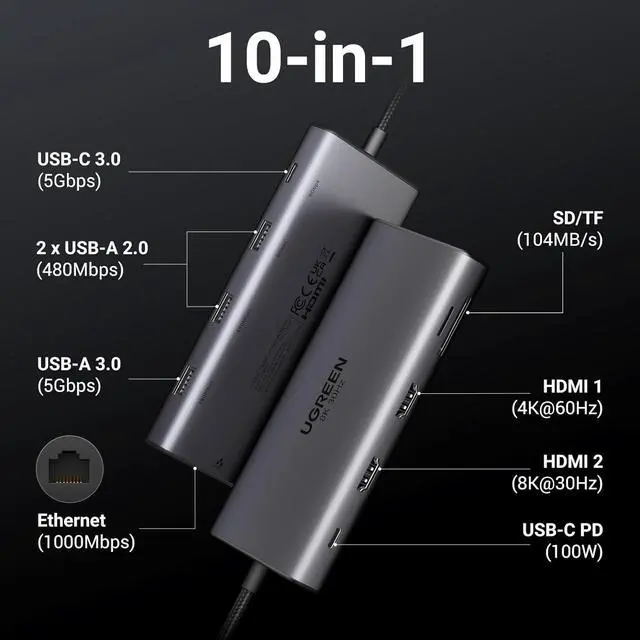



UGREEN 10 in 1 Docking Station, Revodok Pro 210 USB C Hub with Dual 4K@60Hz HDMI Single 8K@30Hz, 100W PD, 1Gbps Ethernet, 5Gbps USB, SD/TF, USB C Docking Station for ASUS, Thinkpad, HP, Dell Laptops
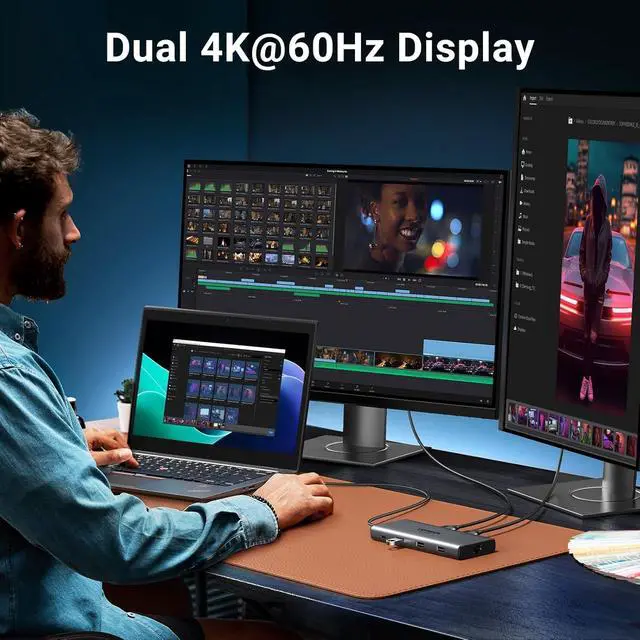
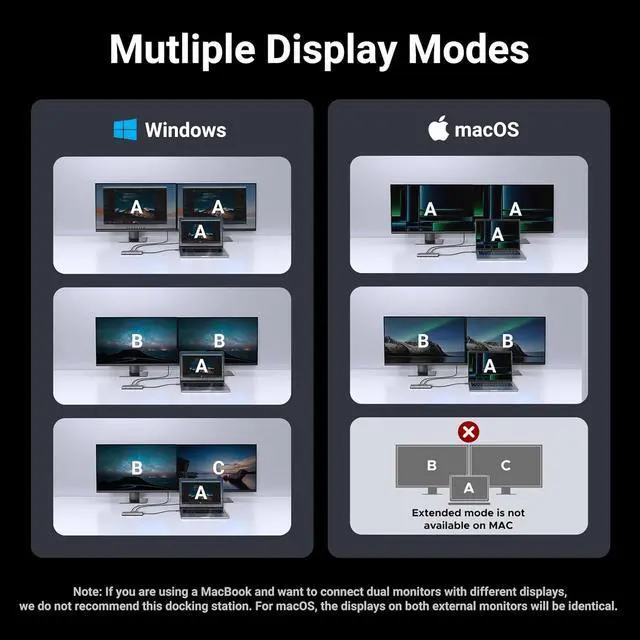
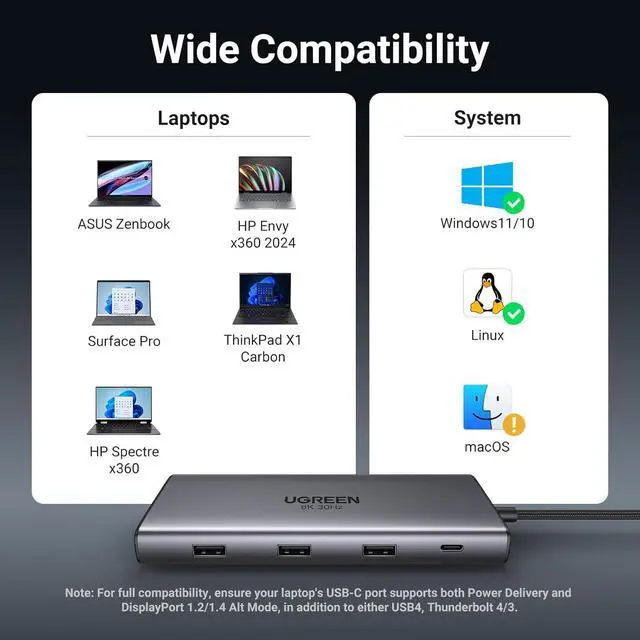
- Multi-Monitor Display: The Laptop Docking Station will hook up two displays to both HDMI ports in 4K@60Hz max. Connect to a single display via the HDMI 2 to view content in up to 8K@30Hz. Please note that due to MacOS limitations, all extended monitors will display the same content when connecting MacBooks
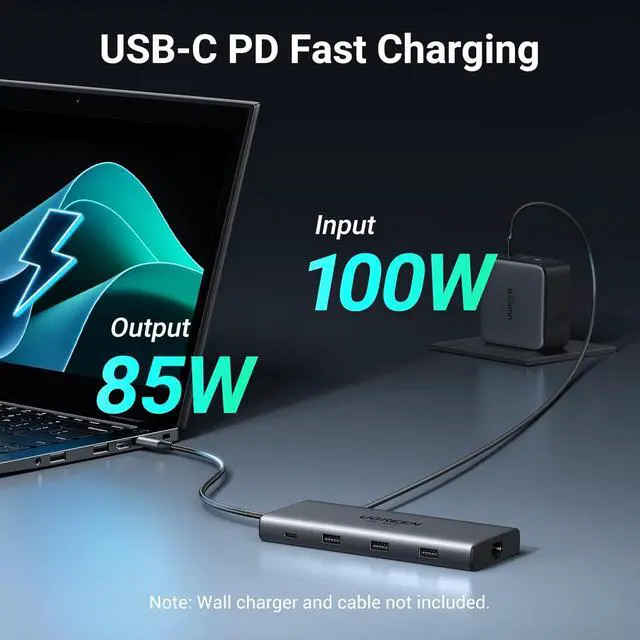
- 100W Power Delivery: The USB C Dock Supports up to 85W USB C pass-through charging via USB-C PD port, reserves 15W for other interface operation, so you can charge your XPS 15 laptop from a low battery to 60% in an hour. With an aluminum design for heat dissipation, it provides more efficient and stable power supply. (Note: Wall charger not included)
- Ethernet and SD/TF Card: The Ethernet port provides internet connectivity at speeds up to 1000 Mbps, while the SD/TF card slot supports instant file access with read speeds up to 104 MB/s. This makes it suitable for creative professionals, content creators, and photographers, enabling high-speed and smooth 4K playback, and rapid impor
+
+
Overview
Specs
Reviews
What can I do if my monitor cannot reach 8K@30Hz?
1). Ensure that the monitor is connected to HDMI2 port alone.
2). Check if your laptop supports both DP1.4 and DSC compression. If only DP1.4 is supported while DSC compression is not, it can only reach 4K@60Hz at max.
When I connect to 2 monitors with Mac, why do both monitors show the same image?
When Mac is connected to dual monitor devices, the docking station can only support extending one display, and another display can only copy the display you extended, which means it only supports AAA or ABB
Why are SD and TF cards not recognized on mobile phones/tablets?
When using the hub with phone or tablets, please insert the SD/TF card first, and then connect the hub to the device.
Is it compatible with the LG38WN95C monitor?
No, it is Not compatible with the LG38WN95C monitor.
How can I troubleshoot if my dual monitors cannot achieve 4K@60Hz simultaneously?
What can I do if my monitor cannot reach 8K@30Hz?
When I connect to 2 monitors with Mac, why do both monitors show the same image?
Why are SD and TF cards not recognized on mobile phones/tablets?
Is it compatible with the LG38WN95C monitor?
1). Ensure that the monitor is connected to HDMI2 port alone.
2). Check if your laptop supports both DP1.4 and DSC compression. If only DP1.4 is supported while DSC compression is not, it can only reach 4K@60Hz at max.
When I connect to 2 monitors with Mac, why do both monitors show the same image?
When Mac is connected to dual monitor devices, the docking station can only support extending one display, and another display can only copy the display you extended, which means it only supports AAA or ABB
Why are SD and TF cards not recognized on mobile phones/tablets?
When using the hub with phone or tablets, please insert the SD/TF card first, and then connect the hub to the device.
Is it compatible with the LG38WN95C monitor?
No, it is Not compatible with the LG38WN95C monitor.
How can I troubleshoot if my dual monitors cannot achieve 4K@60Hz simultaneously?
What can I do if my monitor cannot reach 8K@30Hz?
When I connect to 2 monitors with Mac, why do both monitors show the same image?
Why are SD and TF cards not recognized on mobile phones/tablets?
Is it compatible with the LG38WN95C monitor?
Warranty & Returns
Warranty, Returns, And Additional Information
Warranty
- Please contact the Seller directly for warranty information. Warranty information may also be found on the Manufacturer's website.
- CONTACT
Return Policies
- Return for refund within: 30 days
- Return for replacement within: 90 days
- This item is covered by CITY BUSINESS Official Return Policy
Manufacturer Contact Info
- For a directory of all our manufacturers, please click below.
- Manufacturers Directory
LOADING...