• $272.99
  • Ships from Hong Kong.
    Price alert
    Shop it at NeweggBusiness.

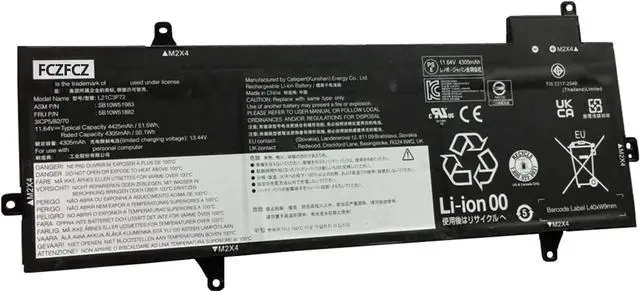
    L21C3P72 Battery 51.5Wh 4425mAh Replacement for Lenovo ThinkPad Z13 Gen 1 / Z13 Gen 2 Series SB10W51983 SB11M89884 L21M3P72 SB10W51982 SB11M89883 L21B3P71 SB10W51984 SB11M89885 11.64V 3-Cell

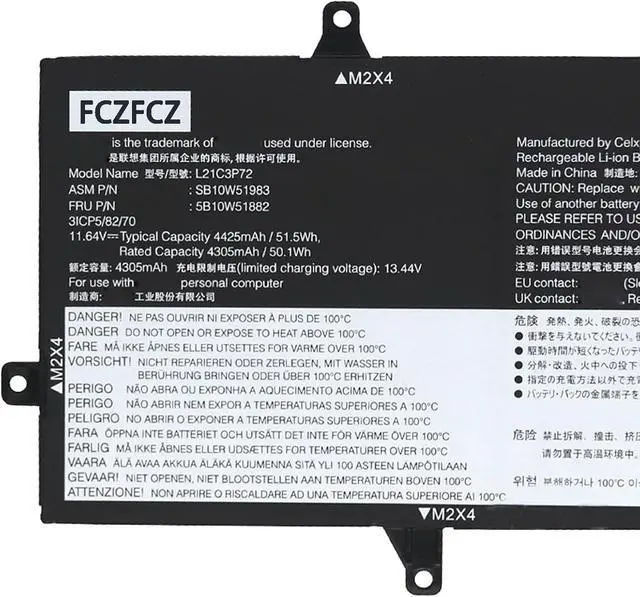
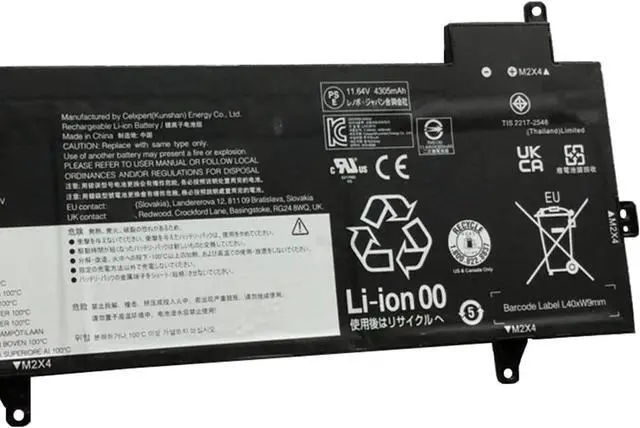
    • SpecificationsBattery Model:L21C3P72 // Voltage:11.64V // Capacity:51.5Wh 4425mAh 3-cell // Color:Black // Condition:Brand New.
    • Replacement for Part NumberL21C3P72 SB10W51983 5B10W51882 SB11M89884 5B11M90083 L21M3P72 SB10W51982 5B10W51881 SB11M89883 5B11M90082 L21B3P71 SB10W51984 5B10W51883 SB11M89885 5B11M90084 SB10W52013 5B10W51912 SB10W52011 5B10W51910
    • Compatible with Machine Models for Lenovo ThinkPad Z13 Gen 1 (Type: 21D2 21D3) series; for Lenovo ThinkPad Z13 Gen 2 (Type:21JV 21JW) series
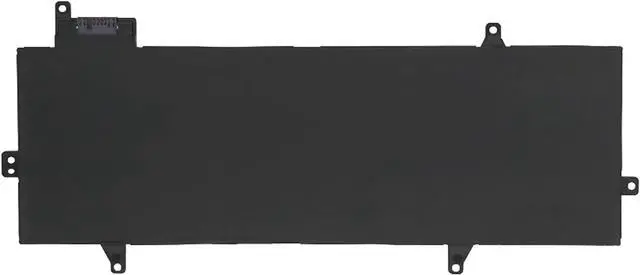
    • InstructionsPlease open the back cover of the laptop before purchasing and confirm that the original battery type is the same as the picture. Please read the battery instruction manual carefully before installing the battery. Please install the battery correctly and ensure that the battery interface and the motherboard are firmly connected. Please use the original charger to charge the laptop. After battery installation, discharge the new battery to 5% (not 0%), then charge and cycle
    +
    +
    Overview
    Specs
    Reviews
    SpecificationsBattery Model:L21C3P72 // Voltage:11.64V // Capacity:51.5Wh 4425mAh 3-cell // Color:Black // Condition:Brand New.
    Replacement for Part NumberL21C3P72 SB10W51983 5B10W51882 SB11M89884 5B11M90083 L21M3P72 SB10W51982 5B10W51881 SB11M89883 5B11M90082 L21B3P71 SB10W51984 5B10W51883 SB11M89885 5B11M90084 SB10W52013 5B10W51912 SB10W52011 5B10W51910
    Compatible with Machine Models for Lenovo ThinkPad Z13 Gen 1 (Type: 21D2 21D3) series; for Lenovo ThinkPad Z13 Gen 2 (Type:21JV 21JW) series
    InstructionsPlease open the back cover of the laptop before purchasing and confirm that the original battery type is the same as the picture. Please read the battery instruction manual carefully before installing the battery. Please install the battery correctly and ensure that the battery interface and the motherboard are firmly connected. Please use the original charger to charge the laptop. After battery installation, discharge the new battery to 5% (not 0%), then charge and cycle 3-4 times to wake up the new battery.
    B41N1827 battery 0B200-03070200 4ICP5/57/80 battery ZenBook Flip 15 Q507IQ UX562 UX562IA UX562UG UX562FD Battery UX562FA UX562FA-2G UX562FA-2S UX562FA-AC022T UX562FA-AC023R UX562FA-AC025R UX562FA-AC028T UX562FA-AC033T UX562FA-AC051T UX562FA-AC072T UX562FA-AC096T Battery ZenBook Q526FA Q526FA-BI7T10 Q526FAC Battery battery 15.36V 56Wh 3653mAh

    Warranty & Returns

    Warranty, Returns, And Additional Information

    Warranty

    • Please contact the Seller directly for warranty information. Warranty information may also be found on the Manufacturer's website.
    • CONTACT

    Return Policies

    Manufacturer Contact Info

    LOADING...