
Your Browsing History
- Free 30-day Returns
$440.99
Ships from Hong Kong.
Sold by E-Transit Limited
Shipped by E-Transit Limited

Meet Your Seller

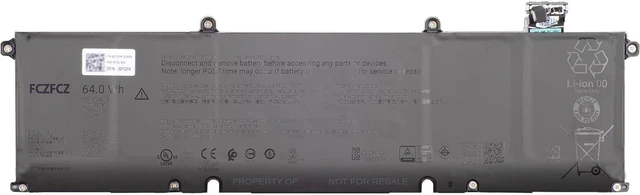
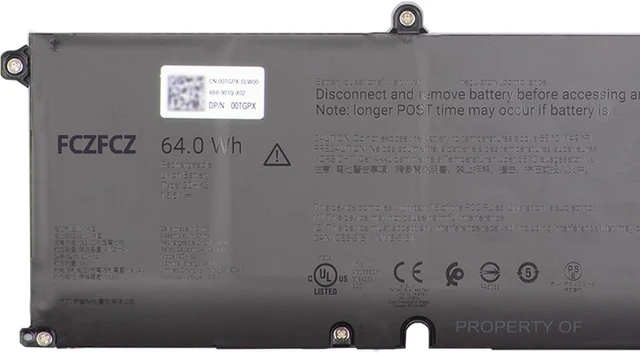
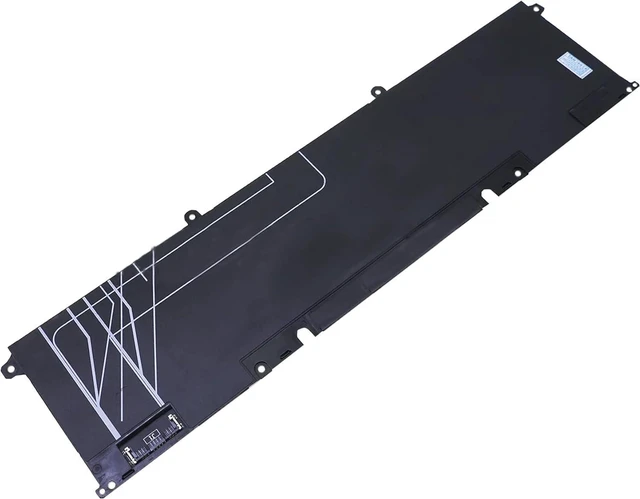


20HK2 Battery 64Wh 4102mAh Replacement for Dell Pro Max 16 MC16250 MC16255 Series P63GC 0P63GC 15.6V 4-Cell
- SpecificationsBattery Model:20HK2 // Voltage:15.6V // Capacity:64Wh 4102mAh 4-cell // Color:Black // Condition:Brand New.
- Replacement for Part Number20HK2 P63GC 0P63GC
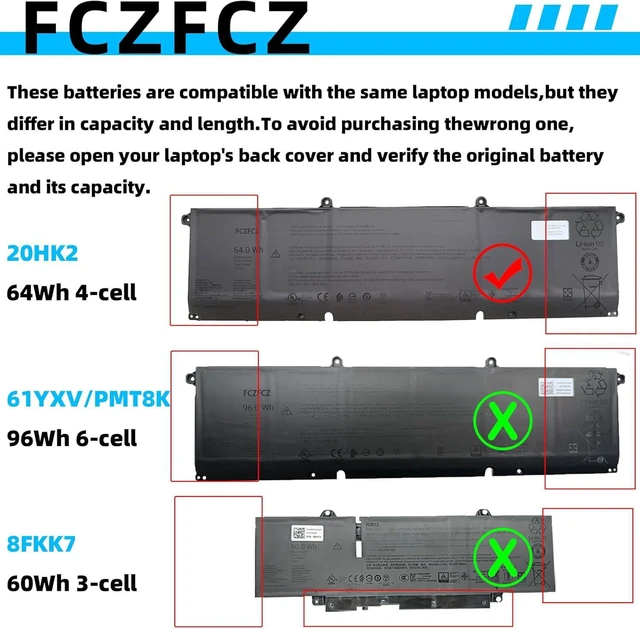
- Compatible with Machine Modelsfor Dell Pro Max 16 MC16250 Series; for Dell Pro Max 16 MC16255 series. NOTE: The Dell Pro Max 16 MC16250 series laptop supports two battery capacities (64Wh and 96Wh). To avoid purchasing the wrong battery, please open your laptop's back cover to verify the original battery and its capacity.
- SafetyAll FCZFCZ products are Certified by CE, UL for safety. Each battery is factory tested before shipment and at good condition, and have its mark. Built-in circuit protection ensures both safety and stability. Each battery has high capacity to provide enduring, continual use.
- InstructionsPlease open the back cover of the laptop before purchasing and confirm that the original battery type is the same as the picture. Please read the battery instruction manual carefully before installing
+
+
Overview
Specs
Reviews
SpecificationsBattery Model:20HK2 // Voltage:15.6V // Capacity:64Wh 4102mAh 4-cell // Color:Black // Condition:Brand New.
Replacement for Part Number20HK2 P63GC 0P63GC
Compatible with Machine Modelsfor Dell Pro Max 16 MC16250 Series; for Dell Pro Max 16 MC16255 series. NOTE: The Dell Pro Max 16 MC16250 series laptop supports two battery capacities (64Wh and 96Wh). To avoid purchasing the wrong battery, please open your laptop's back cover to verify the original battery and its capacity.
SafetyAll FCZFCZ products are Certified by CE, UL for safety. Each battery is factory tested before shipment and at good condition, and have its mark. Built-in circuit protection ensures both safety and stability. Each battery has high capacity to provide enduring, continual use.
InstructionsPlease open the back cover of the laptop before purchasing and confirm that the original battery type is the same as the picture. Please read the battery instruction manual carefully before installing the battery. Please install the battery correctly and ensure that the battery interface and the motherboard are firmly connected. Please use the original charger to charge the laptop. After battery installation, discharge the new battery to 5% (not 0%), then charge and cycle 3-4 times to wake up the new battery.
Replacement for Part Number20HK2 P63GC 0P63GC
Compatible with Machine Modelsfor Dell Pro Max 16 MC16250 Series; for Dell Pro Max 16 MC16255 series. NOTE: The Dell Pro Max 16 MC16250 series laptop supports two battery capacities (64Wh and 96Wh). To avoid purchasing the wrong battery, please open your laptop's back cover to verify the original battery and its capacity.
SafetyAll FCZFCZ products are Certified by CE, UL for safety. Each battery is factory tested before shipment and at good condition, and have its mark. Built-in circuit protection ensures both safety and stability. Each battery has high capacity to provide enduring, continual use.
InstructionsPlease open the back cover of the laptop before purchasing and confirm that the original battery type is the same as the picture. Please read the battery instruction manual carefully before installing the battery. Please install the battery correctly and ensure that the battery interface and the motherboard are firmly connected. Please use the original charger to charge the laptop. After battery installation, discharge the new battery to 5% (not 0%), then charge and cycle 3-4 times to wake up the new battery.
Warranty & Returns
Warranty, Returns, And Additional Information
Warranty
- Please contact the Seller directly for warranty information. Warranty information may also be found on the Manufacturer's website.
- CONTACT
Return Policies
- Return for refund within: 30 days
- Return for replacement within: 90 days
- This item is covered by E-Transit Limited Return Policy
Manufacturer Contact Info
- For a directory of all our manufacturers, please click below.
- Manufacturers Directory
LOADING...