
Your Browsing History
- Free 30-day Returns
$134.99
Ships from Hong Kong.
Sold by E-Transit Limited
Shipped by E-Transit Limited

Meet Your Seller

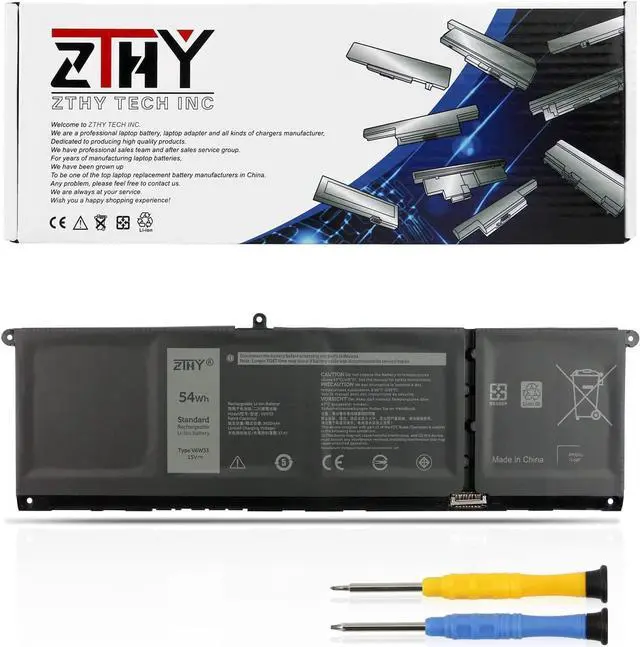
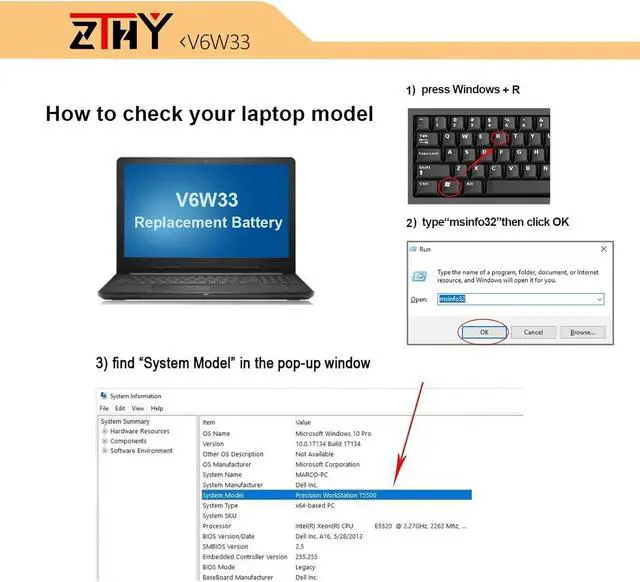
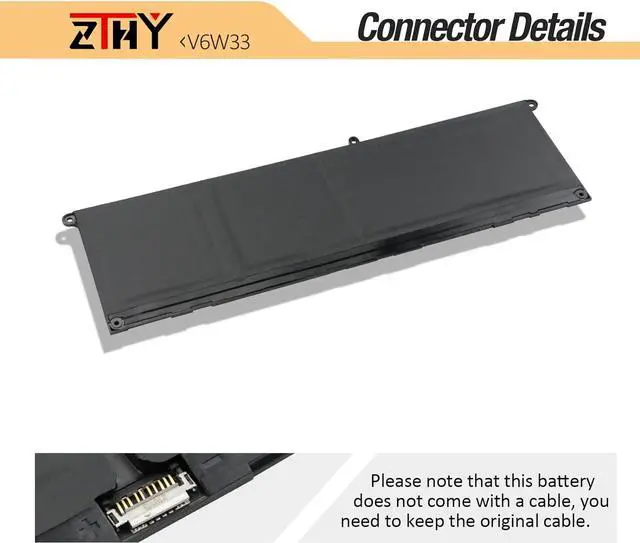

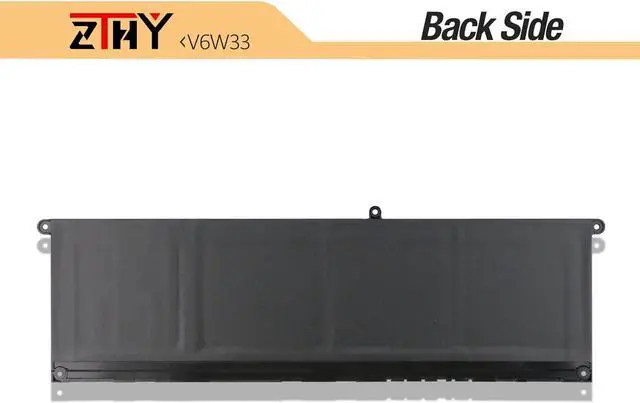


V6W33 4-Cell 54Wh Battery Replacement for Dell Inspiron 3510 3511 3515 5310 5410 5418 5510 5515 5518 5625 5630 5635 7430 7435 7420 7425 7415 7620 2-in-1 Latitude 3320 3330 3420 3520 Vostro 5620 5625
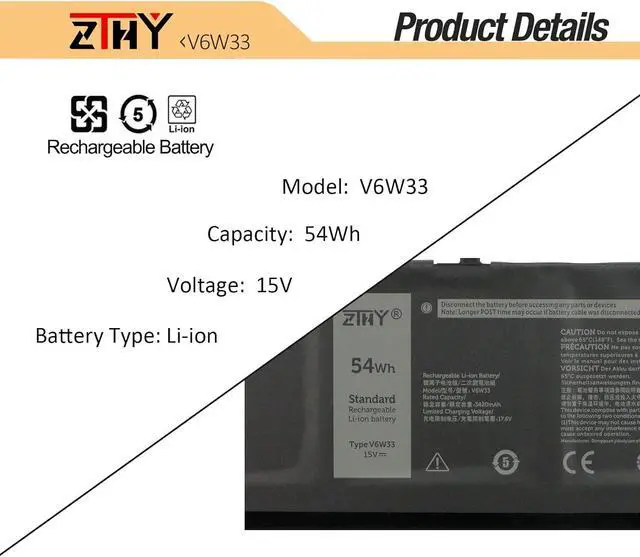
- Specifications: Battery type: Li-ion. Color: Black. Voltage: 15V. Capacity: 54Wh/4Cell. New from Manufacturer. Up to 500 recharge cycles over the life of the battery. Replacement Part Number: V6W33 TN70C G91J0 0WV3K8 0VKYJX 0MVK11 0XDY9K PG8YJ 0PG8YJ 927N5 0927N5 FH3K2 0FH3K2 MGCM5 0MGCM5 JGCCT N9XX1
- Compatible Laptop Models: Replacement for Dell Inspiron 15 3510 3511 3515 3520 3525 3530 3535, Inspiron 13 5310 5320 5330,Inspiron 14 5410 5415 5418 5420 5425 5430 5435, Inspiron 14 Plus 7420,Inspiron 15 5510 5515 5518,Inspiron 16 5625 5630 5635, Inspiron 14 5410 2-in-1, Inspiron 14 7415 2-in-1, Inspiron 14 7420 2-in-1 , Inspiron 14 7425 2-in-1 ,Inspiron 14 7430 2-in-1 ,Inspiron 14 7435 2-in-1 , Inspiron 16 7620 2-in-1 Series
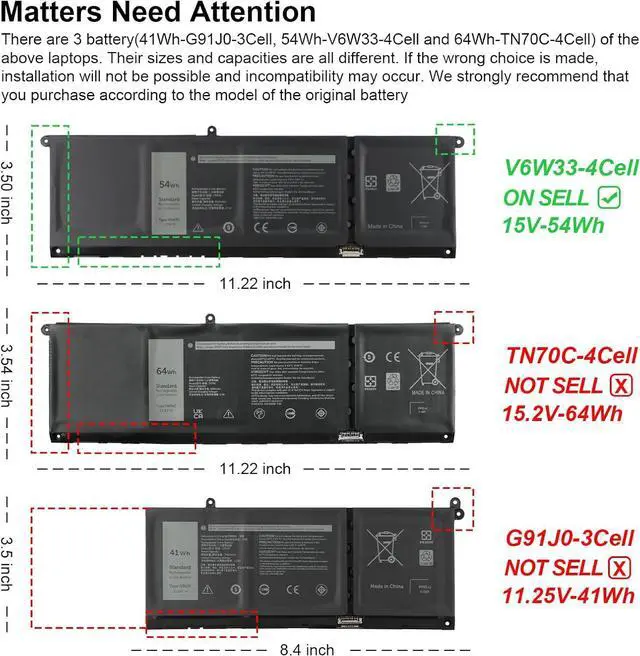
- Compatible Laptop Models: Replacement for Dell Latitude 3320 3330 3420 3520, Vostro 15 3510 3511 3515 3520 3525 , Vostro 13 5310 5320 ,Vostro 14 3420 3425 5410 5415 , Vostro 15 5510 5515 Series,Vostro 5620 5625 Series.Note: There are 2 battery(41Wh-G91J0 and 54Wh-V
+
+
Overview
Specs
Reviews
1) Please click ZTHY TECH, we will help you solve it.
2) Please be assured that we will take the responsibility for each product we sold.
3) 30-days after purchase, we offer a no-questions-asked return policy.
4)12 months from the date of purchase, If the product fails, we will replace it with a new one.
1) You need to turn off your laptop and disconnect the power.
2) Disconnect the connection between the old battery and the motherboard to avoid unnecessary damage caused by disassembling the battery. Then unscrew the old battery screws one by one and carefully save each screw.
3) Remove the old battery, carefully install the new battery on the battery case, screw in the screw, and connect the wiring of the new battery.
4) If you don't understand the above steps, you can search for the video about laptop battery installation on YouTube. Maybe it will help you.
1)Discharge the new battery use to 10%(not to 0%) and then charge to 95%, and cycle 3-4 times.
2) Do not disassemble, crush or puncture. Do not dispose of in fire or water.
3) If you remove the battery for a long time, charge more than 80% at least one time within one month.
4) Don't connect the adapter for a long time while using the battery. It may damage the battery.
5)When using the battery, care should be taken to prevent exposure and moisture.
1) Could be caused by battery loss. Please re-install the battery and make sure that the battery cable and the motherboard interface are tightly inserted.
2) Maybe due to conductive material damage which the laptop motherboard and battery anode and cathode contact position, you can try to confirm it with your original battery.
3) Check whether the battery drive is in normal condition, if not, download the corresponding driver software to update.
1.Turn off the laptop.
2.Unplug AC power.
3.Remove the battery.
4.Replace AC power.
5.Turn on laptop,allow OS to boot.
6.Once logged in to the machine,perform a normal shut donw.
7.Unplug AC power.
8.Replace battery.
1, Change your laptop power plan settings, and choose the power saver plan. Then Change advanced power settings, and scroll down to find Processor power management. Click the On-battery option and reduce the processor state to 20%.
2, Always keep your laptop neat and clean. The dust easily enters the hardware through the vents which are meant to release the heat generated from various computer components.
3, Close Wi-Fi, Bluetooth, and other settings. This can help your computer save precious battery life.
Compatible Part NumberV6W33 TN70C G91J0 0WV3K8 0VKYJX 0MVK11 0XDY9K PG8YJ 0PG8YJ 927N5 0927N5 FH3K2 0FH3K2 MGCM5 0MGCM5 JGCCT N9XX1Compatible ModelReplacement for Dell Inspiron 13 5310 5320 5330 Series;Compatible ModelReplacement for Dell Inspiron 14 5410 5415 5418 5420 5425 5430 5435 5440 5445 Series;Compatible ModelReplacement for Dell Inspiron 14 Plus 7420 7430 7440 Series;Compatible ModelReplacement for Dell Inspiron 14 5410 7415 7420 7425 7430 7435 7440 7445 2-in-1 Series;Compatible ModelReplacement for Dell Inspiron 15 3510 3511 3515 3520 3521 3525 3530 3535 Series;Compatible ModelReplacement for Dell Inspiron 15 5510 5515 5518 Series;Compatible ModelReplacement for Dell Inspiron 15 5515 (R1508STW / R1608STW / R1708STW) Series;Compatible ModelReplacement for Dell Inspiron 16 5625 5630 5635 5640 5645 Series;Compatible ModelReplacement for Dell Latitude 3320 3330 3420 3430 3520 3530 Series;Compatible ModelReplacement for Dell Latitude 3445 5430 Chromebook Series;Compatible ModelReplacement for Dell Vostro 13 5310 5320 Series;Compatible ModelReplacement for Dell Vostro 14 3420 3425 3430 3435 5410 5415 Series;Compatible ModelReplacement for Dell Vostro 15 3510 3511 3515 3520 3525 3530 3535 3562 5510 5515 Series;Compatible ModelReplacement for Dell Vostro 16 5620 5625 5630 5635 5640 Series.NOTEThere are 3 batteries (41Wh-G91J0 , 54Wh-V6
2) Please be assured that we will take the responsibility for each product we sold.
3) 30-days after purchase, we offer a no-questions-asked return policy.
4)12 months from the date of purchase, If the product fails, we will replace it with a new one.
1) You need to turn off your laptop and disconnect the power.
2) Disconnect the connection between the old battery and the motherboard to avoid unnecessary damage caused by disassembling the battery. Then unscrew the old battery screws one by one and carefully save each screw.
3) Remove the old battery, carefully install the new battery on the battery case, screw in the screw, and connect the wiring of the new battery.
4) If you don't understand the above steps, you can search for the video about laptop battery installation on YouTube. Maybe it will help you.
1)Discharge the new battery use to 10%(not to 0%) and then charge to 95%, and cycle 3-4 times.
2) Do not disassemble, crush or puncture. Do not dispose of in fire or water.
3) If you remove the battery for a long time, charge more than 80% at least one time within one month.
4) Don't connect the adapter for a long time while using the battery. It may damage the battery.
5)When using the battery, care should be taken to prevent exposure and moisture.
1) Could be caused by battery loss. Please re-install the battery and make sure that the battery cable and the motherboard interface are tightly inserted.
2) Maybe due to conductive material damage which the laptop motherboard and battery anode and cathode contact position, you can try to confirm it with your original battery.
3) Check whether the battery drive is in normal condition, if not, download the corresponding driver software to update.
1.Turn off the laptop.
2.Unplug AC power.
3.Remove the battery.
4.Replace AC power.
5.Turn on laptop,allow OS to boot.
6.Once logged in to the machine,perform a normal shut donw.
7.Unplug AC power.
8.Replace battery.
1, Change your laptop power plan settings, and choose the power saver plan. Then Change advanced power settings, and scroll down to find Processor power management. Click the On-battery option and reduce the processor state to 20%.
2, Always keep your laptop neat and clean. The dust easily enters the hardware through the vents which are meant to release the heat generated from various computer components.
3, Close Wi-Fi, Bluetooth, and other settings. This can help your computer save precious battery life.
Compatible Part NumberV6W33 TN70C G91J0 0WV3K8 0VKYJX 0MVK11 0XDY9K PG8YJ 0PG8YJ 927N5 0927N5 FH3K2 0FH3K2 MGCM5 0MGCM5 JGCCT N9XX1Compatible ModelReplacement for Dell Inspiron 13 5310 5320 5330 Series;Compatible ModelReplacement for Dell Inspiron 14 5410 5415 5418 5420 5425 5430 5435 5440 5445 Series;Compatible ModelReplacement for Dell Inspiron 14 Plus 7420 7430 7440 Series;Compatible ModelReplacement for Dell Inspiron 14 5410 7415 7420 7425 7430 7435 7440 7445 2-in-1 Series;Compatible ModelReplacement for Dell Inspiron 15 3510 3511 3515 3520 3521 3525 3530 3535 Series;Compatible ModelReplacement for Dell Inspiron 15 5510 5515 5518 Series;Compatible ModelReplacement for Dell Inspiron 15 5515 (R1508STW / R1608STW / R1708STW) Series;Compatible ModelReplacement for Dell Inspiron 16 5625 5630 5635 5640 5645 Series;Compatible ModelReplacement for Dell Latitude 3320 3330 3420 3430 3520 3530 Series;Compatible ModelReplacement for Dell Latitude 3445 5430 Chromebook Series;Compatible ModelReplacement for Dell Vostro 13 5310 5320 Series;Compatible ModelReplacement for Dell Vostro 14 3420 3425 3430 3435 5410 5415 Series;Compatible ModelReplacement for Dell Vostro 15 3510 3511 3515 3520 3525 3530 3535 3562 5510 5515 Series;Compatible ModelReplacement for Dell Vostro 16 5620 5625 5630 5635 5640 Series.NOTEThere are 3 batteries (41Wh-G91J0 , 54Wh-V6
Warranty & Returns
Warranty, Returns, And Additional Information
Warranty
- Please contact the Seller directly for warranty information. Warranty information may also be found on the Manufacturer's website.
- CONTACT
Return Policies
- Return for refund within: 30 days
- Return for replacement within: 90 days
- This item is covered by E-Transit Limited Return Policy
Manufacturer Contact Info
- For a directory of all our manufacturers, please click below.
- Manufacturers Directory
LOADING...