
Your Browsing History
- Free 30-day Returns
$86.99
Ships from Hong Kong.
Sold by E-Transit Limited
Shipped by E-Transit Limited

Meet Your Seller

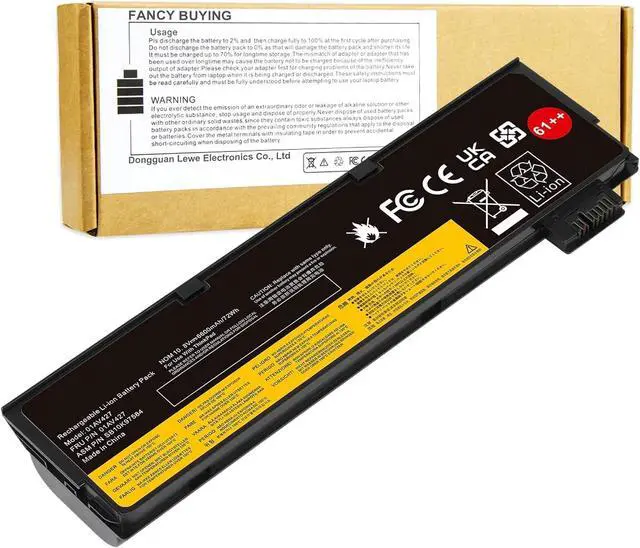
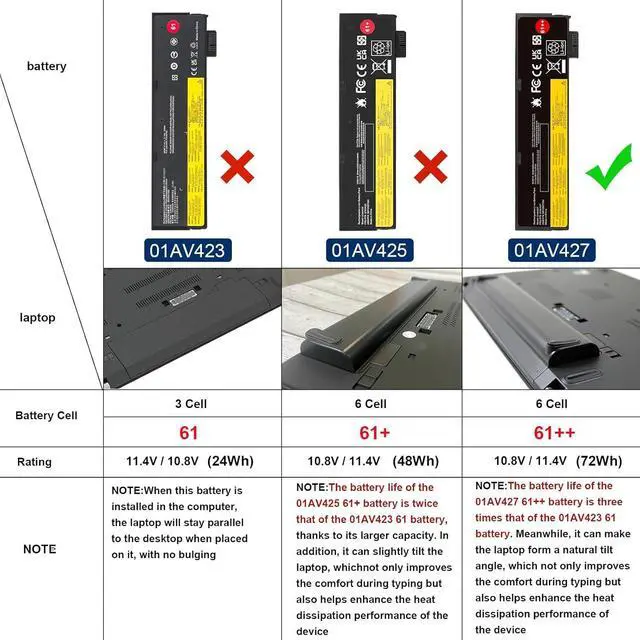
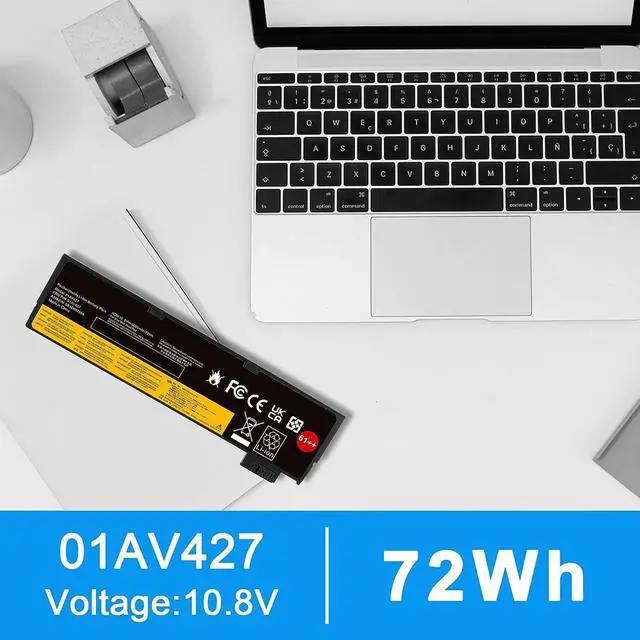


Fancy Buying 72Wh 61++ 01AV427 01AV425 Battery for Lenovo ThinkPad T480 T470 P51S P52S T570 T580 A485 A475 TP25 Series SB10K97584 SB10K97585 01AV490 01AV492 X50M08812 4X50M08812 01AV422 01AV423
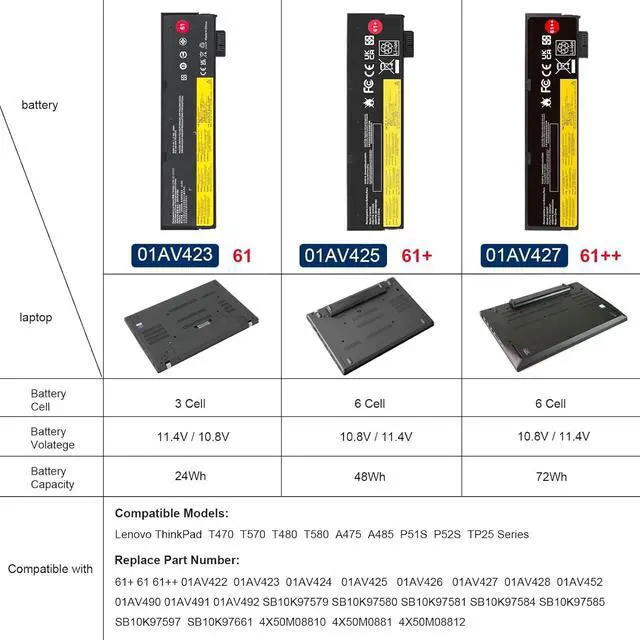
- Compatible With Part Number: 01AV423 4X50M08810 01AV422 SB10K97579 SB10K97580 01AV424 SB10K97581 01AV452 SB10K97597 01AV490 SB10K97581 SB10K97597 SB10K97582 SB10K97583 SB10K585 SB10K97584 SB10K97585 SB10K97661 TP00088A SL10P41432 4X50M08812.
- Compatible With Lenovo Lenovo ThinkPad T470 T480 T570 T580 P51S P52S A475 A485 TP25 Series
- Compatible With P51s,P52S,T470,T480,T570,T580,TP25,(NOT fit for the T460S T470S T480S P51 or T470P and T570p laptop)
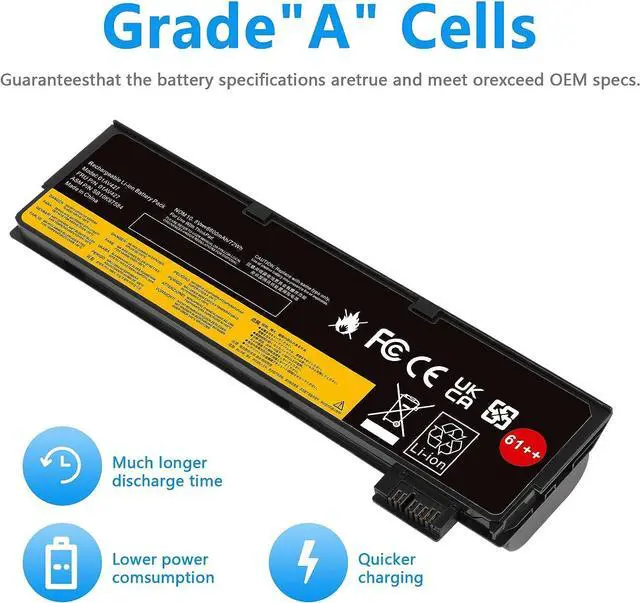
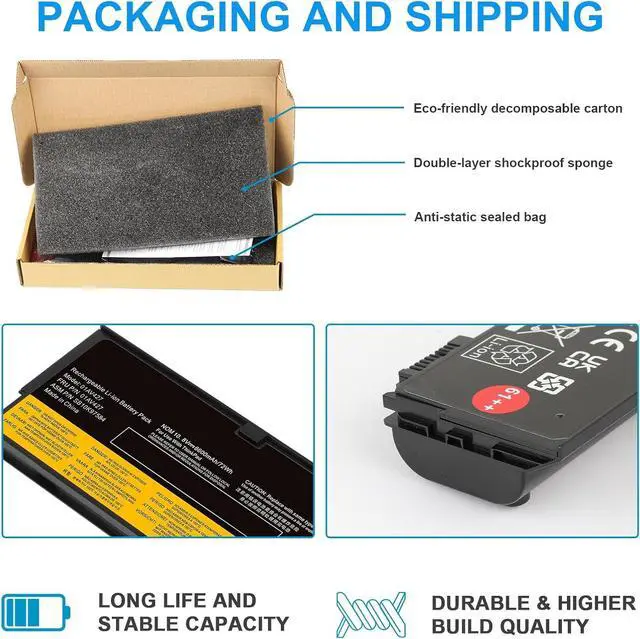
- Security & Reliability: Our batteries are assembled from top quality material and circuit boards to ensure fast charges and low power consumption, 100% New from Manufacturer, Overcharge and Overdischarge Circuit Protection, Over-temperature and Short-circuit Protection, up to 500 recharge cycles over the life of the battery, meet OEM standard.
+
+
Overview
Specs
Reviews
Replacement for Part Number:
61++ 01AV427 SB10K97584 4X50M08812 01AV428 01AV492 SB10K97585
Compatible Models (use "Ctrl+F" to find your model quickly)
Fit for Lenovo ThinkPad T470 Series
Fit for Lenovo ThinkPad T570 Series
Fit for Lenovo ThinkPad A475 Series
Fit for Lenovo ThinkPad A485 Series
Fit for Lenovo ThinkPad T480 Series
Fit for Lenovo ThinkPad T580 Series
Fit for Lenovo ThinkPad P51S Series
Fit for Lenovo ThinkPad P52S Series
Fit for Lenovo ThinkPad TP25 (Anniversary Edition 25) Series
Note !! this battery will NOT fit for Lenovo ThinkPad T460s T470s T480s P51 or T470P and T570p laptop
Install A New Battery:
1. You need to turn off your laptop and disconnect the power.
2. Remove the old battery, carefully install the new battery on the battery case, and connect the wiring of the new battery.
3. If you don't understand the above steps, you can search for the video about laptop battery installation on YouTube. Maybe it will help you.
Laptop Maintenance Tips:
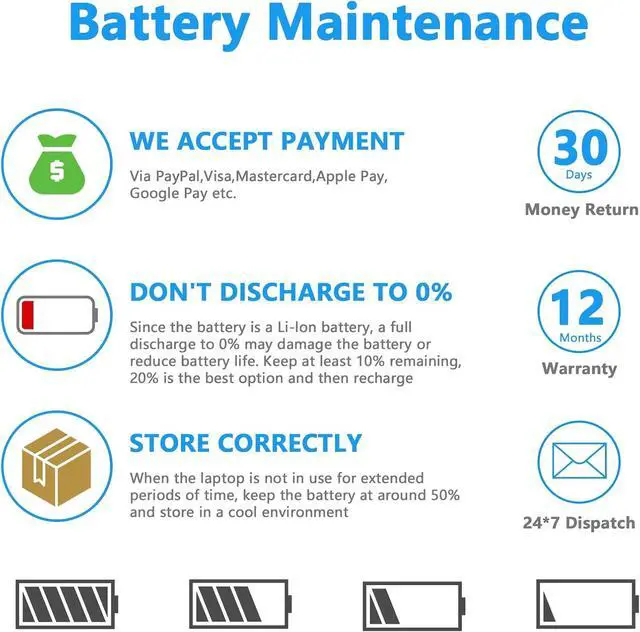
1. New battery: For use a new battery, youd better try a few cycles of discharging to 5%. then charging up to 95%. So that it can be activated completely
2. Overuse: Do not always run out of a battery to 0%, this would make it damaged or usage life shortened
3. Charging sequence: when charging, first install the battery, then turn on the power, when fully charged, first cut off the power, then pull the power plug.
4. Long-term storage:Please store the unused battery fully charged.(Charge it once a month) Do not store at low power to prevent reduce the lifespan of a battery
5. Charger: Do not replace the laptop adapter casually. If the original adapter cannot be applied due to malfunction or damage, please replace the models, so as not to reduce the service life of the battery due to incompatibility.
Over-current protection
Over-voltage protection
High voltage protection
Short circuit protection
Over-temperature protection
Overload protection
61++ 01AV427 SB10K97584 4X50M08812 01AV428 01AV492 SB10K97585
Compatible Models (use "Ctrl+F" to find your model quickly)
Fit for Lenovo ThinkPad T470 Series
Fit for Lenovo ThinkPad T570 Series
Fit for Lenovo ThinkPad A475 Series
Fit for Lenovo ThinkPad A485 Series
Fit for Lenovo ThinkPad T480 Series
Fit for Lenovo ThinkPad T580 Series
Fit for Lenovo ThinkPad P51S Series
Fit for Lenovo ThinkPad P52S Series
Fit for Lenovo ThinkPad TP25 (Anniversary Edition 25) Series
Note !! this battery will NOT fit for Lenovo ThinkPad T460s T470s T480s P51 or T470P and T570p laptop
Install A New Battery:
1. You need to turn off your laptop and disconnect the power.
2. Remove the old battery, carefully install the new battery on the battery case, and connect the wiring of the new battery.
3. If you don't understand the above steps, you can search for the video about laptop battery installation on YouTube. Maybe it will help you.
Laptop Maintenance Tips:
1. New battery: For use a new battery, youd better try a few cycles of discharging to 5%. then charging up to 95%. So that it can be activated completely
2. Overuse: Do not always run out of a battery to 0%, this would make it damaged or usage life shortened
3. Charging sequence: when charging, first install the battery, then turn on the power, when fully charged, first cut off the power, then pull the power plug.
4. Long-term storage:Please store the unused battery fully charged.(Charge it once a month) Do not store at low power to prevent reduce the lifespan of a battery
5. Charger: Do not replace the laptop adapter casually. If the original adapter cannot be applied due to malfunction or damage, please replace the models, so as not to reduce the service life of the battery due to incompatibility.
Over-current protection
Over-voltage protection
High voltage protection
Short circuit protection
Over-temperature protection
Overload protection
Warranty & Returns
Warranty, Returns, And Additional Information
Warranty
- Please contact the Seller directly for warranty information. Warranty information may also be found on the Manufacturer's website.
- CONTACT
Return Policies
- Return for refund within: 30 days
- Return for replacement within: 90 days
- This item is covered by E-Transit Limited Return Policy
Manufacturer Contact Info
- For a directory of all our manufacturers, please click below.
- Manufacturers Directory
LOADING...