
Your Browsing History

Meet Your Seller

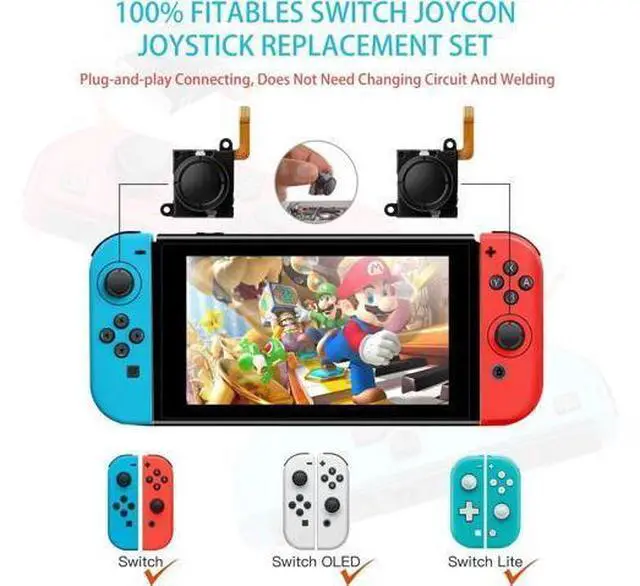


GuliKit Switch JoyCon Joystick Replacement, TMR Joystick, Updated Anti-Drift TMR Electromagnetic Joystick For Switch LCD/OLED Joy Con & Switch Lite with Repair Kit Accessories (2 Pack)
Limited time offer, ends 09/30 By Golernisen
- [GuliKit Original TMR Joystick] Specifically for Switch, Switch OLED, Switch Lite Joycon, works for Left or Right joycon controller.
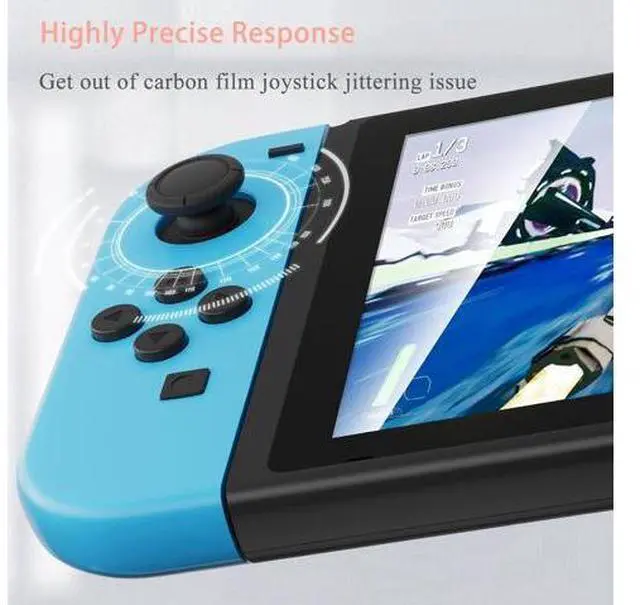
- [No Drifting] TMR (Tunnel Magnetoresistance) technology eliminates physical contact wearno more dead zones or drift issues.
- [Ultra-Precision] Smoother than traditional joysticks, with 360° seamless response for competitive FPS, RPG, and action games.
- [More Power Saving & Longer Life] GuliKit TMR joycon joystick replacement has low power consumption technology, more power saving and longer game time.
- [No soldering required] Modular design works with original Joycon shellsno soldering or technical skills needed.
- [Kindly Note] Please run joystick calibration on Switch after installation(Switch System Setting->Controller and Sensor->Calibrate Control Sticks->Follow the prompts to finish joystick calibration. Feel free to contact us for help in case of any support needed.
+
+
Overview
Specs
Reviews
[GuliKit Original TMR Joystick] Specifically for Switch, Switch OLED, Switch Lite Joycon, works for Left or Right joycon controller.. [No Drifting] TMR (Tunnel Magnetoresistance) technology eliminates physical contact wearno more dead zones or drift issues.. [Ultra-Precision] Smoother than traditional joysticks, with 360° seamless response for competitive FPS, RPG, and action games.. [More Power Saving & Longer Life] GuliKit TMR joycon joystick replacement has low power consumption technology, more power saving and longer game time.. [No soldering required] Modular design works with original Joycon shellsno soldering or technical skills needed.
. [Kindly Note] Please run joystick calibration on Switch after installation(Switch System Setting->Controller and Sensor->Calibrate Control Sticks->Follow the prompts to finish joystick calibration. Feel free to contact us for help in case of any support needed.
. [Kindly Note] Please run joystick calibration on Switch after installation(Switch System Setting->Controller and Sensor->Calibrate Control Sticks->Follow the prompts to finish joystick calibration. Feel free to contact us for help in case of any support needed.
Warranty & Returns
Warranty, Returns, And Additional Information
Warranty
- Please contact the Seller directly for warranty information. Warranty information may also be found on the Manufacturer's website.
- CONTACT
Return Policies
- Return for refund within: 30 days
- Return for replacement within: 90 days
- This item is covered by Golernisen Return Policy
Manufacturer Contact Info
- For a directory of all our manufacturers, please click below.
- Manufacturers Directory
LOADING...