
Your Browsing History

Meet Your Seller

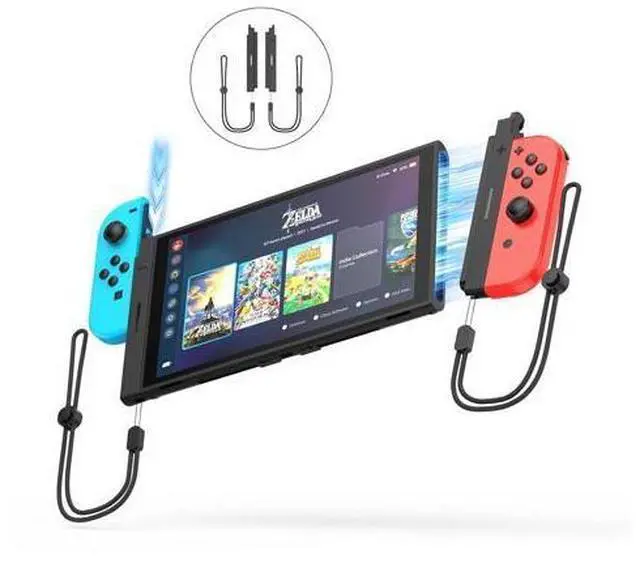
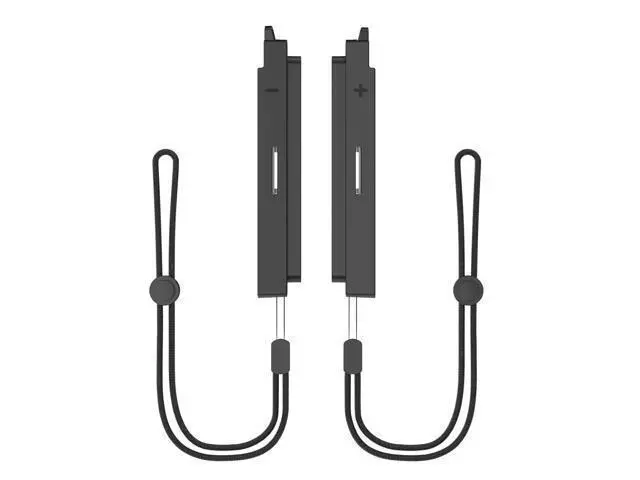


JDDWIN Joy Con Charging Grip Adapter, Compatible with Nintendo Switch 2 Console with Charge, for Switch Joy Con Connecting to Switch 2 Console,Magnetic Joy-Con Adapter, Portable Connector for Switch 2
Limited time offer, ends 09/30 By Golernisen
- SEAMLESS COMPATIBILITY: Effortlessly connect your Nintendo Switch 1 Joy-Con controllers to the new Switch 2 console. Works with original Switch JoyCon, giving players more control options for different games
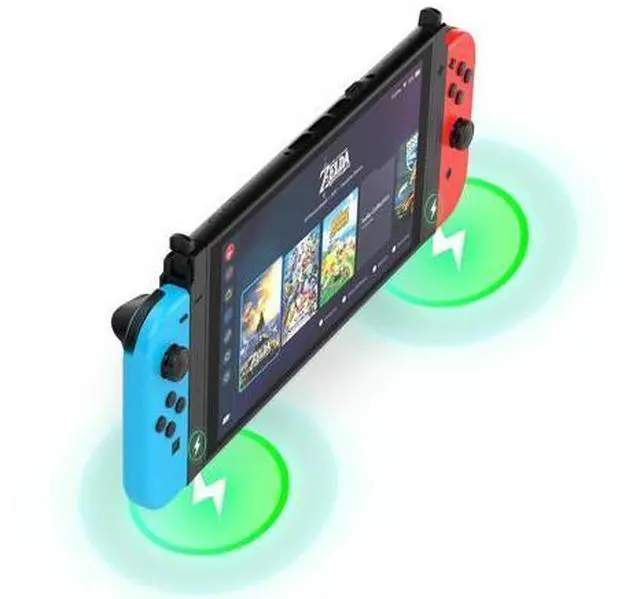
- With CHARGING FUNCTION: Easily charge your Switch 1 Joycon (Note:Charges only if Joy-Con battery is low)
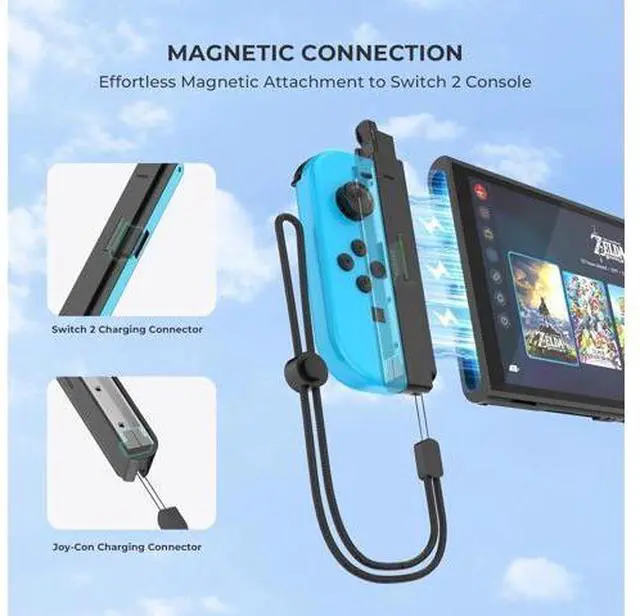
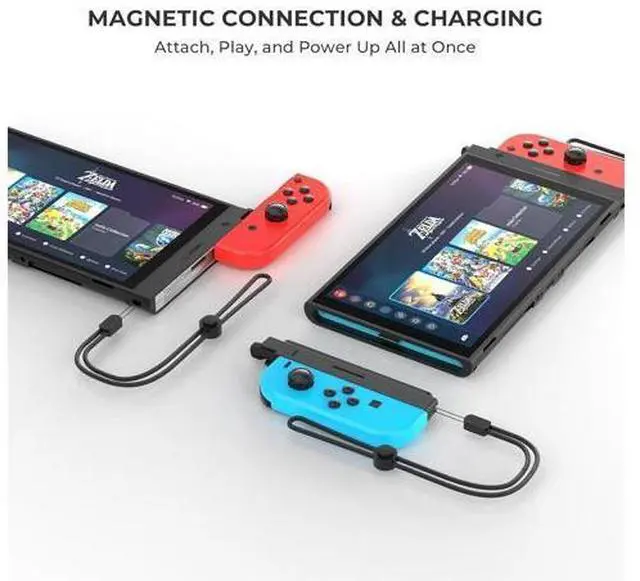
- EFFORTLESS MAGNETIC CONNECTION: Simply align-auto snaps & locks to Switch 2 Instant gameplay, zero hassle.Ensures controllers stay firmly connected during intense gameplay. Before installing the joy con, please establish a Bluetooth wireless connection with the Switch2 console.
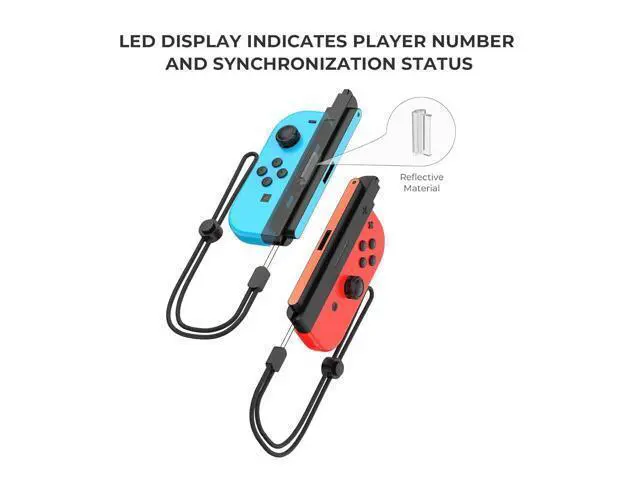
- PAIRING METHOD FOR JOY-Con with Switch 2: Select "Settings" on the Switch 2 home menu.Go to "Controllers and Sensors" "Change Grip/Order".Press and hold the SYNC button on the side of the Joy-Con for 3 seconds (the LED will start blinking).The console will automatically detect it If "Paired" is displayed, you're done.
- PRESERVES CONTROLLER FUNCTIONALITY: Maintains full Joy-Con features: HD rumble, motion controls, and button responsiveness without latency or interference.
- PORTABLE & LIGHTWEIGHT: Slim, pocket-sized design, lets you game anywhere. Perfect for travel, parties, or multiplayer sessions.
+
+
Overview
Specs
Reviews
SEAMLESS COMPATIBILITY: Effortlessly connect your Nintendo Switch 1 Joy-Con controllers to the new Switch 2 console. Works with original Switch JoyCon, giving players more control options for different games.
With CHARGING FUNCTION: Easily charge your Switch 1
Joycon (Note: Charges only if Joy-Con battery is low).
EFFORTLESS MAGNETIC CONNECTION: Simply align-auto snaps & locks to Switch 2 Instant gameplay, zero hassle. Ensures controllers stay firmly connected during intense gameplay. Before installing the joy con, please establish a Bluetooth wireless connection with the Switch2 console.. PAIRING METHOD FOR JOY-Con with
Switch 2: Select "Settings" on the Switch 2 home menu. Go to "Controllers and Sensors" "Change Grip/Order". Press and hold the SYNC button on the side of the Joy-Con for 3 seconds (the LED will start blinking). The console will automatically detect it If "Paired" is displayed, you're done..
PRESERVES CONTROLLER FUNCTIONALITY: Maintains full
Joy-Con features: HD rumble, motion controls, and button responsiveness without latency or interference..
PORTABLE & LIGHTWEIGHT: Slim, pocket-sized design, lets you game anywhere. Perfect for travel, parties, or multiplayer sessions.
With CHARGING FUNCTION: Easily charge your Switch 1
Joycon (Note: Charges only if Joy-Con battery is low).
EFFORTLESS MAGNETIC CONNECTION: Simply align-auto snaps & locks to Switch 2 Instant gameplay, zero hassle. Ensures controllers stay firmly connected during intense gameplay. Before installing the joy con, please establish a Bluetooth wireless connection with the Switch2 console.. PAIRING METHOD FOR JOY-Con with
Switch 2: Select "Settings" on the Switch 2 home menu. Go to "Controllers and Sensors" "Change Grip/Order". Press and hold the SYNC button on the side of the Joy-Con for 3 seconds (the LED will start blinking). The console will automatically detect it If "Paired" is displayed, you're done..
PRESERVES CONTROLLER FUNCTIONALITY: Maintains full
Joy-Con features: HD rumble, motion controls, and button responsiveness without latency or interference..
PORTABLE & LIGHTWEIGHT: Slim, pocket-sized design, lets you game anywhere. Perfect for travel, parties, or multiplayer sessions.
Warranty & Returns
Warranty, Returns, And Additional Information
Warranty
- Please contact the Seller directly for warranty information. Warranty information may also be found on the Manufacturer's website.
- CONTACT
Return Policies
- Return for refund within: 30 days
- Return for replacement within: 90 days
- This item is covered by Golernisen Return Policy
Manufacturer Contact Info
- For a directory of all our manufacturers, please click below.
- Manufacturers Directory
LOADING...