
Your Browsing History

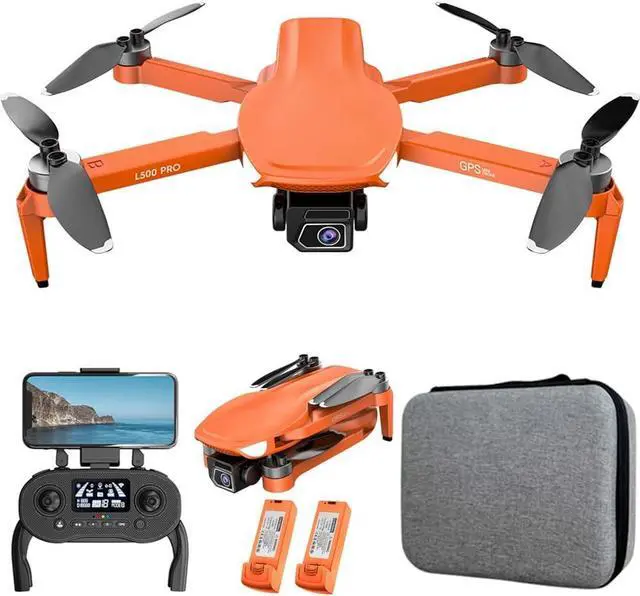




Product Model: L500
Channel: 4 Channels
Gyro: 6 Axis
Motor: 1503 Brushless Motor
Electric Adjustment Camera Angle: 90°
Camera Wide Angle: 120°
Remote Control Frequency: 2.4GHz
Smartphone Receiving Method: 5G WIFI Channel
Remote Control Distance: About 1000 Meters (No Interference, No Occlusion)
WIFI Transmission Distance: 300-600 Meters (No Interference, No Occlusion)
Drone Battery: 7.4V/2200mAh Lithium Battery Flight Time: About 20 Minutes
Charging Time: About 4 Hours
Front Camera Photo Resolution: 5120*2880P
Front Camera Video Resolution: 1920*1080P
Bottom Camera Photo Resolution: 1280*720P
Bottom Camera Video Resolution: 1280*720P
Frame rate: 25 fps
Photo Recording Mode: Remote Control + APP Control
Remote Control Battery: 3.7V/350mAh Lithium Battery
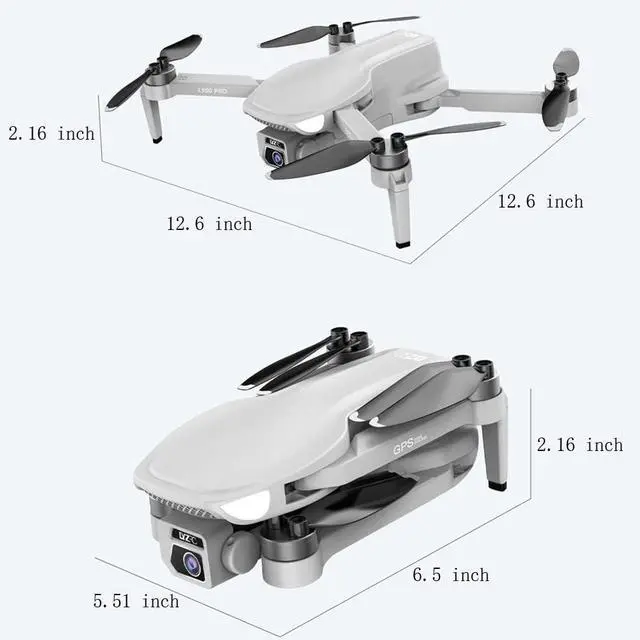
Quadcopter Size: 12.6*12.6*2.16inch (Unfoldable), 6.5*5.51*2.16inch (Foldable)
Quadcopter Weight: 200g
L500 Features:
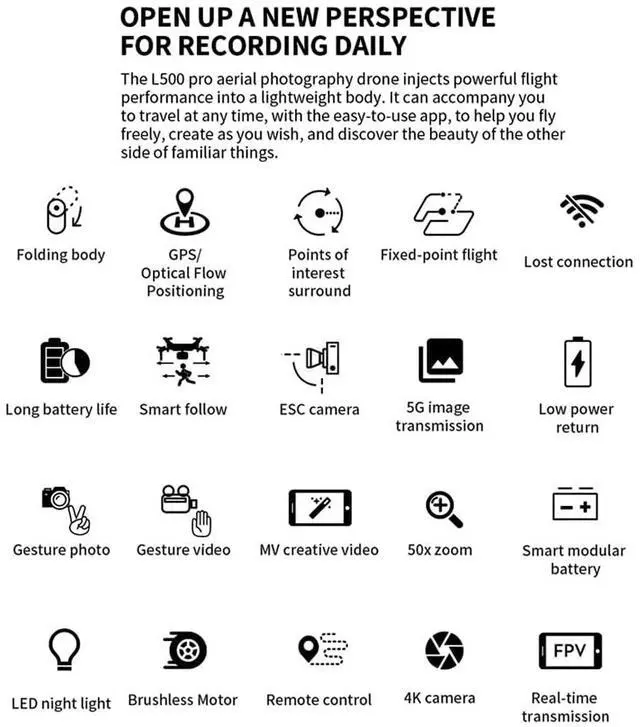
1. With foldable arm, small size, easy to carry.
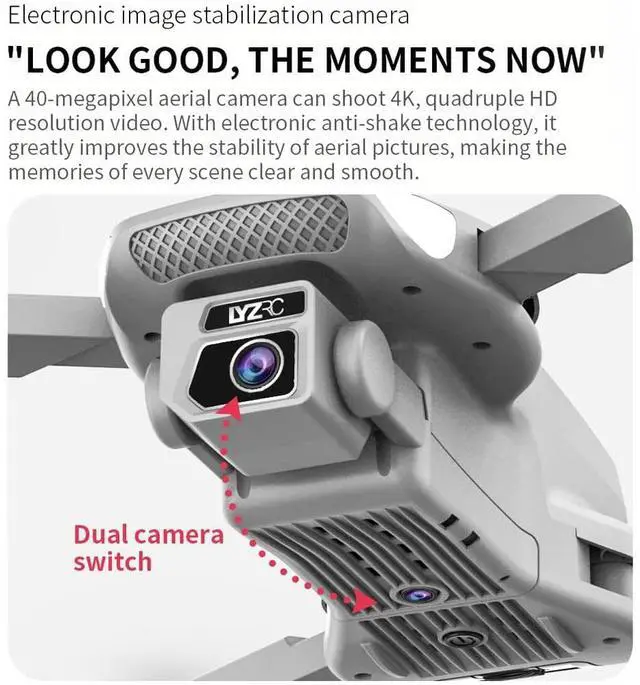
2. ESC 4K HD wide angle camera and can adjust the angle 90° by controller.
3. With 5G WIFI function can connect with APP, take photo/video, real-time photo or video transmission.
4. GPS Assisted Flight. Provides you with accurate positioning details. The drone will automatically return to home when its battery is low or the signal is weak or when flying out of range. Never worrying about losing the drone.
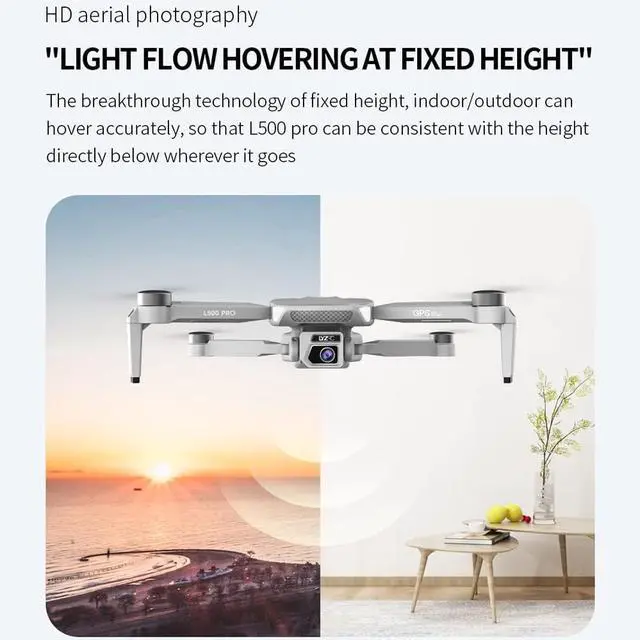
5. Optical Flow Positioning. Fixed point height, it can shoot more easily and steadily indoor.
6. Altitude Hold Mode. By setting the air pressure outside, the quadcopter can hover in the air stably, making the shooting easier.
7. Gesture Photo/Video. Break the old way of taking photos, find the fresh new thing by make gestures to record your beauty. (within the range of 1-3m).
8. 20mins Flight Time. The High-capacity 7.4V/2200mAh one battery yields up to 20mins flight time.
9. Brushless Motor. It is so quiet but very powerful when running. Breakdown rarely occurs and motor replacement is seldom required, which makes your flight more enjoyable.
10. Follow Me Mode.The drone will automatically follows and captures you wherever you move. Keeping you in the frame at all times, easier to get complex shots, provides hands-free flying and selfie.
11. Waypoint Flight Mode. Open the drone APP, use flight plan at your fingertips, just draw a route on the screen, the copter will auto fly as per the given path.
12. Fixed Point Surround. Choose one point, then the drone will fly around the point in a circle.
13. 6-axis g-yro which can have more stable flying and be easy to control.
14. The quadcopter fuselage is made of high strength and resistant engineering plastics, lightweight 220g and durable resistance.
L500 Packing List:
1 x L500 Drone (orange/black/gray optional)
1 x Battery (quantity optional)
1 x Remote Controller
1 x USB Charging Cable
8 x Spare Propeller Blades
1 x User Manual
L500 FAQ:
1. Why can't my L500 find GPS?
A. Watch the operation video or read user manual before test the drone.
B. Choose an open outdoor place without buildings or big trees to test (must be an open outdoor place)
C. Turn on the drone and remote control, wait for auto-pairing.
D. After drone and the remote control is connected, do gyroscope calibration wait patiently for several minutes to search for satellite signals (do not do any operation during this period, do not click the GPS button).
E. If it still has problems, make a video about your operation, we'll deal with it immediately.
2. Why can't the drone take off?
A. Please check whether the letter number on the propeller is consistent with that on the arm.
B. Please check whether the battery is sufficient.
C. If the drone is in GPS mode, please search for GPS and take off in an open and unobstructed outdoor environment. If you need to operate the drone indoors, please turn off the GPS mode.
3. Why won't the remote control charge?
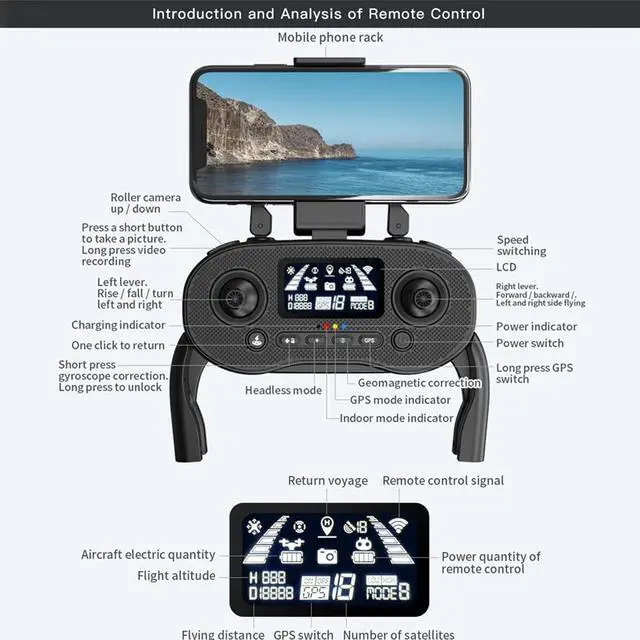
Please check if the power displayed on the remote controller is correct. RX represents the power of the drone and TX represents the power of the remote controller.
The remote controller generally takes 2-3 hours to charge. When the red light on the remote controller stops flashing, it means the remote controller is fully charged.
4. Why do drone batteries only last for a few minutes?
Please check if the drone battery is fully charged. The drone battery generally takes 2-3 hours to charge. When the indicator light stops flashing during charging, it means the battery is fully charged.
5. Why can't the drone be turned on?
A. Please check whether the insulation sticker on the drone's built-in battery has been torn off.
B. Please check whether the drone battery is charged.
C. It may be a battery problem, please replace the battery and try again.
6. Why can't my phone connect to the drone's wifi?
A. It may be due to incompatible mobile phone models. Please try again with another mobile phone.
B. If you still cannot search for Wifi after changing several different mobile phones, please check whether the red light on the camera at the bottom of the drone is on. If the red light is not on, it means that there is a problem with the camera at the bottom of the drone.
If you have any questions, please contact us and we will reply promptly