


Ships from China.

Meet Your Seller

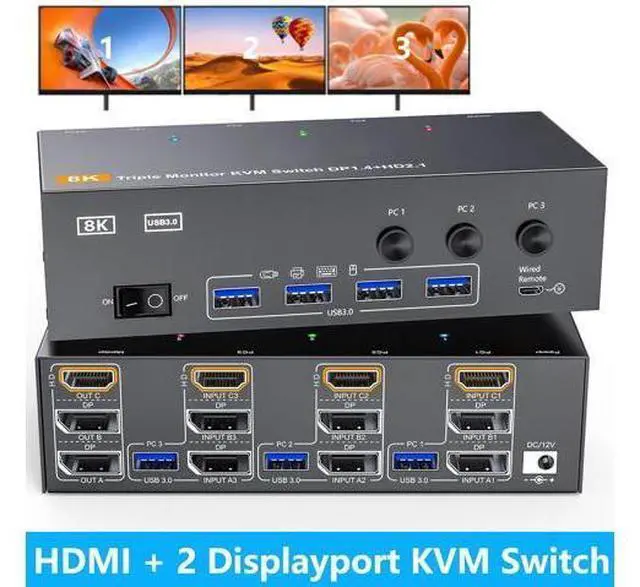


AUTYUE Triple Monitor HDMI+DP+DP KVM Switch 3 Monitors 3 Computers 4K@144Hz 8K@60Hz, 2 Displayport + HDMI USB 3.0 KVM Switches with 4 USB 3.0 Port, Wired Remote,Power Adapter & USB 3.0 Cables Included
- 3 PC 3 Monitor KVM Switch: This KVM Switch allows 3 computer to share 3 monitors and 4 USB3.0 ports(keyboard,mouse and other USB devices). Note:Only when your computer supports 3 display or multi display, you can use this KVM to achieve 3 PC to share 3 mo
+
+
Overview
Specs
Reviews
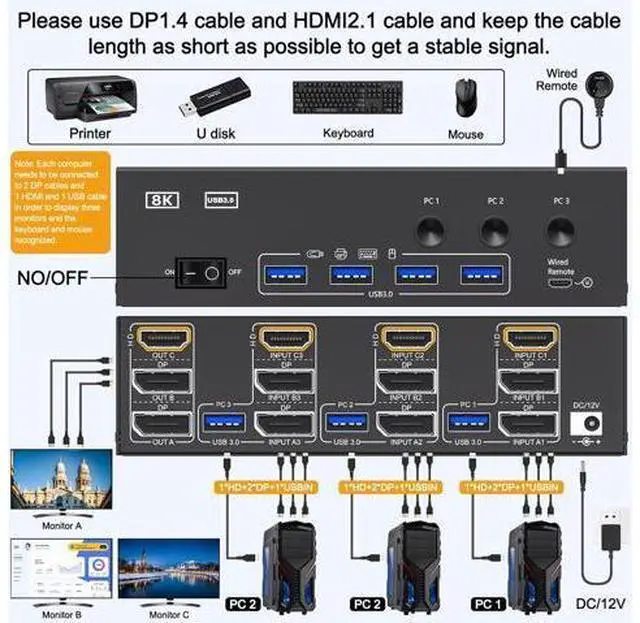
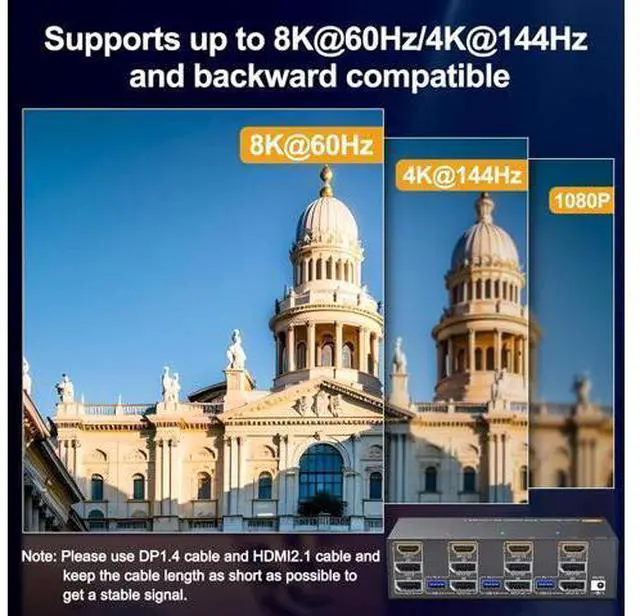
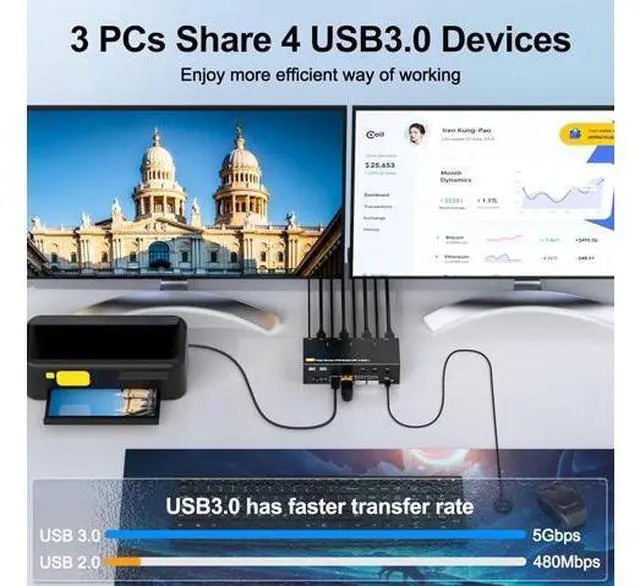
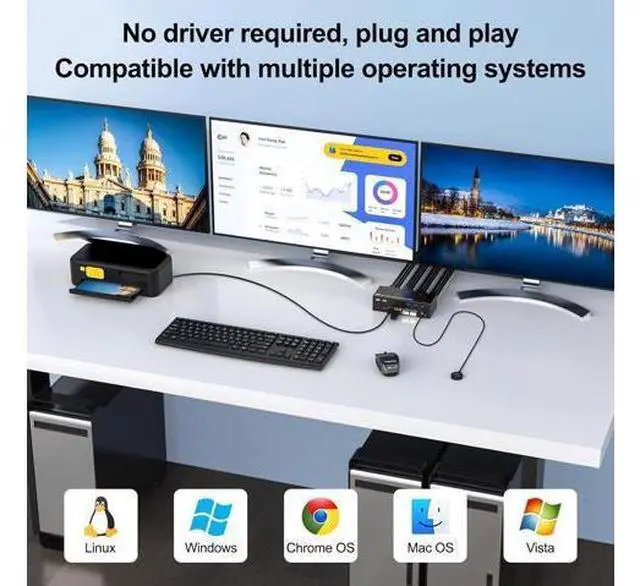
8K@60Hz/4K@144Hz Triple Monitor KVM 2 Displayport 1.4 + HDMI 2.1 3 Computer 3 Monitors This KVM Switch allows 3 computers to share 3 monitors and 4 USB 3.0 ports(keyboard, mouse and other USB devices). It can make your work space tidy and efficient, also a premium choice for working from home. Connection diagram of 3 monitors KVM switch The input and output of this machine are one-to-one. Input A is connected to the KVM, so output A can receive the signal. And you need to connect the USB port of the input end to the KVM and the computer so that the keyboard and mouse can be recognized.
If you need all three monitors to work, you need to use two DP cables and one HDMI cable to connect the computer and KVM. UHD8K@60Hz/4K@144Hz The resolution and fresh rate of triple monitor KVM switch supports up to 8K@60Hz/4K@144Hz.
BUT PLEASE NOTE THAT: HDMI part supports 8K@60Hz, 4K@120Hz, and backward compatible. Displayport part support 8K@30Hz, 4K@144Hz and backward compatible.
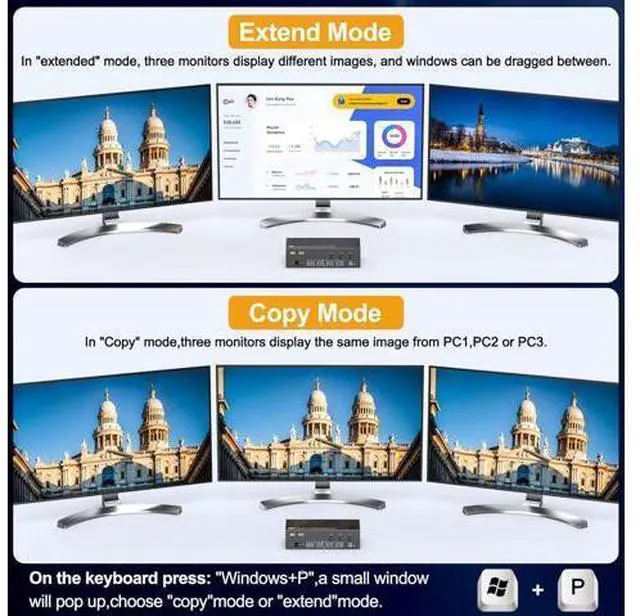
Warming: Please use HDMI 2.1 and DP 1.4 cables, if the set distance allows, the length of cabels more short more better. 2 Mode for Triple KVM Switch(2 DP 1.4 +HDMI 2.1 ) The switch supports extended mode (the three screens display different contents) and duplicate mode (the three screens display the same contents) 3 PCs share 3 Monitors and 4 USB 3.0 Devices Please connect the USB ports on the input side of PC1, PC2 and PC3 to the computers and KVM using the USB cables included in the package to ensure that the USB devices can be
If you need all three monitors to work, you need to use two DP cables and one HDMI cable to connect the computer and KVM. UHD8K@60Hz/4K@144Hz The resolution and fresh rate of triple monitor KVM switch supports up to 8K@60Hz/4K@144Hz.
BUT PLEASE NOTE THAT: HDMI part supports 8K@60Hz, 4K@120Hz, and backward compatible. Displayport part support 8K@30Hz, 4K@144Hz and backward compatible.
Warming: Please use HDMI 2.1 and DP 1.4 cables, if the set distance allows, the length of cabels more short more better. 2 Mode for Triple KVM Switch(2 DP 1.4 +HDMI 2.1 ) The switch supports extended mode (the three screens display different contents) and duplicate mode (the three screens display the same contents) 3 PCs share 3 Monitors and 4 USB 3.0 Devices Please connect the USB ports on the input side of PC1, PC2 and PC3 to the computers and KVM using the USB cables included in the package to ensure that the USB devices can be
Warranty & Returns
Warranty, Returns, And Additional Information
Warranty
- Please contact the Seller directly for warranty information. Warranty information may also be found on the Manufacturer's website.
- CONTACT
Return Policies
- Return for refund within: 30 days
- Return for replacement within: 90 days
- This item is covered by Truespan Living Return Policy
Manufacturer Contact Info
- For a directory of all our manufacturers, please click below.
- Manufacturers Directory
LOADING...