


Ships from China.

Meet Your Seller

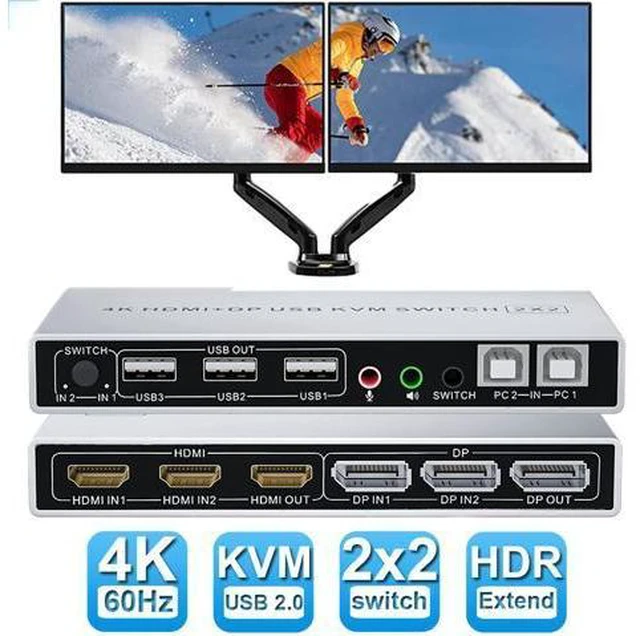
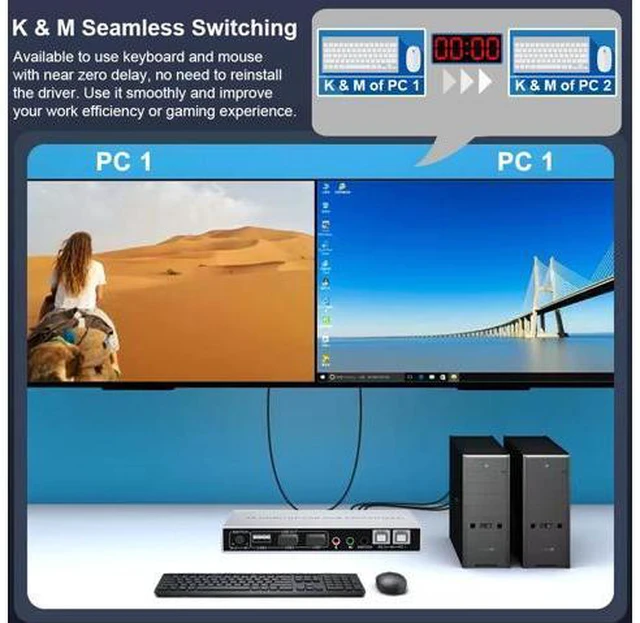
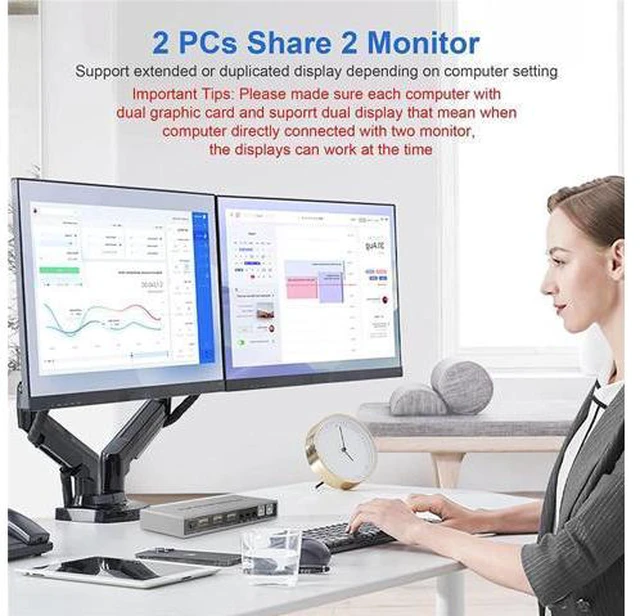


Dual Monitor DisplayPort HDMI KVM Switch 4K @60Hz, 2-Port Extended Display 2 in 2 Out Displayport and HDMI KVM Switch 2 Computers2 Monitors , with 3xUSB, Audio Port, Included 2xUSB Cables, Controller
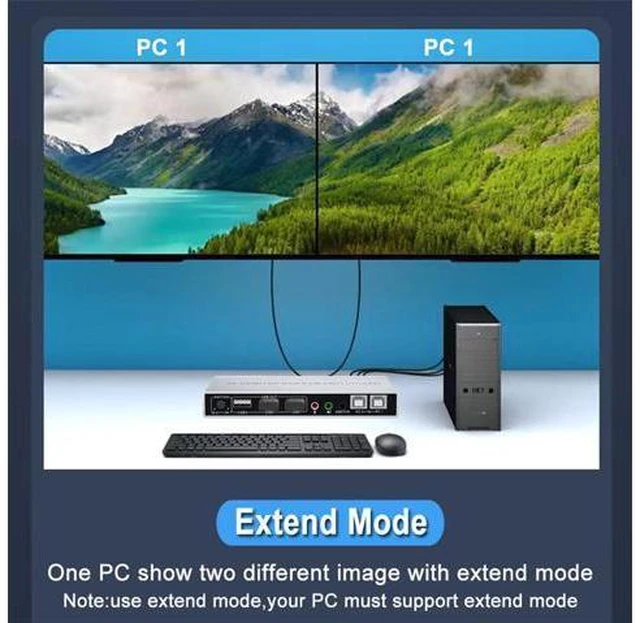
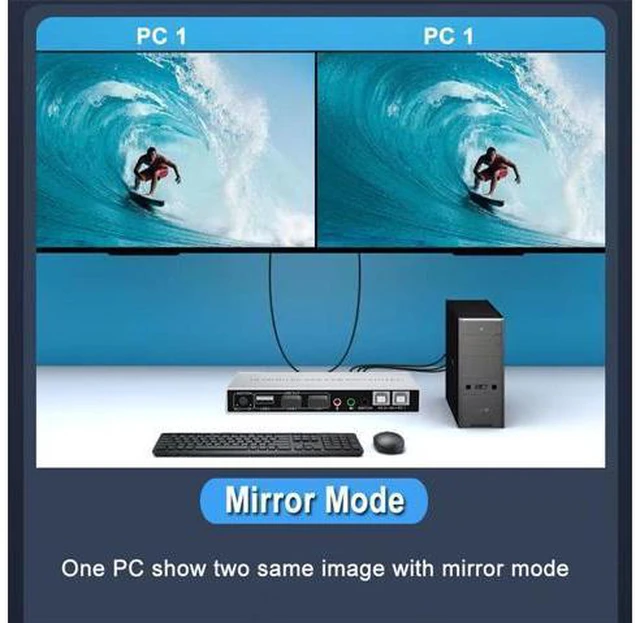
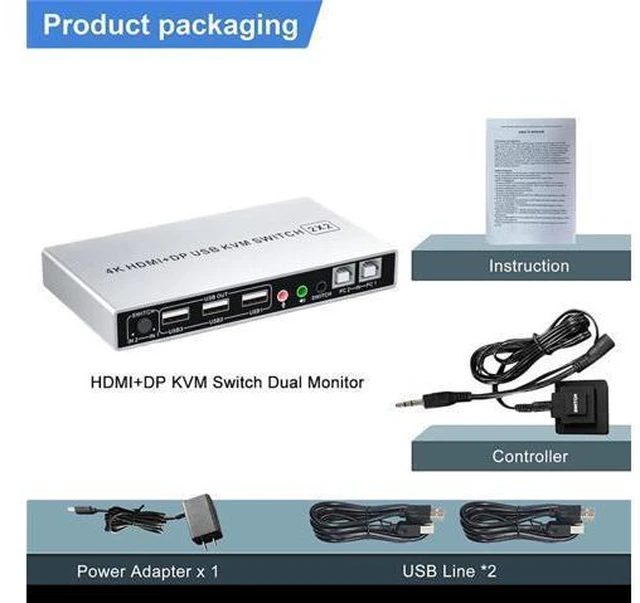
- [Dual Monitor HDMI + DisplayPort KVM Switch] Perfect for hooking up 2 desktops or laptops with HDMI and Displayport interfaces to share one set of keyboard, mouse and 2 monitors for extended or mirrored screens.; [Two Switching Methods] Can be switched by wired button switch or host button. (Tips: hotkey switching is not supported). Provide 5V external power supply for enhanced reliability. Please use the 5V power adapter to power this KVM Switch.; [Automatically adapt EDID / HDCP & USB 2.0 & Audio & Mic] Comes with Automatically adapt EDID / HDCP, which can adapt to a variety of complex application environments. With audio and mic output, 3x USB 2.0, supports Connecting your usb 2.0 port device such as Scanner/USB driver/Printer/Monitor/U-disk etc.; [Support 4K@60Hz Resolution] Support max resolution up to 4K@60Hz, compatible 3840x2160@30Hz, 1080P, 1080P 3D, 1080I, 720P, 576P, 576I, 480P, 480I.; [Package]1x KVM Switch, 2x USB Cables, 1x Power Adapter, 1x Wired Button Switch, 1x Manual.
+
+
Overview
Specs
Reviews
Dual Monitor(HDMI+DisplayPort) KVM Switch 4K@60Hz 2 PCs share 2 monitors (Extended or
Duplicated Display) Features: Support max up resolution 4K@60Hz, downward compatible Support controller or buttons switch Support HDCP and auto EDID USB devices that can be connected, such
as: mouse, keyboard, printer, etc. Support 3.5 mm headphone output Support microphone input
Installation Step:
1. Turn off all devices and unplug all the cables;
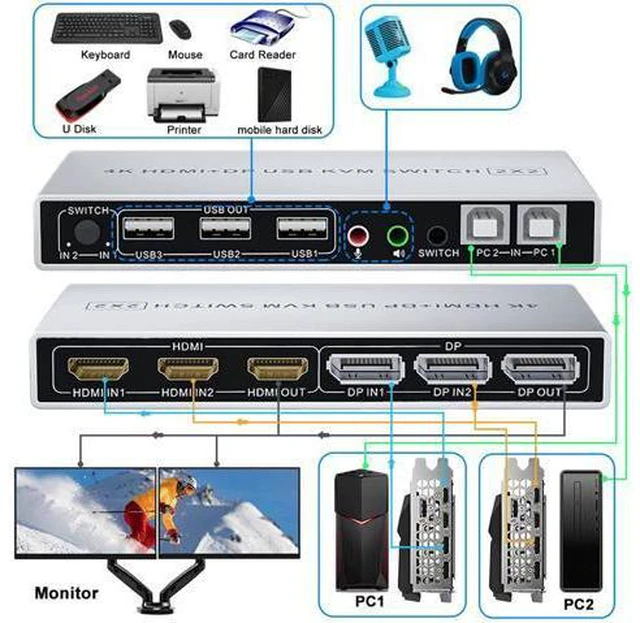
2. Plug displayport cables, HDMI cables and USB cables into KVM switch and your computers/laptops ( HDMI and
DP cable not included): Please check the HDMI IN1, DP IN1 and USB IN1 is corresponding, HDMI IN2, DP IN2 and USB IN2 is corresponding, NOT support mixed insertion. HDMI IN1 + DP IN1 + USB IN1=PC1 HDMI IN2 + DP IN2 + USB IN2=PC2
3. Plug mouse and keyboard into KVM switch;
4. Plug displayport cable, HDMI cable and USB cables into KVM switch and monitors;
5. Plug headphone or microphone into KVM switch if needed;
6. Plug power supply into
KVM switch; (Note: The power supply and the wired button switch share the same interface)
7. Boot computers.
Tips: Reliable adapters are needed but not included for DVI, VGA, USB Type C video outputs. Please be aware of the adapters needed for your setup. Dual switching methods Quickly switch between the 2 computers with just one click of the switch button and no extra operations. Not support keyboard switch, avoid hotkey conflicts. A button-controlled switch extension cord is presented, so you don't have to ge
Duplicated Display) Features: Support max up resolution 4K@60Hz, downward compatible Support controller or buttons switch Support HDCP and auto EDID USB devices that can be connected, such
as: mouse, keyboard, printer, etc. Support 3.5 mm headphone output Support microphone input
Installation Step:
1. Turn off all devices and unplug all the cables;
2. Plug displayport cables, HDMI cables and USB cables into KVM switch and your computers/laptops ( HDMI and
DP cable not included): Please check the HDMI IN1, DP IN1 and USB IN1 is corresponding, HDMI IN2, DP IN2 and USB IN2 is corresponding, NOT support mixed insertion. HDMI IN1 + DP IN1 + USB IN1=PC1 HDMI IN2 + DP IN2 + USB IN2=PC2
3. Plug mouse and keyboard into KVM switch;
4. Plug displayport cable, HDMI cable and USB cables into KVM switch and monitors;
5. Plug headphone or microphone into KVM switch if needed;
6. Plug power supply into
KVM switch; (Note: The power supply and the wired button switch share the same interface)
7. Boot computers.
Tips: Reliable adapters are needed but not included for DVI, VGA, USB Type C video outputs. Please be aware of the adapters needed for your setup. Dual switching methods Quickly switch between the 2 computers with just one click of the switch button and no extra operations. Not support keyboard switch, avoid hotkey conflicts. A button-controlled switch extension cord is presented, so you don't have to ge
Warranty & Returns
Warranty, Returns, And Additional Information
Warranty
- Please contact the Seller directly for warranty information. Warranty information may also be found on the Manufacturer's website.
- CONTACT
Return Policies
- Return for refund within: 30 days
- Return for replacement within: 90 days
- This item is covered by Truespan Living Return Policy
Manufacturer Contact Info
- For a directory of all our manufacturers, please click below.
- Manufacturers Directory
LOADING...