
Your Browsing History
Ships from China.

Meet Your Seller

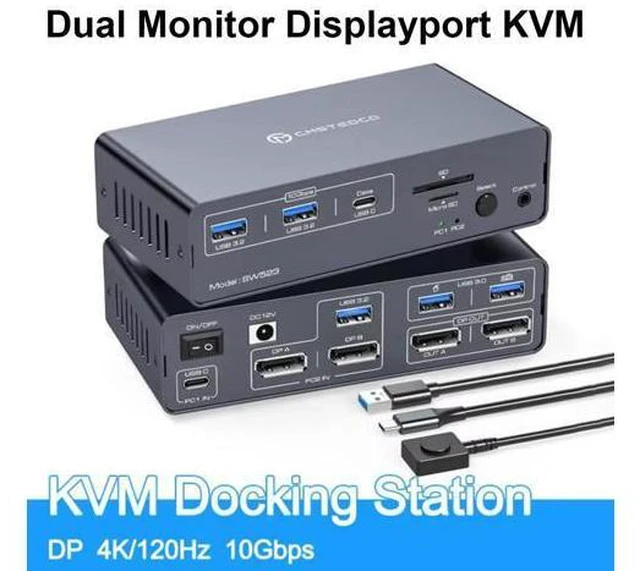


AUTYUE DP KVM Docking Station 4K120Hz, USB C KVM Switch 2 Monitors 2 PCs Displayport Dual Monitor KVM Switch for Laptop and Desktop PC Share 13-in-1 Dock, 10Gbps USB 3.2 and USB-C data transfer Ports
Limited time offer, ends 09/15 By Truespan Living
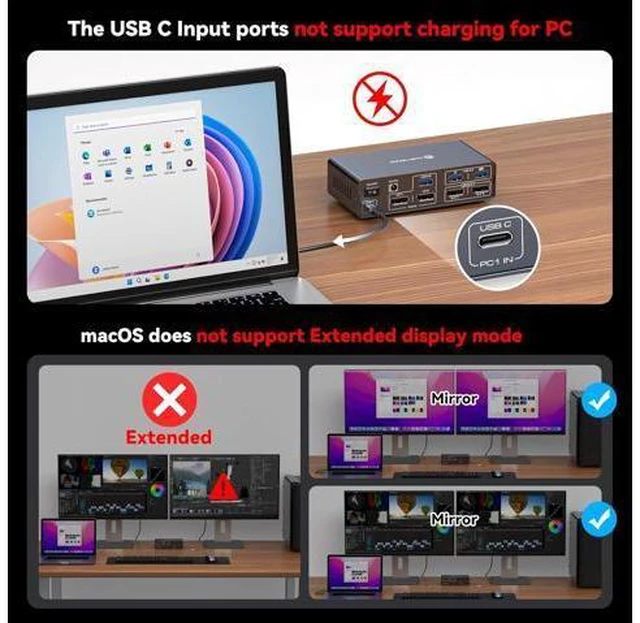
- Read Before Purchase: 1. Only copy mode is supported for Macbook or Mac OS; 2. The USBC port connected to the computer on our switch is not equipped with the function of charging (no PD function) 3. Pls do not use DP cables longer than 9ft and lower than
+
+
Overview
Specs
Reviews
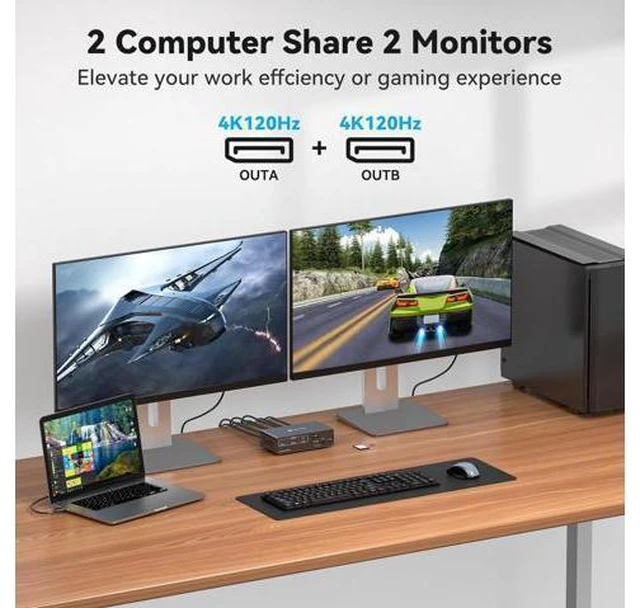
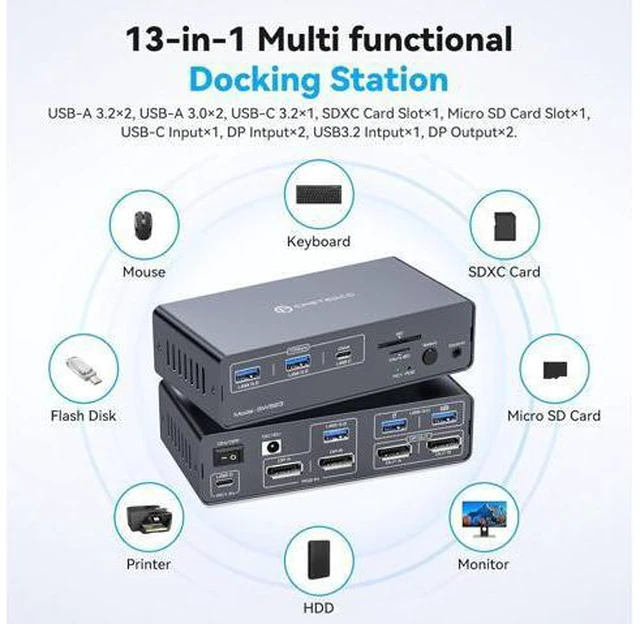
USB C dual monitor docking station USB C laptop and desktop computer share a 13-in-1 multi-port docking station; it can share two monitors, a mouse and a keyboard, seamlessly switch between a working laptop and a personal computer to improve efficiency.
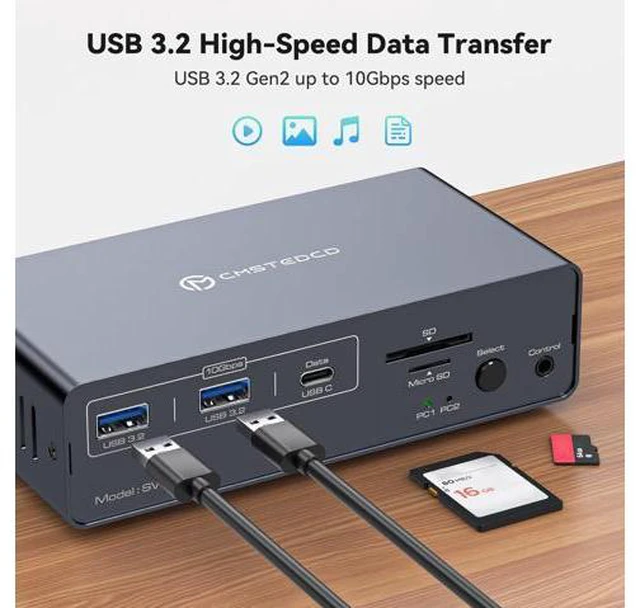
13-in-1 Multi-Function Docking Station: The KVM Docking Station's multi-functional port combination greatly simplifies complex tasks. USB 3.0 ports are used for mice and keyboards; 10Gbps USB 3.2 and USB-C data transfer ports on the front panel are used for more high-speed USB devices; and the SD Card Slot and Micro SD Card Slot provide a faster method of data transfer.
Note: USB-C port on the front panel only supports data transfer only, PD charging and video transfer are not supported.
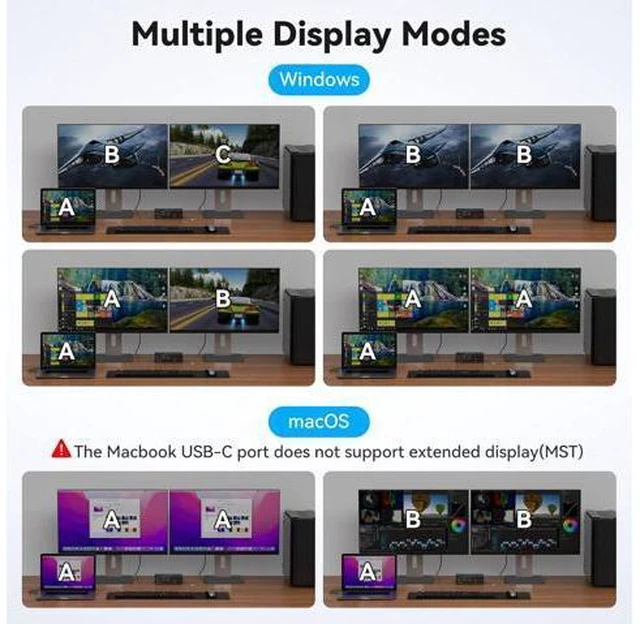
Dual Mode Docking Station: This docking station supports dual monitor resolutions up to 4K120Hz with crisp, vibrant colours for an amazing visual experience. Dual-screen docking and dual-screen mirroring modes are supported; a feature that dramatically improves productivity for professionals who rely on multiple screens for multitasking, graphic design, video editing, or data analysis.
Note: MacOS only supports mirroring mode.
2 Switching Mode: Press the select button on the docking station to switch, use the desktop docking button to switch, place the docking station underneath the desktop or outside the workspace for a cleaner desktop. Supports easy switching between entertainment and work modes, allowing you to maximise your productivity wi
13-in-1 Multi-Function Docking Station: The KVM Docking Station's multi-functional port combination greatly simplifies complex tasks. USB 3.0 ports are used for mice and keyboards; 10Gbps USB 3.2 and USB-C data transfer ports on the front panel are used for more high-speed USB devices; and the SD Card Slot and Micro SD Card Slot provide a faster method of data transfer.
Note: USB-C port on the front panel only supports data transfer only, PD charging and video transfer are not supported.
Dual Mode Docking Station: This docking station supports dual monitor resolutions up to 4K120Hz with crisp, vibrant colours for an amazing visual experience. Dual-screen docking and dual-screen mirroring modes are supported; a feature that dramatically improves productivity for professionals who rely on multiple screens for multitasking, graphic design, video editing, or data analysis.
Note: MacOS only supports mirroring mode.
2 Switching Mode: Press the select button on the docking station to switch, use the desktop docking button to switch, place the docking station underneath the desktop or outside the workspace for a cleaner desktop. Supports easy switching between entertainment and work modes, allowing you to maximise your productivity wi
Warranty & Returns
Warranty, Returns, And Additional Information
Warranty
- Please contact the Seller directly for warranty information. Warranty information may also be found on the Manufacturer's website.
- CONTACT
Return Policies
- Return for refund within: 30 days
- Return for replacement within: 90 days
- This item is covered by Truespan Living Return Policy
Manufacturer Contact Info
- For a directory of all our manufacturers, please click below.
- Manufacturers Directory
LOADING...