
Your Browsing History
Ships from China.

Meet Your Seller

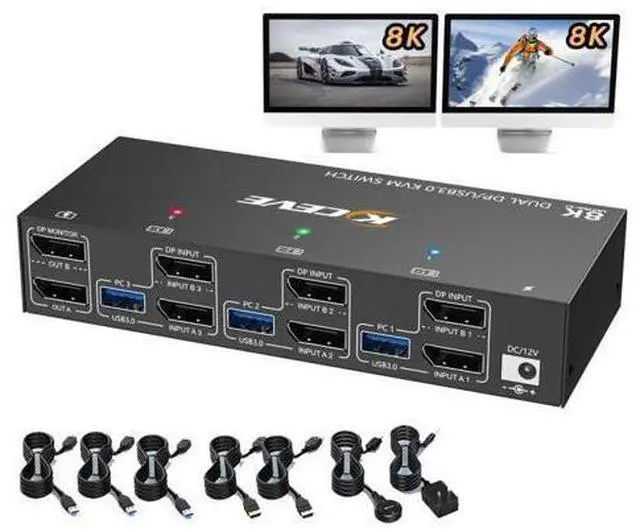


Dual Monitor Displayport KVM Switch 8K@30Hz 4K@144Hz, USB 3.0 KVM Switches 3 Computers 2 Monitors Displayport 1.4 with 4 USB 3.0 Ports for USB Devices, DP Monitor Switch for 3 PCs, with Wired Remote
Limited time offer, ends 09/15 By Truespan Living
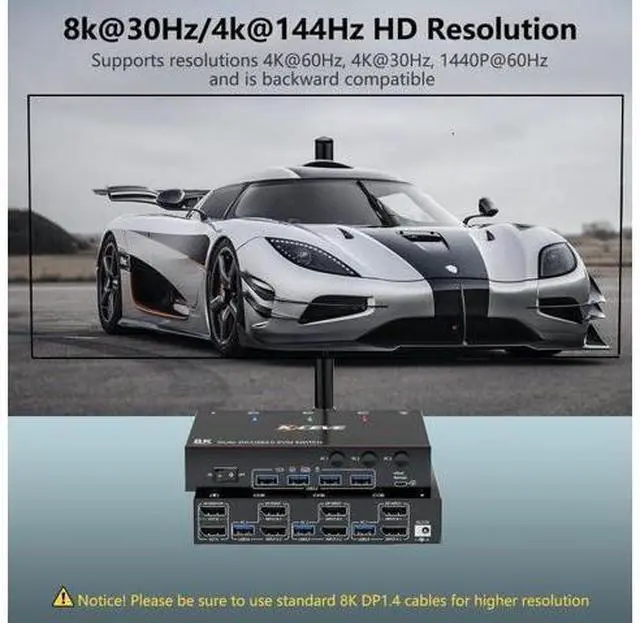
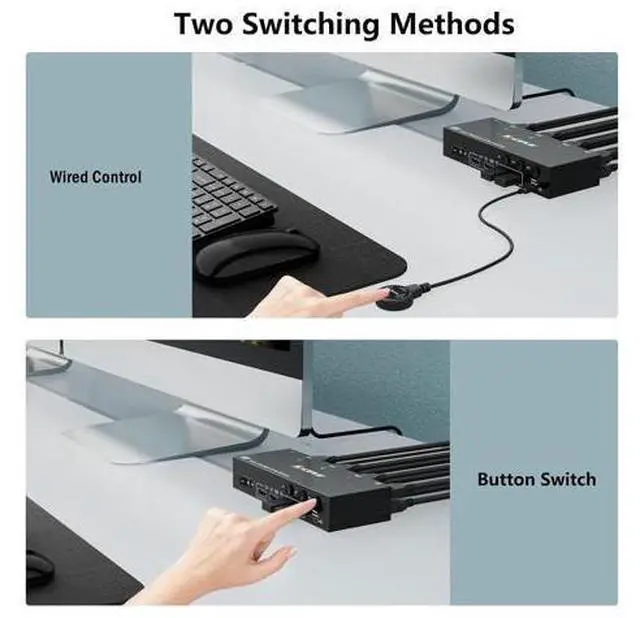
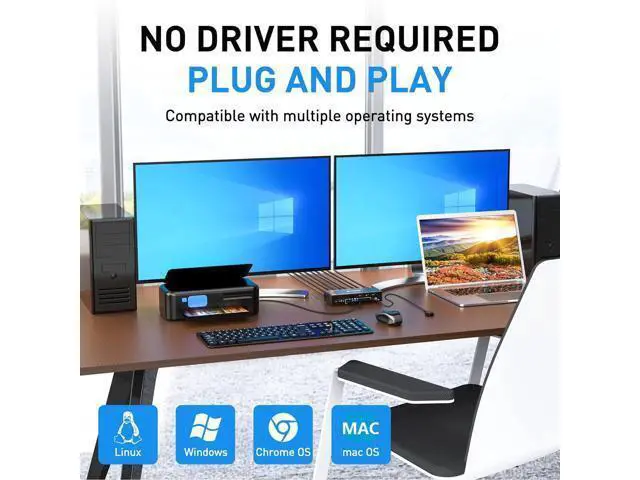
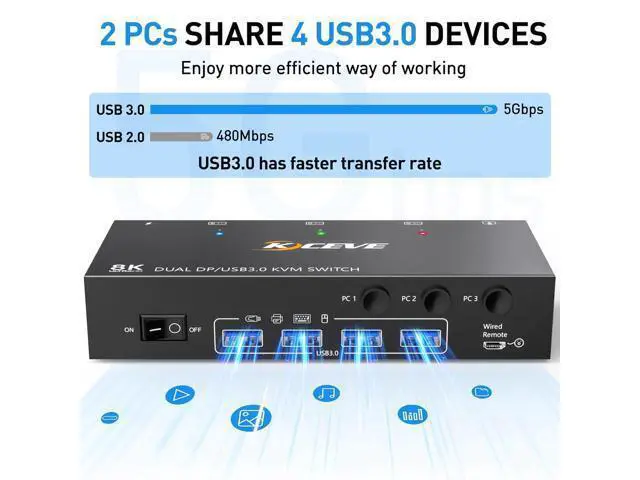
- [Dual Monitor KVM Switch for 3 PC] This Dual Monitor DP KVM Switch allows 3 computers/latops share 2 monitor and 1 set of keyboard & mouse. It can make your work space tidy and efficient, also a premium choice for working from home.; [Ultra HD 8K@30Hz 4K@144Hz]: Supports resolution 8K@30Hz [email protected] support input terminals for connecting 3 computers with different resolutions, e.g. One is 4K@60Hz, the other is 4K@30Hz, 1440P@60Hz or a lower resolution. Note: The final resolution also depends on graphics cards, monitors, cables and adapters.; [with 4 USB 3.0 ports] with 4 built-in USB 3.0 ports, supports ultra-fast USB 3.0 data transfer, data transfer speeds up to 5 Gbps, which can detect keyboard, mouse, printer and other USB devices. Compatible with USB 2.0/1.1 devices.; [Excellent compatibility&2 switching modes] Driver Free for Windows and Mac OS. You can press the button on the control panel or use the cable remote control (included) to switch the computers. with two LED indicate.
+
+
Overview
Specs
Reviews
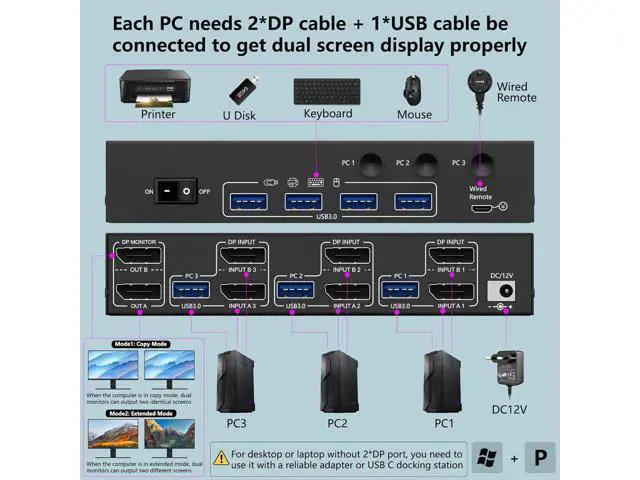
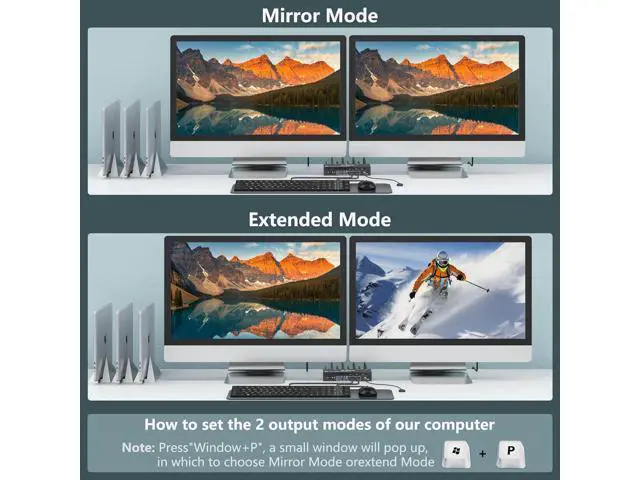
Important: For desktops or laptops without a 2*DP port, you must use it with a reliable adapter or USB-C docking station Supports USB-C to DP converter and USB-C docking station Please check your computer's configuration before placing an order. How to set the output mode?
Windows operating system: Press the keyboard shortcut "Windows+P" and then select "Extension" or "Mirror" at the bottom
Mac OS: Set [Mirror
Mode]: Select [Apple icon] [System Preferences], click [Display] [Arrange], and then turn on [Mirror Display]; Set [Advanced
Mode]: When [Mirror Display] is disabled, the "Advanced Mode" can be reached. 8K@30Hz Dual Monitor Displayport USB 3.0 KVM Switch Each computer needs 2*DisplayPort +1* USB cable to connect the 2-monitor KVM switch, OUT A, OUT B, to 2 monitors. If the USB 3.0 input ports are not connected or are incorrectly connected, the USB output device will not be recognized. About the Resolution Using conversion cables or converters may cause the monitor resolution to decrease, flicker, or not work (depending on quality and compatibility). It is recommended to use 8K DP 1.4 cables with a maximum length of 1.5 meters. Clean workplace The desk is not cluttered, you can enjoy the tidy workspace. Physical button and wired remote control. You can press the button on the control panel or use the wired remote control (included) to switch computers. Dual Monitor Displayport KVM Switch with Broad Compatibility The DisplayPort KVM Switch supports many types of input devic
Windows operating system: Press the keyboard shortcut "Windows+P" and then select "Extension" or "Mirror" at the bottom
Mac OS: Set [Mirror
Mode]: Select [Apple icon] [System Preferences], click [Display] [Arrange], and then turn on [Mirror Display]; Set [Advanced
Mode]: When [Mirror Display] is disabled, the "Advanced Mode" can be reached. 8K@30Hz Dual Monitor Displayport USB 3.0 KVM Switch Each computer needs 2*DisplayPort +1* USB cable to connect the 2-monitor KVM switch, OUT A, OUT B, to 2 monitors. If the USB 3.0 input ports are not connected or are incorrectly connected, the USB output device will not be recognized. About the Resolution Using conversion cables or converters may cause the monitor resolution to decrease, flicker, or not work (depending on quality and compatibility). It is recommended to use 8K DP 1.4 cables with a maximum length of 1.5 meters. Clean workplace The desk is not cluttered, you can enjoy the tidy workspace. Physical button and wired remote control. You can press the button on the control panel or use the wired remote control (included) to switch computers. Dual Monitor Displayport KVM Switch with Broad Compatibility The DisplayPort KVM Switch supports many types of input devic
Warranty & Returns
Warranty, Returns, And Additional Information
Warranty
- Please contact the Seller directly for warranty information. Warranty information may also be found on the Manufacturer's website.
- CONTACT
Return Policies
- Return for refund within: 30 days
- Return for replacement within: 90 days
- This item is covered by Truespan Living Return Policy
Manufacturer Contact Info
- For a directory of all our manufacturers, please click below.
- Manufacturers Directory
LOADING...