
Your Browsing History





AUTYUE KVM Switch 3 Monitors 3 Computers 8K@60Hz 4K@144Hz, HDMI + 2 Displayport KVM Switch Triple Monitor for 3 Computer Share 3 Monitors and 4 USB3.0 Devices, with Wired Remote and 12V power Adapter
Limited time offer, ends 08/31 By Truespan Living
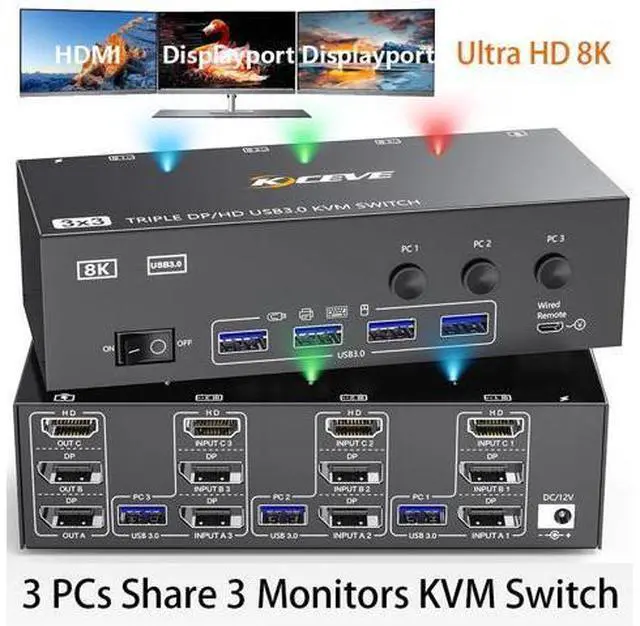
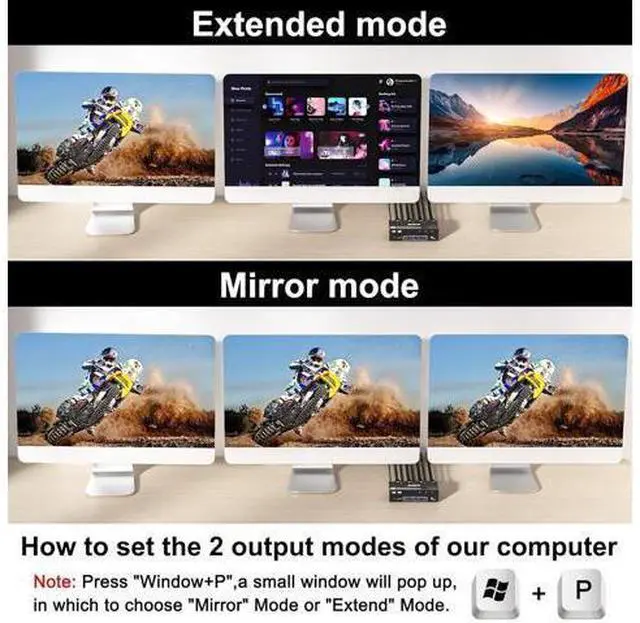
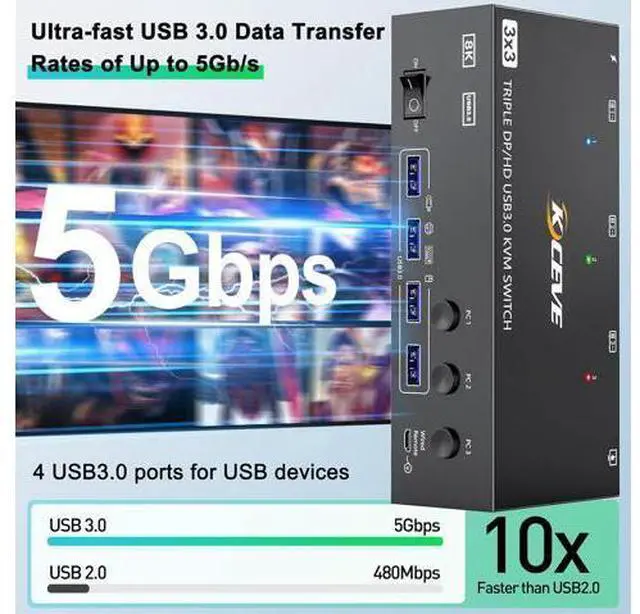
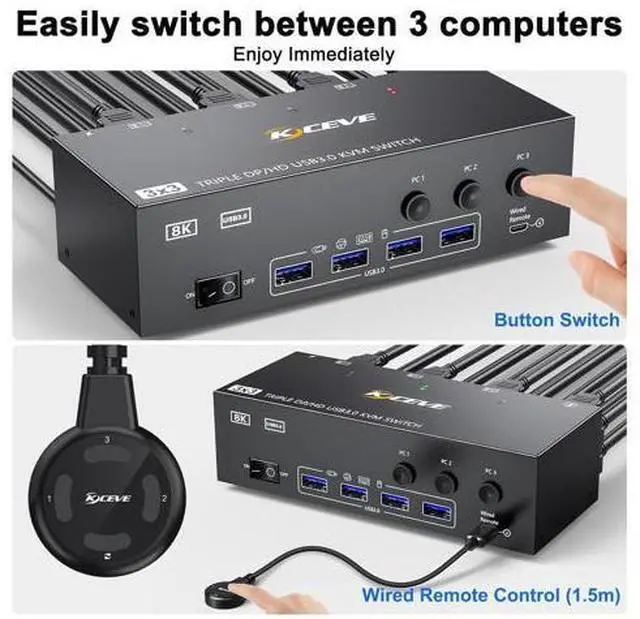
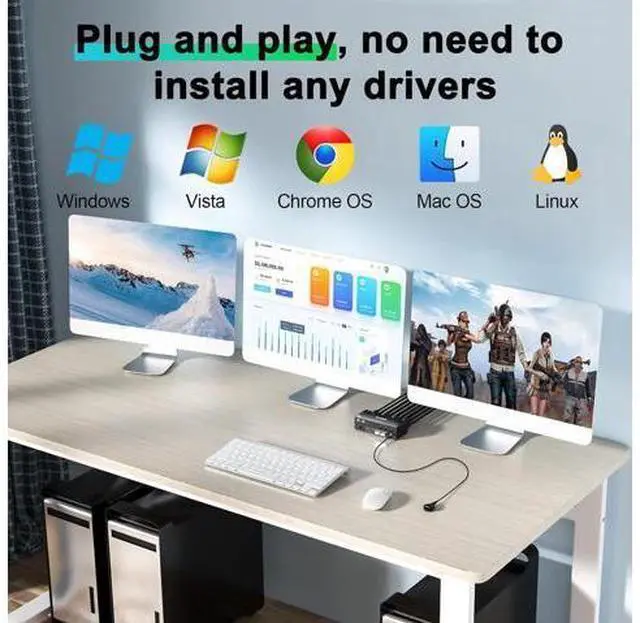
- [KVM Switch 3 Monitors 3 PC] The KVM switches allows 3 computers share 3 monitors and 4 USB3.0 devices. Support extended and copy display mode. Extended Mode: Computers host in output 3 different images on 3 monitors. Copy Mode: Computer host outputs 3 id
+
+
Overview
Specs
Reviews
3 Monitor USB 3.0 HDMI+2 Displayport KVM Switch 3 Computers Share 3 Monitors and 4 USB 3.0 Devices This 2 Displayport+HDMI triple monitor KVM switch is perfect for 3 computers or laptops to share 3 monitors and 4 USB 3.0 devices (keyboard, mouse, printer, scanner and other USB devices. Ultra HD 8K@60HZ/4K@144Hz Visual Experience This 3 in 3 out KVM switch output max resolution up to 8K@60Hz/4K@144Hz, each details can be displayed without any latency. Displayport 1.4 support max resolution up to 8K@30Hz/4K@144Hz and backward compatible. HDMI 2.1 supports max 8K@60Hz/4K@60Hz and down compatible with lower resolution.
Note: HDMI part does not support 4k@144Hz or 4K@120Hz
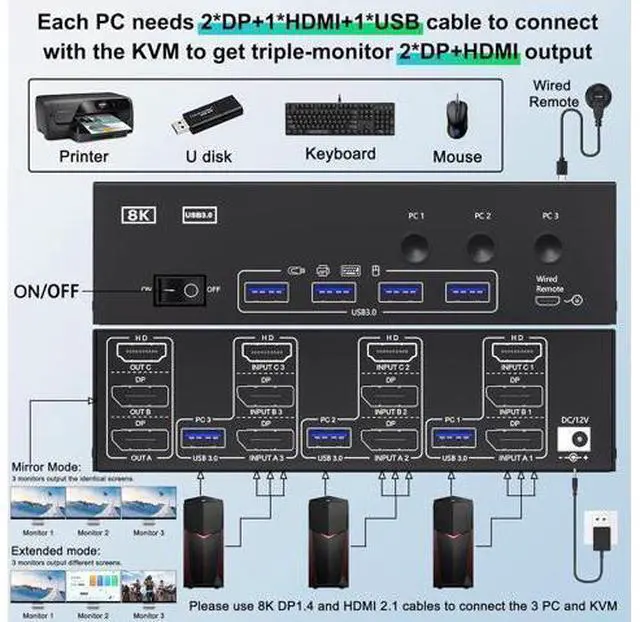
Important Note: The final resolution is subject to your graphics card, cables, monitors and adapters. For input, each computers needs 2 DP + 1 HDMI connection, for output needs 2 DP monitors + 1 HDMI monitor To make 3 monitors working, each computer will need 1 HDMI cable + 2 DP cables + 1 USB cable connect the KVM switch. Please buy good HDMI and DP cable yourself, if HDMI cable and DP cable is not good enough, the screen will flicker or unstable.
Step 1: Connect 1 HDMI cable + 2 DP cables + 1 USB cable to PC 1 and KVM switch (INPUT A1, INPUT B1, INPUT C1, USB 3.0 ). Step 2. Connect 1 HDMI cable + 2 DP cables + 1 USB cable to PC 2 and KVM switch (INPUT A2, INPUT B2, INPUT C2, USB 3.0 ). Step 3. Connect 1 HDMI cable + 2 DP cables + 1 USB cable to PC 3 and KVM switch (INPUT A2, INPUT B2, INPUT C2, USB 3.0 ). Step 4.
Note: HDMI part does not support 4k@144Hz or 4K@120Hz
Important Note: The final resolution is subject to your graphics card, cables, monitors and adapters. For input, each computers needs 2 DP + 1 HDMI connection, for output needs 2 DP monitors + 1 HDMI monitor To make 3 monitors working, each computer will need 1 HDMI cable + 2 DP cables + 1 USB cable connect the KVM switch. Please buy good HDMI and DP cable yourself, if HDMI cable and DP cable is not good enough, the screen will flicker or unstable.
Step 1: Connect 1 HDMI cable + 2 DP cables + 1 USB cable to PC 1 and KVM switch (INPUT A1, INPUT B1, INPUT C1, USB 3.0 ). Step 2. Connect 1 HDMI cable + 2 DP cables + 1 USB cable to PC 2 and KVM switch (INPUT A2, INPUT B2, INPUT C2, USB 3.0 ). Step 3. Connect 1 HDMI cable + 2 DP cables + 1 USB cable to PC 3 and KVM switch (INPUT A2, INPUT B2, INPUT C2, USB 3.0 ). Step 4.
Warranty & Returns
Warranty, Returns, And Additional Information
Warranty
- Please contact the Seller directly for warranty information. Warranty information may also be found on the Manufacturer's website.
- CONTACT
Return Policies
- Return for refund within: 30 days
- Return for replacement within: 90 days
- This item is covered by Truespan Living Return Policy
Manufacturer Contact Info
- For a directory of all our manufacturers, please click below.
- Manufacturers Directory
LOADING...