


Ships from China.

Meet Your Seller

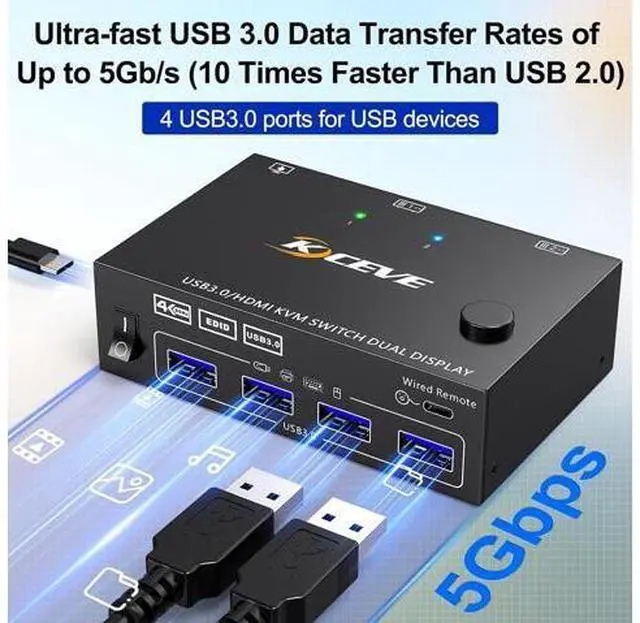
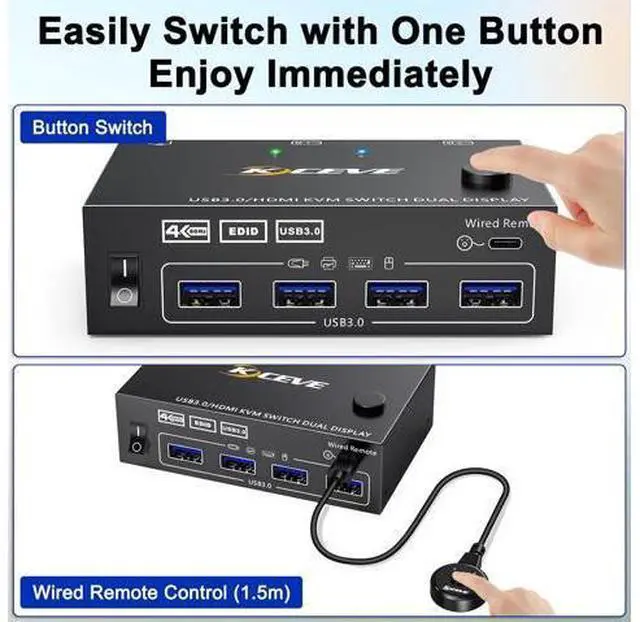


USB 3.0 HDMI KVM Switch for 2 Computers 2 Monitors 4K@60Hz, EDID Emulator, Dual Monitor HDMI KVM Switch 2 in 2 Out for 2 Computers Share 2 Displays and 4 USB 3.0 Ports,Wired Remote and Cables Included
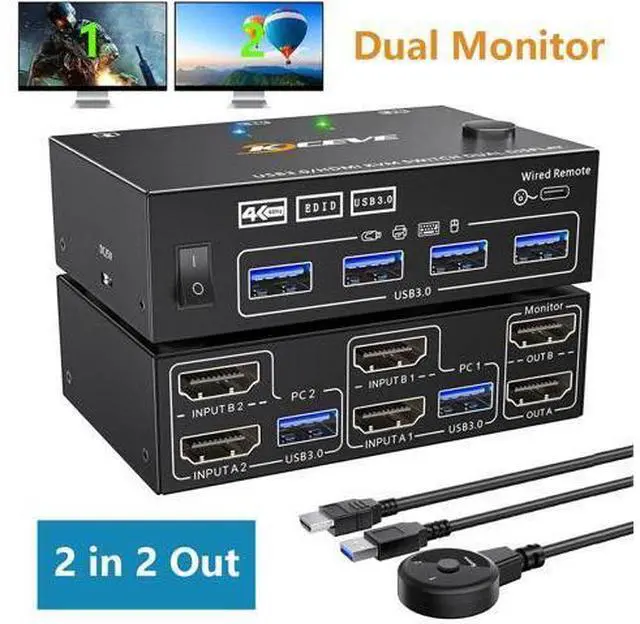
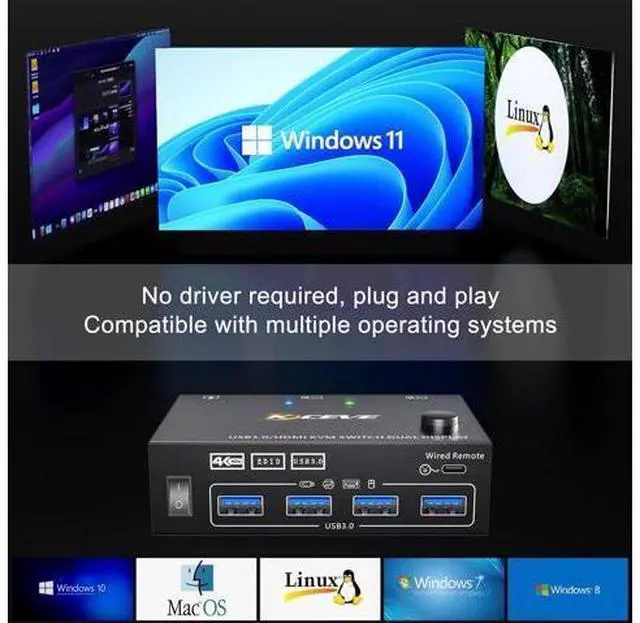
- [Dual Monitor KVM Switch 2 In 2 Out] This Dual Monitor KVM HDMI Switcher allows to control 2 computers by 1 set of keyboard & mouse and 2 monitors(Extend display mode or Copy display mode).; [Ultra HD 4K@60Hz] Support resolution 4K@60Hz,@,@.2 computers 2 monitors switch aslo support input terminal to connect 2 computers with different resolutions, e.g. one is 4K@60Hz, the other is 4K@30Hz, 1440P@60Hz, 3D,or lower resolution.; [with 4 USB 3.0 Port] . which can recognize keyboard,mouse,printer and other USB devices.supports ultra-fast USB 3.0 data transfer up to 5Gbps.backward with USB 2.0/1.1. When using a high-power USB device with this dual monitor KVM(such as HDD,SSD etc),external 5V adapter is required.; [Great Compatibility & 2 Switching Mode] Driver-free for Windows and Mac OS.plug and play,no external power required. you can press the button on the panel or use the wired remote to switch the computers.
+
+
Overview
Specs
Reviews
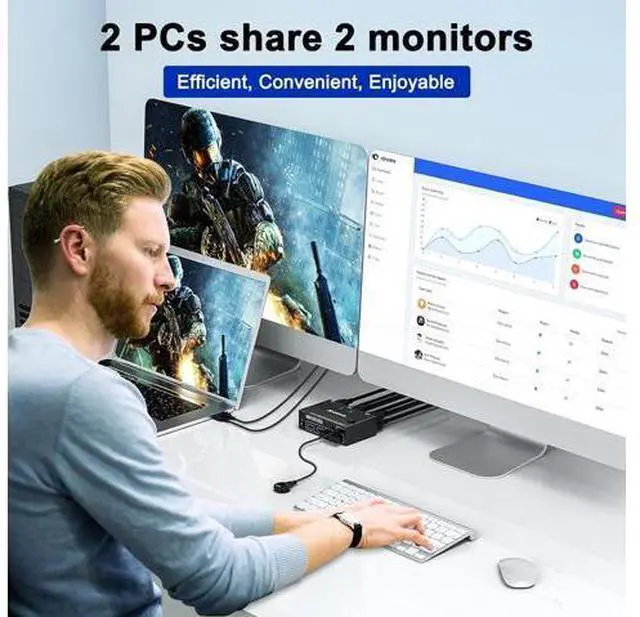
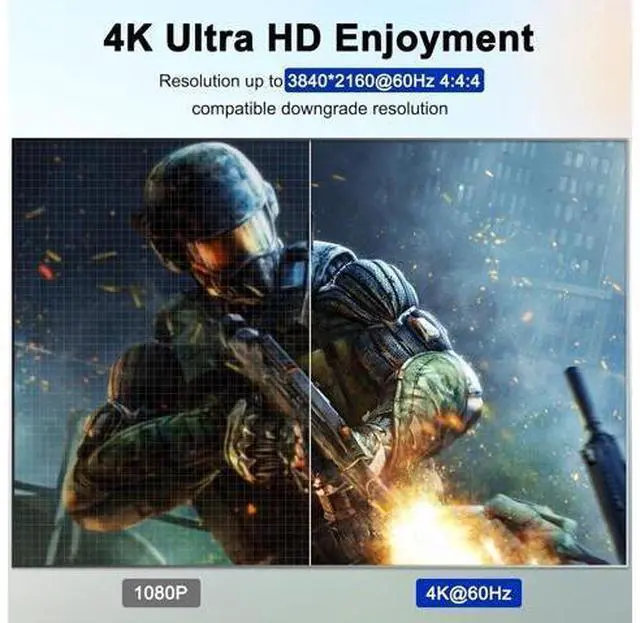
USB 3.0 Dual monitor HDMI KVM switch is specially designed for users who have 2 PCs and 2 monitors. It is plug and play, 2 computers share one set of wired/wireless keyboard, mouse and 2 monitors. With just a click of the panel button or wired remote, you can easily switch between two PC sources. Cross support most major OS including Windows, Linux, Mac With 4 USB 3.0 ports, the two PCs can share up to Four USB peripherals. Support max up resolution 4K@60Hz, 2560×1440@120Hz, @144Hz, 1920x1080P@120Hz, @144Hz, downward compatible.
Support EDID emulation, USB 3.0 dual monitor KVM switch can simulate the EDID of the display, when the monitor is switched between two computers, the original window order will not be changed. Support extended and mirror display, whether in office work, gaming or learning, this dual monitor KVM switch allows you to view extra screen. Support EDID emulation Our 2 monitors KVM switch can automatically simulate the EDID and HDCP information of two connected monitors, the computer will read the EDID stored in the DDC memory of the monitor through the DDC channel, when the monitor is switched between two computers, the original window order will not be changed and maximize your productivity.
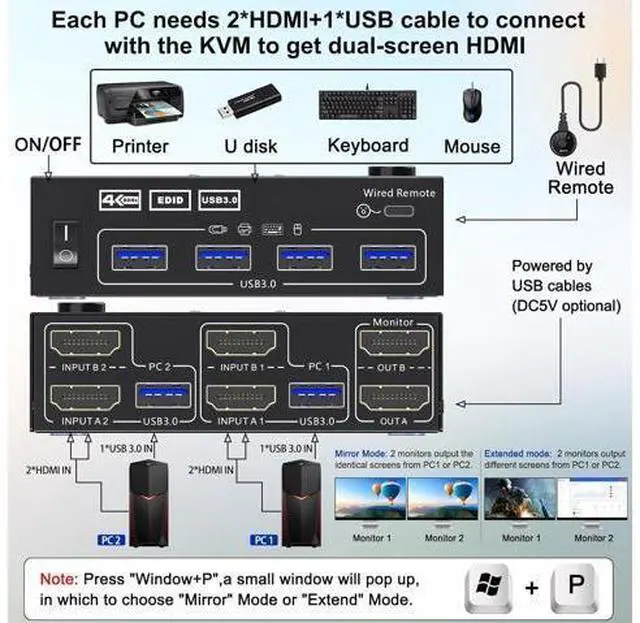
Connection steps: Step 1. Connect 2*HDMI cables+1*USB cable between PC 1 and KVM (USB 3.0, INPUT A1, INPUT B1). Step 2. Connect 2*HDMI cables+1*USB cable between PC 2 and KVM (USB 3.0, INPUT A2, INPUT B2). Step 3. Connect 2*HDMI cables between the KVM (OUT A, OUT B) and the mo
Support EDID emulation, USB 3.0 dual monitor KVM switch can simulate the EDID of the display, when the monitor is switched between two computers, the original window order will not be changed. Support extended and mirror display, whether in office work, gaming or learning, this dual monitor KVM switch allows you to view extra screen. Support EDID emulation Our 2 monitors KVM switch can automatically simulate the EDID and HDCP information of two connected monitors, the computer will read the EDID stored in the DDC memory of the monitor through the DDC channel, when the monitor is switched between two computers, the original window order will not be changed and maximize your productivity.
Connection steps: Step 1. Connect 2*HDMI cables+1*USB cable between PC 1 and KVM (USB 3.0, INPUT A1, INPUT B1). Step 2. Connect 2*HDMI cables+1*USB cable between PC 2 and KVM (USB 3.0, INPUT A2, INPUT B2). Step 3. Connect 2*HDMI cables between the KVM (OUT A, OUT B) and the mo
Warranty & Returns
Warranty, Returns, And Additional Information
Warranty
- Please contact the Seller directly for warranty information. Warranty information may also be found on the Manufacturer's website.
- CONTACT
Return Policies
- Return for refund within: 30 days
- Return for replacement within: 90 days
- This item is covered by Truespan Living Return Policy
Manufacturer Contact Info
- For a directory of all our manufacturers, please click below.
- Manufacturers Directory
LOADING...