
Your Browsing History




2 Port Displayport KVM Switch Dual Monitor, 8K@30Hz DisplayPort1.4 KVM Switch 2 in 2 Out, DP Extended Display KVM Switch for 2 Computers Share 2 Monitors and 4 USB 2.0 Ports, Wired Remote and 4 Cables
Limited time offer, ends 08/31 By Truespan Living
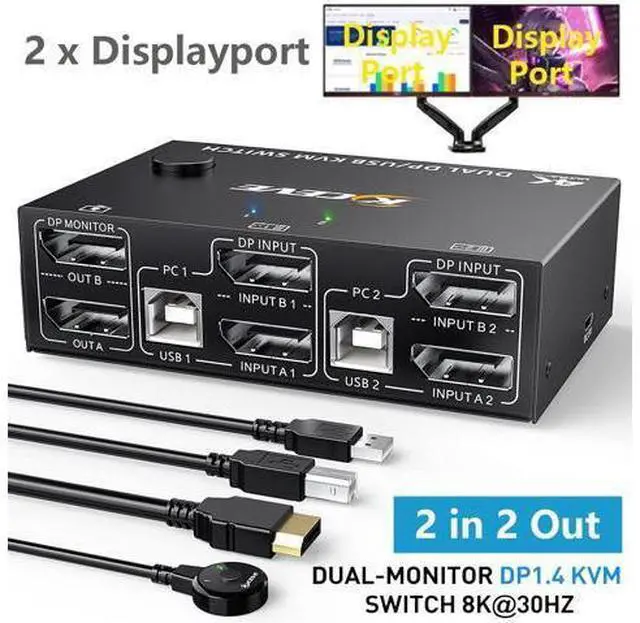
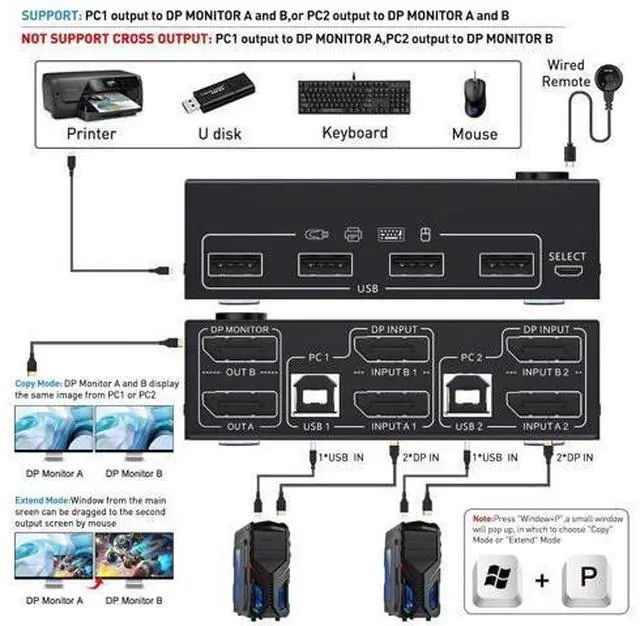
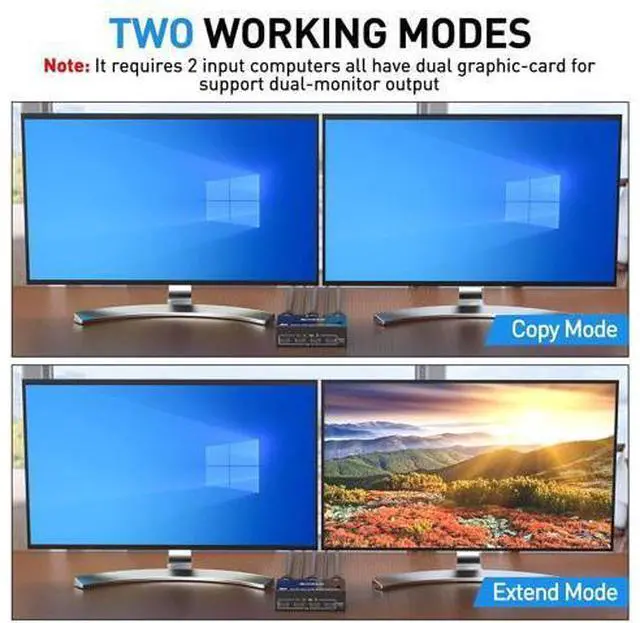
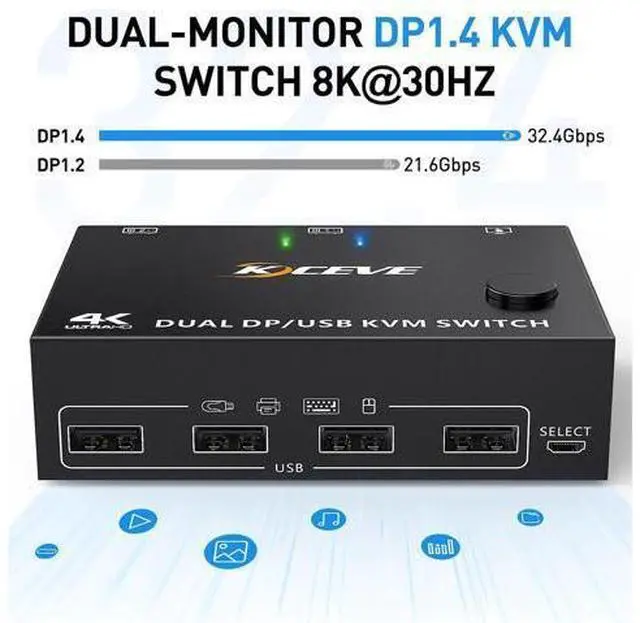
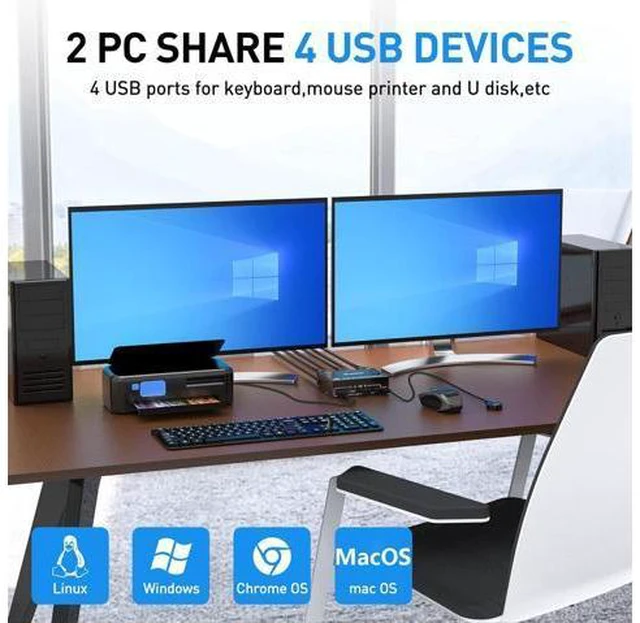
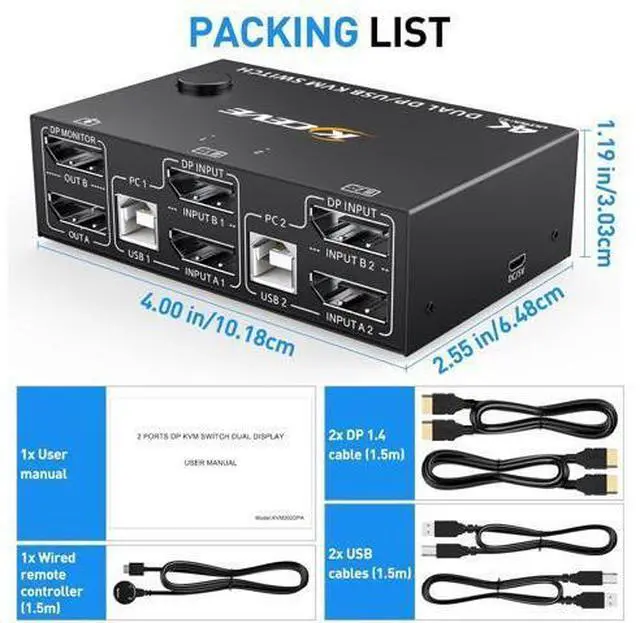
- [Dual Monitor Displayport 1.4 KVM Switch] This displayport KVM switch helps to 2 computers or laptops to share 2 monitors and 1 set of keyboard, mouse,other usb devices and dual extended or mirrored monitors. Press Window+P to select display mode.(Extended Mode and Copy Mode); [Ultra HD 8K@30Hz] The DP 1.4 KVM Switch supports max resolution of 8K@30Hz, 4K@144Hz, 4K@120Hz,and downward compatible DP 1.2.; [Easy to Use & 2 Switching Methdos] Driver-free for most computer operating systems and plug and play. Pressing the button on the panel or use the wired remote controller to switch the computers.Two-color indicator light will show which computer switch to.; [with 4 USB 2.0 Ports] Dual monitor DP USB switch with 4 integrated USB 2.0 ports which can recognize keyboard,mouse,printer,scaner and other USB devices.; Important: Each PC needs 2*DP cable + 1*USB cable be connected to get dual screen display properly. For desktop or laptop without 2*DP port,you need to use it with a reliable adapter
+
+
Overview
Specs
Reviews
2 IN 2 OUT Dual-Monitor DP 1.4 KVM Switch (DP + DP to
DP+DP) Advantages: 2 computers share one set of wired/wireless keyboard, mouse and 2 monitors. Dual monitors output support extended and mirror display.
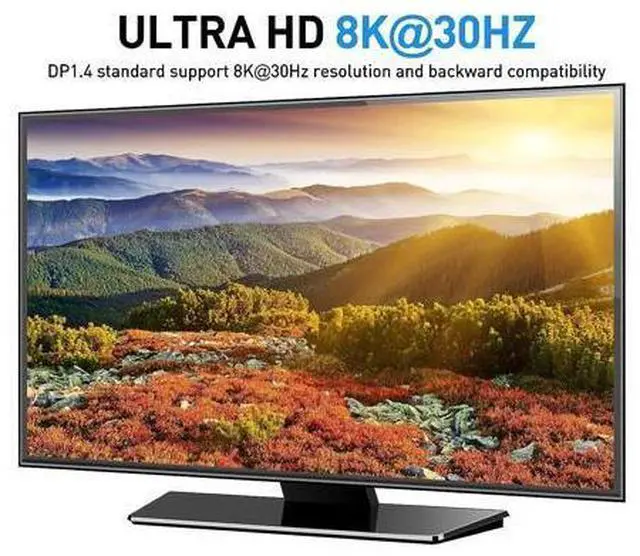
Switching modes: Button switch and wired remote. Support wired or wireless keyboard and mouse. Cross support most major OS including Windows, Linux, Mac Dual displayport KVM switch with 4 USB 2.0 ports for USB devices. Support max up resolution 8K@30Hz, 4K@144Hz, 2560×1440@144Hz, 1920x1080P@144Hz, downward compatible. Support DP 1.4 standard, backwards compatible with DP 1.2 standard. A USB hub can expand the USB ports if multiple connections are required. Video of Extended and Duplicated mode KVM Switch Dual Monitor DisplayPort 1.4 After connecting the computer to the monitor using the KVM, set the screen output mode (press Windows+P) on the keyboard and select the output mode in the dialog box that is displayed. Otherwise, only 1 of the two connected monitors has an image. Before purchasing this product, ensure that the computer is directly connected to the monitor to properly display images. Otherwise, the KVM cannot be used. No need to download app and driver, plug and play 8K@30Hz/4K@144Hz/120Hz Dual Monitor DP 1.4 KVM Switch Please make sure that the computer, monitor, and DP cable support 8K@30Hz/4K@144Hz/120Hz at the same time to get 8K@30Hz/4K@144Hz/120Hz resolution.
Warm tips: If using the MST multi-screen docking station, the computer CPU requires 11th generation; Doc
DP+DP) Advantages: 2 computers share one set of wired/wireless keyboard, mouse and 2 monitors. Dual monitors output support extended and mirror display.
Switching modes: Button switch and wired remote. Support wired or wireless keyboard and mouse. Cross support most major OS including Windows, Linux, Mac Dual displayport KVM switch with 4 USB 2.0 ports for USB devices. Support max up resolution 8K@30Hz, 4K@144Hz, 2560×1440@144Hz, 1920x1080P@144Hz, downward compatible. Support DP 1.4 standard, backwards compatible with DP 1.2 standard. A USB hub can expand the USB ports if multiple connections are required. Video of Extended and Duplicated mode KVM Switch Dual Monitor DisplayPort 1.4 After connecting the computer to the monitor using the KVM, set the screen output mode (press Windows+P) on the keyboard and select the output mode in the dialog box that is displayed. Otherwise, only 1 of the two connected monitors has an image. Before purchasing this product, ensure that the computer is directly connected to the monitor to properly display images. Otherwise, the KVM cannot be used. No need to download app and driver, plug and play 8K@30Hz/4K@144Hz/120Hz Dual Monitor DP 1.4 KVM Switch Please make sure that the computer, monitor, and DP cable support 8K@30Hz/4K@144Hz/120Hz at the same time to get 8K@30Hz/4K@144Hz/120Hz resolution.
Warm tips: If using the MST multi-screen docking station, the computer CPU requires 11th generation; Doc
Warranty & Returns
Warranty, Returns, And Additional Information
Warranty
- Please contact the Seller directly for warranty information. Warranty information may also be found on the Manufacturer's website.
- CONTACT
Return Policies
- Return for refund within: 30 days
- Return for replacement within: 90 days
- This item is covered by Truespan Living Return Policy
Manufacturer Contact Info
- For a directory of all our manufacturers, please click below.
- Manufacturers Directory
LOADING...