


Ships from China.

Meet Your Seller

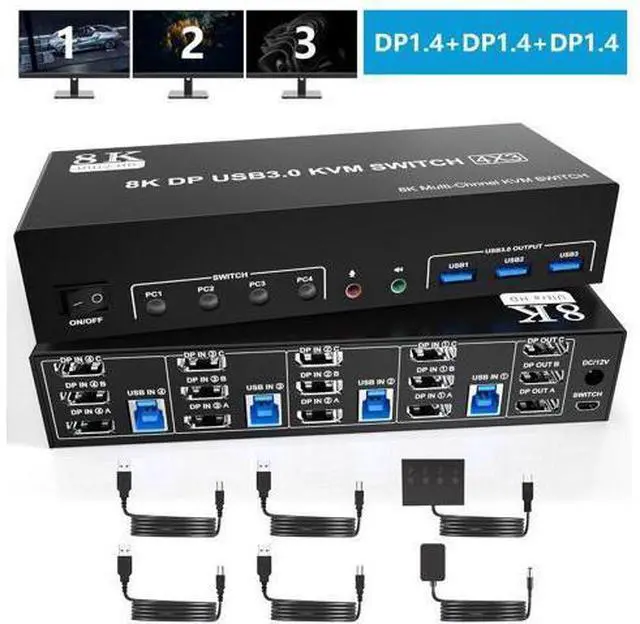


8K@60Hz USB 3.0 Displayport KVM Switch 3 Monitors 4 Computer, DP1.4 Triple Monitor KVM Switch with Audio Microphone Output and 3 USB 3.0 Port, KVM Triple Monitor Keyboard Mouse Switcher for 4PCs
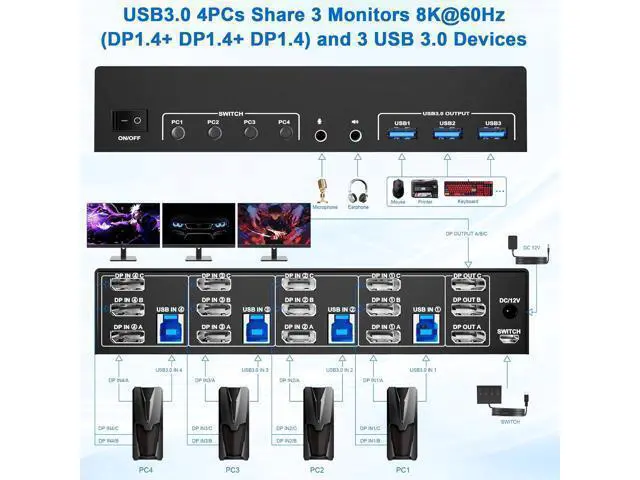
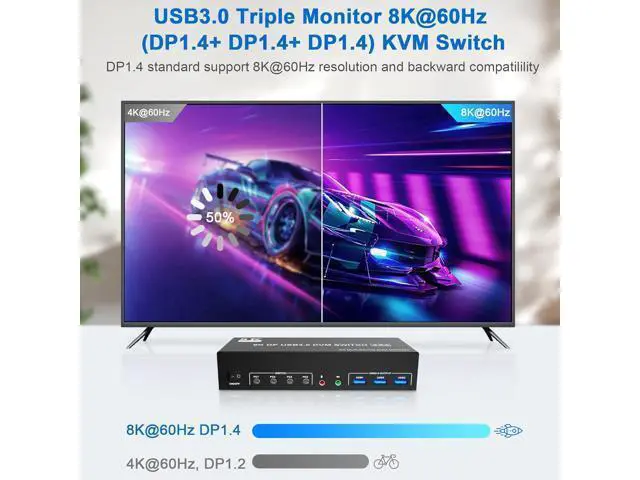
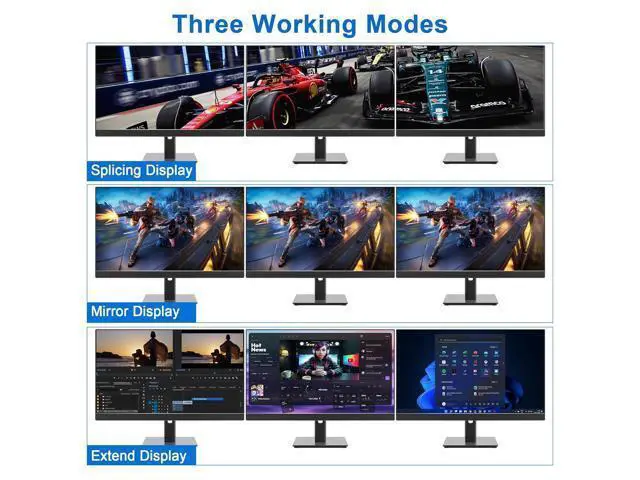
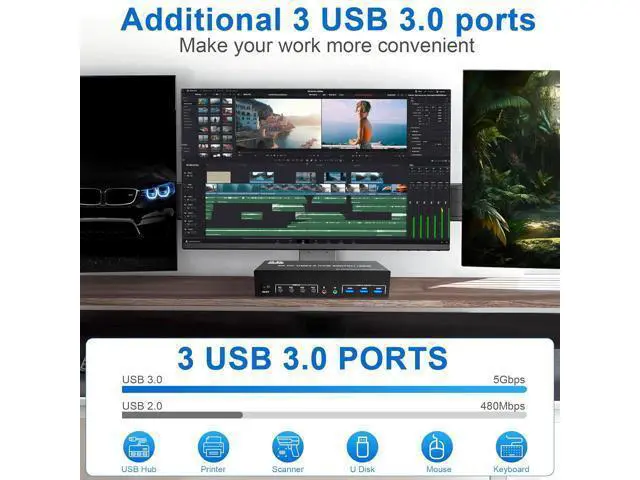
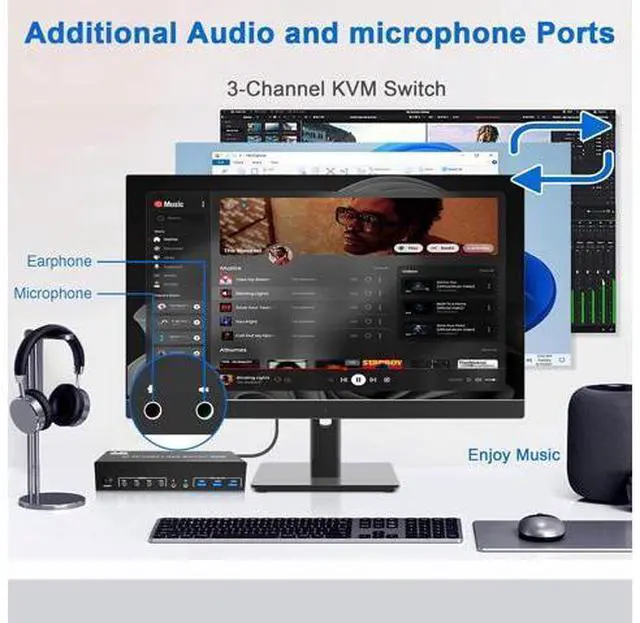
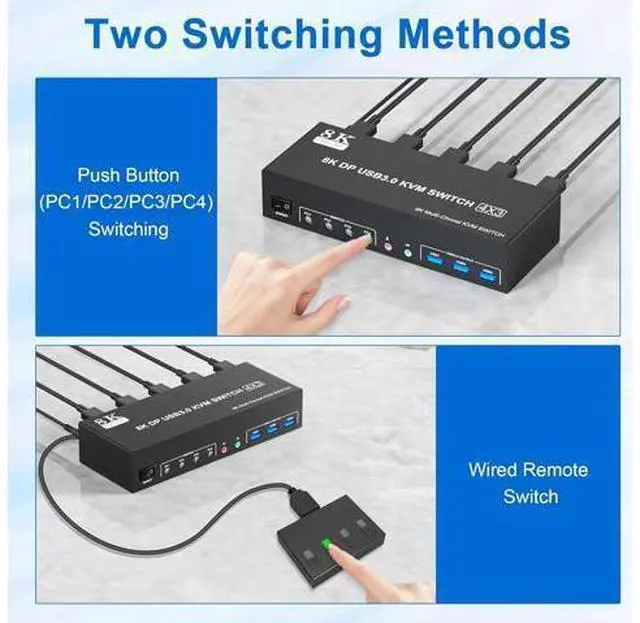
- KVM SWITCH TRIPLE MONITOR For 4 PCs: This kvm switch perfect for hooking up 4 desktops or laptops to share one set of keyboard, mouse and 3 monitors for extended, mirrored display; Perfect for computers with 3 Displayport monitors for the display outputs. Each computer needs to have 3 displayport video connection to the triple monitor displayport KVM.; Ultra HD 8K@60Hz: Supports resolution up to 8K@60Hz and downwards. Please be reminded it only when both your computer Graphics card and monitor support 8K@60Hz then you can get 8K@60Hz effect.; 3 USB3.0 & Audio & Microphone Output:with 3 integrated USB 3.0 ports which can recognize keyboard, mouse, printer and other USB devices. Supports USB 3.0 data transfer up to 5Gbps, backward compatible with USB 2.0/1.1 devices. Also supports separate audio and microphone output.; 2 Switching Mode: You can press the button on the panel or use the wired remote controller (included in the package) to switch the computers.
+
+
Overview
Specs
Reviews
USB 3.0 Triple Monitor 3 DisplayPort KVM Switch for 4
Computers Features: 4 computers / laptops share one set of keyboard, mouse and 3 monitors ( DisplayPort+DisplayPort+DisplayPort ) Triple monitors output support up to 4K@60Hz for extended and mirrored display
Two Switching modes: Button switch and wired remote. With extra 3 USB 3.0 and Audio Microphone output Cross support most major OS including Windows, Linux, Mac and more USB 3.0 Triple Monitor 3 DisplayPort KVM Switch for 4 Computersden behind the KVM, so the desktop doesn't get cluttered3
installation steps: 1. Insert the adapter into the KVM; 2. Plug the 3*Displayport cable into the KVM switch and monitor; (Output) 3. Plug the Displayport cable and USB cable into the KVM switch and your computer/laptop ( DP cables are not included ) (Input) Please check whether DP IN1A, DP IN1B, DP IN1C and USB IN1 are corresponding, whether DP IN2A, DP IN2B, DP IN2C and USB IN2 are corresponding, whether DP IN3A, DP IN3B, DP IN3C and USB IN3 are corresponding, whether DP IN4A, DP IN4B, DP IN4C and USB IN4 are corresponding. Mixed insertion is not supported. DP IN1A + DP IN1B + DP IN1C + USB IN1=PC1 DP IN2A + DP IN2B + DP IN2C + USB IN2=PC2 DP IN3A + DP IN3B + DP IN3C + USB IN3=PC3 DP IN4A + DP IN4B + DP IN4C + USB IN4=PC4 4. Insert the mouse and keyboard into the KVM switch 5. If needed, you can connect a microphone and audio port KVM Switch Triple Monitor Ultra HD 8K@60Hz: The DP 1.4 triple monitors ( DisplayPort +DisplayPort +Displ
Computers Features: 4 computers / laptops share one set of keyboard, mouse and 3 monitors ( DisplayPort+DisplayPort+DisplayPort ) Triple monitors output support up to 4K@60Hz for extended and mirrored display
Two Switching modes: Button switch and wired remote. With extra 3 USB 3.0 and Audio Microphone output Cross support most major OS including Windows, Linux, Mac and more USB 3.0 Triple Monitor 3 DisplayPort KVM Switch for 4 Computersden behind the KVM, so the desktop doesn't get cluttered3
installation steps: 1. Insert the adapter into the KVM; 2. Plug the 3*Displayport cable into the KVM switch and monitor; (Output) 3. Plug the Displayport cable and USB cable into the KVM switch and your computer/laptop ( DP cables are not included ) (Input) Please check whether DP IN1A, DP IN1B, DP IN1C and USB IN1 are corresponding, whether DP IN2A, DP IN2B, DP IN2C and USB IN2 are corresponding, whether DP IN3A, DP IN3B, DP IN3C and USB IN3 are corresponding, whether DP IN4A, DP IN4B, DP IN4C and USB IN4 are corresponding. Mixed insertion is not supported. DP IN1A + DP IN1B + DP IN1C + USB IN1=PC1 DP IN2A + DP IN2B + DP IN2C + USB IN2=PC2 DP IN3A + DP IN3B + DP IN3C + USB IN3=PC3 DP IN4A + DP IN4B + DP IN4C + USB IN4=PC4 4. Insert the mouse and keyboard into the KVM switch 5. If needed, you can connect a microphone and audio port KVM Switch Triple Monitor Ultra HD 8K@60Hz: The DP 1.4 triple monitors ( DisplayPort +DisplayPort +Displ
Warranty & Returns
Warranty, Returns, And Additional Information
Warranty
- Please contact the Seller directly for warranty information. Warranty information may also be found on the Manufacturer's website.
- CONTACT
Return Policies
- Return for refund within: 30 days
- Return for replacement within: 90 days
- This item is covered by Truespan Living Return Policy
Manufacturer Contact Info
- For a directory of all our manufacturers, please click below.
- Manufacturers Directory
LOADING...