
Your Browsing History
Ships from China.

Meet Your Seller

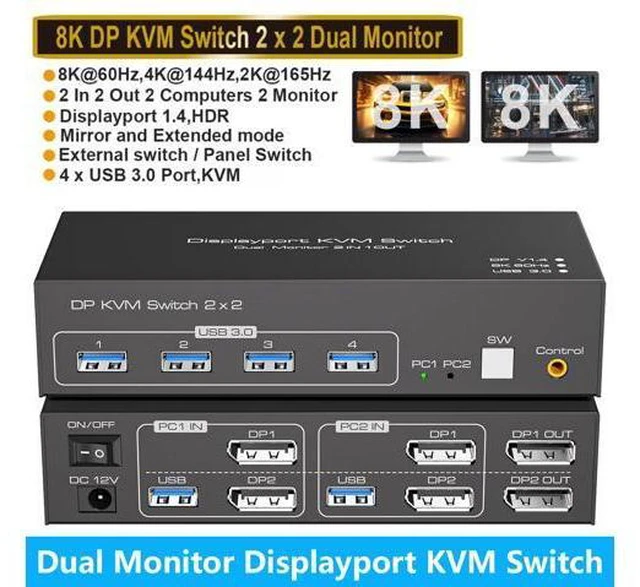


AUTYUE 2 Port DisplayPort Dual Monitor KVM Switch 8K@60Hz 4K@120Hz, USB 3.0 DP1.4 KVM Switcher 2 in 2 Out for 2 Computers 2 Monitors with 4 Ports USB 3.0 Support Copy and Extended Display giyqxHw
Limited time offer, ends 09/15 By Truespan Living
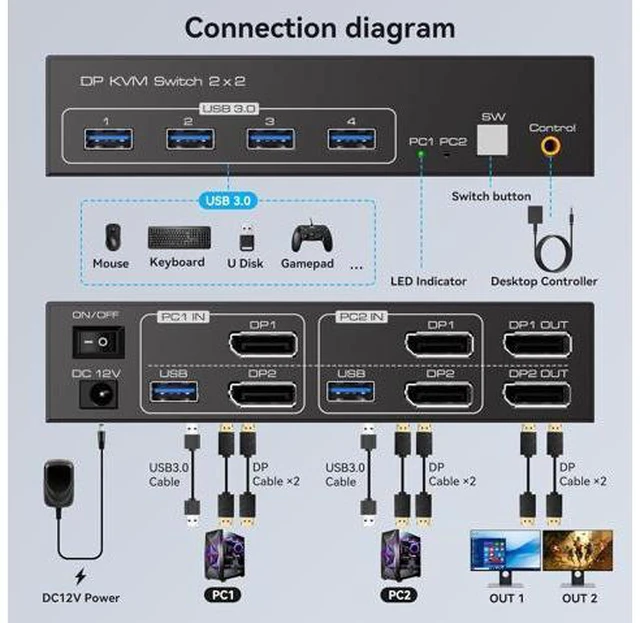
- KVM Switch 2 Monitors 2 Computers:The DP KVM Switches allow users to control 2 computers using one set of keyboard,mouse and 2-monitor setup. Note:Both of your 2 computers need to have 2 DP output ports,and both monitors need to have DP interfaces.It is r
+
+
Overview
Specs
Reviews
Display port KVM Switch 2 Computer 2
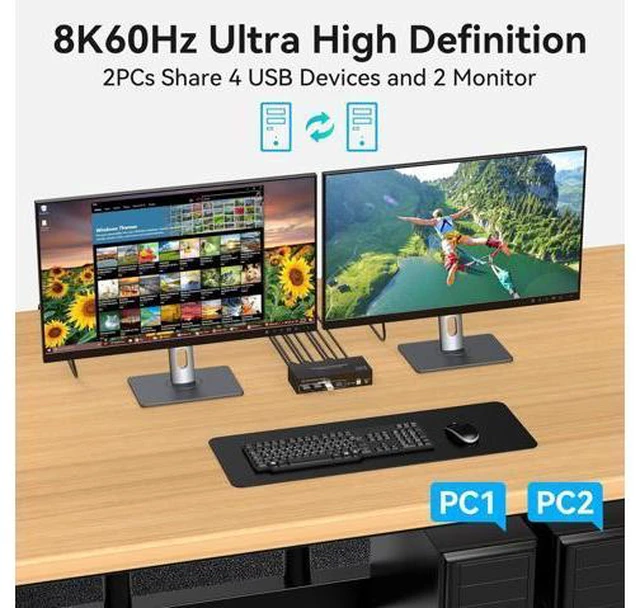
Monitor Features: Easily share two monitors and a mouse and keyboard without having to unplug and unplug repeatedly.
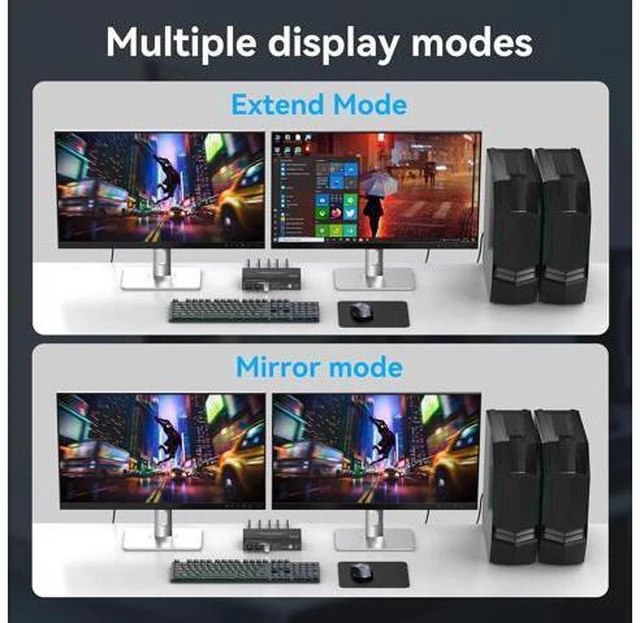
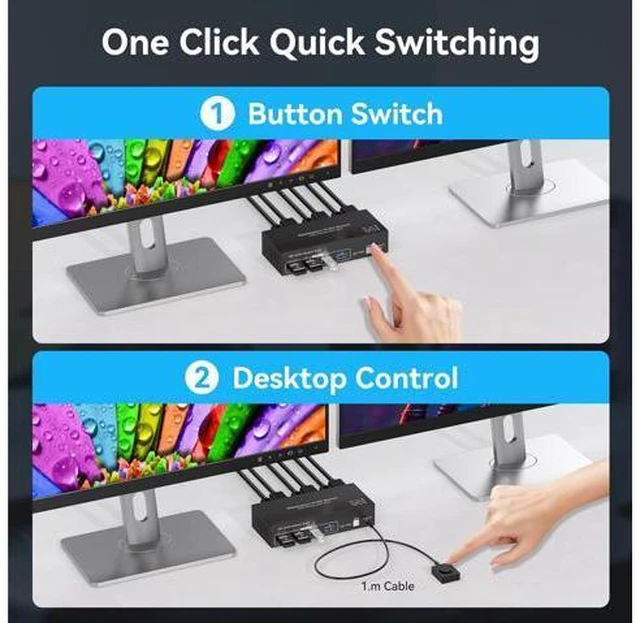
Two display modes: duplicate mode and extended mode. 4K60Hz Ultra HD display, backward compatible with 2K@144Hz, 1080P, etc. Two switching modes, allowing you to easily switch back and forth between two computers. 4 USB 3.0 ports for connecting multiple devices. Enjoy an Outstanding Visual Experience with 8K60Hz The realistic color reproduction of 8K resolution provides a wider color gamut and more accurate color performance, making the colors in the picture more vivid and lifelike. Whether it's a gorgeous natural scenery, colorful artwork, or a wonderful movie scene, it can be presented in the truest colors, greatly enhancing the visual impact and infectious force.
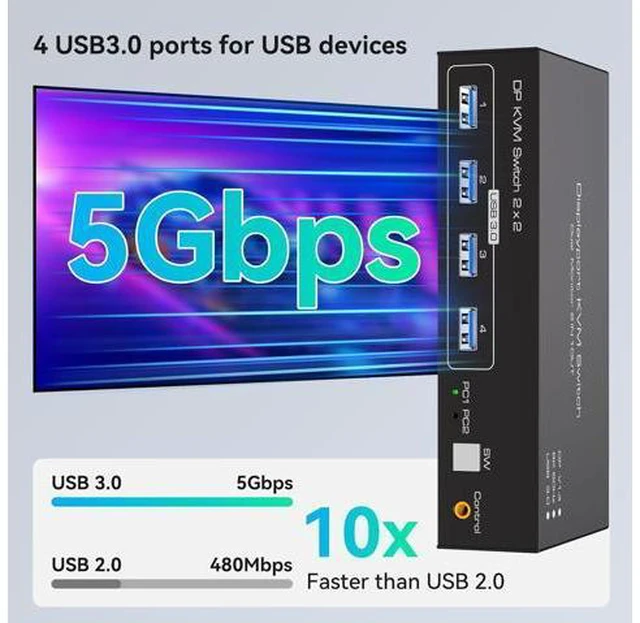
Note: 8K@60Hz output is available only when both the computer and monitor support 8K@60Hz and a 4K cable is used. 4 USB 3.0 ports, widely compatible with various systems Can share multiple USB devices at the same time, such
as: wired mouse, wireless mouse, U disk, printer, etc.
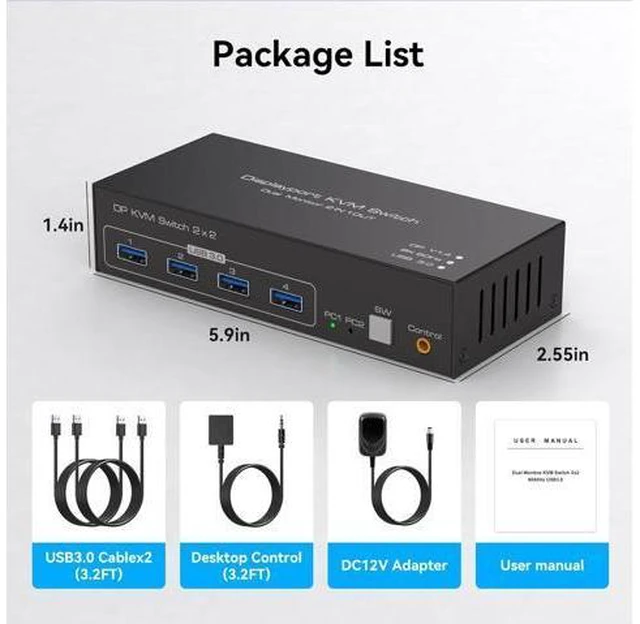
Compatible with multiple devices: Windows, MacOS, Linux, etc. Connect two Displayport computers and one USB 3.0 cable to each computer, and one Displayport cable to eaEach computer needs to have 2 DP cables and 1 USB-A cable connected to the KVM switch in order to use the 2 DP port monitors properch monitor to the KVM to use it. Two display modes
Copy Mode: It can synchronize the screen of th
Monitor Features: Easily share two monitors and a mouse and keyboard without having to unplug and unplug repeatedly.
Two display modes: duplicate mode and extended mode. 4K60Hz Ultra HD display, backward compatible with 2K@144Hz, 1080P, etc. Two switching modes, allowing you to easily switch back and forth between two computers. 4 USB 3.0 ports for connecting multiple devices. Enjoy an Outstanding Visual Experience with 8K60Hz The realistic color reproduction of 8K resolution provides a wider color gamut and more accurate color performance, making the colors in the picture more vivid and lifelike. Whether it's a gorgeous natural scenery, colorful artwork, or a wonderful movie scene, it can be presented in the truest colors, greatly enhancing the visual impact and infectious force.
Note: 8K@60Hz output is available only when both the computer and monitor support 8K@60Hz and a 4K cable is used. 4 USB 3.0 ports, widely compatible with various systems Can share multiple USB devices at the same time, such
as: wired mouse, wireless mouse, U disk, printer, etc.
Compatible with multiple devices: Windows, MacOS, Linux, etc. Connect two Displayport computers and one USB 3.0 cable to each computer, and one Displayport cable to eaEach computer needs to have 2 DP cables and 1 USB-A cable connected to the KVM switch in order to use the 2 DP port monitors properch monitor to the KVM to use it. Two display modes
Copy Mode: It can synchronize the screen of th
Warranty & Returns
Warranty, Returns, And Additional Information
Warranty
- Please contact the Seller directly for warranty information. Warranty information may also be found on the Manufacturer's website.
- CONTACT
Return Policies
- Return for refund within: 30 days
- Return for replacement within: 90 days
- This item is covered by Truespan Living Return Policy
Manufacturer Contact Info
- For a directory of all our manufacturers, please click below.
- Manufacturers Directory
LOADING...